


 本文介绍了解决在使用Xbox NUI Sensor时遇到的LIBUSB_ERROR_NOT_SUPPORTED错误的方法。通过调整Zadig软件设置,取消忽略集线器或复合父设备选项,并将Xbox NUI Sensor的驱动更改为libusbK,可以成功解决该问题。
[Error] [protocol::UsbControl] failed to claim interface with IrInterfaceId(=1)! LIBUSB_ERROR_NOT_SUPPORTED Operation not supported or unimplemented on this platform. Try debugging with environment variable: export LIBUSB_DEBUG=3
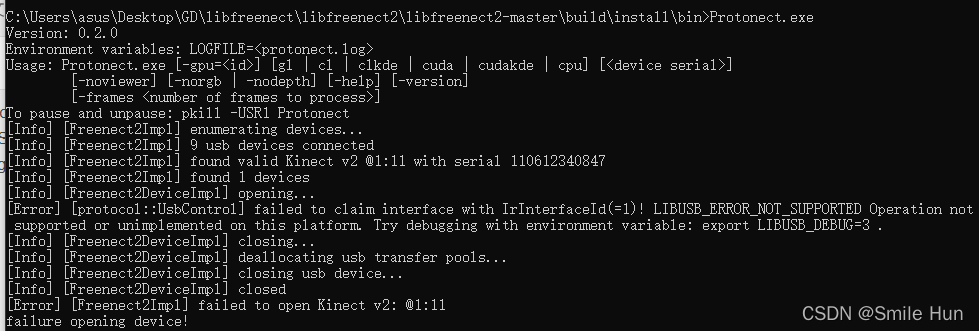
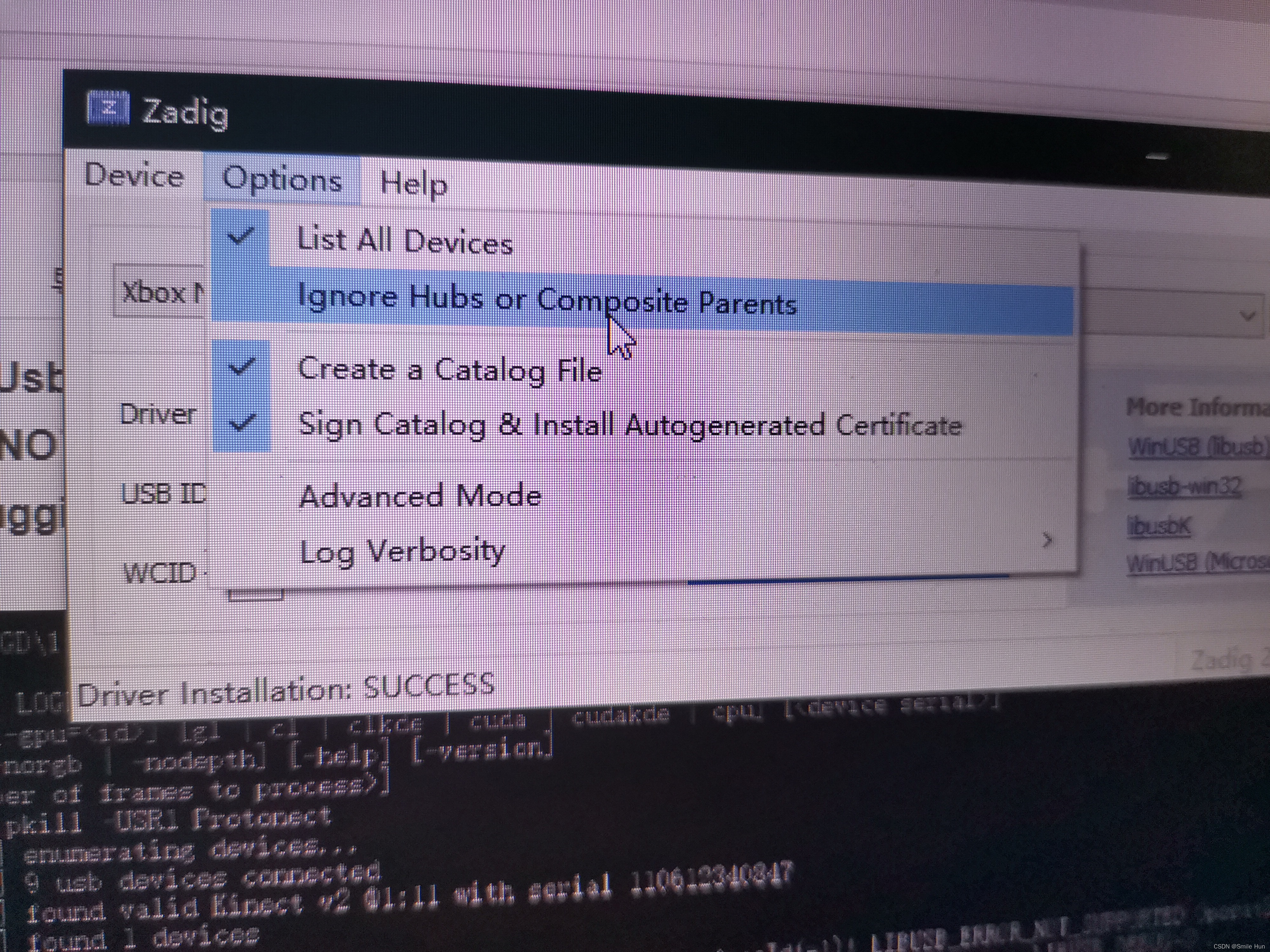
解决办法:在Optino中,默认的是IgnoreHubs or Compostie Parents 是选中的
1、要去掉这个对勾
2、list all devices
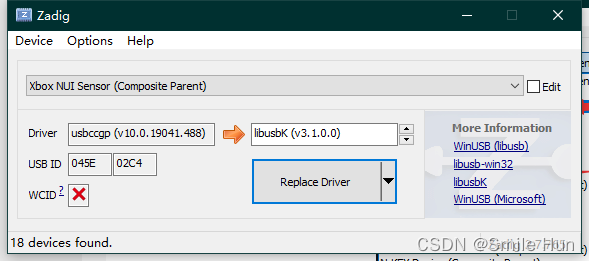
3、找到 Xbox NUI Sensor 替换成 libusbK
完整过程:
1、打开zadig,Options,list all devices
此时里面会出现一个Xbox NUI Sensor(Interface 0)
2、Options,ignore hubs or composite parents
最后的结果是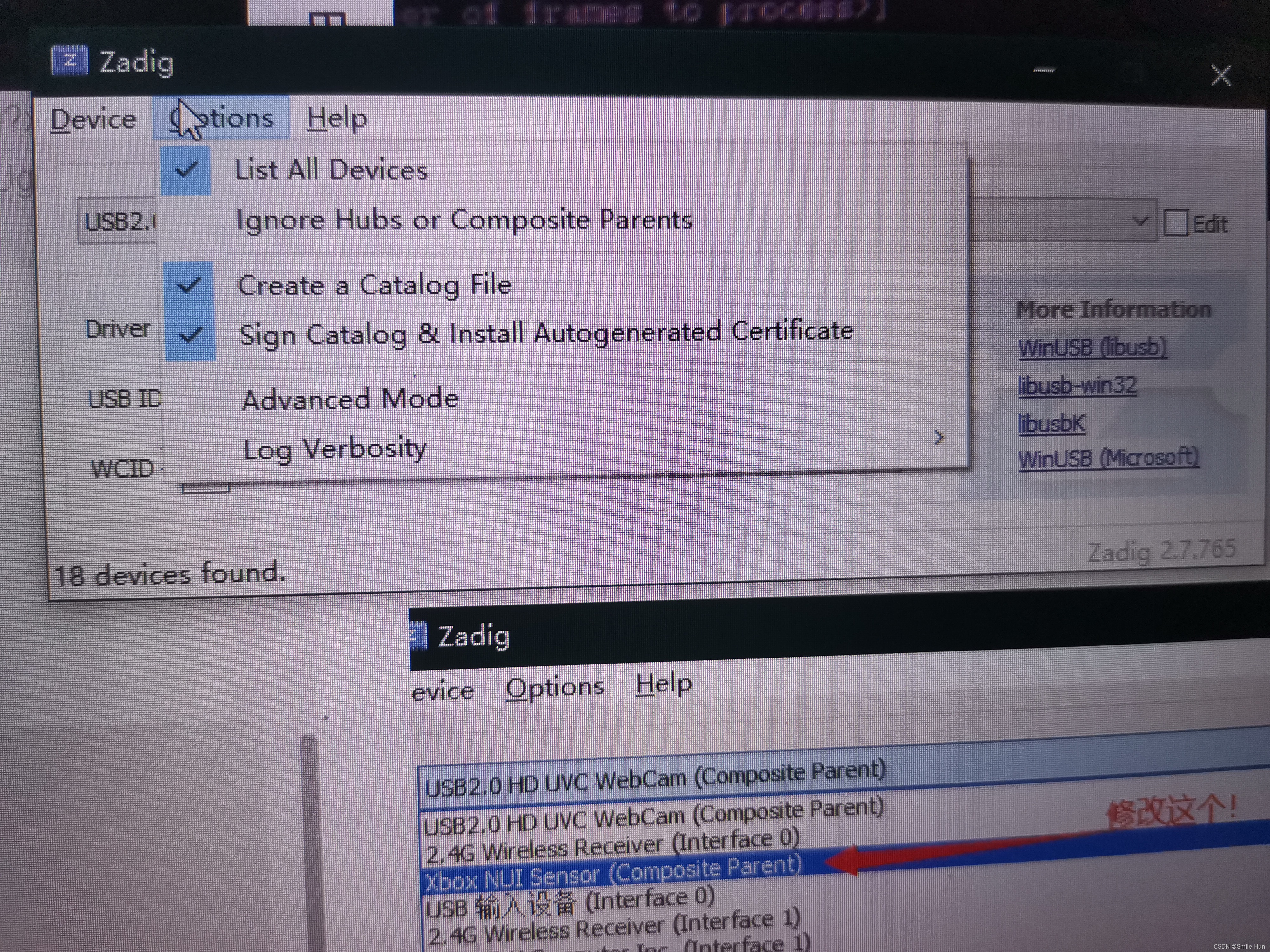
然后修改这个为libusbK就可以了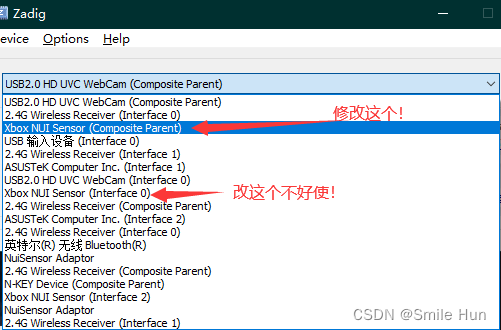
成果图:
修改完成后重试 protonect.exe 出现四幅图像

参考链接:How to make it run in VS 2019? - getting LIBUSB_ERROR_NOT_SUPPORTED #44






 扫一扫
扫一扫


 874
874

 被折叠的 条评论
为什么被折叠?
被折叠的 条评论
为什么被折叠?
 到【灌水乐园】发言





