


 本文深入解析CSS浮动机制,探讨如何利用float属性使元素向左或向右移动,直至碰到包含框或另一浮动框的边框。文章阐述了浮动元素如何脱离文档流,影响周围元素布局,以及如何处理浮动元素的宽度和高度问题。
CSS浮动
浮动的框可以向左或向右移动,直到它的外边缘碰到包含框或另一个浮动框的边框为止。
由于浮动框不在文档的普通流中,所以文档的普通流中的块框表现得就像浮动框不存在一样。
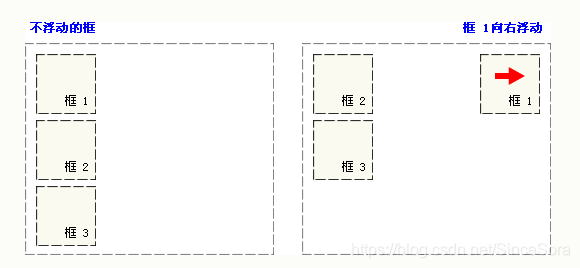
请看下图,当把框 1 向右浮动时,它脱离文档流并且向右移动,直到它的右边缘碰到包含框的右边缘:
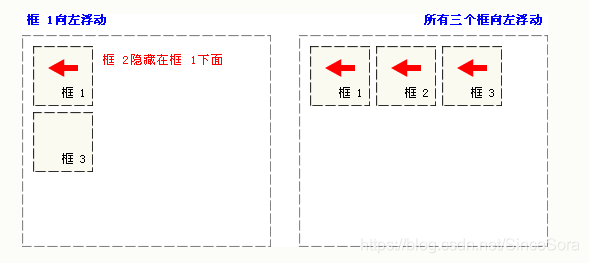
再请看下图,当框 1 向左浮动时,它脱离文档流并且向左移动,直到它的左边缘碰到包含框的左边缘。因为它不再处于文档流中,所以它不占据空间,实际上覆盖住了框 2,使框 2 从视图中消失。
如果把所有三个框都向左移动,那么框 1 向左浮动直到碰到包含框,另外两个框向左浮动直到碰到前一个浮动框。
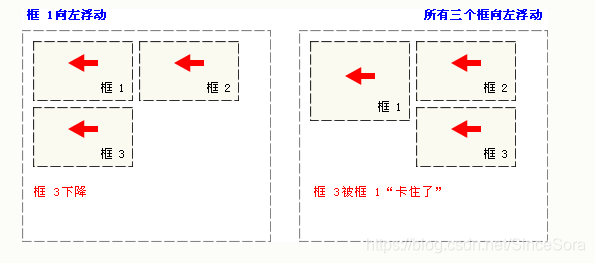
如下图所示,如果包含框太窄,无法容纳水平排列的三个浮动元素,那么其它浮动块向下移动,直到有足够的空间。如果浮动元素的高度不同,那么当它们向下移动时可能被其它浮动元素“卡住”:
CSS float 属性
浮动主要是靠 float 属性来实现的
float 属性定义元素在哪个方向浮动。以往这个属性总应用于图像,使文本围绕在图像周围,不过在 CSS 中,任何元素都可以浮动。浮动元素会生成一个块级框,而不论它本身是何种元素。
如果浮动非替换元素,则要指定一个明确的宽度;否则,它们会尽可能地窄。
注释:假如在一行之上只有极少的空间可供浮动元素,那么这个元素会跳至下一行,这个过程会持续到某一行拥有足够的空间为止。
示例
<html>
<head>
<style type="text/css">
img
{
float:right
}
</style>
</head>

<body>
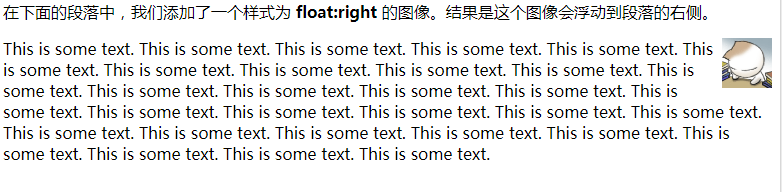
<p>在下面的段落中,我们添加了一个样式为 <b>float:right</b> 的图像。结果是这个图像会浮动到段落的右侧。</p>
<p>
<img src="/i/eg_cute.gif" />
This is some text. This is some text. This is some text.
This is some text. This is some text. This is some text.
This is some text. This is some text. This is some text.
This is some text. This is some text. This is some text.
This is some text. This is some text. This is some text.
This is some text. This is some text. This is some text.
This is some text. This is some text. This is some text.
This is some text. This is some text. This is some text.
This is some text. This is some text. This is some text.
This is some text. This is some text. This is some text.
</p>
</body>

</html>
效果
<!DOCTYPE html>
<html lang="en">
<head>
    <meta charset="UTF-8">
    <title></title>
    <style type="text/css">
        .div1 {
            width: 650px;
            height: 500px;
            border: 1px solid black;
            margin: 0 auto;
        }

        .div2 {
            width: 200px;
            height: 150px;
            margin: 10px 0 0 10px;
            border: 1px solid black;
            float: left;
            background: url("../img/0e33dc31d403914b6644ff0e3e3f7b20_200_150.png");
            transition: all 0.1s;
        }

        .div2:hover{
            transform: scale(1.5);
        }


    </style>
</head>
<body>
    <div class="div1">
        <div class="div2"></div>
        <div class="div2"></div>
        <div class="div2"></div>
        <div class="div2"></div>
        <div class="div2"></div>
        <div class="div2"></div>
        <div class="div2"></div>
        <div class="div2"></div>
        <div class="div2"></div>
    </div>
</body>
</html>
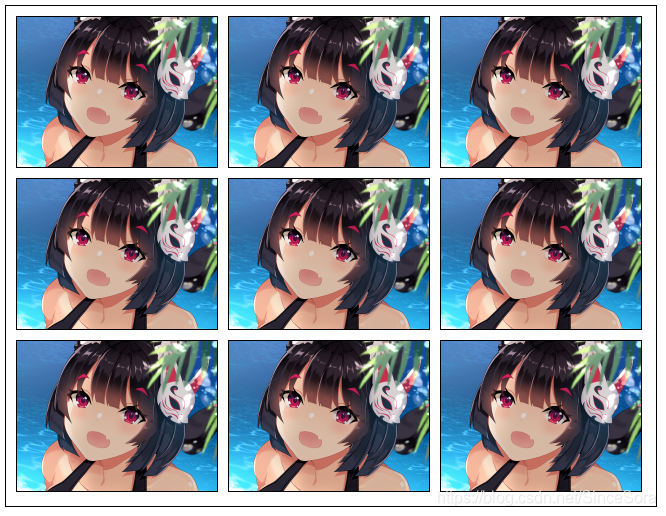
浮动具有以下特性:
盖不住文本
浮动元素后面不是块级元素,后面的元素将会和它并排(除非设置了元素的宽度,并且屏幕放不下时将会换行)
浮动元素的上一个元素如果没有浮动,浮动只在当前行浮动;当浮动遇到浮动,它们将在一行排序,除非没有位置了
当元素设置定位值为absolute、fixed时,浮动将被忽略
float引起父元素高度塌陷
浮动元素会被后一个元素的margin-top影响





 扫一扫
扫一扫


 2404
2404

 被折叠的 条评论
为什么被折叠?
被折叠的 条评论
为什么被折叠?
 到【灌水乐园】发言





