


NetBeans本身的Tools-->Plugins-->Available Plugins里面是没有nb-springboot插件的,需要从GitHub上下载,地址:https://github.com/AlexFalappa/nb-springboot

This plugin requires NetBeans 8.2 or above running on JDK 8 or above,To perform a manual install download the desired nbm package from the releases page 。
安装该插件需要NetBeans8.2及以上和Java8以上版本,如果要下载nbm包手动安装插件,请到release page进行下载。

到release page页面下载nbm版本插件

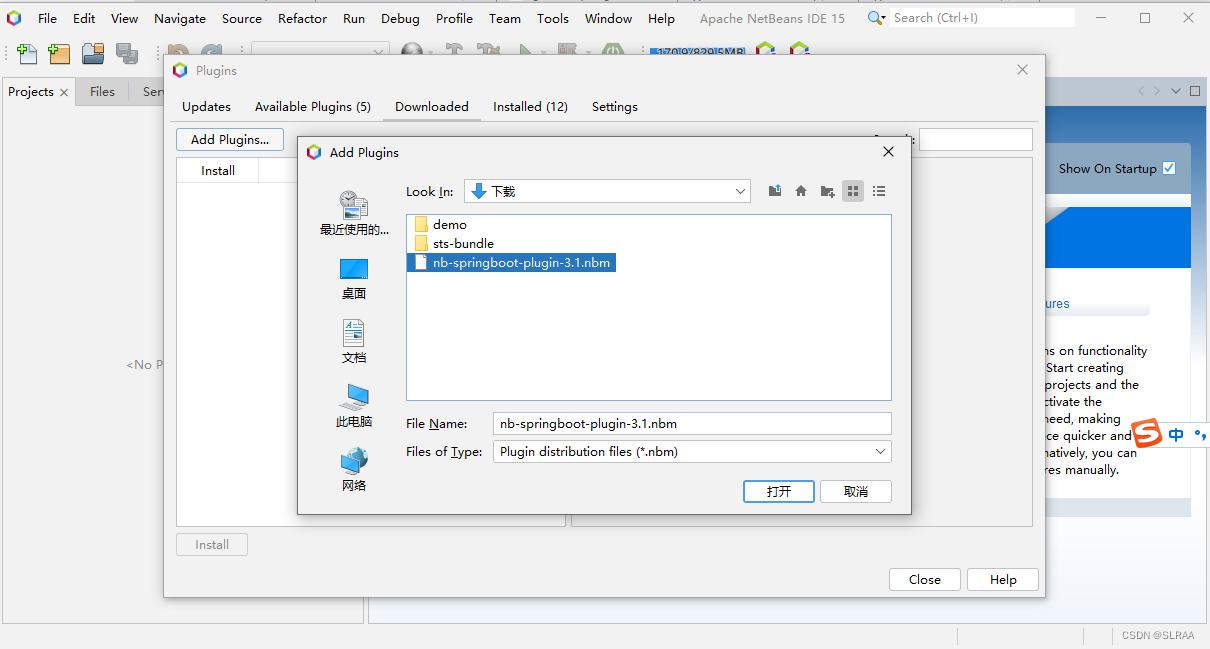
go to Tools > Plugins > Downloaded and click the Add Plugins... button. Choose the downloaded nbm package file then click Install.
在NetBeans的Tools > Plugins > Downloaded里面点击Add Plugins进行安装,安装过程会提示自己安装插件有风险,忽略提示继续安装即可。
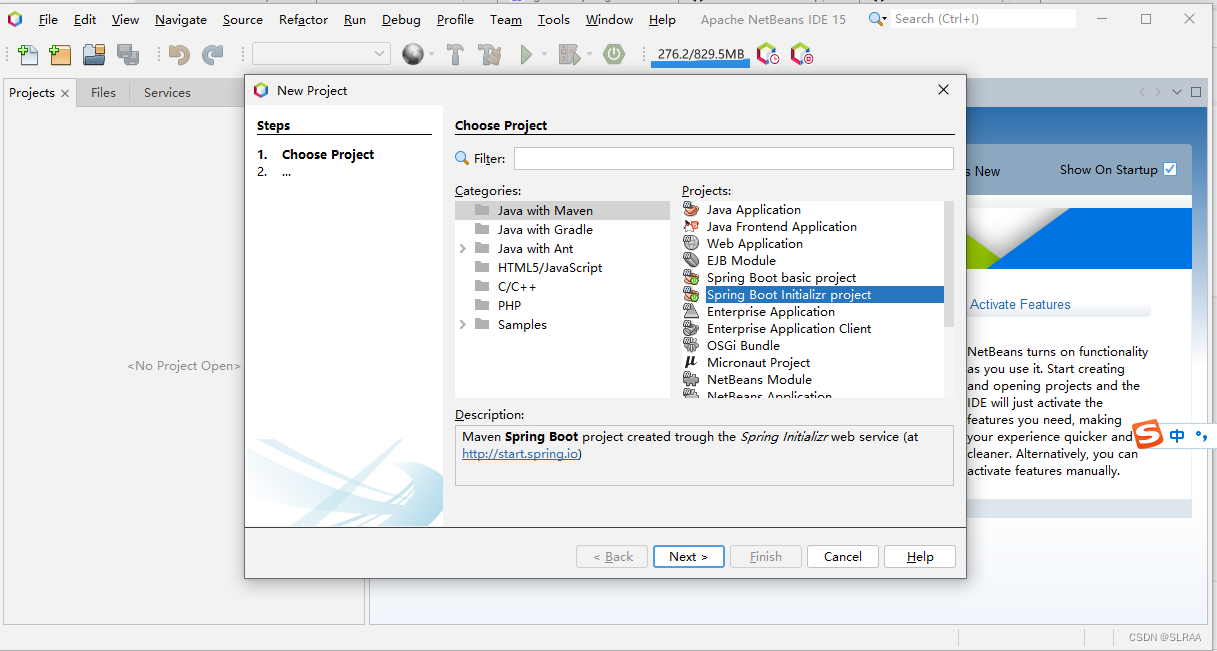
安装完成后,重启NetBeans,在New Poject中多了spring boot项目选项。





 扫一扫
扫一扫


 4103
4103

 被折叠的 条评论
为什么被折叠?
被折叠的 条评论
为什么被折叠?
 到【灌水乐园】发言





