



目录
拿到一个有 hardhat.config.ts 配置文件的合约项目,如何在本地部署(windows10演示)。
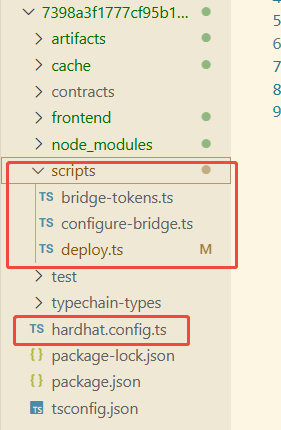
1.项目结构分析
contracts/ 目录下放的是 solidity 合约文件
scripts/ 目录下存放 Hardhat 部署与配置脚本,这些脚本会在部署后帮你配置跨链环境。
-
deploy.ts:主部署脚本(部署contracts路径下的合约) -
configure-bridge.ts:设置合约跨链通信参数(如 LayerZero endpoint、trusted remote) -
bridge-tokens.ts:模拟跨链 bridge 发送 token
2. 开启 Hardhat 本地网络
下载合适版本的 Node.js,最新版中包含 Hardhat 环境,下载地址:https://nodejs.org/zh-cn/download。
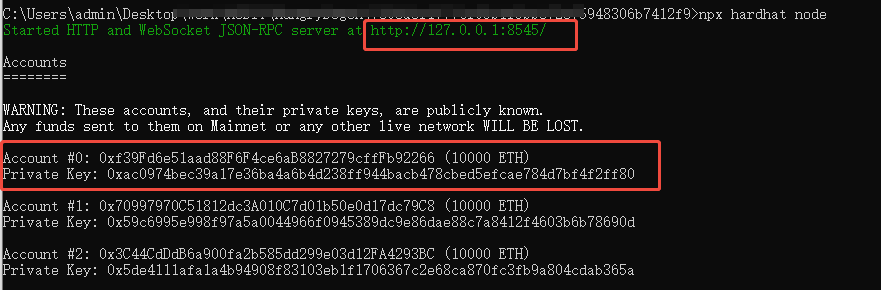
打开一个管理员cmd,进入到项目路径下,开启一个 Hardhat 本地节点。
npx hardhat node
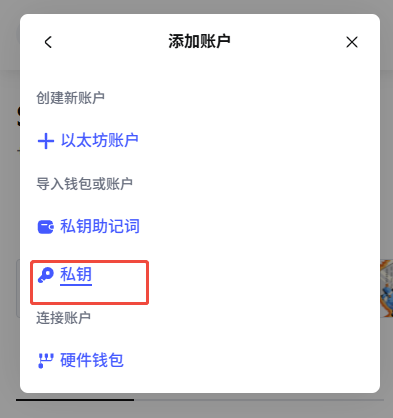
开启后节点后,会提示本地的 RPC地址 http://127.0.0.1:8545/,可以用metamask 钱包添加本地网络和连接。节点自动生成了几个账户,可以直接将私钥导入钱包,以便测试。
3. 编译部署项目
3.1 安装依赖
cmd 进入项目路径,下载项目依赖包,项目路径下会多出一个node_modules/ 目录,存放依赖包的代码。如果遇到依赖报错,就删除 node_modules 目录,再执行下面那个命令
npm install

# npm install --legacy-peer-deps
3.2 编译项目合约
打开一个管理员cmd,进入到项目路径下,用 Hardhat 编译 contracts/ 目录中的合约,编译后项目路径会多出 artifacts/ 和 cache/ 两个目录,存编译出来的数据。
npx hardhat compile
artifacts/contracts/Hungry.sol/Hungry.json 文件中是 abi 信息,可以看到该合约所有 public、external 函数有哪些。
3.3 在本地网络部署项目
打开一个管理员cmd,进入到项目路径下
npx hardhat run scripts/deploy.ts --network localhost
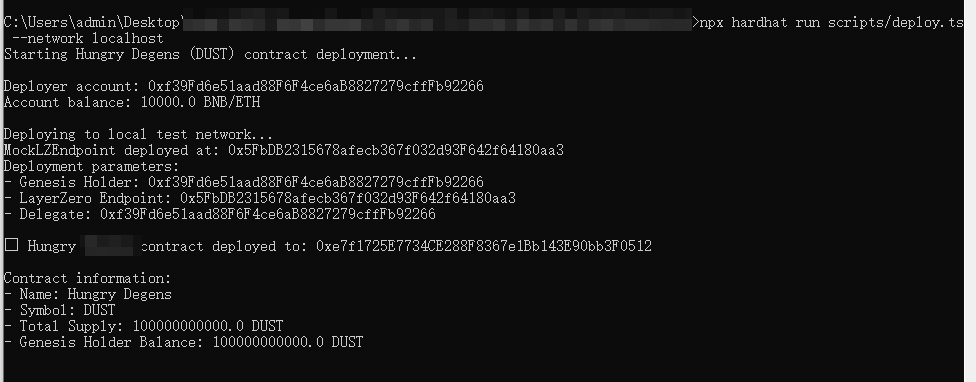
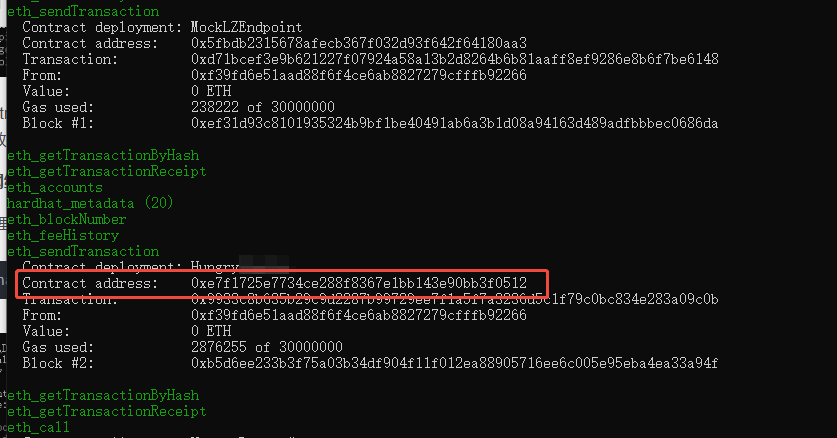
本地网络节点下面可以找到主要合约的部署地址
3.4 报错问题解决
如果部署报错 error TS5109:
C:\Users\admin\Desktop\work\AUDIT\HungryDegen\7398a3f1777cf95b1f5bbe72e75948306b7412f9>npx hardhat run scripts/deploy.ts --network localhost An unexpected error occurred: error TS5109: Option 'moduleResolution' must be set to 'NodeNext' (or left unspecified) when option 'module' is set to 'NodeNext'.
在项目路径下修改或创建 tsconfig.json,并把 node_modules/、 artifacts/ 和 cache/ 删除,重新安装依赖、编译、部署:
{
  "compilerOptions": {
    "target": "ES2020",
    "module": "NodeNext",
    "moduleResolution": "NodeNext",
    "resolveJsonModule": true,
    "esModuleInterop": true,
    "forceConsistentCasingInFileNames": true,
    "strict": false,
    "skipLibCheck": true
  },
  "include": [
    "./scripts",
    "./test",
    "./hardhat.config.ts"
  ]
}
4. 本地网络连接钱包测试
在浏览器插件市场安装 metamask 钱包,导入Hardhat 本地网络生成的账户私钥
添加 Hardhat 本地 RPC
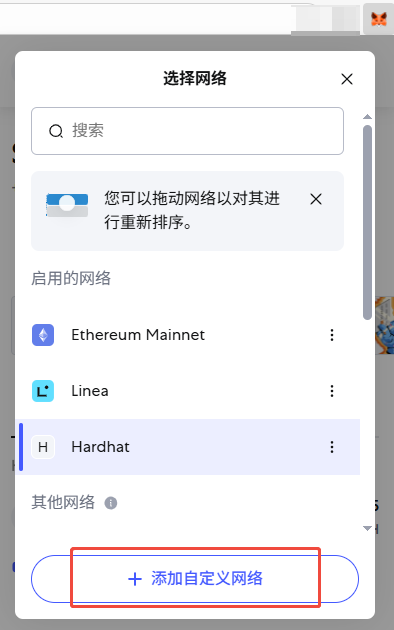
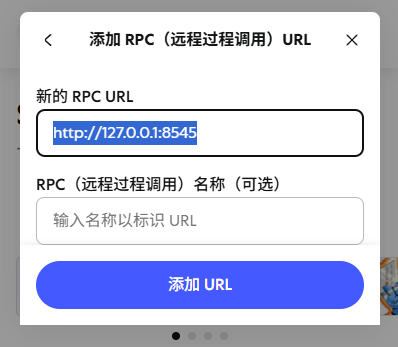
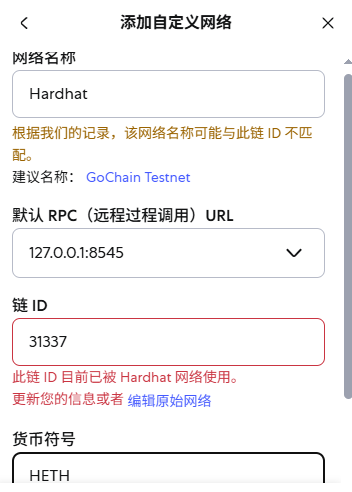
RPC: http://127.0.0.1:8545, ChainId: 31337(Hardhat 默认链 ID)





 扫一扫
扫一扫


 1万+
1万+

 被折叠的 条评论
为什么被折叠?
被折叠的 条评论
为什么被折叠?
 到【灌水乐园】发言





