






在vue项目中组件是我们常用的东西, 组件是一个可复用的vue实例,假如说我们项目中有一个表单,在A和B页面都用到了,不用再去cv代码,只需要封装成组件,在两个页面分别引入或全局引入就可以了,非常的方便。
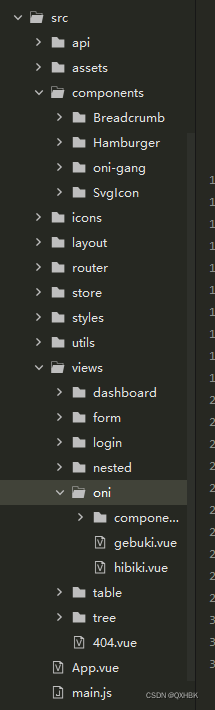
在src/components目录下的一般是我们的公共组件,供整个项目使用,如果组件仅供这个模块使用,可以在页面文件目录下新建一个components,当作我们的私有组件来使用,这样整个项目会比较清晰
子组件,
<template>
  <div style="background-color: #409EFF;margin-top: 100px;">
    <h1>{{ childMsg }}</h1>
    <h2>{{ childMessage }}</h2>
  </div>
</template>

<script>
  export default {
    name: 'onigang',
    data() {
      return {
        childMsg: 'voni-gang',
        childMessage: '这是子组件'
      }
    },
    methods: {

    }
  }
</script>

<style lang="scss">

</style>
父组件
<template>
  <div style="width: 600px;height: 600px;background-color: #000;color: #FFFFFF;">
    <h1> {{ fatherMsg }} </h1>
    <h1> {{ fatherMessage }} </h1>
    <oni-gang></oni-gang>
  </div>
</template>

<script>
  // 引入组件,映入组件可自定义名字,一般采用小驼峰命名,与文件同名,不然乱
  import oniGang from '../../components/oni-gang/oni-gang.vue'
  export default {
    components: {
      oniGang,
    //然后在页面中注册组件,在组件名大写的地方页面中使用是需用-隔开小写
    },
    name: 'gebuki',
    data() {
      return {
        fatherMsg: 'gebuki',
        fatherMessage: '这是父组件'
      }
    },
    methods: {

    }
  }
</script>

<style lang="scss">

</style>
这样你的组件就引入成功了,
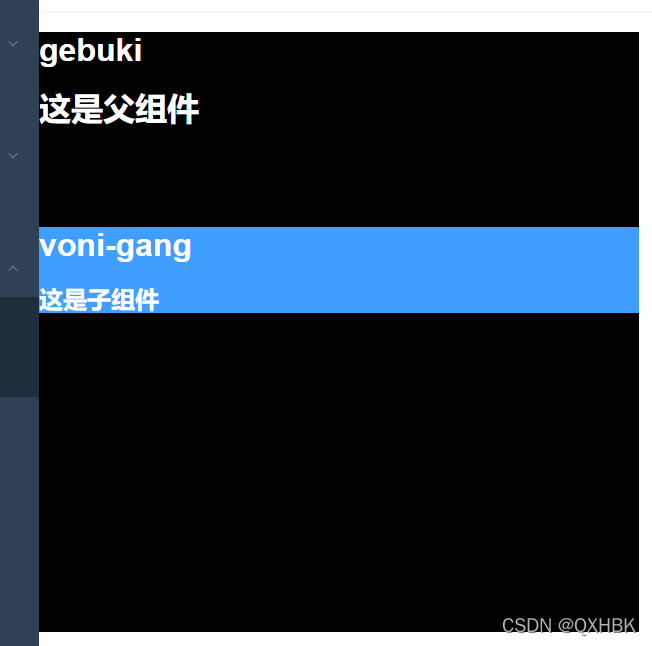
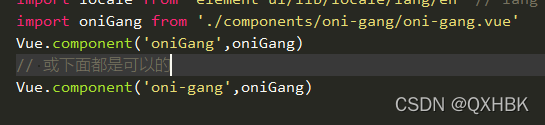
这么好的东西怎么可能只能用一次引一次呢,那多麻烦, 还可以全局引入
main.js
组件 基本使用,不爱动弹,就这样吧,传值啥的之后再说
希望能对你有所帮助





 扫一扫
扫一扫


 996
996

 被折叠的 条评论
为什么被折叠?
被折叠的 条评论
为什么被折叠?
 到【灌水乐园】发言





