Zabbix 企业级应用
一、配置zabbix自动发现
- 发现那些正在运行Zabbix代理的主机
- 每10分钟运行一次发现
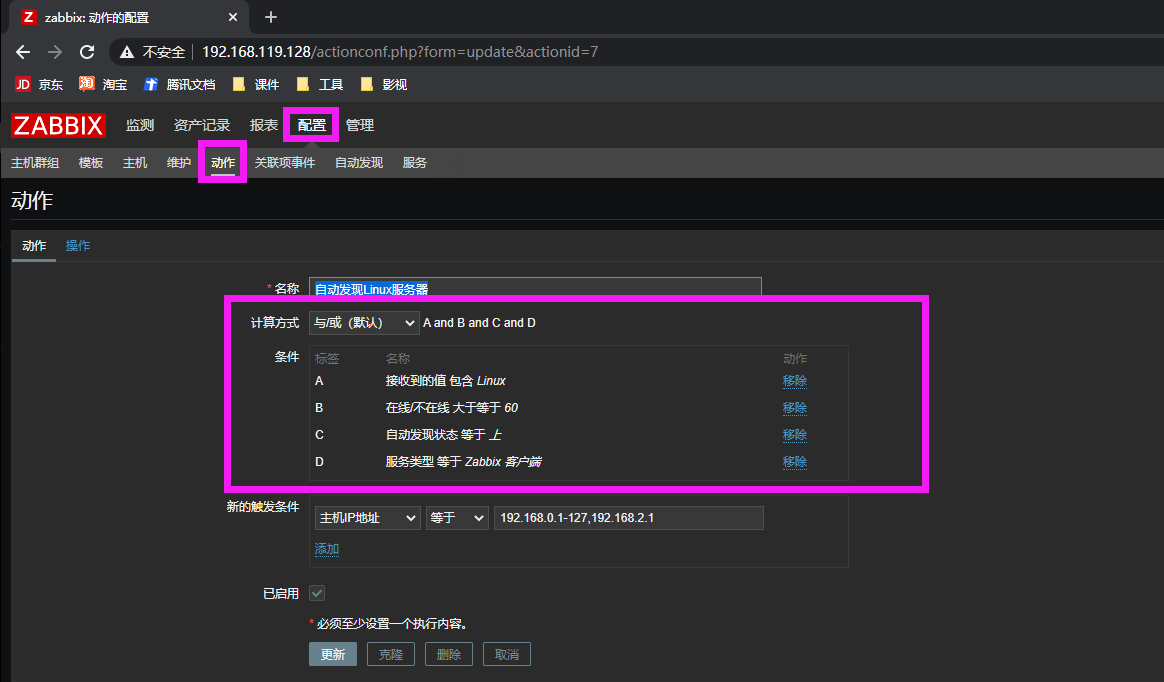
- 添加主机以监视主机正常运行时间是否超过1小时
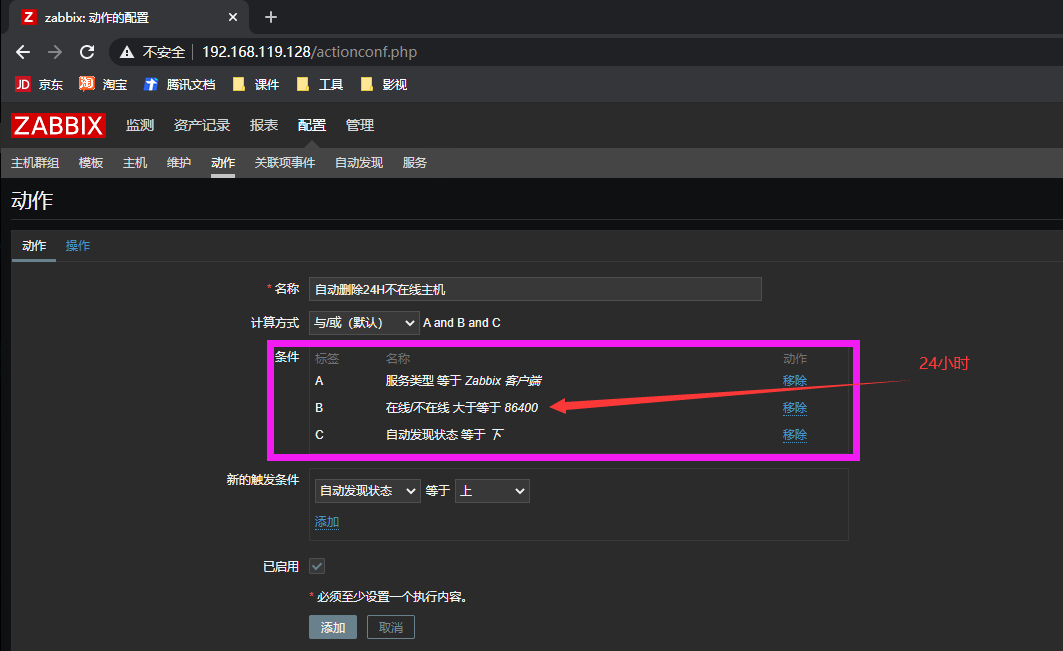
- 如果主机停机时间超过24小时,则删除主机
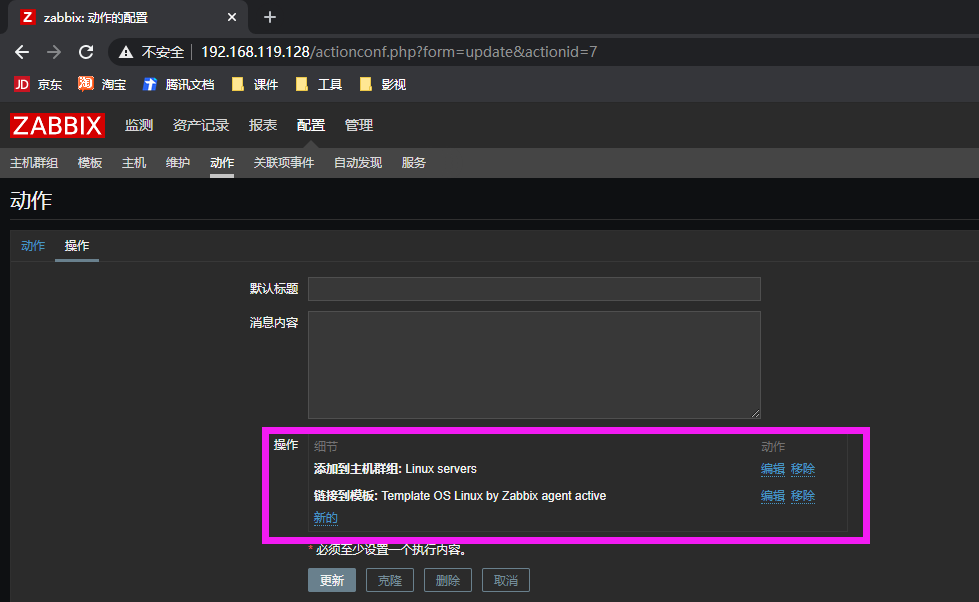
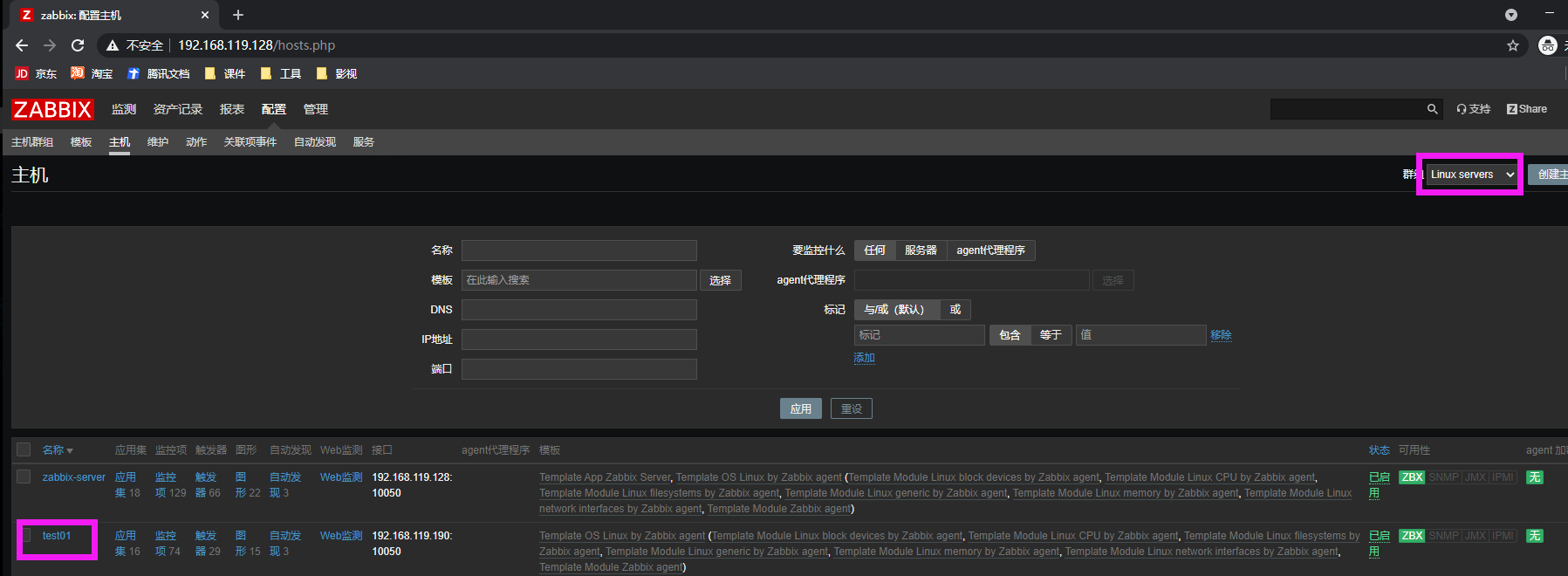
- 将Linux主机添加到“ Linux服务器”组
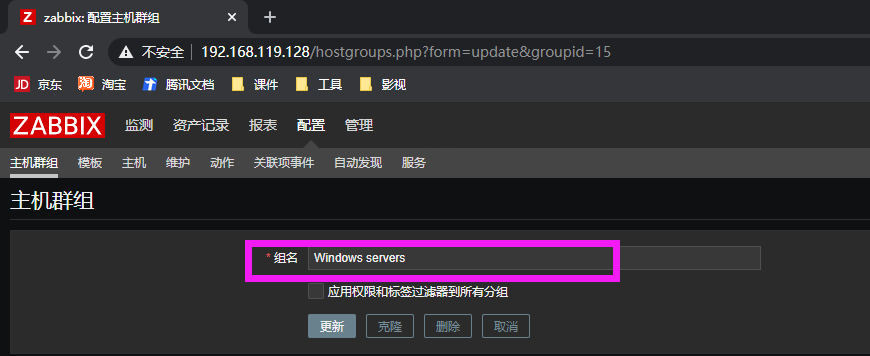
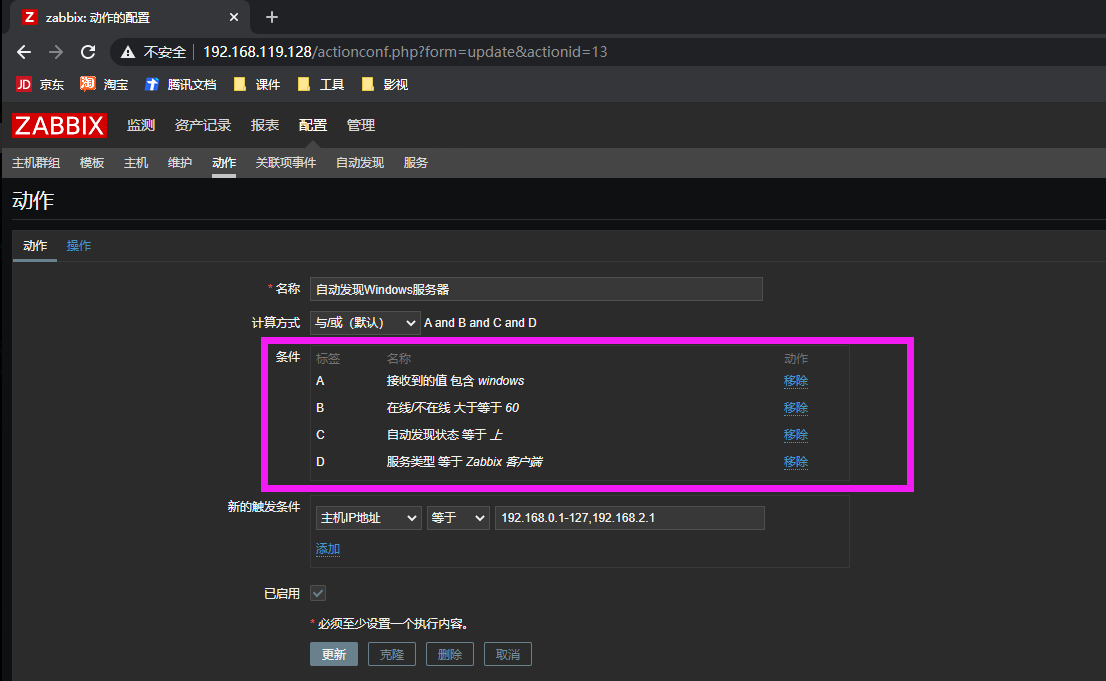
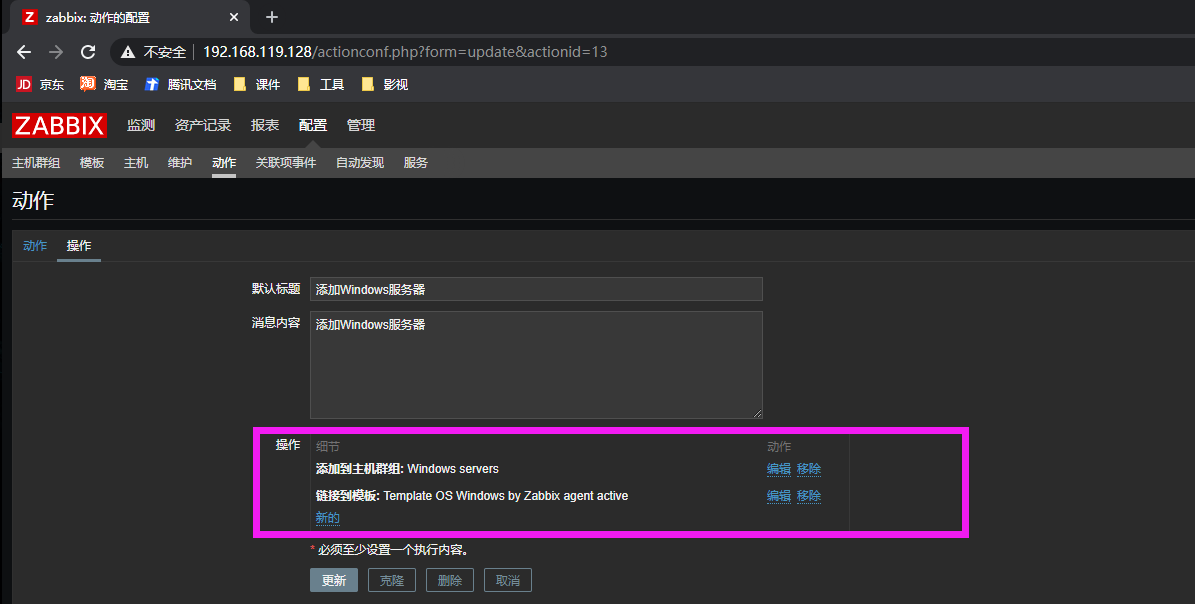
- 将Windows主机添加到“ Windows服务器”组
- 针对Linux主机使用Template OS Linux
- 针对Windows主机使用Template OS Windows
1. 配置Zabbix自动发现
$ rpm -Uvh https://repo.zabbix.com/zabbix/4.4/rhel/7/x86_64/zabbix-release-4.4-1.el7.noarch.rpm
$ yum install -y zabbix-agent
$ vim /etc/zabbix/zabbix_agentd.conf
Server=192.168.119.128
ServerActive=192.168.119.128
Hostname=test01
$ firewall-cmd --add-service=zabbix-agent --permanent
$ firewall-cmd --reload
2. 配置自动发现
2.1 配置自动发现规则
2.2. 配置动作及操作(Linux)
2.5 配置动作及操作(Windows)
2.4 查看结果
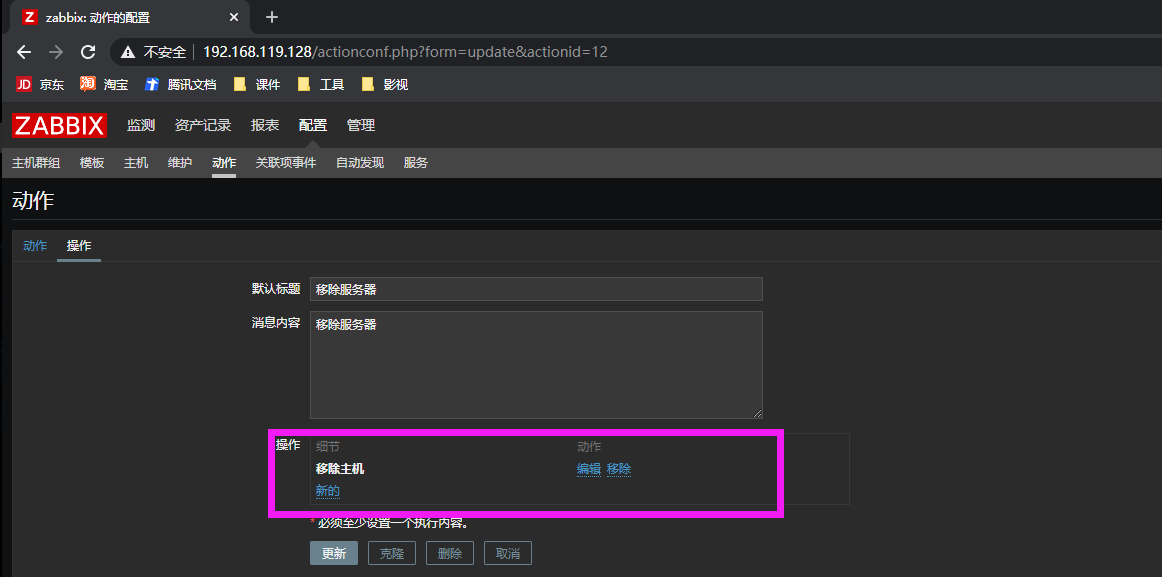
3. 自动删除主机
二、配置zabbix agent以主动模式工作,并被zabbix server监控
1. zabbix agent端主动模式配置
$ grep -v '^#' /etc/zabbix/zabbix_agentd.conf | grep -v '^$'
PidFile=/var/run/zabbix/zabbix_agentd.pid
LogFile=/var/log/zabbix/zabbix_agentd.log
LogFileSize=0
Server=192.168.119.128
StartAgents=0
ServerActive=192.168.119.128
Hostname=active-agent
Include=/etc/zabbix/zabbix_agentd.d/*.conf
$ systemctl restart zabbix-agent.service
$ netstat -antp | grep agent
$ netstat -antp | grep 10050
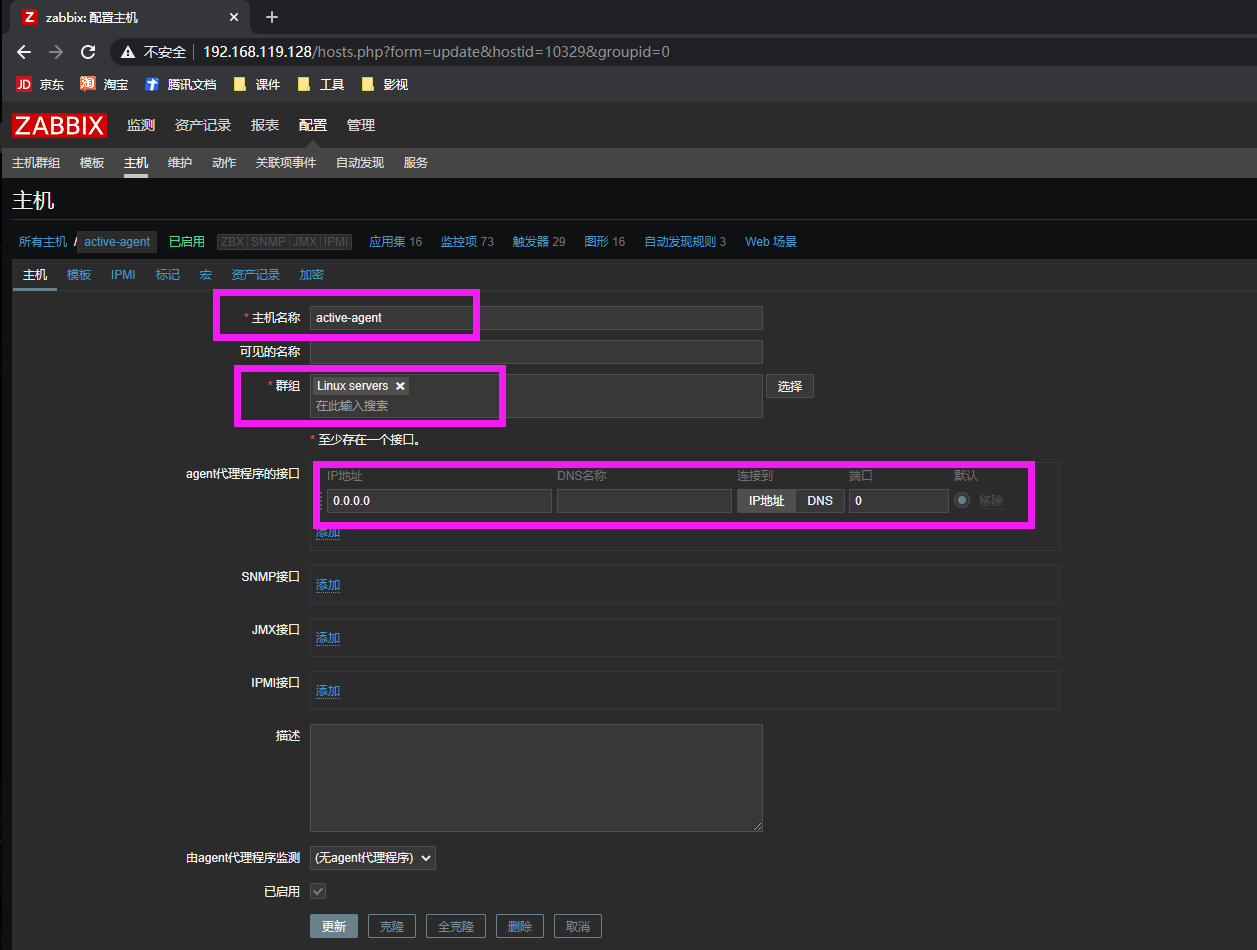
2. 添加主动模式主机
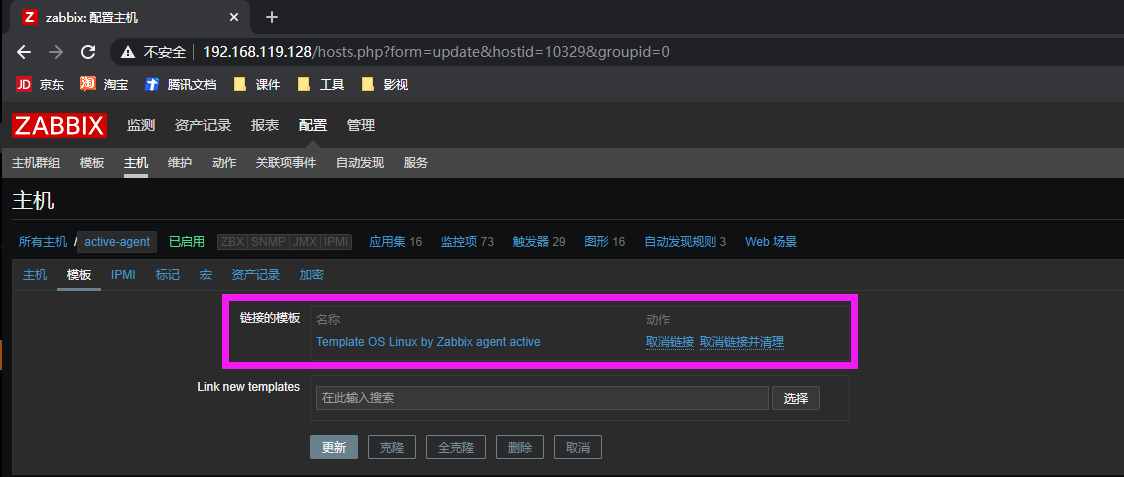
3. 选择主动模式模板
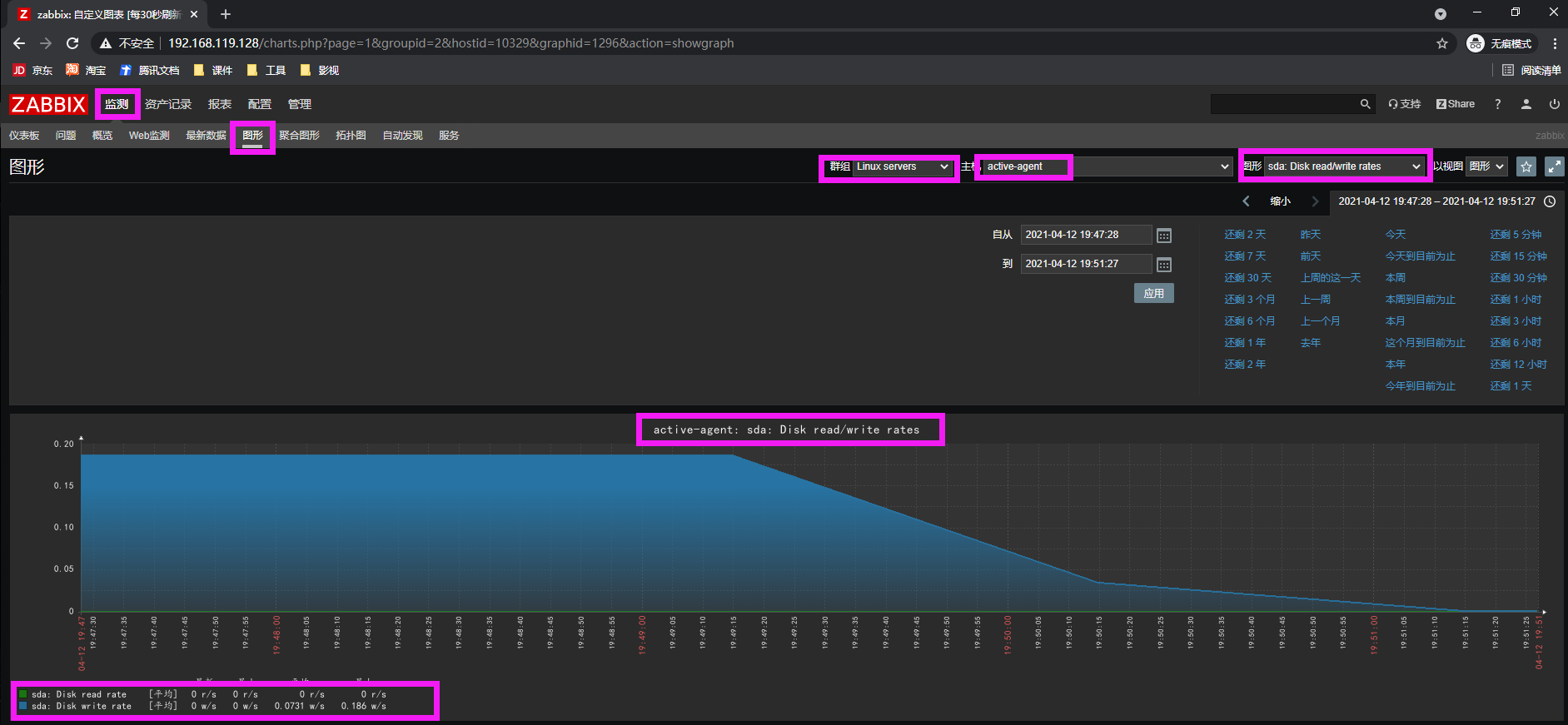
4. 监控数据



 本文详细介绍如何在企业环境中配置Zabbix自动发现Zabbix代理,包括设置规则、监控主机状态、删除过期主机,以及针对Linux和Windows服务器的分组与模板应用。





 扫一扫
扫一扫


 1533
1533

 被折叠的 条评论
为什么被折叠?
被折叠的 条评论
为什么被折叠?
 到【灌水乐园】发言





