


Cannot start compilation: the output path is not specified for module "Test". Specify the out
shift+F10时 或 Ctrl+shift+F10 报Cannot start compilation: the output path is not specified for module “Test”. Specify the output path in Configure Project.
这个错误是因为没有设置output的路径,只要修改两个地方的设置就可以了:
第一步:
在Modules设置里勾选”Inherit project compile path”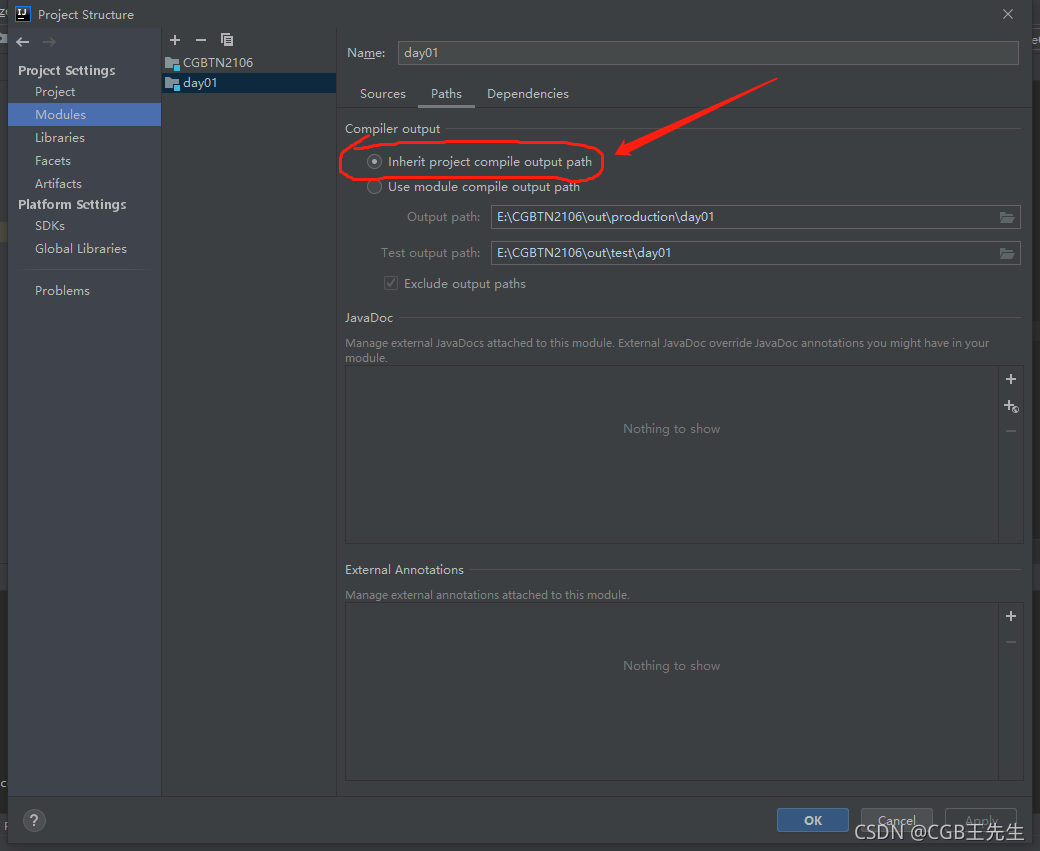
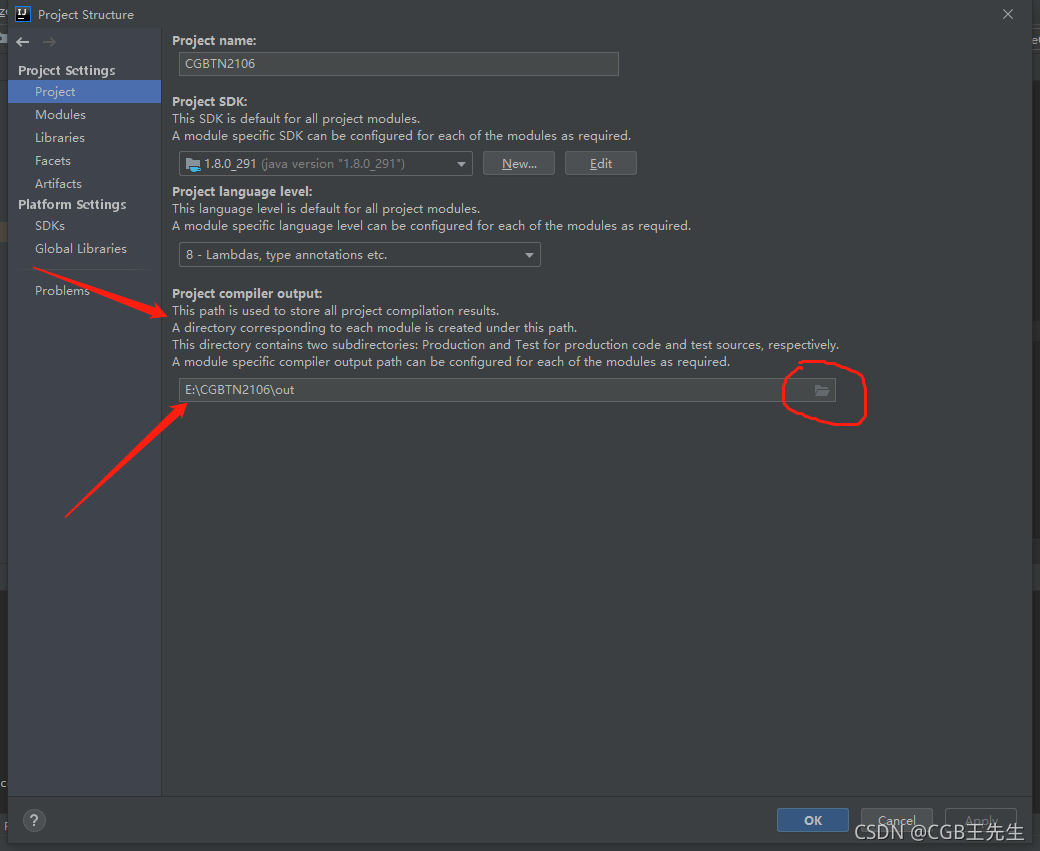
第二步:
设置Project中的”Project compiler output”
选择”Project的路径”+”\out”,没有out文件就去创建一个,然后重启idea





 扫一扫
扫一扫


 8682
8682

 被折叠的 条评论
为什么被折叠?
被折叠的 条评论
为什么被折叠?
 到【灌水乐园】发言





