



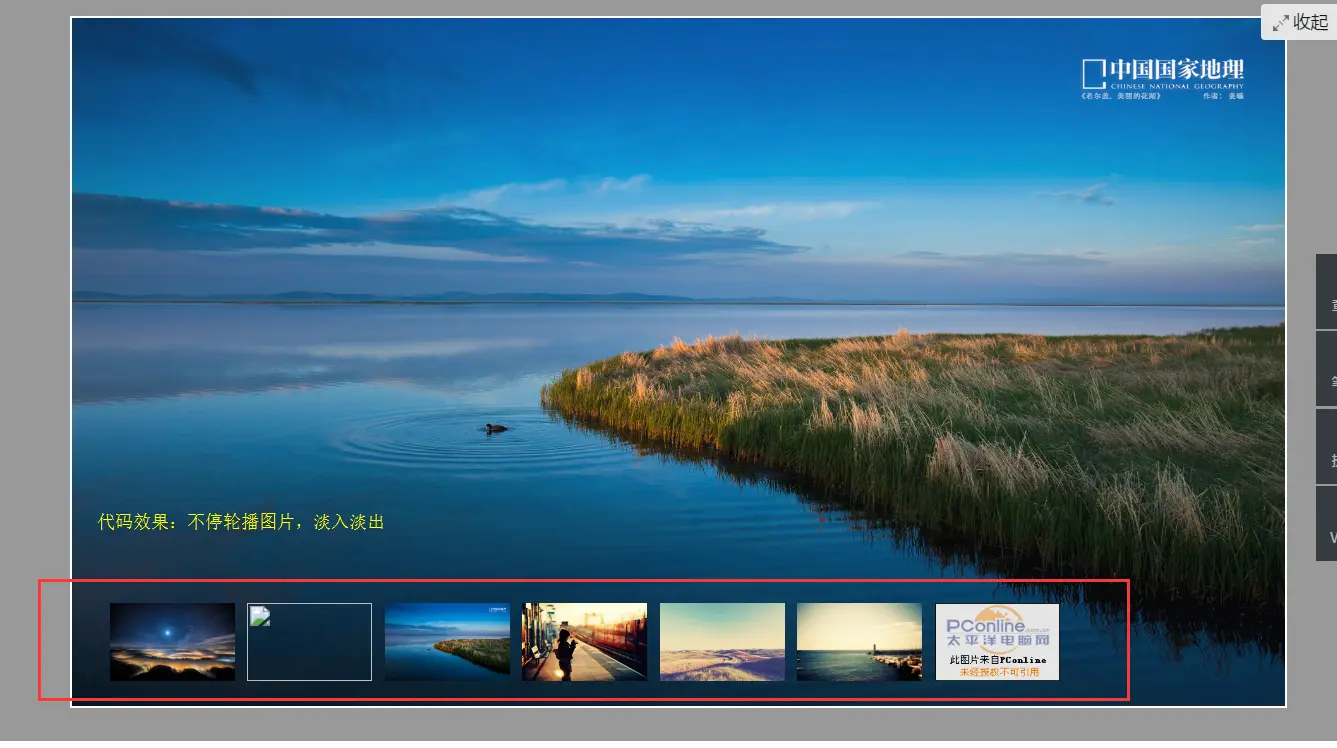
 本文介绍了一种使用jQuery实现的图片轮播效果,通过简单的HTML结构和CSS样式结合jQuery的动画效果,实现了图片的自动轮播及鼠标悬停停止播放的功能。此轮播效果还包含了预览小图,当鼠标滑过小图时,主区域会切换到对应的大图。
代码效果:
Paste_Image.png
<!DOCTYPE html PUBLIC "-//W3C//DTD XHTML 1.0 Transitional//EN" "http://www.w3.org/TR/xhtml1/DTD/xhtml1-transitional.dtd">
<html xmlns="http://www.w3.org/1999/xhtml">
<head>
<meta http-equiv="Content-Type" content="text/html; charset=utf-8" />
<title>Jq切换</title>
<style type="text/css">
/**********总体布局**************/
*{margin:0; padding:0; border:0;}
body{background-color:rgba(0,0,0,0.4);}
#content{position:relative; width:970px; height:550px; margin:20px auto; border:2px solid #FFF;}
#content:hover #tags img{opacity:1;}
/**********图片主要显示区**************/
#player{position:absolute; width:100%; height:100%; top:0; left:0;}
#player img{display:inline-block; position:absolute; float:left; width:970px; height:550px; top:0;}
/**********图片显示标签**************/
#tags{position:absolute; left:30px; bottom:20px;}
#tags img{display:inline-block; width:100px; height:61.8px; float:left; margin-right:10px; transition:1s; opacity:0.5;}
#tags img:hover{transform:scale(1,1); cursor:pointer;}
</style>
<script type="text/javascript" src="http://www.imooc.com/data/jquery-1.8.2.min.js"></script>
<script type="text/javascript">
$(function(){
var same=0; //用于避免触碰到相同标签式是发生切换
var interval=5000; //图片切换时间
var timer; //计时器
/*********显示和隐藏图片************/
$("#player img").hide();
$("#player img").eq(0).show();
$("#tags img").mouseover(function(){
var tags=$("#tags img").index(this);
if(same!=tags){
$("#player img").fadeOut();
$("#player img").eq(tags).fadeIn(500);
}
same=tags;
})
/*********自动播放图片***********/
function autoplay(){
same++;
if(same>=$("#tags img").length){
same=0;
}
$("#player img").fadeOut();
$("#player img").eq(same).fadeIn(500);
}
/**********播放图片切换**************/
function play(){
timer=setInterval(autoplay,interval);
}
/**********停止图片切换**************/
function stop(){
clearInterval(timer);
}
/*****鼠标悬浮或移出时播放或停止切换图片***/
$("#content").hover(function(){
stop();
},
function(){
play();
})
play();
})
</script>
</head>
<body>
<div id="content">
<!--主显示区-->
<div id="player">



</div>
<!--显示标签-->
<div id="tags">



</div>
</div>
</body>
</html>





 扫一扫
扫一扫


 2050
2050

 被折叠的 条评论
为什么被折叠?
被折叠的 条评论
为什么被折叠?
 到【灌水乐园】发言





