


浏览器渲染: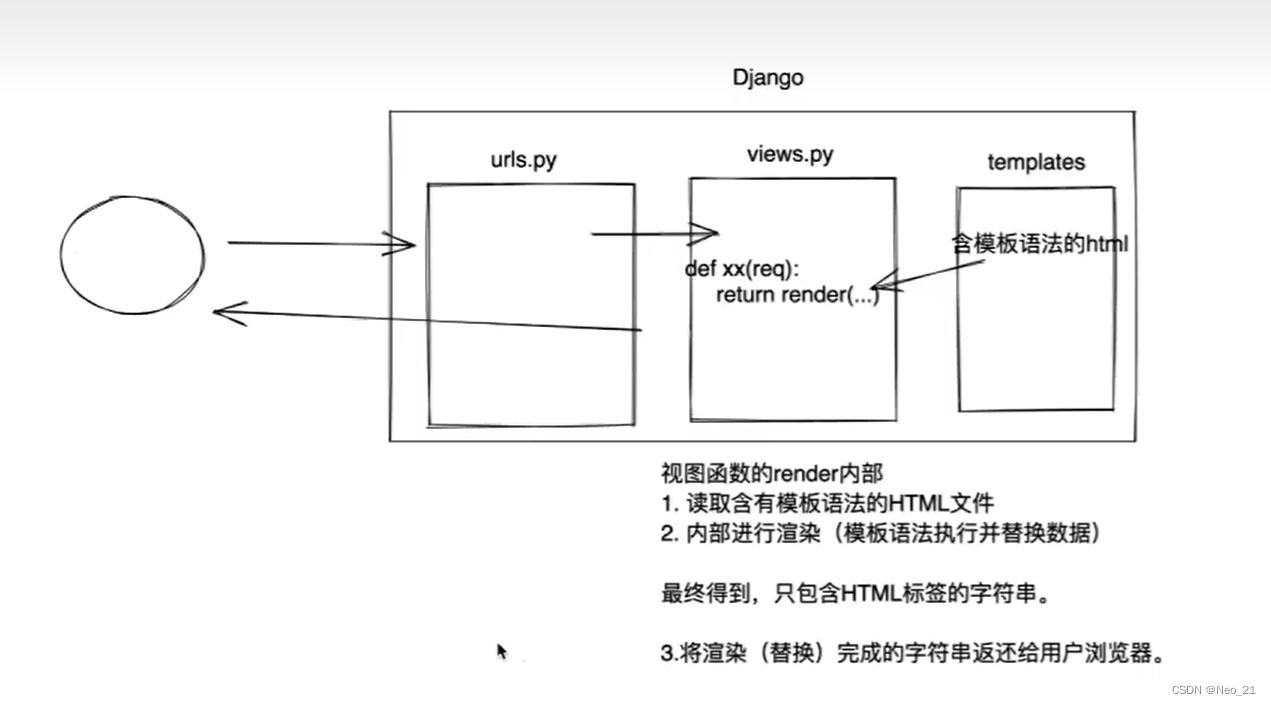
请求:
如何获取请求相关的数据:
GET & POST
request是一个对象,封装了 用户 发送过来的所有请求相关的数据.
#获取用户请求方式
    print(request.method)
在url上传递一些值:
print(request.GET)获取url中的内容
在请求体中提交数据
print(request.POST)




响应:
render,HttpResponse,redirect
from django.shortcuts import render,HttpResponse,redirect
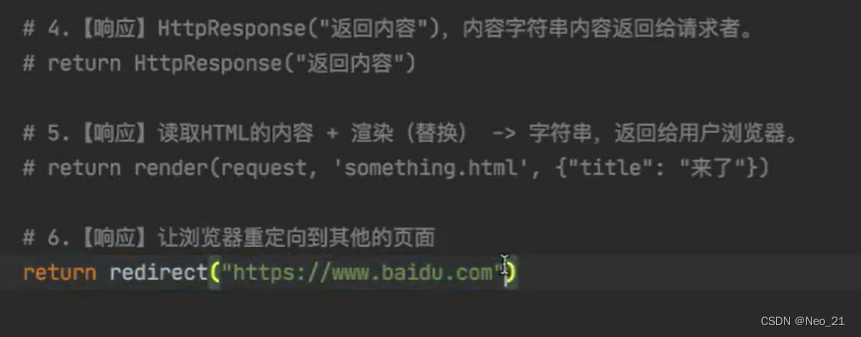
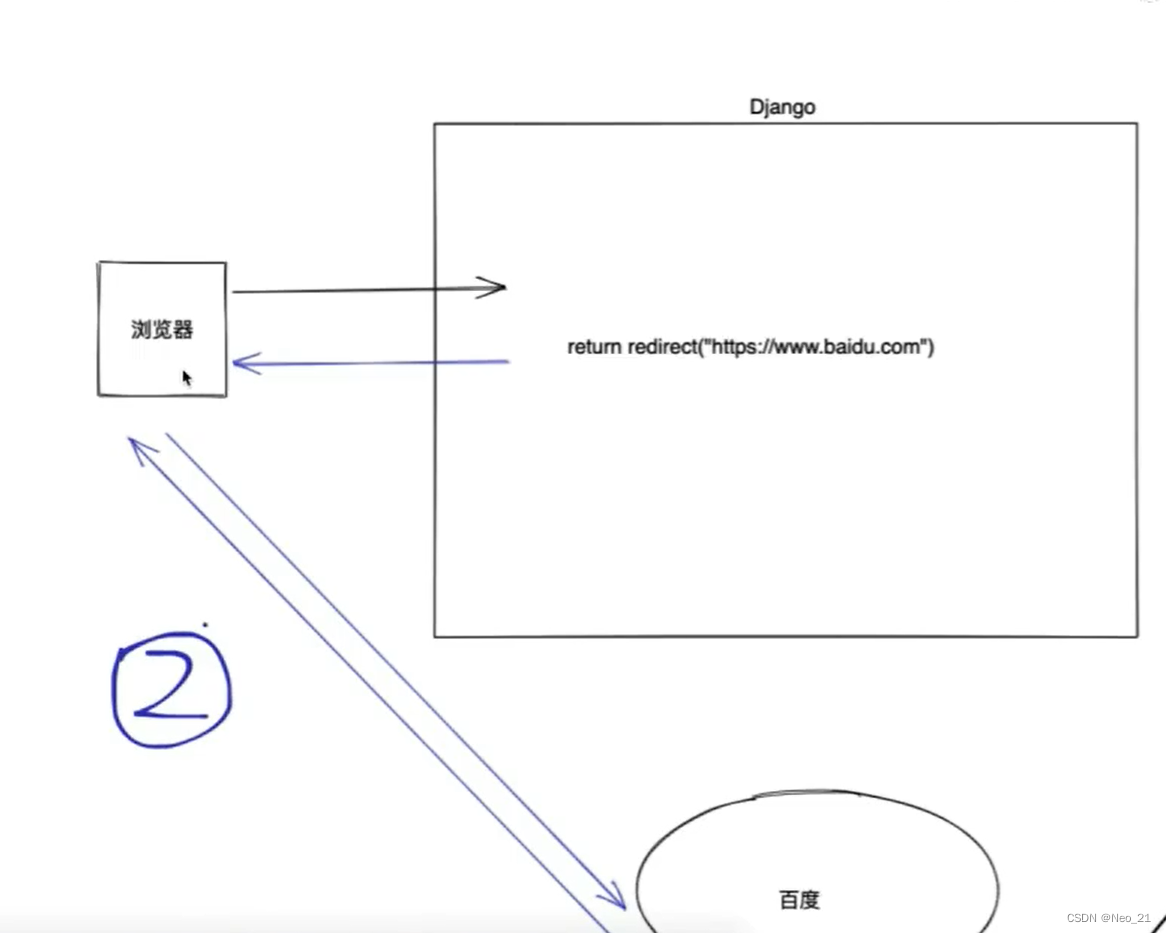
重定向:返回网站到用户,redirect。
用户登录:
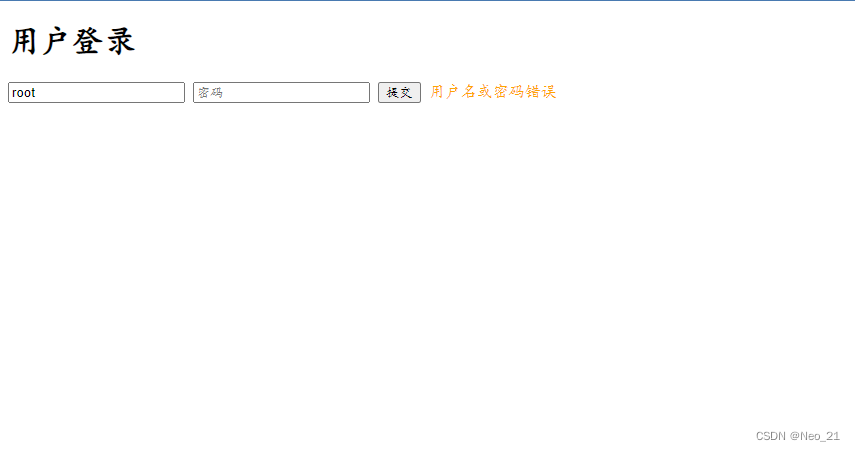
报错提醒:
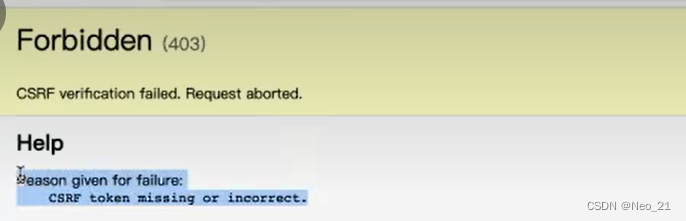
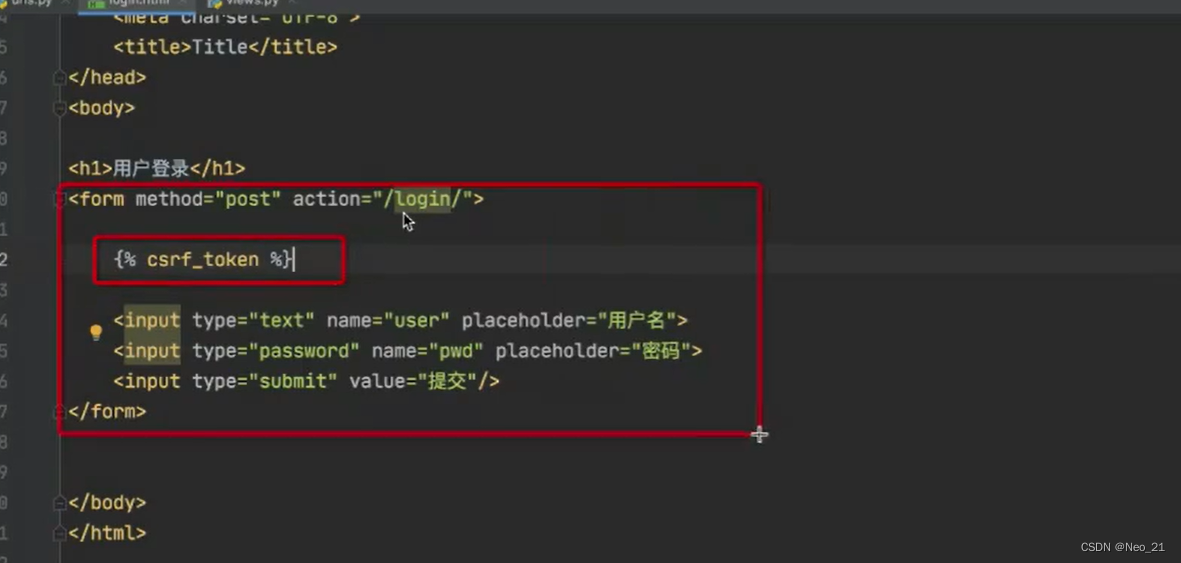
# 在表单中添加
{% csrf_token %}
views.py
def login(request):
    if request.method == 'GET':
        return render(request,"login.html")
    else:
        # 如果时post请求,获取用户提交的数据
        # print(request.POST)
        username = request.POST.get("user")
        password = request.POST.get("pwd")

        if username == 'root' and password == "123":
            # return HttpResponse("登录成功")
            return redirect("http://www.acwing.com")

        return render(request,'login.html',{"error_msg":"用户名或密码错误"})
urls.py
path("login/",views.login),
login.html
<!DOCTYPE html>
<html lang="en">
<head>
    <meta charset="UTF-8">
    <title>Title</title>
</head>
<body>
    <h1>用户登录</h1>
    <form method="post" action="/login/">
        {% csrf_token %}
        <input type="text" name="user" placeholder="用户名">
        <input type="password" name="pwd" placeholder="密码">
        <input type="submit" value="提交"/>
        <span style="color:orange">{{error_msg}}</span>
    </form>
</body>
</html>





 扫一扫
扫一扫


 894
894

 被折叠的 条评论
为什么被折叠?
被折叠的 条评论
为什么被折叠?
 到【灌水乐园】发言





