


一、连接服务器
1.Tool->Deployment->Configuration

2.添加服务器

3.配置服务器信息

设置成功可返回

4.Mapping

二、配置服务器(将python解释器设置为远程服务器上的python)
1.File->settings->xxx->Project Interpreter
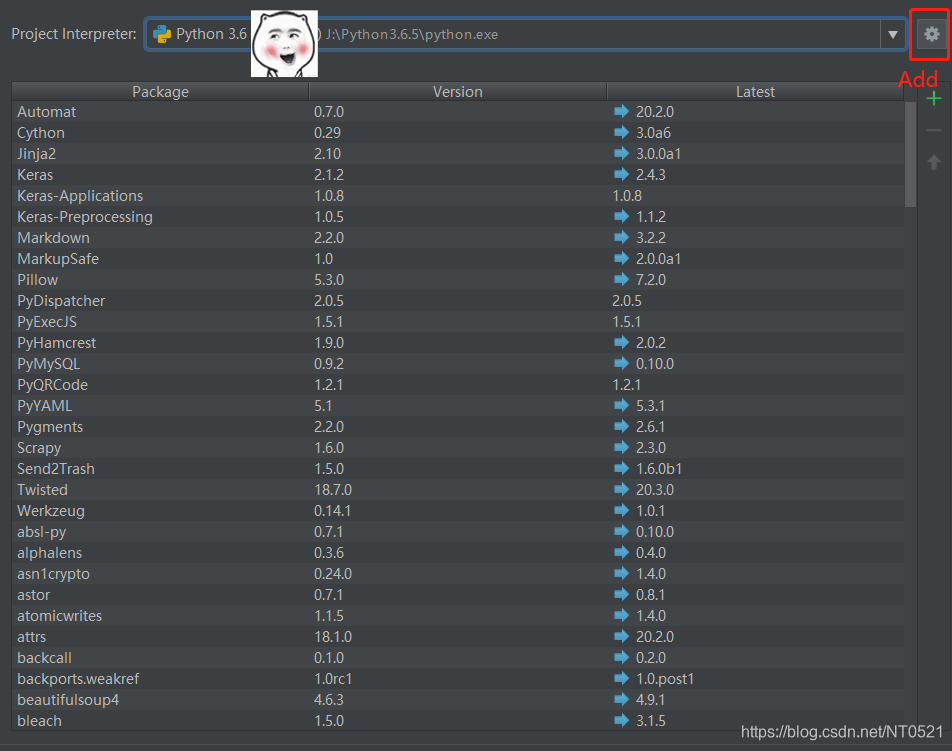
2.配置信息
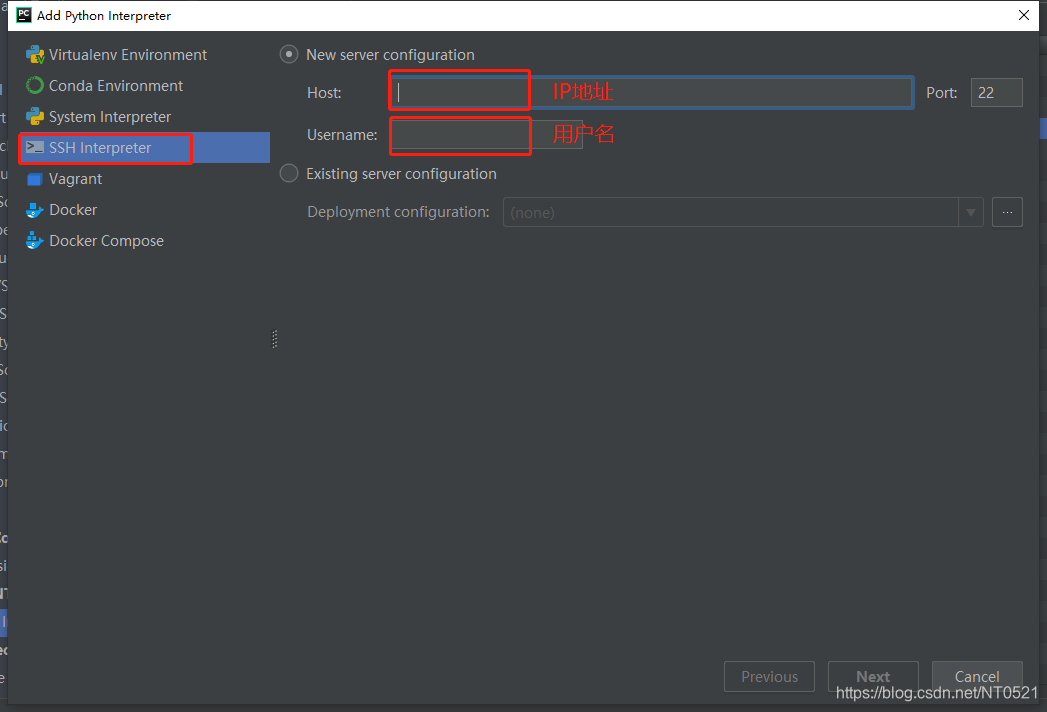
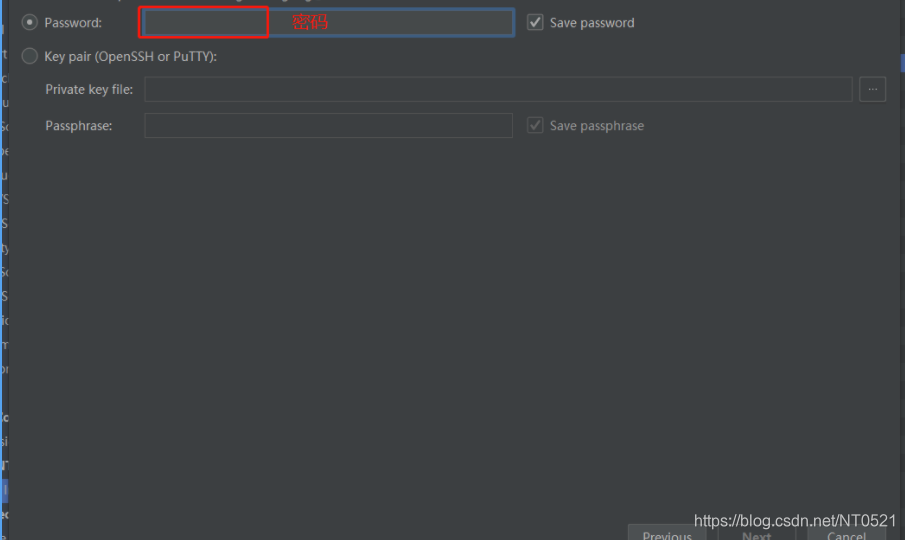
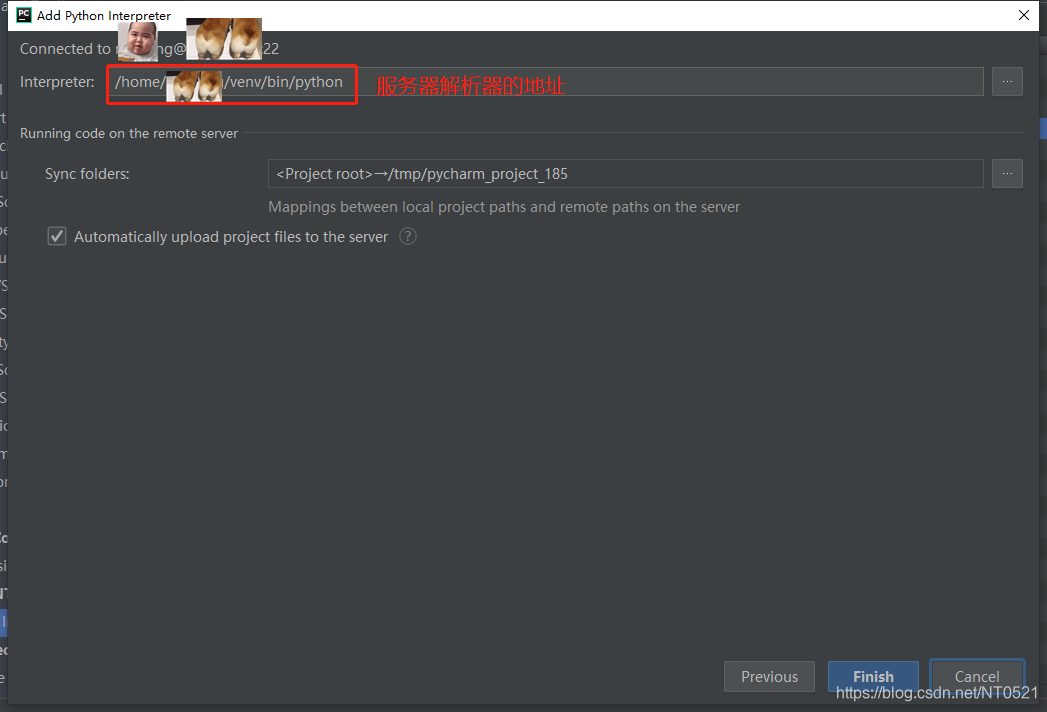
 本文介绍了如何在PyCharm中配置连接到远程服务器,包括在Tool->Deployment->Configuration中添加服务器,详细配置服务器信息,以及在File->settings->Project Interpreter中设置远程Python解释器的步骤。
一、连接服务器
1.Tool->Deployment->Configuration
2.添加服务器
3.配置服务器信息
设置成功可返回
4.Mapping
二、配置服务器(将python解释器设置为远程服务器上的python)
1.File->settings->xxx->Project Interpreter
2.配置信息
 4296
4296

 被折叠的 条评论
为什么被折叠?
被折叠的 条评论
为什么被折叠?
 到【灌水乐园】发言








 扫一扫
扫一扫


