 Jenkins自动化部署实践





创建一个简单的 Pipeline
-
新建任务
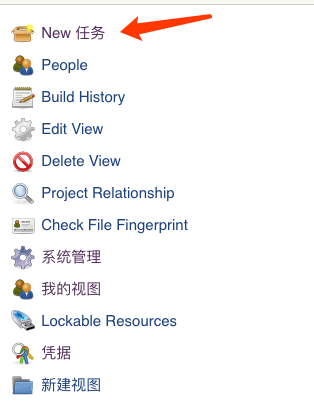
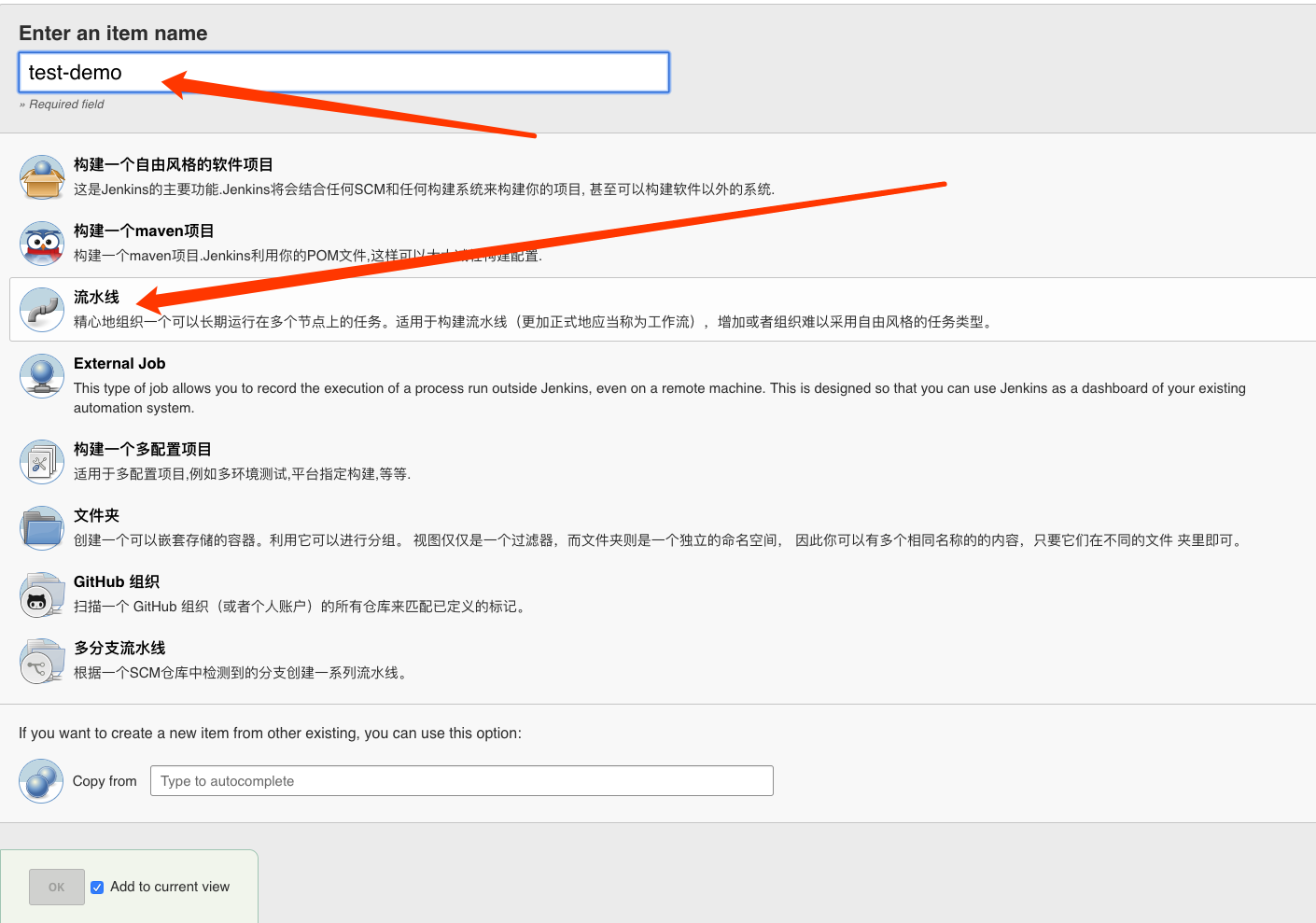
-
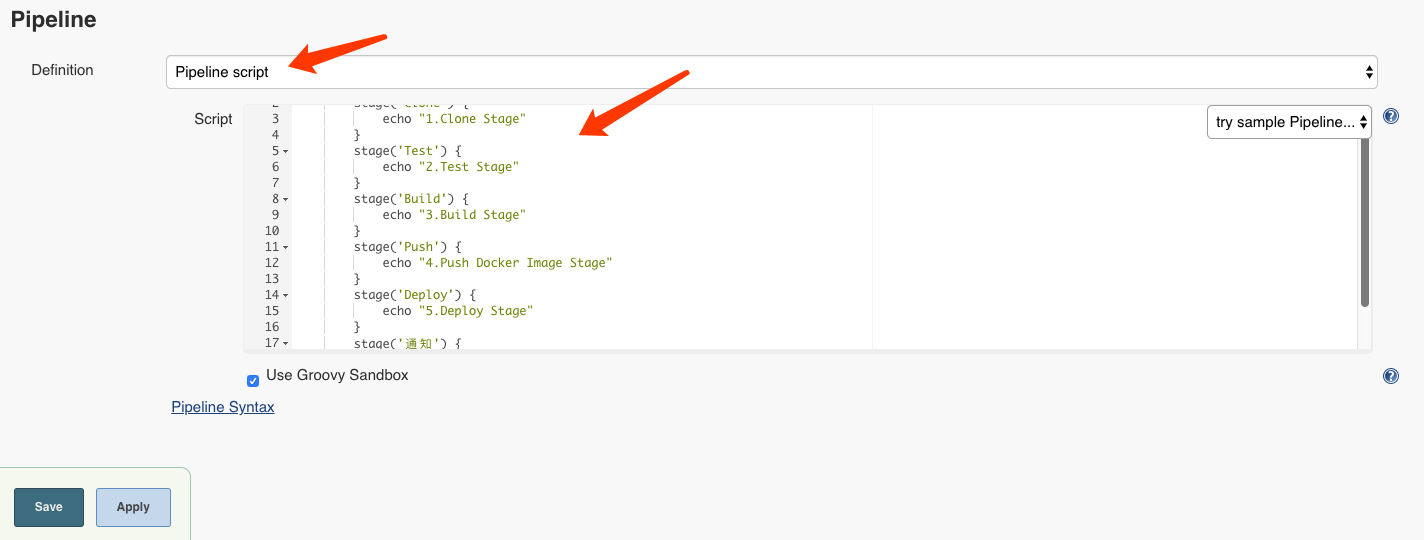
配置一个简单的 Pipeline
node {
    stage('Clone') {
        echo "1.Clone Stage"
    }
    stage('Test') {
        echo "2.Test Stage"
    }
    stage('Build') {
        echo "3.Build Stage"
    }
    stage('Push') {
        echo "4.Push Docker Image Stage"
    }
    stage('Deploy') {
        echo "5.Deploy Stage"
    }
    stage('通知') {
        echo "6.通知  Stage"
    }
}
Pipeline 下面?的连接
Pipeline Syntax有具体的语法信息,其他语法相关:Jenkins入门。 -
构建
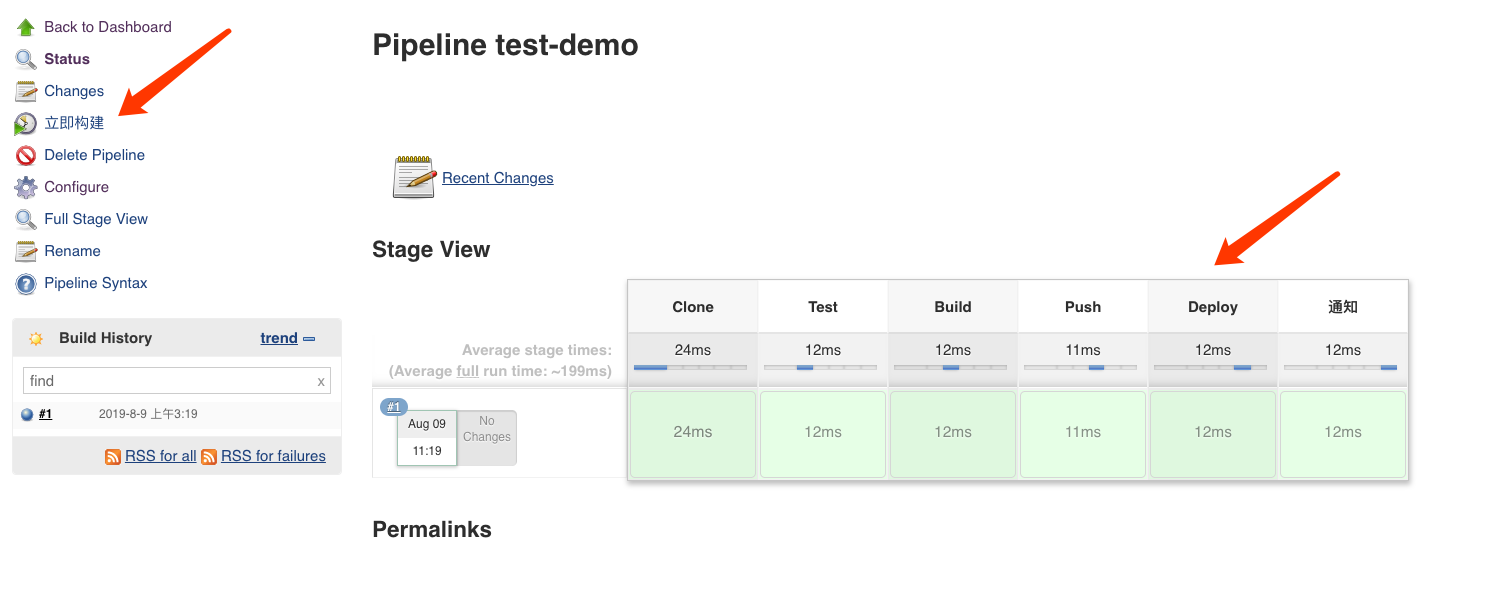
-
查看Output
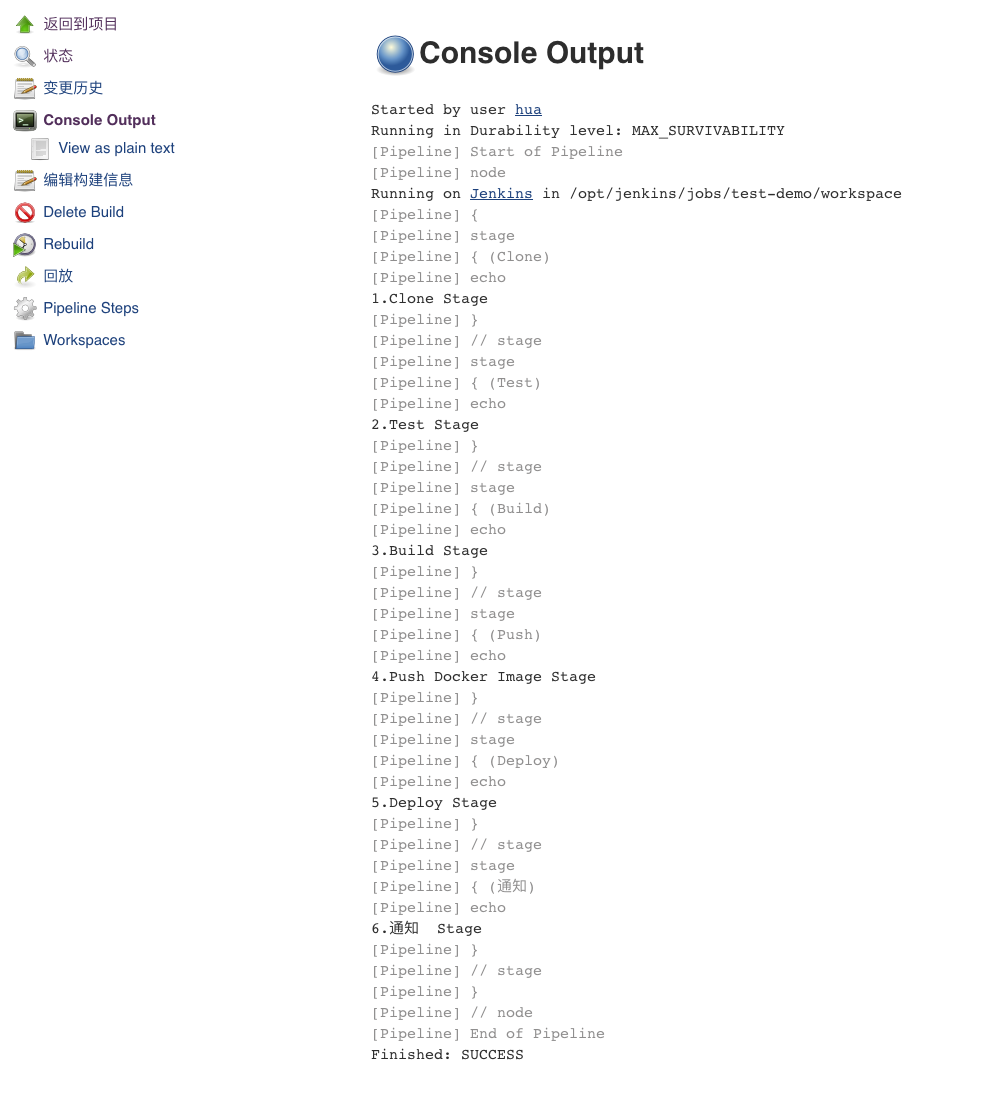
实际使用的 Pipeline
-
Stage 1: Clone 代码
stage('Clone') {
    echo "1.Clone Stage"
    git(
        branch: "${BRANCH}",
        credentialsId: 'fcc58f08-xxxx-xxxx',
        url : 'git@gitlab.myherux.com:test/pipeline.git',
        changelog: true
    )
}
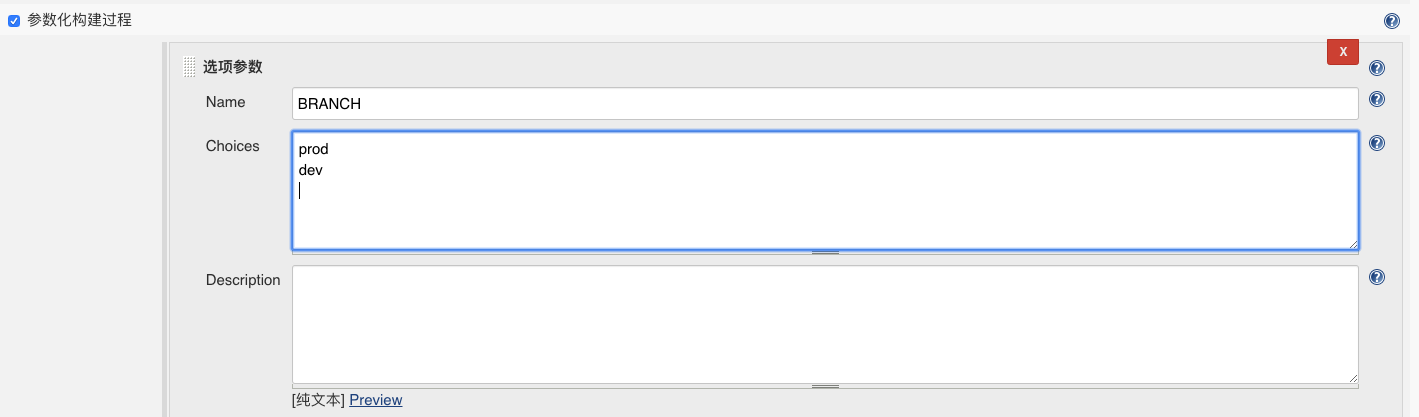
因为有很多分支,所以分支通过参数来选择。
-
Stage 2: 测试
实际上是跳过了测试的。
stage('Test') { echo "2.Test Stage" } -
Stage 3: 构建镜像
stage('Build') {
    echo "3.Build Docker Image Stage"
    def userInput = input(
        id: 'userInput',
        message: 'Choose a build environment',
        parameters: [
            [
                $class: 'ChoiceParameterDefinition',
                choices: "QA\nPre\nProd",
                name: 'DeployEnv'
            ]
        ]
    )
    if (userInput == "QA") {
        echo "Build a qa image. "
        sh "sed -i 's/-Pprod/-Pqa/g' ./provisioning/docker-compose-maven.yml"
    } else if (userInput == "Pre"){
        echo "Build a pre image. "
    } else {
        echo "Build a prod image. "
    }
    InputEnv = userInput
    sh "./provisioning/docker.sh build"
}
项目打包的脚本已经写好在项目的
./provisioning/docker.sh,所以直接调用。打包的
SpringBoot Jar包需要选择不同的环境来编译,所以提供一个环境选择的功能,实际过程: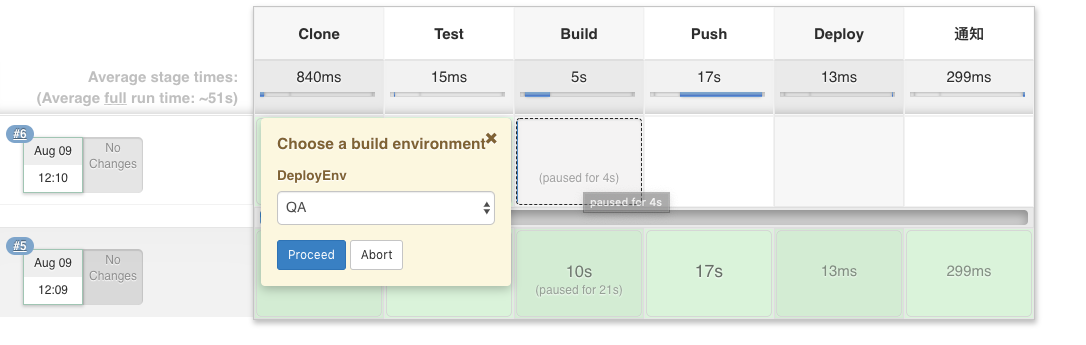
-
Stage 4: 推送镜像
stage('Push') { echo "4.Push Docker Image Stage" sh "./provisioning/docker.sh push" } -
Stage 5: 部署
stage('Deploy') { echo "5.Deploy Stage" } -
Stage 6: 通知
stage('通知') {
    echo "5.通知  Stage"
    bearychatSend channel: 'x-test', color: '#439FE0', message: "项目:test 构建完成 \n 分支:${BRANCH} \n 发布环境:${InputEnv}"
}
使用
bearychat来做通知,部署完成之后将会受到通知消息。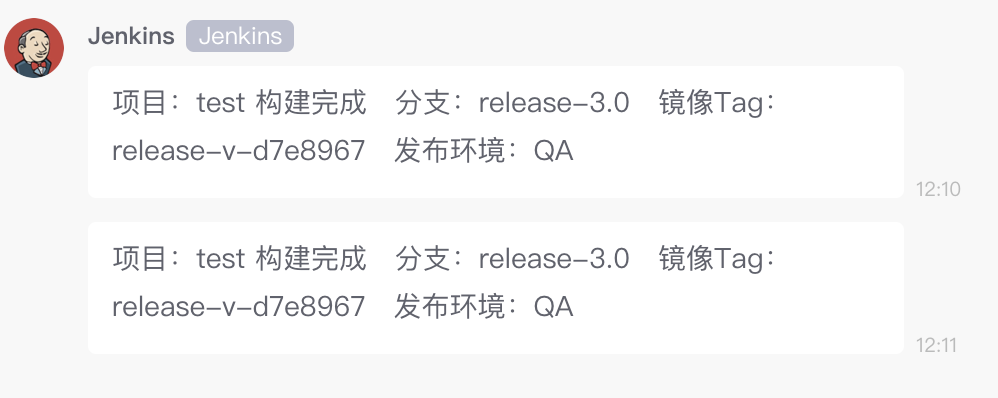
接入教程:使用
bearychat机器人直接搜索Jenkins。 -
完整 Pipeline
node() { stage('Clone') { echo "1.Clone Stage" git( branch: "${BRANCH}", credentialsId: 'fcc58f08-xxxx-xxxx', url : 'git@gitlab.myherux.com:test/pipeline.git', changelog: true ) } stage('Test') { echo "2.Test Stage" } stage('Build') { echo "3.Build Docker Image Stage" def userInput = input( id: 'userInput', message: 'Choose a build environment', parameters: [ [ $class: 'ChoiceParameterDefinition', choices: "QA\nPre\nProd", name: 'DeployEnv' ] ] ) if (userInput == "QA") { echo "Build a qa image. " sh "sed -i 's/-Pprod/-Pqa/g' ./provisioning/docker-compose-maven.yml" } else if (userInput == "Pre"){ echo "Build a pre image. " } else { echo "Build a prod image. " } InputEnv = userInput sh "./provisioning/docker.sh build" } stage('Push') { echo "4.Push Docker Image Stage" sh "./provisioning/docker.sh push" } stage('Deploy') { echo "5.Deploy Stage" } stage('通知') { echo "6.通知 Stage" bearychatSend channel: 'x-test', color: '#439FE0', message: "项目:test 构建完成 \n 分支:${BRANCH} \n 发布环境:${InputEnv}" } } -
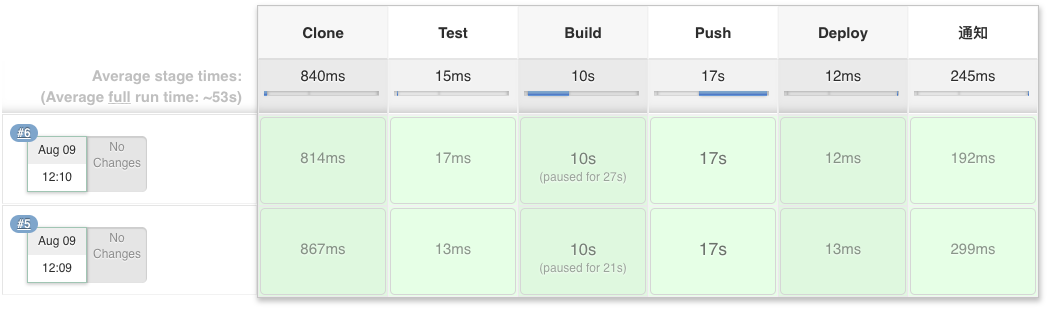
执行结果





 扫一扫
扫一扫


 2万+
2万+

 被折叠的 条评论
为什么被折叠?
被折叠的 条评论
为什么被折叠?
 到【灌水乐园】发言





