


 本文详细指导如何在Linux系统上安装MySQL 5.7.28,设置用户权限,配置my.cnf,初始化数据库,创建用户和数据库,包括Ambari相关设置,防火墙配置等关键步骤。
安装mysql
## 没有wget则安装wget
yum install -y wget
## 下载
wget https://downloads.mysql.com/archives/get/p/23/file/mysql-5.7.28-linux-glibc2.12-x86_64.tar.gz

tar -zxvf mysql-5.7.28-linux-glibc2.12-x86_64.tar.gz
移动目录
mv mysql-5.7.28-linux-glibc2.12-x86_64/ /usr/local/mysql
创建mysql用户组和用户并修改权限
groupadd mysql
useradd -r -g mysql mysql
创建数据目录并赋予权限
mkdir -p  /usr/local/mysql/data/mysql
mkdir -p  /usr/local/mysql/tmp/
chown mysql:mysql -R /usr/local/mysql/data/
chown mysql:mysql -R /usr/local/mysql/tmp/
配置my.cnf,=配置在下面==
vim /etc/my.cnf
这步比较奇怪,不安装无法进行初始化 ## 可忽略此步
yum install -y libaio
进入bin目录初始化Mysql
/usr/local/mysql/bin/mysqld --defaults-file=/etc/my.cnf --basedir=/usr/local/mysql/ --datadir=/usr/local/mysql/data/mysql/ --user=mysql --initialize

密码在最后
mysql开机不自动启动
将服务文件拷贝到init.d下,并重命名为mysql
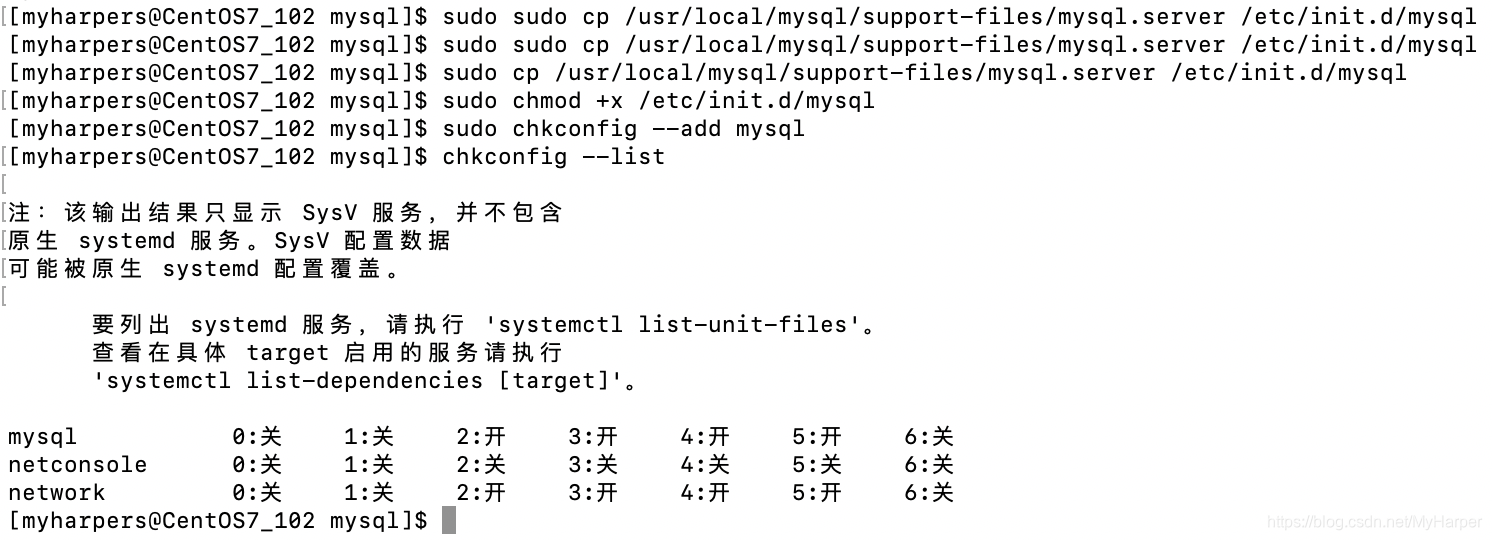
sudo cp /usr/local/mysql/support-files/mysql.server /etc/init.d/mysql
赋予可执行权限
sudo chmod +x /etc/init.d/mysql
添加服务
sudo chkconfig --add mysql
显示服务列表
chkconfig --list
如果是off显示服务列表345为off
chkconfig --level 345 mysql on
# 先配置环境变量
vim /etc/profile
###  export PATH=$PATH:/usr/local/mysql/bin
source /etc/profile
sudo service mysql start
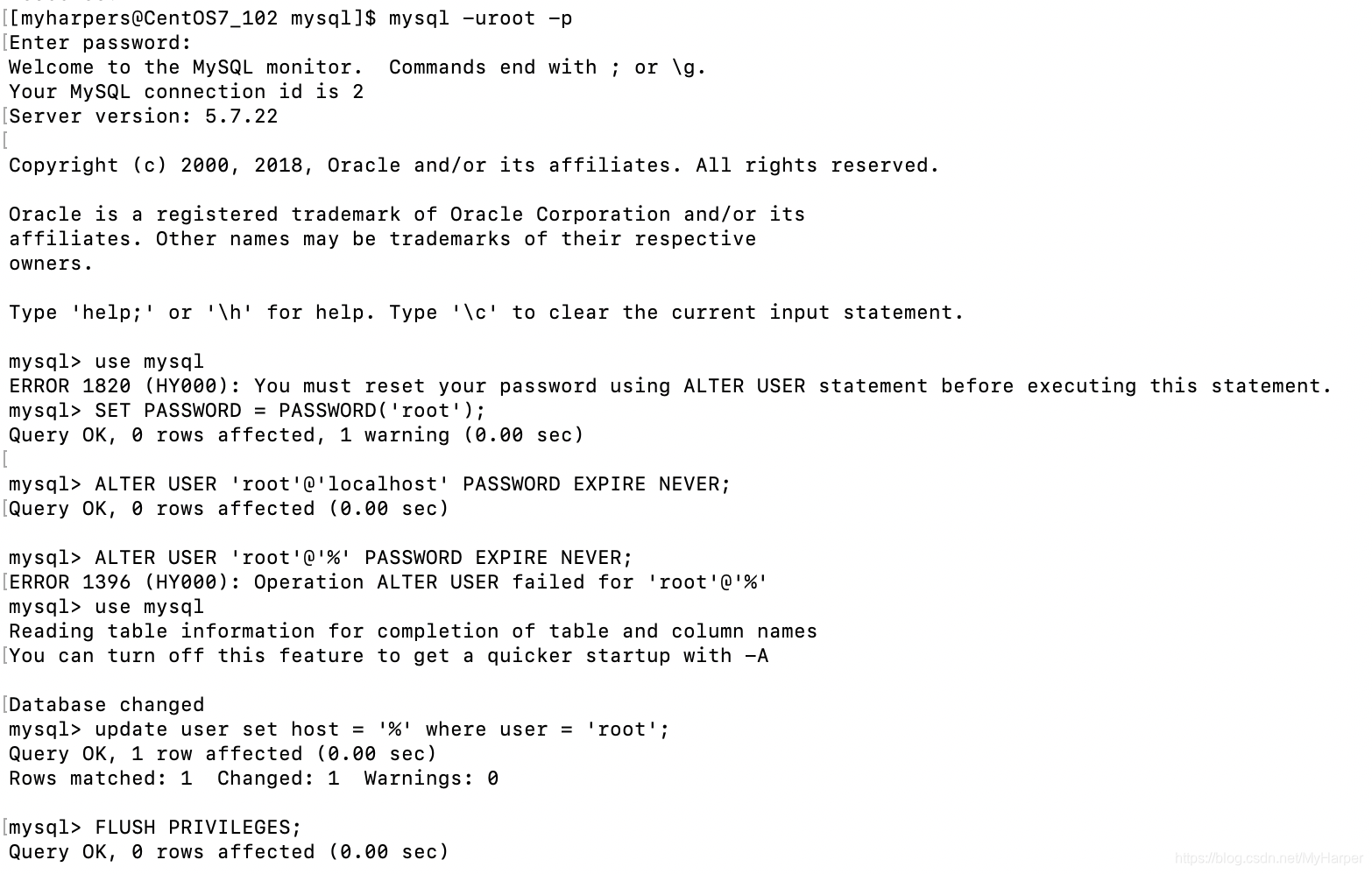
重置密码【登入mysql】
SET PASSWORD = PASSWORD('root');
ALTER USER 'root'@'localhost' PASSWORD EXPIRE NEVER;
访问mysql库
use mysql
使root能再任何host访问
update user set host = '%' where user = 'root';
FLUSH PRIVILEGES;
防火墙相关配置
firewall-cmd --query-port=3306/tcp
firewall-cmd --add-port=3306/tcp --permanent
=一条华丽的分割线=====
-- 创建用户和数据库
-- set global validate_password_policy=0;
-- set global validate_password_length=1;
create database ambari character set utf8mb4;
create user 'ambari'@'%' identified by 'ambari';
grant all privileges on ambari.* to 'ambari'@'%';
flush privileges;
-- 创建hive
create database hive character set utf8mb4;
create user 'hive'@'%' identified by 'hive';
grant all privileges on ambari.* to 'hive'@'%';
grant all privileges on hive.* to 'hive'@'%';
flush privileges;
参考my.cnf
[mysqld]
bind-address=0.0.0.0
user=mysql
socket=/usr/local/mysql/tmp/mysql.sock
datadir=/usr/local/mysql/data/mysql
basedir=/usr/local/mysql
# Disabling symbolic-links is recommended to prevent assorted security risks
symbolic-links=0
explicit_defaults_for_timestamp=true
# Settings user and group are ignored when systemd is used.
# If you need to run mysqld under a different user or group,
# customize your systemd unit file for mariadb according to the
# instructions in http://fedoraproject.org/wiki/Systemd
character-set-server=utf8mb4
# 忽略大小写
lower_case_table_names=1
# 允许最大连接数
max_connections=1000

[mysqld_safe]
log-error=/usr/local/mysql/data/mysql/mysql.err
pid-file=/usr/local/mysql/data/mysql/mysql.pid

[client]
port=3306
socket=/usr/local/mysql/tmp/mysql.sock
default-character-set=utf8mb4

[mysql]
default-character-set=utf8mb4

#
# include all files from the config directory
#
!includedir /etc/my.cnf.d
参考链接:https://blog.youkuaiyun.com/qq_37598011/article/details/93489404





 扫一扫
扫一扫


 2189
2189

 被折叠的 条评论
为什么被折叠?
被折叠的 条评论
为什么被折叠?
 到【灌水乐园】发言





