


一、
使用QImage来保存图片,将解码后的原始数据AVFrame的data传入QImage中保存即可;
对于planar模式的YUV:
data[0]指向Y分量的开始位置
data[1]指向U分量的开始位置
data[2]指向V分量的开始位置
对于packed模式YUV:
data[0]指向数据的开始位置
data[1]和data[2]都为NULL
对于图像文件来说,如果是plannar模式的图像格式,其存储必然是先存完一张图像所有的所有Y、紧接着再存一张图像的所有U、紧接着存一张图像的所有V。
这刚好和data数组的三个指针的对应的。
所以无论是planar还是packed模式,我们直接使用data[0]即可,不用分开读写。
QImage image(pFrameRGB->data[0], pCodecCtx->width, pCodecCtx->height, pFrameRGB->linesize[0], QImage::Format_RGB888);
image.save(QString("%1.png").arg(index++));
二、效果展示
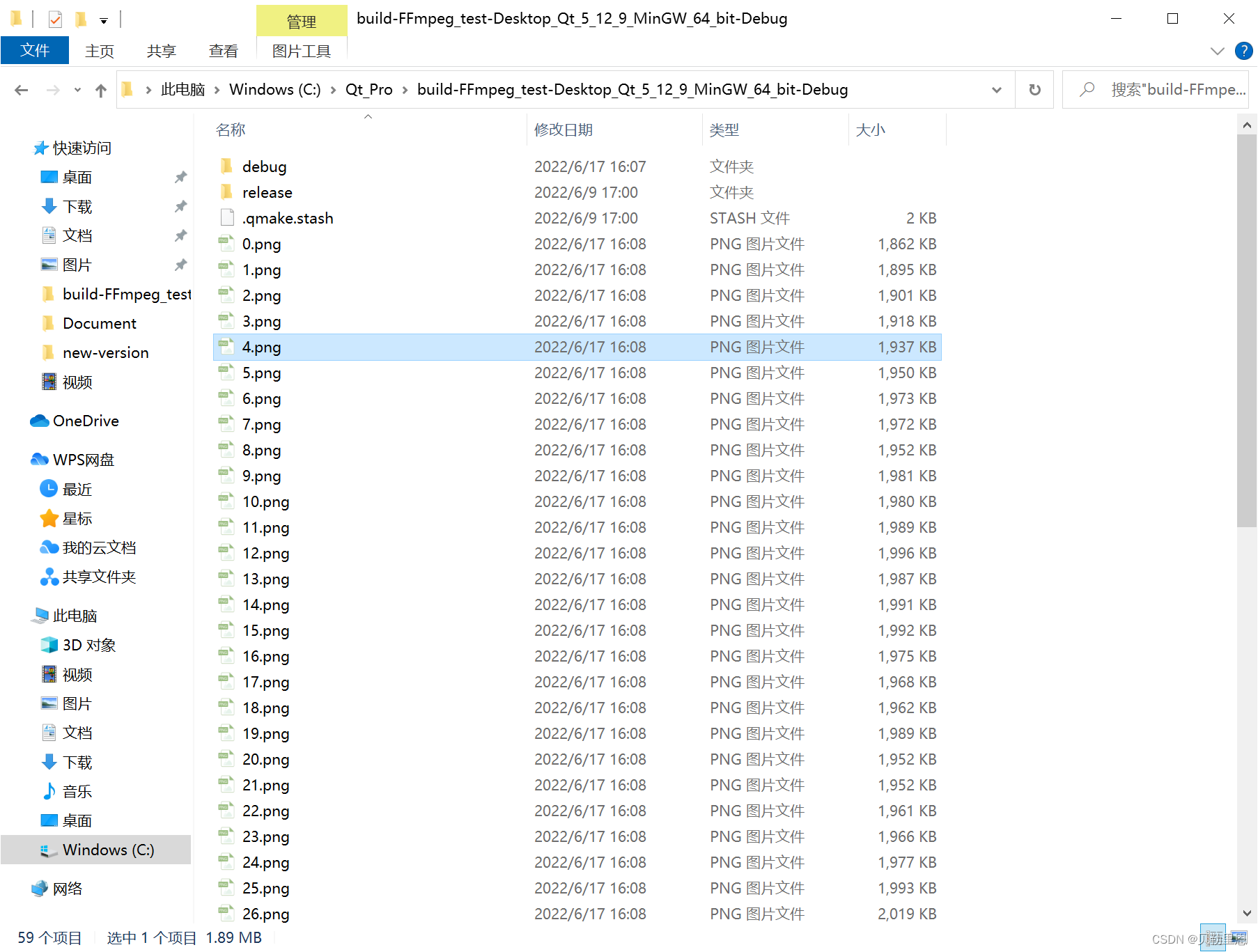
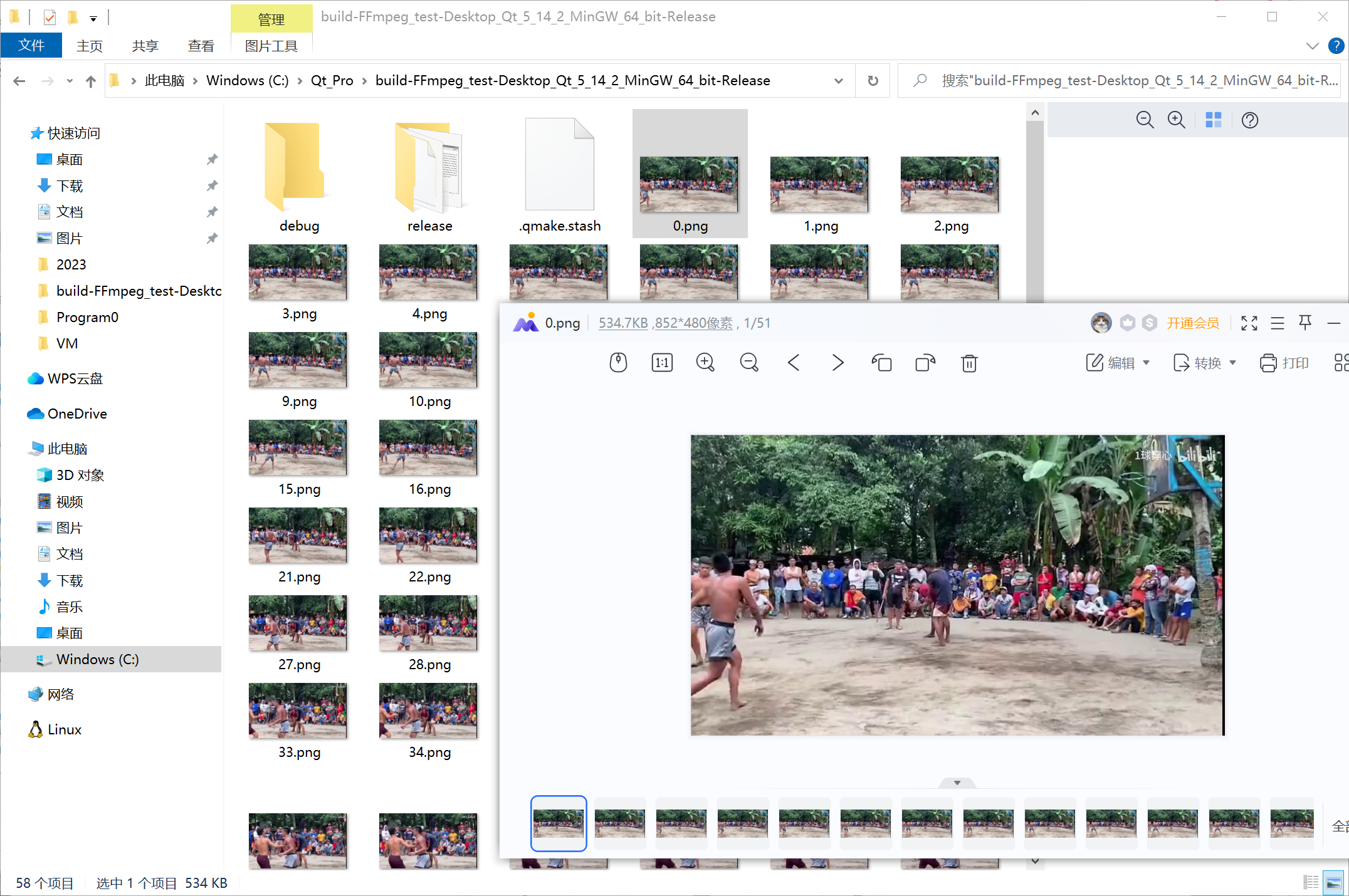
三、完整代码
#include "mainwindow.h"

#include <QApplication>
#include <stdio.h>

extern "C"{
    #include "libavcodec/avcodec.h"
    #include "libavformat/avformat.h"
    #include "libavutil/pixfmt.h"
    #include "libswscale/swscale.h"
}

int main(int argc, char *argv[])
{
    //变量定义
    //==================================================================================
    char *file_path = "C:/Users/wangjichuan/Desktop/2.mp4";   //文件路径


    ///=====第一步=====
    //初始化FFMPEG  调用了这个才能正常使用编码器和解码器
    av_register_all();
    ///===================================================================


    ///=====第二步=====
    AVFormatContext *pFormatCtx;    //描述了一个媒体文件或媒体流的构成和基本信息
    pFormatCtx = avformat_alloc_context();  //分配一个解封装上下文指针

    //打开文件
    if (avformat_open_input(&pFormatCtx, file_path, NULL, NULL) != 0) { //文件信息存储到文件上下文中,后续对它进行处理即可
        printf("无法打开文件");
        return -1;
    }
    ///===================================================================

    ///=====第三步=====
    //探寻文件中是否存在信息流
    if (avformat_find_stream_info(pFormatCtx, NULL) < 0) {
        printf("文件中没有发现信息流");
        return -1;
    }

    //循环查找视频中包含的流信息,直到找到视频类型的流
    //便将其记录下来 保存到videoStream变量中
    //这里我们现在只处理视频流  音频流先不管他
    int videoStream = -1;
    int i;
    for (i = 0; i < pFormatCtx->nb_streams; i++) {
        if (pFormatCtx->streams[i]->codec->codec_type == AVMEDIA_TYPE_VIDEO) {
            videoStream = i;
        }
    }

    //如果videoStream为-1 说明没有找到视频流
    if (videoStream == -1) {
        printf("文件中未发现视频流");
        return -1;
    }
    ///===================================================================

    ///=====第四步=====
    AVCodecContext *pCodecCtx;      //描述编解码器上下文的数据结构,包含了众多编解码器需要的参数信息
    AVCodec *pCodec;                //存储编解码器信息的结构体

    //查找解码器
    pCodecCtx = pFormatCtx->streams[videoStream]->codec;    //获取视频流中编码器上下文
    pCodec = avcodec_find_decoder(pCodecCtx->codec_id);     //获取视频流的编码器

    if (pCodec == NULL) {
        printf("未发现编码器");
        return -1;
    }
    ///===================================================================

    ///=====第五步=====
    //打开解码器
    //==================================================================================
    if (avcodec_open2(pCodecCtx, pCodec, NULL) < 0) {
        printf("无法打开编码器");
        return -1;
    }
    ///===================================================================

    ///=====第六步=====
    static struct SwsContext *img_convert_ctx;  //用于视频图像的转换
    img_convert_ctx = sws_getContext(pCodecCtx->width, pCodecCtx->height,
            pCodecCtx->pix_fmt, pCodecCtx->width, pCodecCtx->height,
            AV_PIX_FMT_BGR24, SWS_BICUBIC, NULL, NULL, NULL);
    ///===================================================================

    ///=====第七步=====
    int numBytes;
    numBytes = avpicture_get_size(AV_PIX_FMT_BGR24, pCodecCtx->width,pCodecCtx->height);
    ///===================================================================

    ///=====第八步=====
    AVFrame *pFrame, *pFrameRGB;    //存储音视频原始数据(即未被编码的数据)的结构体
    pFrame = av_frame_alloc();
    pFrameRGB = av_frame_alloc();

    uint8_t *out_buffer;            //缓存
    out_buffer = (uint8_t *) av_malloc(numBytes * sizeof(uint8_t));
    avpicture_fill((AVPicture *) pFrameRGB, out_buffer, AV_PIX_FMT_BGR24,
            pCodecCtx->width, pCodecCtx->height);
    ///===================================================================

    ///=====第九步=====
    AVPacket *packet;               //保存了解复用(demuxer)之后,解码(decode)之前的数据(仍然是压缩后的数据)和关于这些数据的一些附加的信息
    int ret, got_picture;

    int y_size = pCodecCtx->width * pCodecCtx->height;
    packet = (AVPacket *) malloc(sizeof(AVPacket)); //分配一个packet
    av_new_packet(packet, y_size); //分配packet的数据

    av_dump_format(pFormatCtx, 0, file_path, 0); //输出视频信息

    int index = 0;

    while (1)
    {
        if (av_read_frame(pFormatCtx, packet) < 0) {
            break; //这里认为视频读取完了
        }

        if (packet->stream_index == videoStream) {
            ret = avcodec_decode_video2(pCodecCtx, pFrame, &got_picture,packet);

            if (ret < 0) {
                printf("decode error.");
                return -1;
            }

            if (got_picture) {
                sws_scale(img_convert_ctx,
                        (uint8_t const * const *) pFrame->data,
                        pFrame->linesize, 0, pCodecCtx->height, pFrameRGB->data,
                        pFrameRGB->linesize);

				//保存图片
                QImage image(pFrameRGB->data[0], pCodecCtx->width, pCodecCtx->height, pFrameRGB->linesize[0], QImage::Format_RGBX8888);
                image.save(QString("%1.png").arg(index++));
                if (index > 50) return 0; //这里我们就保存50张图片
            }
        }
        av_free_packet(packet);
    }
    ///===================================================================

    ///=====第十步=====
    av_free(out_buffer);
    av_free(pFrameRGB);
    avcodec_close(pCodecCtx);
    avformat_close_input(&pFormatCtx);
    ///===================================================================

    return 0;
}






 扫一扫
扫一扫


 3万+
3万+

 被折叠的 条评论
为什么被折叠?
被折叠的 条评论
为什么被折叠?
 到【灌水乐园】发言





