


一、什么是属性?
关于属性的介绍,可以参考我之前发的博文:Qt属性系统详解
二、什么是属性动画?
在开发桌面应用的时候,经常性的会在几个界面之间切换,如果只是使用hide()和show()来实现切换的话,切换是瞬变的,没有过渡性,缺乏美感,用户体验感不好。
为了解决这个问题,Qt中提供了类:QPropertyAnimation(属性动画),来解决这一问题。
属性动画就是绑定某个属性,设置好动画规则,启动动画,就可以实现过渡性的效果。
三、属性动画怎么用?
3.1、属性动画使用示例
//初始化属性动画对象,并绑定到当前类的窗口透明度属性
QPropertyAnimation *animation = new QPropertyAnimation(this,"windowOpacity");
animation->setDuration(1000);  //设置动画完成的时间长度
animation->setStartValue(0); //设置动画的开始值
animation->setEndValue(1); //设置动画的结束值
animation->start(); //启动动画
上述代码,绑定了当前窗口的透明度属性,起始值为0,结束值为1,所以动画一启动,窗口就会慢慢变成透明,动画完成时间为1秒钟,其实这就是实现淡入淡出的效果。
动画的起始值和结束值不仅仅可以设置数,也可以设置矩形区域,例如QRect:
QPropertyAnimation *animation= new QPropertyAnimation(this,"geometry");
animation->setDuration(1000);
animation->setStartValue(QRect(0,0,this->rect()->width(),this->rect->height()));
animation->setEndValue(QRect(this->rect()->width(),0,this->rect()->width(),this->rect->height()));
animation->start();
矩形QRect类:矩形坐标在矩形左上角,坐标系为X轴向右,Y轴向下
上述代码,绑定了当前类的坐标属性,起始值是当前类矩形区域,结束值是向右平移了指定长度(窗口矩形框宽度)的当前类矩形区域,所以动画一启动,当前类矩形区域就会向右平移一个矩形的位置,动画完成时间为1秒钟,其实这就是实现飞入飞出的效果。
3.2、动画组
如果想实现复杂的动画,单靠属性动画是完成不了的,需要使用多个动画拼接启动才能实现复杂的动画,Qt提供了动画组来实现这一效果,动画组可以理解为动画容器,里面可以放置很多动画,然后动画组一启动,动画就会按照顺序进行动作。
3.2.1、并行动画组(QParallelAnimationGroup )
特点:只运行一次
QPropertyAnimation *animation1 = new QPropertyAnimation(this,"windowOpacity");
animation1->setDuration(1000);  //设置动画完成的时间长度
animation1->setStartValue(0); //设置动画的开始值
animation1->setEndValue(1); //设置动画的结束值

QPropertyAnimation *animation2 = new QPropertyAnimation(this,"windowOpacity");
animation2->setDuration(1000);  //设置动画完成的时间长度
animation2->setStartValue(1); //设置动画的开始值
animation2->setEndValue(0); //设置动画的结束值

QParallelAnimationGroup *group = new QParallelAnimationGroup;
group->addAnimation(animation1);
group->addAnimation(animation2);
group->start();
上述代码,创建了两个动画,动画1:从实体到透明;动画2:从透明到实体;将这两个动画都加入动画组,然后直接启动动画组,动画1和动画2就会相继播放,效果就是窗体慢慢变透明,再慢慢变实体。
3.2.2、串行动画组(QSequentialAnimationGroup)
特点:循环运行
QPropertyAnimation *animation1 = new QPropertyAnimation(this,"windowOpacity");
animation1->setDuration(1000);  //设置动画完成的时间长度
animation1->setStartValue(0); //设置动画的开始值
animation1->setEndValue(1); //设置动画的结束值

QPropertyAnimation *animation2 = new QPropertyAnimation(this,"windowOpacity");
animation2->setDuration(1000);  //设置动画完成的时间长度
animation2->setStartValue(1); //设置动画的开始值
animation2->setEndValue(0); //设置动画的结束值

QSequentialAnimationGroup*group = new QSequentialAnimationGroup;
group->addAnimation(animation1);
group->addAnimation(animation2);
m_sequentialGroup->setLoopCount(-1); //-1表示不断循环动画
group->start();
3.3、插值
QPropertyAnimation 同时还支持线性插值操作
animation->setKeyValueAt(0, QRect(0, 0, 00, 00));
animation->setKeyValueAt(0.4, QRect(20, 250, 20, 30));
animation->setKeyValueAt(0.8, QRect(100, 250, 20, 30));
animation->setKeyValueAt(1, QRect(250, 250, 100, 30));
animation->setEndValue(QRect(250, 250, 100, 30));
效果解释:
0~40%:由QRect(0, 0, 00, 00)移动改变到QRect(20, 250, 20, 30);
40%~80%:由QRect(20, 250, 20, 30)移动改变到QRect(100, 250, 20, 30);
80%~100%:由QRect(100, 250, 20, 30)移动改变到QRect(250, 250, 100, 30)
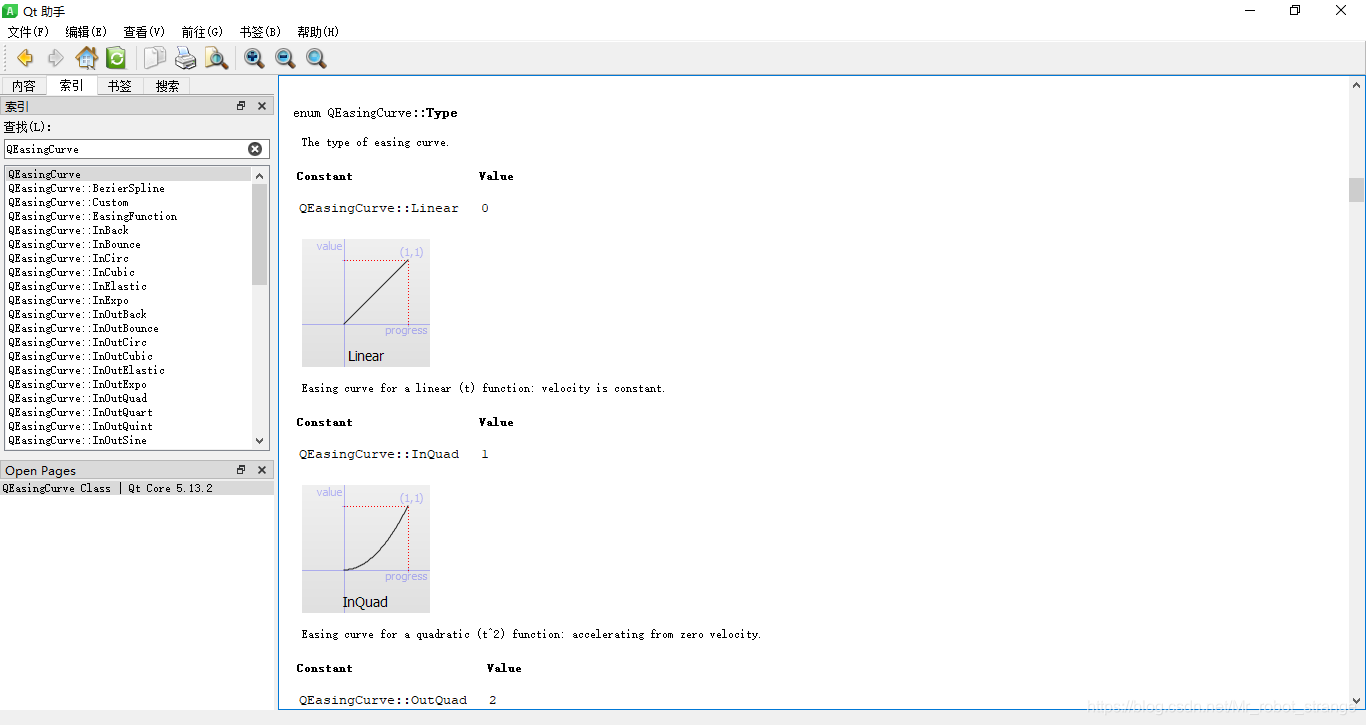
Qt还封装了QEasingCurve 类,提供了很多种线性插值
//初始化属性动画对象,并绑定到当前类的窗口透明度属性
QPropertyAnimation *animation = new QPropertyAnimation(this,"windowOpacity");
animation->setDuration(1000);  //设置动画完成的时间长度
animation->setStartValue(0); //设置动画的开始值
animation->setEndValue(1); //设置动画的结束值
animation->setEasingCurve(QEasingCurve::OutBounce); //设置插值效果
animation->start(); //启动动画
可以查阅官方文档 ,如下所示:
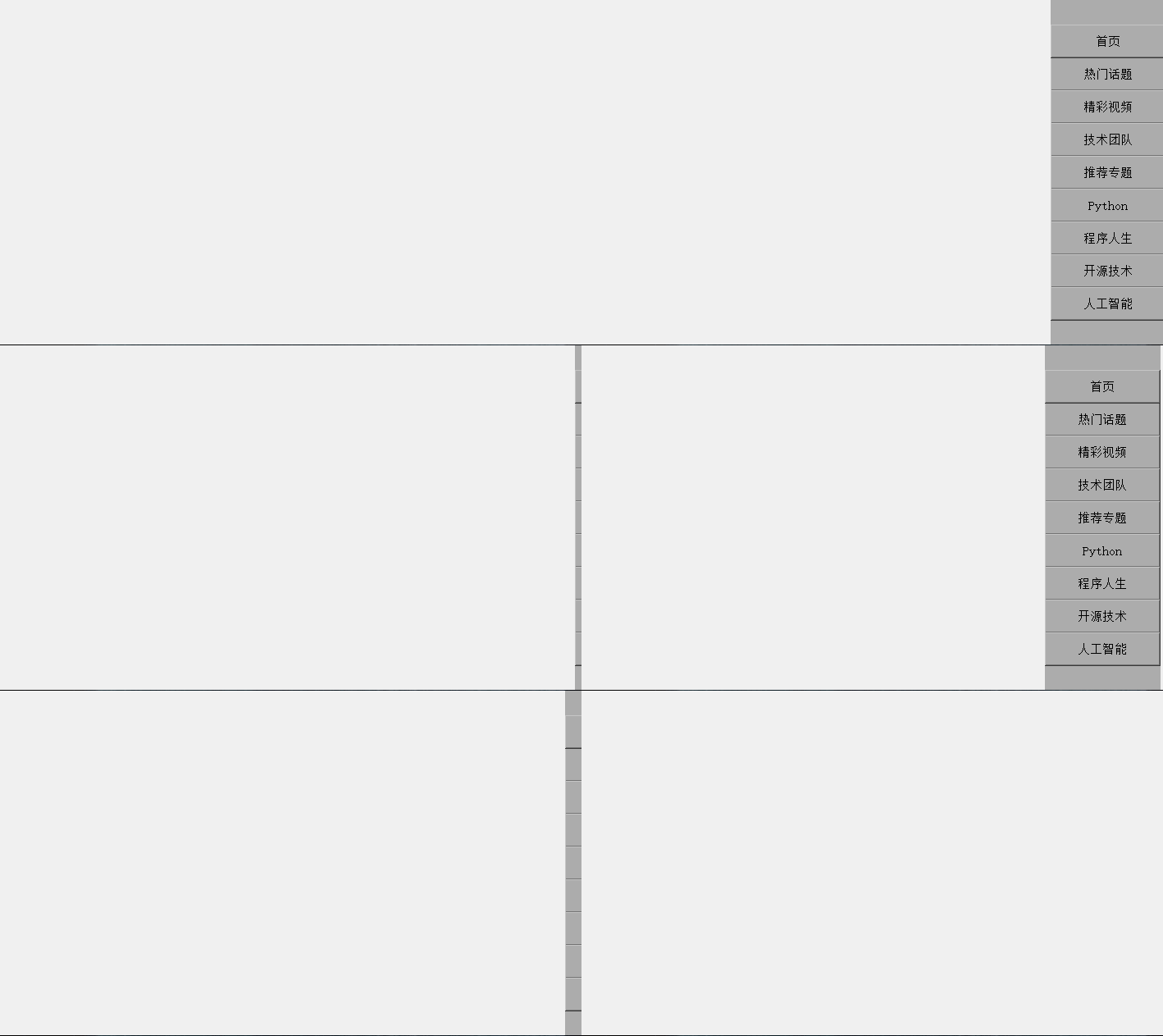
实例如下:
void MainWindow::mouseDoubleClickEvent(QMouseEvent * event)
{
    Q_UNUSED(event)
    if(side_widget_flag) //侧边栏隐藏状态,显示
    {
        propertyAnimation->setStartValue(QRect(this->rect().width(),0,ui->side_widget->width(),ui->side_widget->height()));
        propertyAnimation->setEndValue(QRect(this->rect().width()-ui->side_widget->width(),0,ui->side_widget->width(),ui->side_widget->height()));
        propertyAnimation->setEasingCurve(QEasingCurve::OutElastic); //设置插值效果
        propertyAnimation->start();
        side_widget_flag = !side_widget_flag;
    }
    else
    {
        propertyAnimation->setStartValue(QRect(this->rect().width()-ui->side_widget->width(),0,ui->side_widget->width(),ui->side_widget->height()));
        propertyAnimation->setEndValue(QRect(this->rect().width(),0,ui->side_widget->width(),ui->side_widget->height()));
        propertyAnimation->setEasingCurve(QEasingCurve::OutBounce); //设置插值效果
        propertyAnimation->start();
        side_widget_flag = !side_widget_flag;
    }
}





 扫一扫
扫一扫


 568
568

 被折叠的 条评论
为什么被折叠?
被折叠的 条评论
为什么被折叠?
 到【灌水乐园】发言





