


 本文介绍了如何使用Nginx进行限流管理,包括控制单IP并发连接数和限制单位时间内的请求数目及速度。此外,还讨论了Nginx的配置管理,如自动索引、expire缓存、日志轮询、禁用不必要的日志记录、站点限制、中文乱码处理、IP限制、防止恶意域名解析和重定向设置,旨在提升服务器性能和安全性。
1.控制单IP并发连接数
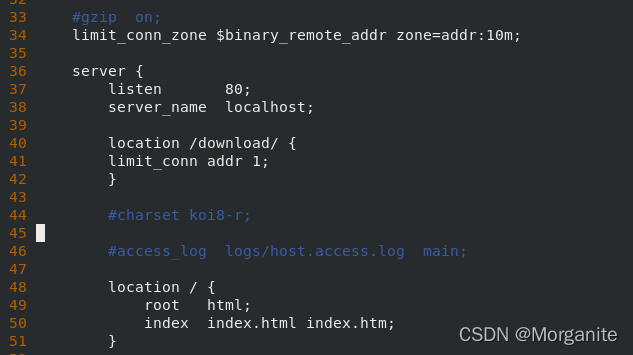
 limit_conn_zone $binary_remote_addr zone=addr:10m;

    server {
        listen       80;
        server_name  localhost;

        location /download/ {
        limit_conn addr 1;
        }
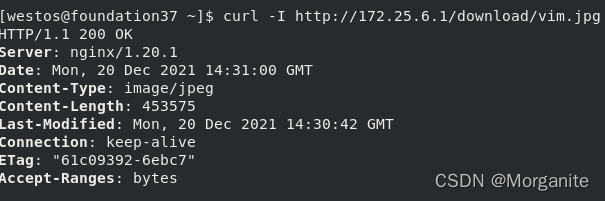
真机中:
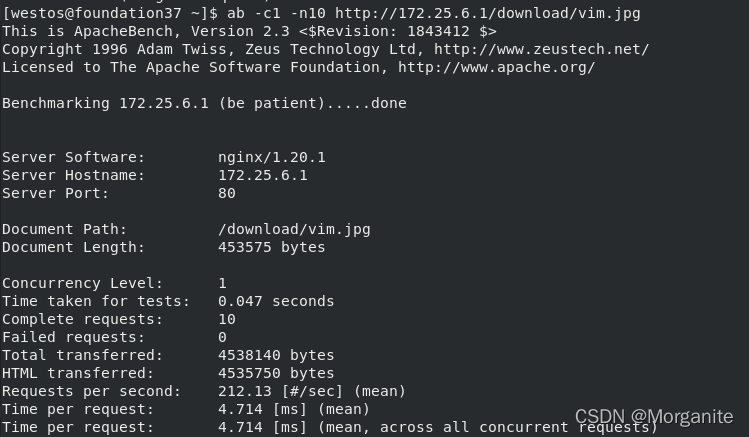
ab -c1 -n10 http://172.25.52.1/download/vim.jpg ##并发1次,请求10次
[root@server1 conf]# cd /usr/local/nginx/logs
[root@server1 logs]# cat access.log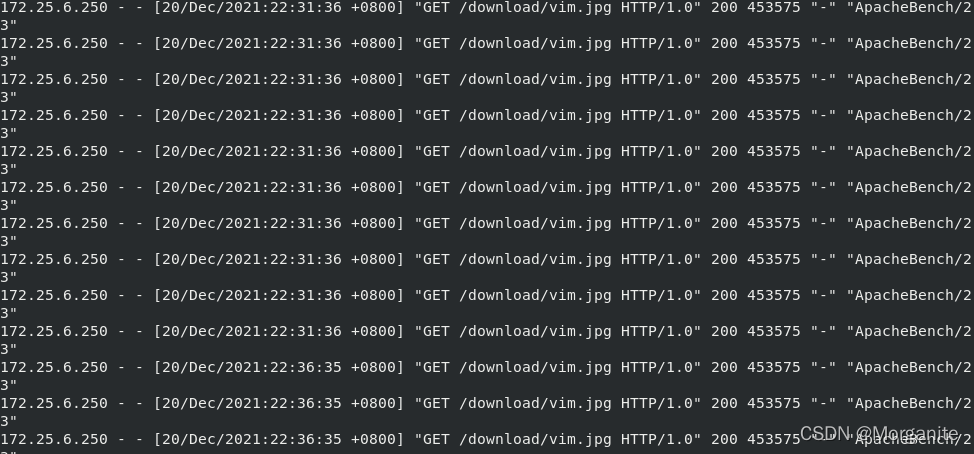
ab -c10 -n10 http://172.25.52.1/download/vim.jpg ##进行压力测试,出错
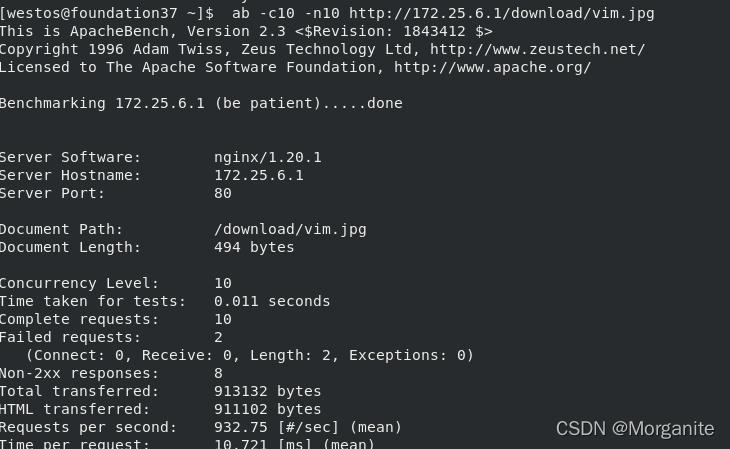
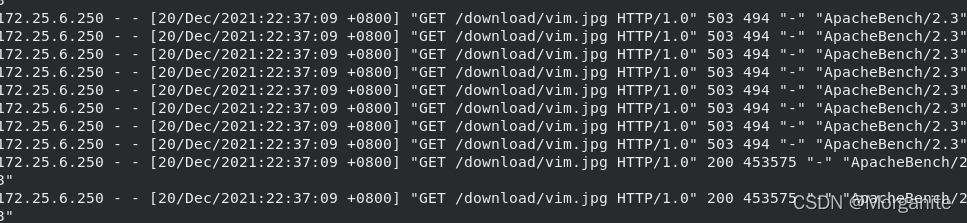
2. 限制单位时间内的请求数目,以及速度限制
//rate=1r/s表示允许相同标识的客户端的访问频次,这里限制的是每秒1次
[root@server1 conf]# vim nginx.conf

    #gzip  on;
        limit_conn_zone $binary_remote_addr zone=addr:10m;
        limit_req_zone $binary_remote_addr zone=one:10m rate=1r/s;

    server {
        listen       80;
        server_name  localhost;

        location / {
                root html;
                index index.php index.html index.htm;

        }
        location /download/ {
         limit_conn addr 1;
         limit_req zone=one;
         }

        #error_page  404              /404.html;
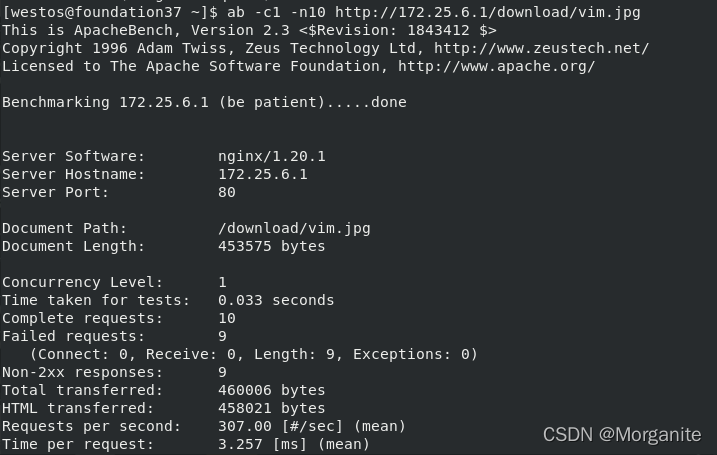
进行压力测试:
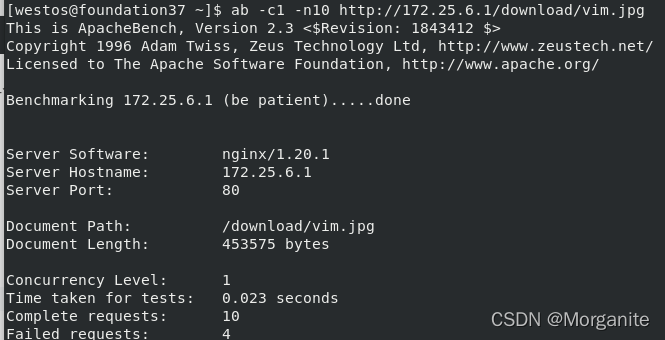
limit_req zone=one burst=5 nodelay; ##处理过多的请求 这 burst所述的参数 limit_req 指令设置等待着在指定的速率被处理过度请求的最大数目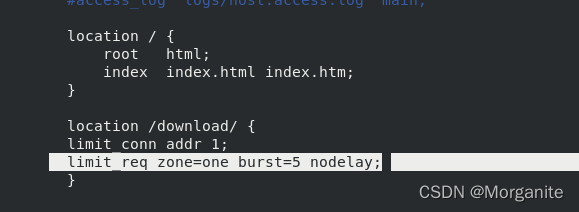
ab -c1 -n10 http://172.25.6.1/download/vim.jpg ##4个错误
cat access.log

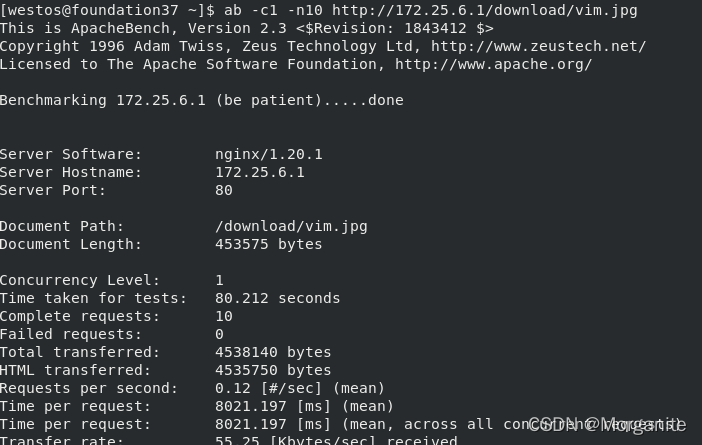
limit_rate 50k;##限制带宽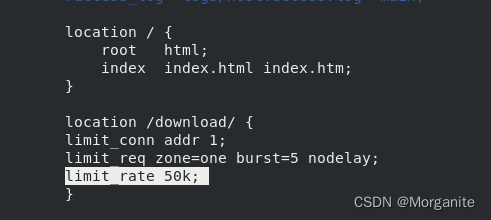
二. nginx配置管理
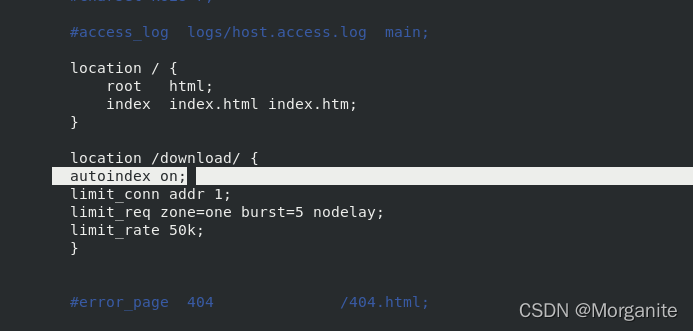
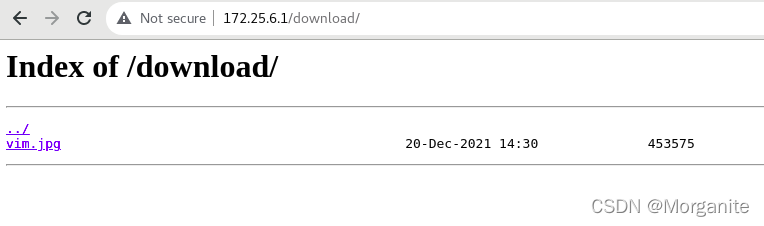
1.自动索引:下载方便
[root@server1 conf]# vim nginx.conf

   #gzip  on;
        limit_conn_zone $binary_remote_addr zone=addr:10m;
        limit_req_zone $binary_remote_addr zone=one:10m rate=1r/s;

    server {
        listen       80;
        server_name  localhost;

        location / {
                root html;
                index index.php index.html index.htm;

        }
        location /download/ {
         autoindex on;     ##自动索引
         limit_conn addr 1;
         limit_req zone=one burst=5 nodelay;
         limit_rate 50k;
         }

        #error_page  404              /404.html;
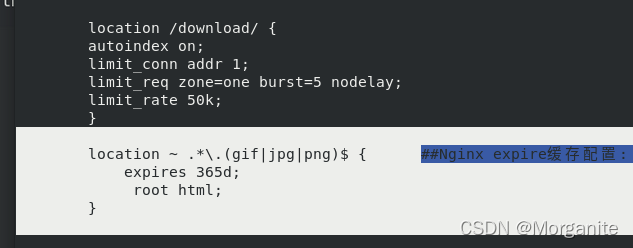
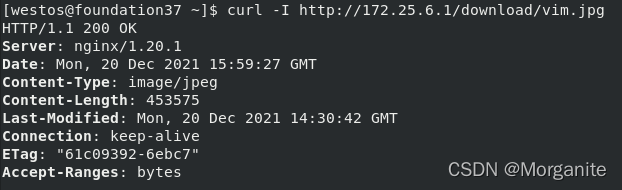
2. Nginx expire缓存配置: 缓存可以降低网站带宽,加速用户访问
[root@server1 conf]# vim nginx.conf

        location /download/ {
         autoindex on;
         limit_conn addr 1;
         limit_req zone=one burst=5 nodelay;
         limit_rate 50k;
         }

        location ~ .*\.(gif|jpg|png)$ {      ##Nginx expire缓存配置: 缓存可以降低网站带宽,加速用户访问
            expires 365d;
             root html;
        }
3.日志轮询
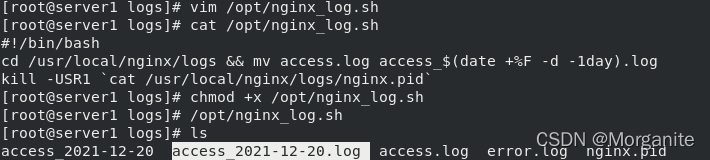
编写脚本,添加执行权限
[root@server1 logs]# /opt/nginx_log.sh ##执行脚本,生成往期日志
[root@server1 logs]# vim /opt/nginx_log.sh
[root@server1 logs]# cat /opt/nginx_log.sh
#!/bin/bash
cd /usr/local/nginx/logs && mv access.log access_$(date +%F -d -1day).log
kill -USR1 `cat /usr/local/nginx/logs/nginx.pid`
数据可视化
安装
[root@server1 ~]# tar zxf goaccess-1.4.tar.gz
[root@server1 ~]# yum install -y GeoIP-devel-1.5.0-13.el7.x86_64.rpm
[root@server1 ~]# cd goaccess-1.4/
[root@server1 goaccess-1.4]#  ./configure --enable-utf8 --enable-geoip=legacy
[root@server1 goaccess-1.4]# make && make install
生成
[root@server1 logs]# goaccess /usr/local/nginx/logs/access_2021-12-20.log -o /usr/local/nginx/html/report.html --log-format=COMBINED --real-time-html
Parsing... [3] [0/s]
WebSocket server ready to accept new client connections
查看
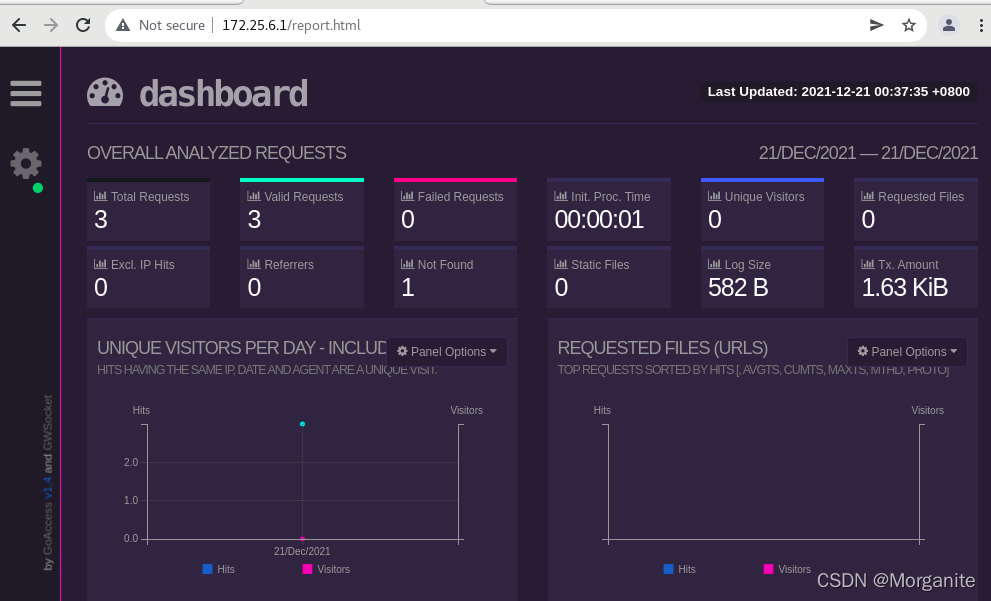
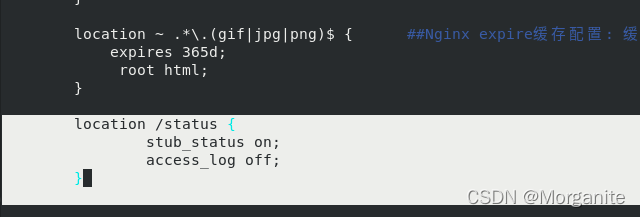
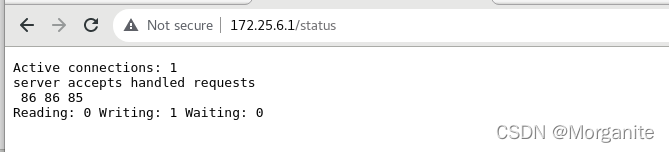
4.禁用不必要的日志记录,以节省磁盘IO的消耗
        location /status {
                stub_status on;
                access_log off;
        }

5. 站点目录和文件的限制
        location /status {
                stub_status on;
                access_log off;
                allow 127.0.0.1;
                deny all;
        }


6. 中文乱码

7. 限制IP
location / {
    deny 172.25.0.10;
    allow 172.25.0.0/24;
     deny all;
}
if ($remote_addr = 172.25.0.254) {
      return 403;
}
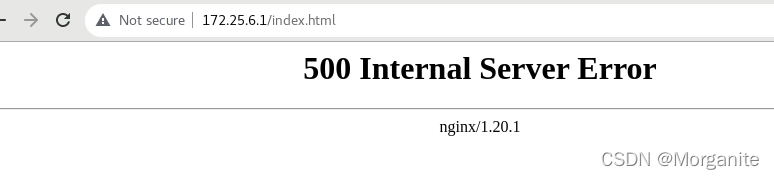
8.防止域名恶意解析到服务器IP
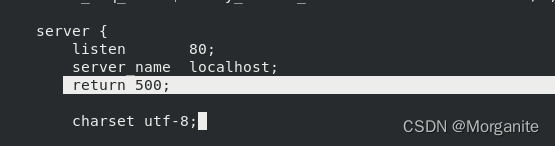
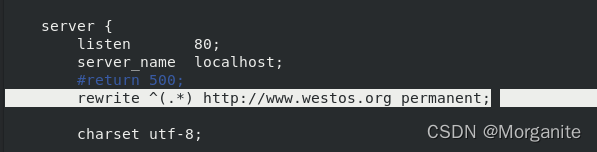
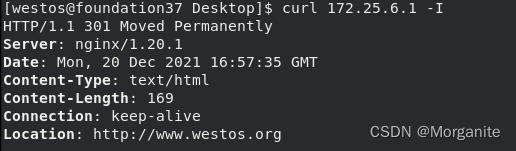
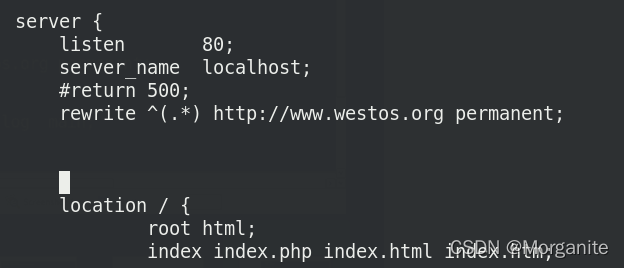
9.nginx重定向
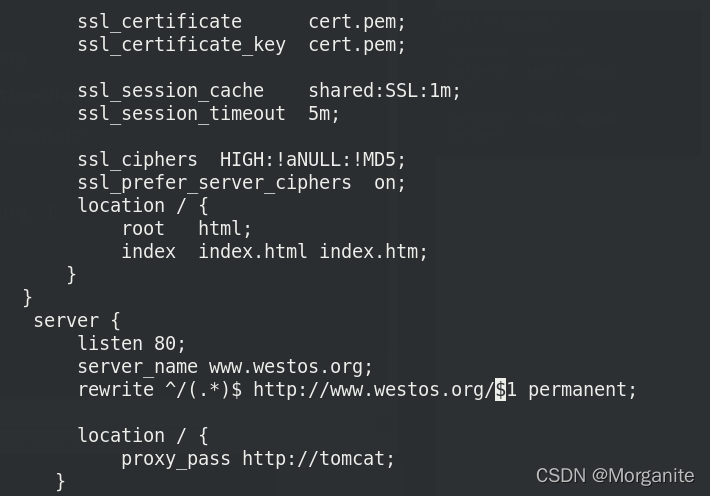
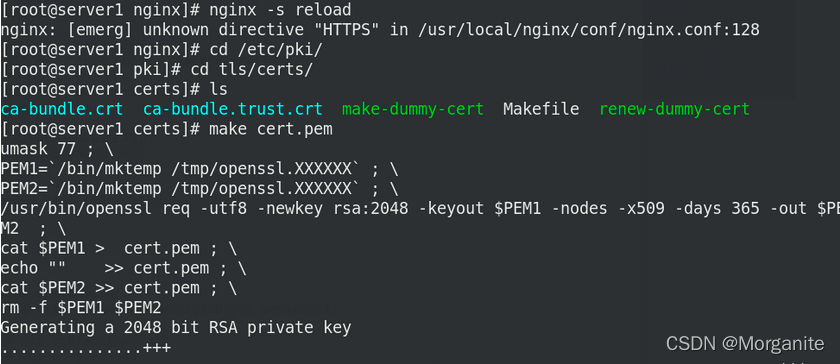
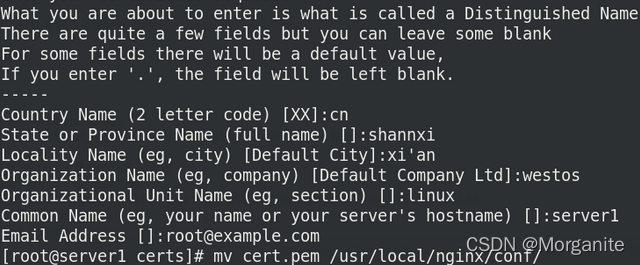
证书为cert.pem





 扫一扫
扫一扫


 4103
4103

 被折叠的 条评论
为什么被折叠?
被折叠的 条评论
为什么被折叠?
 到【灌水乐园】发言





