



 本文介绍了在微信小程序中如何实现图片选择功能,包括用户上传、缓存展示、预览及删除操作的详细代码和原理。通过`wx.chooseMedia`和`getImageInfo`接口,展示了图片选择组件的构建和事件处理过程。
成品图如下
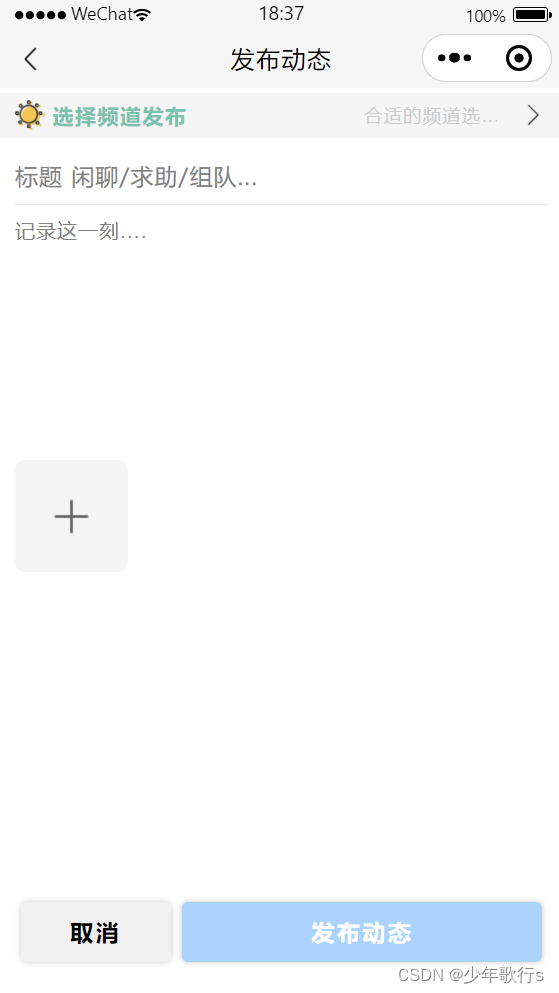
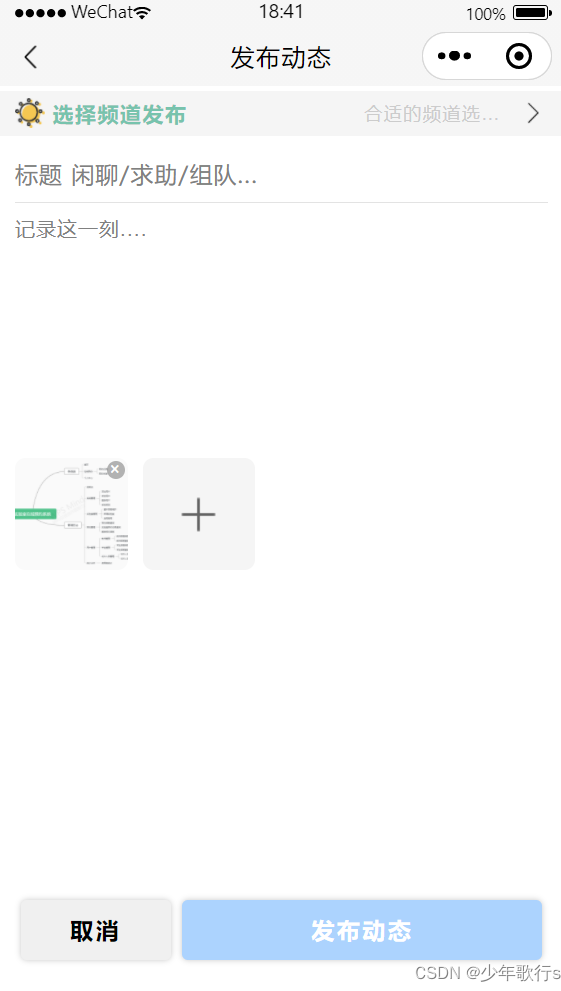
本文主要描述选择图片功能实现。
原理:
// html
<view class="chooseImageBox">
	<!-- 渲染已选择图片 -->
    <block wx:for="{{photo}}" wx:key="photoIndex">
        <view class="beChoosen_ImageBox">
            <image class="beChoosen_Image" src="{{item.tempFilePath}}" bindtap="preViewImage" data-index="{{index}}" mode="aspectFill"></image>
            <view class="del_beChoosen_Image" bindtap="del_beChoosen_Image" data-index="{{index}}">×</view>
        </view>
    </block>

	<!-- 点击选择图片 -->
    <view class="chooseImage" bindtap="chooseImage">
        <image src="./images/jia.png"></image>
    </view>
</view>
用户选择图片前,变量photo为空数组。用户选择图片后,将图片缓存地址存入变量,即可渲染已选择图片。且选择图片按钮后移。
除此之外,还有图片预览功能、删除图片功能,原理不进行赘述。
代码若存在不理解的地方可以在评论区提问。
所有代码如下:
// 点击事件 - 选择图片
chooseImage(){
    let that = this;
    wx.chooseMedia({                                // 上传图片
      count: 6,
      mediaType:'image',
      sourceType:['album','camera'],
      sizeType: ['original', 'compressed'],       // 可选择原图、压缩图
      success: (res) => {
          let photo = that.data.photo.concat(res.tempFiles);

          wx.getImageInfo({                       // 获得图片信息
              src: photo[0].tempFilePath,
              success: (res) => {
                  photo[0].imageHeight = res.height;
                  photo[0].imageWidth = res.width;
                  that.setData({ photo })
              }
          })
      }
  })
},
// 点击事件 - 删除图片
del_beChoosen_Image(e) {
  let index = e.target.dataset.index;   // 照片索引值
  let photo = this.data.photo.slice();

  photo.splice(index,1);                // 注意:splice返回值是删除的元素, 并改变原数组
  this.setData({ photo });
},
// 点击已选图片 - 进行预览
preViewImage(e) {
  let urls = this.data.photo.map(item => {
    return item.tempFilePath
  });
  let index = e.target.dataset.index;

  wx.previewImage({
    urls: urls,
    current: urls[index]
  })
},
// css
.chooseImageBox {
  display: flex;
  flex-direction: row;
  align-items: center;
}
.beChoosen_ImageBox {
  display: inline-block;
  position: relative;
  width: 150rpx;
  height: 150rpx;
  margin-right: 20rpx;
}
.beChoosen_Image {
  width: 150rpx;
  height: 150rpx;
  border-radius: 15rpx;
}
.del_beChoosen_Image {
  position: absolute;
  top: 5rpx;
  right: 5rpx;
  display: flex;
  justify-content: center;
  align-items: center;
  width: 25rpx;
  height: 25rpx;
  border-radius: 50%;
  background-color: rgb(10, 10, 10,0.3);
  font-size: 25rpx;
  color: #fff;
}
.chooseImage {
  width: 150rpx;
  height: 150rpx;
  background-color: rgb(245, 245, 245);
  border-radius: 15rpx;

  display: inline-flex;
  justify-content: center;
  align-items: center;
}
.chooseImage image {
  display: inline-block;
  width: 60rpx;
  height: 60rpx;
}





 扫一扫
扫一扫


 1731
1731


 到【灌水乐园】发言



