



 本文详细介绍了ElasticSearch的基础知识,包括其作为开源搜索引擎的角色、应用场景,以及如何进行单实例和分布式安装。接着讲解了ElasticSearch中的核心概念,如集群、节点、索引、类型和文档。此外,还阐述了创建索引、插入、修改、删除和查询数据的基本操作,并展示了如何使用ElasticSearchHead和Postman工具。在高级查询部分,讨论了QueryContext和FilterContext的区别以及多种查询方式。最后,通过一个SpringBoot项目展示了如何整合ElasticSearch,包括配置、实体类、CRUD操作。整个过程涵盖了从理论到实践的全面理解。
ElasticSearch入门
1.ElasticSearch简介
1.1 什么是ElasticSearch?
- 基于Apache Lucene构建的开源搜索引擎;
- 采用Java编写,提供简单易用的 RESTFul API;
- 轻松的横向扩展,可支持PB级的结构化或非结构化数据处理;
1.2 应用场景
- 海量数据分析引擎
- 站内搜索引擎
- 数据仓库
一线公司实际应用场景:
- 英国卫报-实时分析公众对文章的回应;
- 维基百科、Github-站内实时搜索
- 百度-实时日志监控平台
2.ElasticSearch安装
2.1 版本问题
- 版本历史 1.x -> 2.x -> 5.x
- 版本选择
2.2 单实例安装
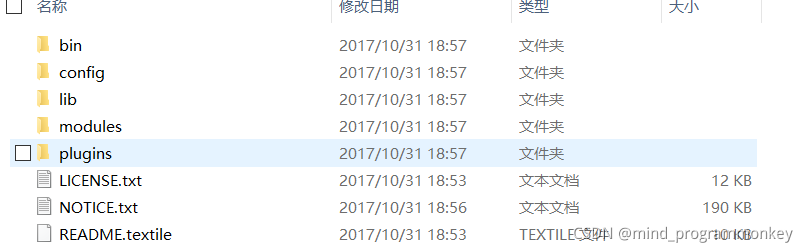
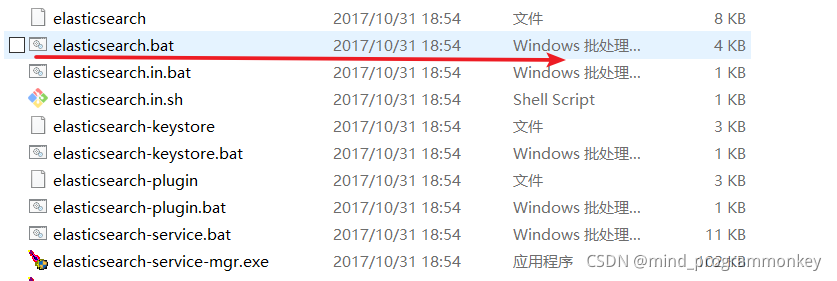
启动
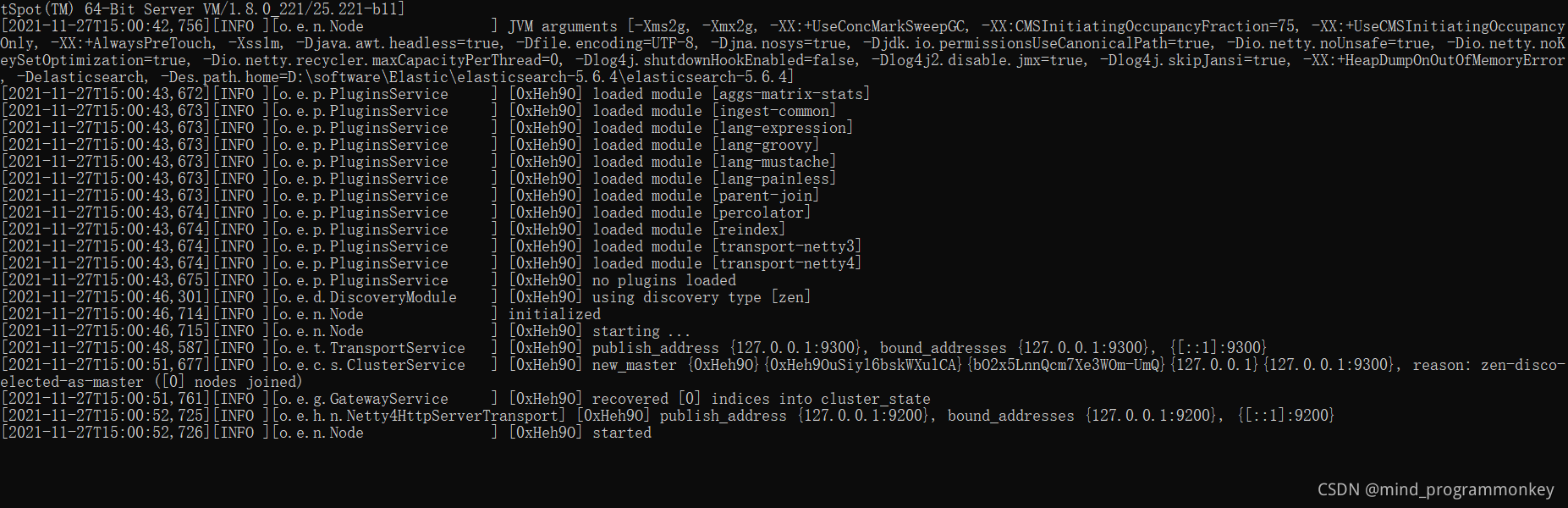
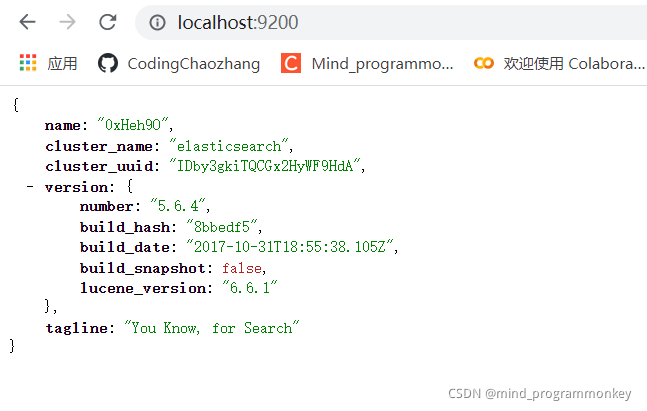
访问网址,查看是否启动成功
2.3 elasticsearch-head插件安装
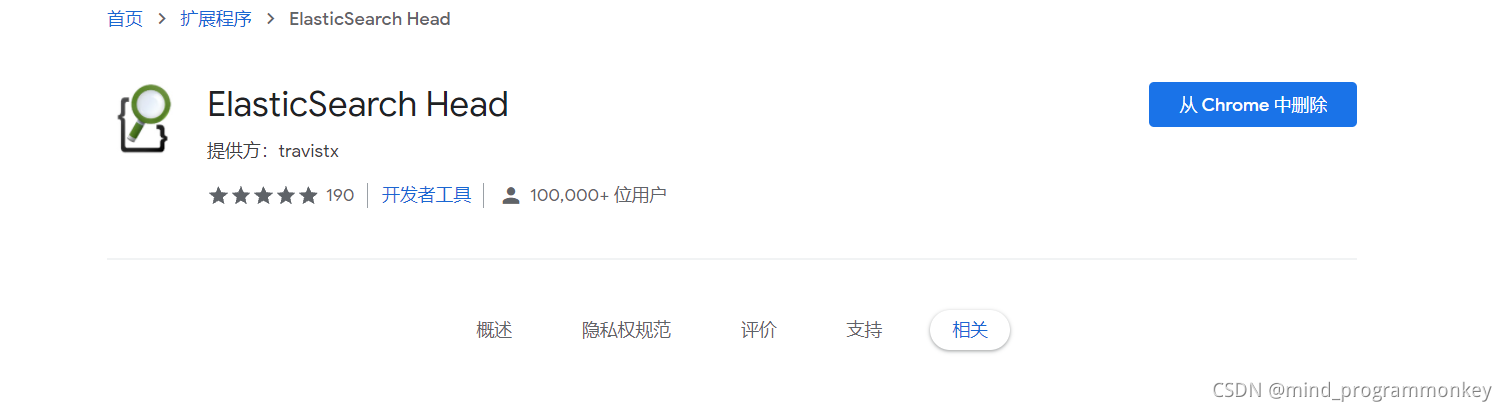
在谷歌应用商店提供了ElasticSearch Head插件,以便可视化。

2.4 分布式安装
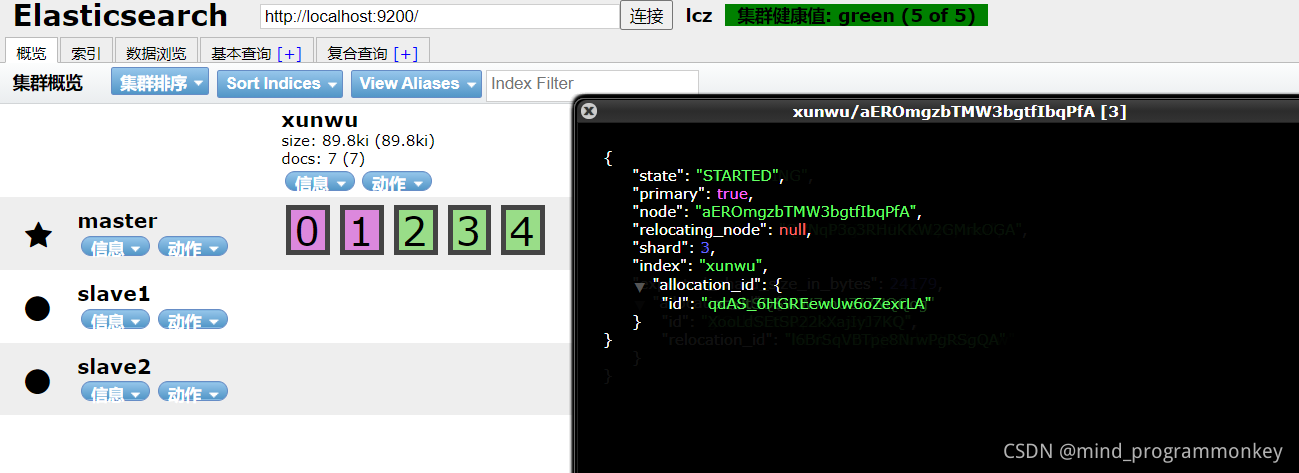
集群,主要是在config/elasticsearch.yml上的区别。
在master结点上:
http.cors.enabled: true
http.cors.allow-origin: "*"


cluster.name: lcz
node.name: master
node.master: true

network.host: 127.0.0.1
在slave1结点上:
cluster.name: lcz
node.name: slave1

network.host: 127.0.0.1
http.port: 8200

discovery.zen.ping.unicast.hosts: ["127.0.0.1"]
在slave2结点上:
cluster.name: lcz
node.name: slave2

network.host: 127.0.0.1
http.port: 8000

discovery.zen.ping.unicast.hosts: ["127.0.0.1"]
3.ElasticSearch基础概念
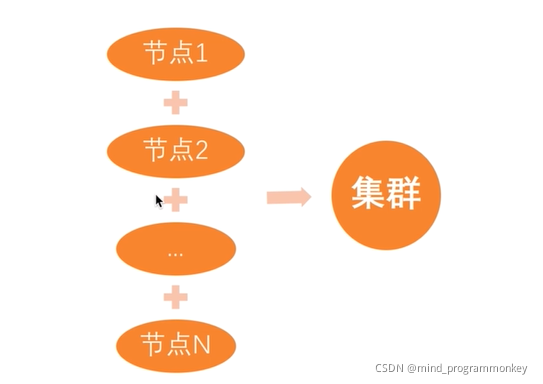
集群和节点:
- 索引:含有相同属性的文档集合;
- 类型:索引可以定义一个或多个类型,文档必须属于一个类型;
- 文档:文档是可以被索引的基本数据单位;
- 分片:每个索引都有多个分片,每个分片是一个Lucene索引;
- 备份:拷贝一份分片就完成了分片的备份;
4.ElasticSearch基本用法
4.1 索引创建
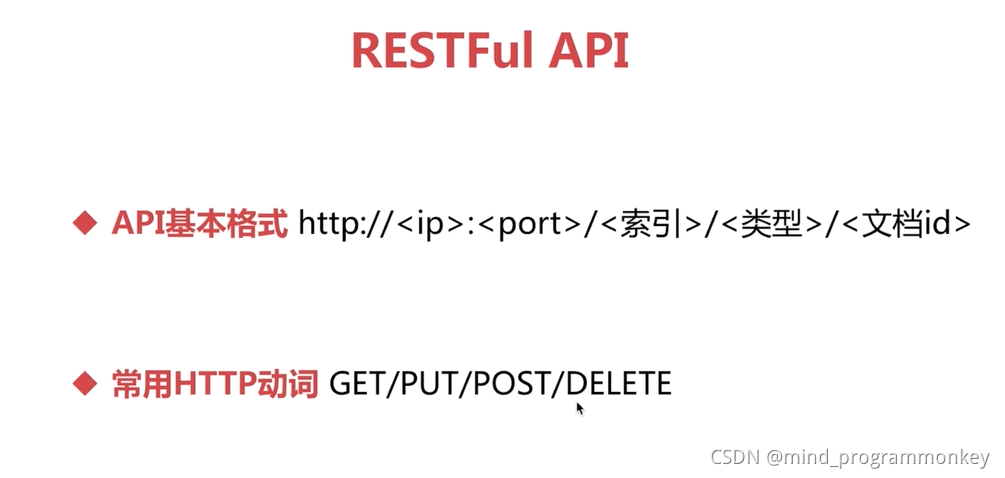
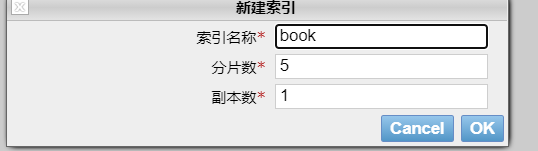
利用ElasticSearch Head来创建索引

利用postman的put来创建索引
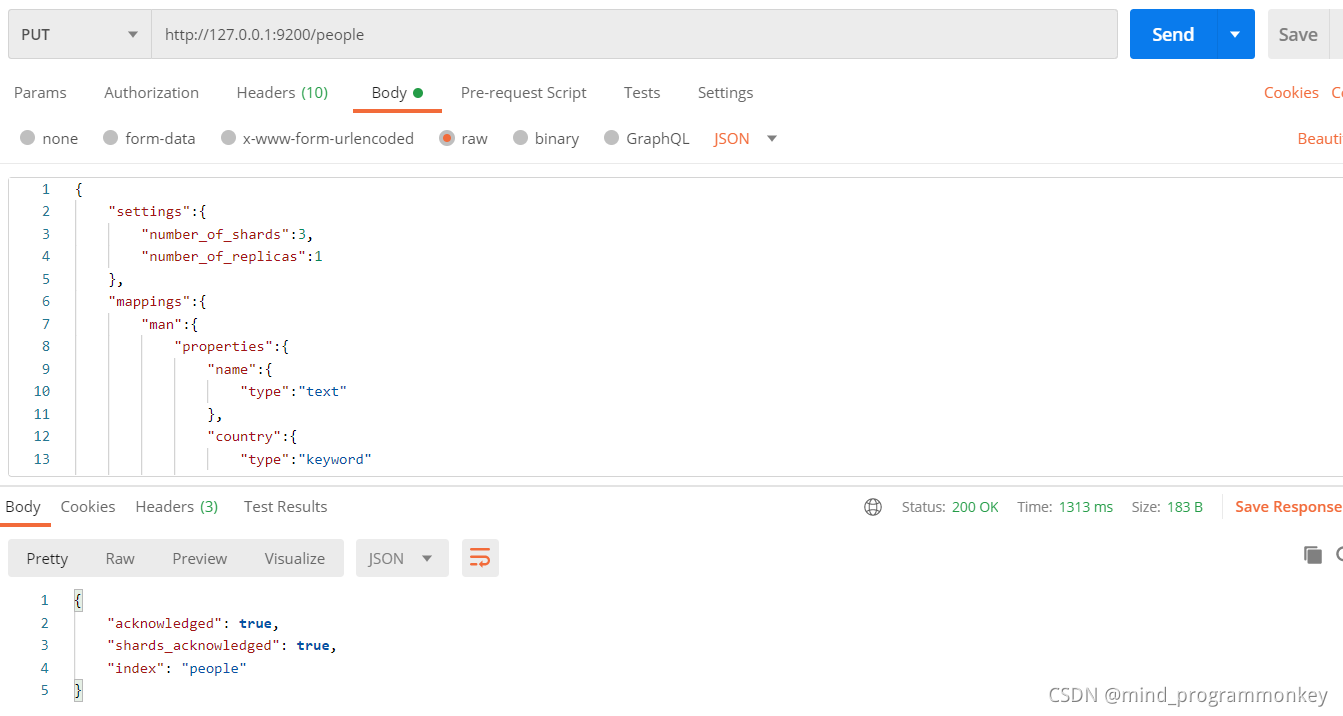
{
    "settings":{
        "number_of_shards":3,
        "number_of_replicas":1
    },
    "mappings":{
        "man":{
            "properties":{
                "name":{
                    "type":"text"
                },
                "country":{
                    "type":"keyword"
                },
                "age":{
                    "type":"integer"
                },
                "date":{
                    "type":"date",
                    "format":"yyyy-MM-dd HH:mm:ss||yyyy-MM-dd||epoch_millis"
                }
            }
        }
    }
}
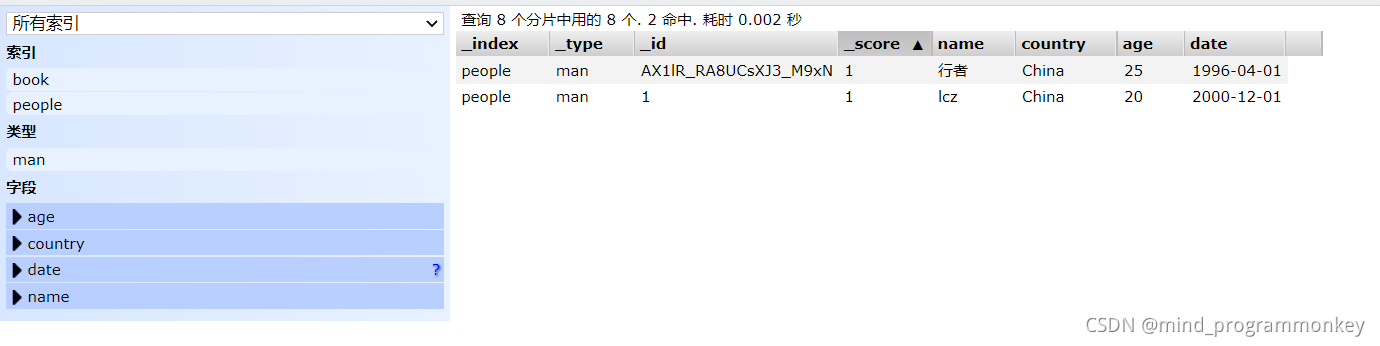
4.2 数据插入文档
插入
- 指定文档id插入;
- 自动产生文档id插入;
指定文档id插入用put方法
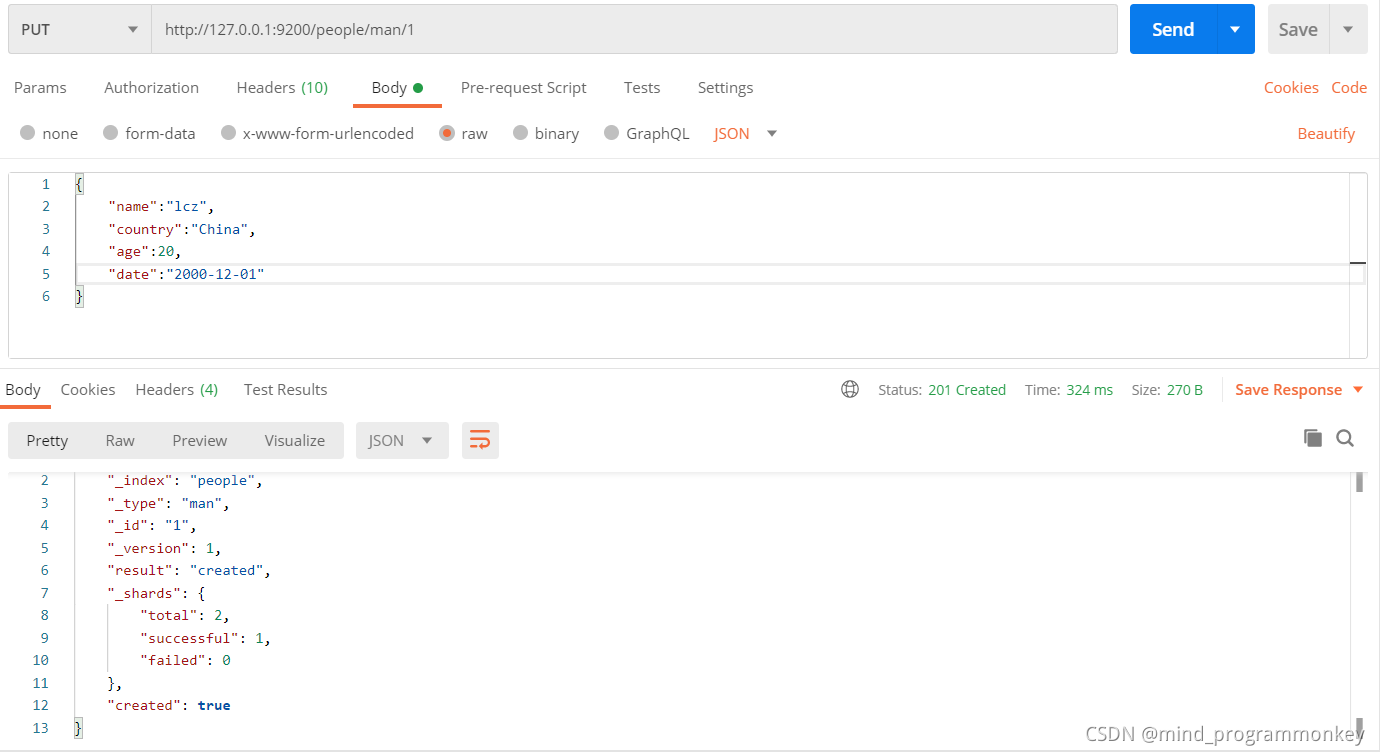
{
    "name":"lcz",
    "country":"China",
    "age":20,
    "date":"2000-12-01"
}
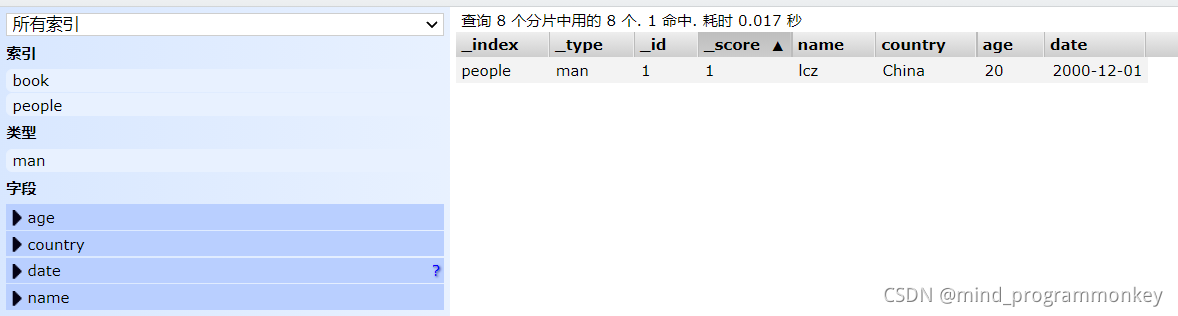
自动产生文档id插入用post方法
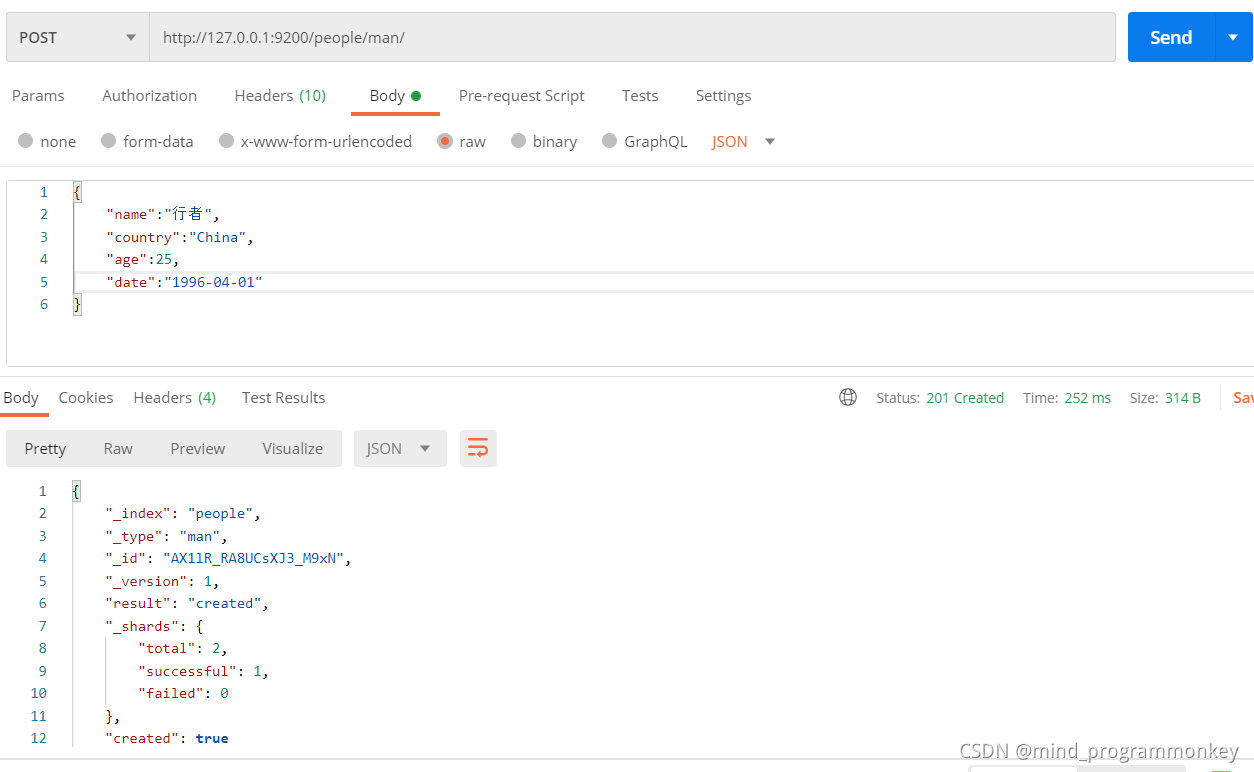
{
    "name":"行者",
    "country":"China",
    "age":25,
    "date":"1996-04-01"
}
4.3 修改文档数据
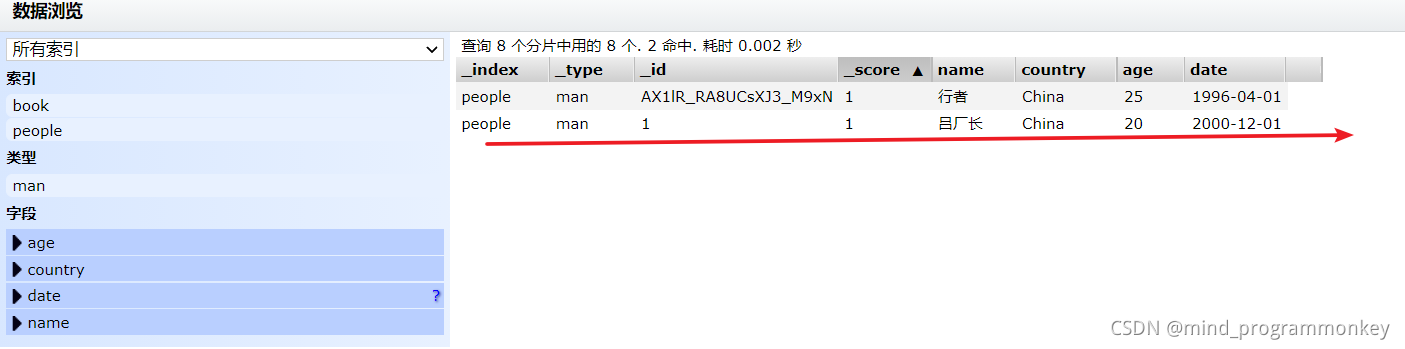
修改
- 直接修改文档;
- 脚本修改文档;
POST直接修改文档
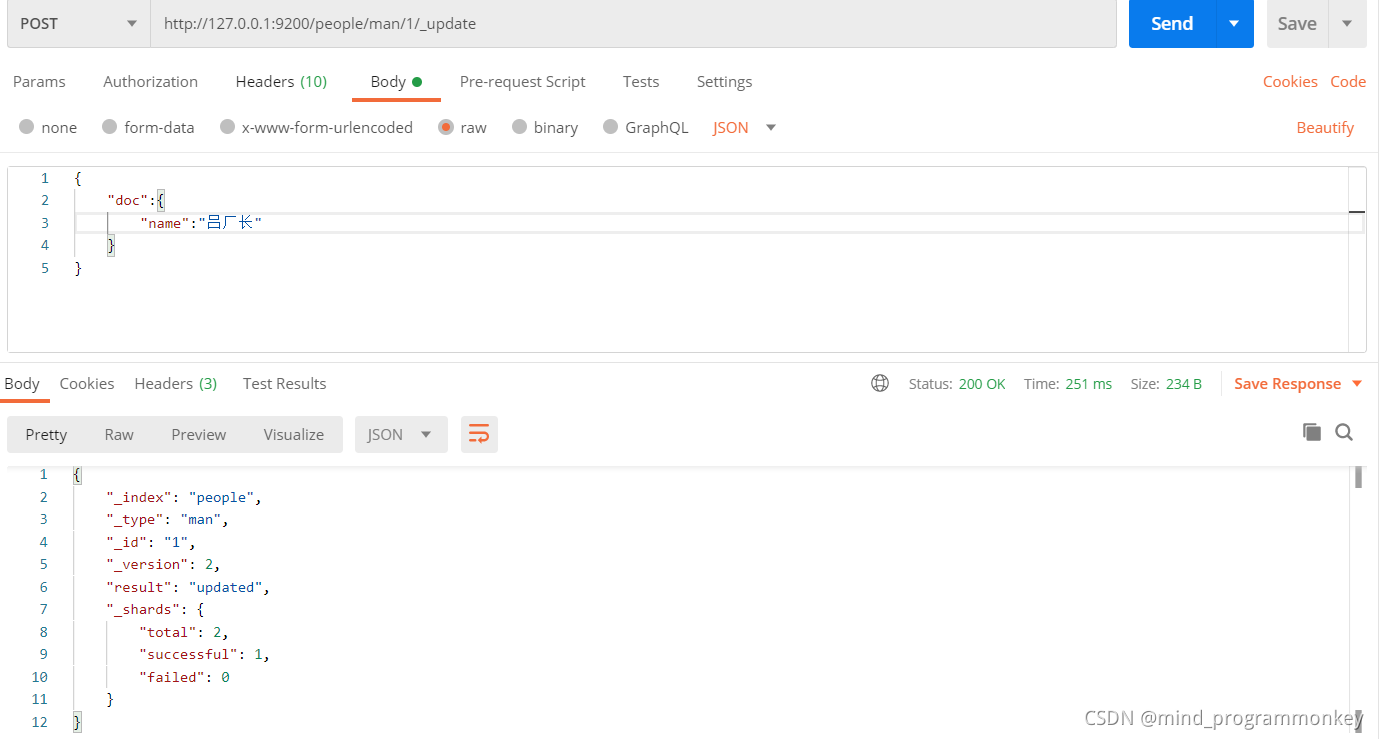
{
    "doc":{
        "name":"吕厂长"
    }
}
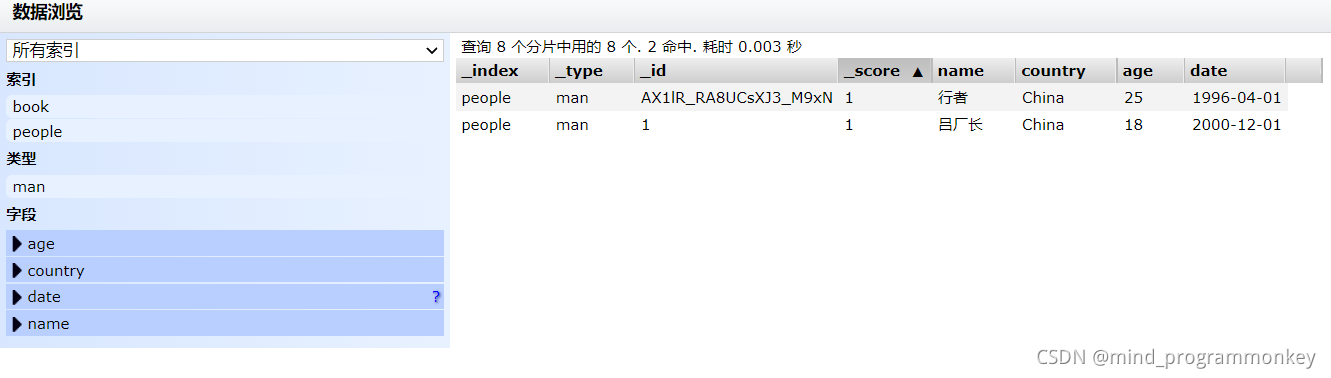
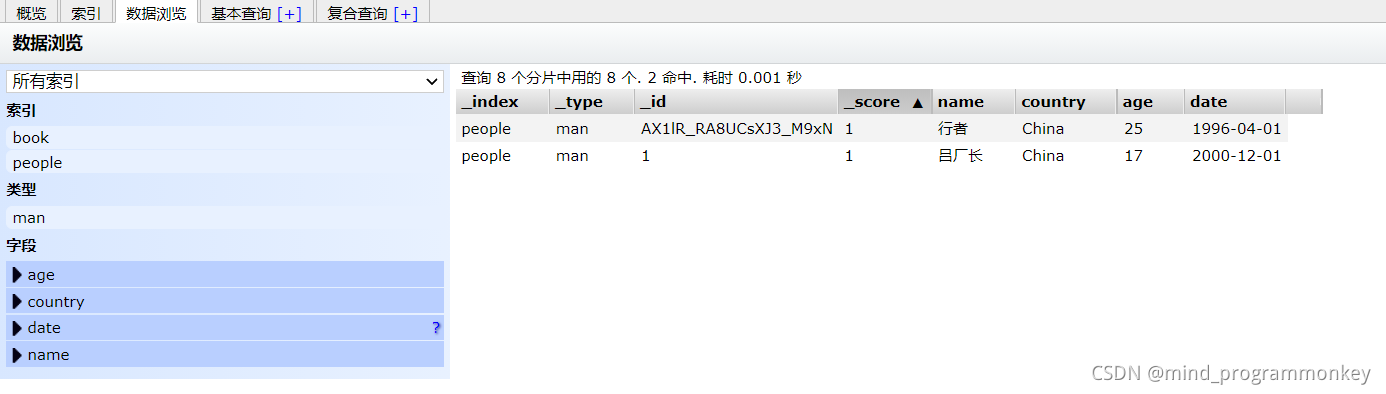
POST脚本修改文档
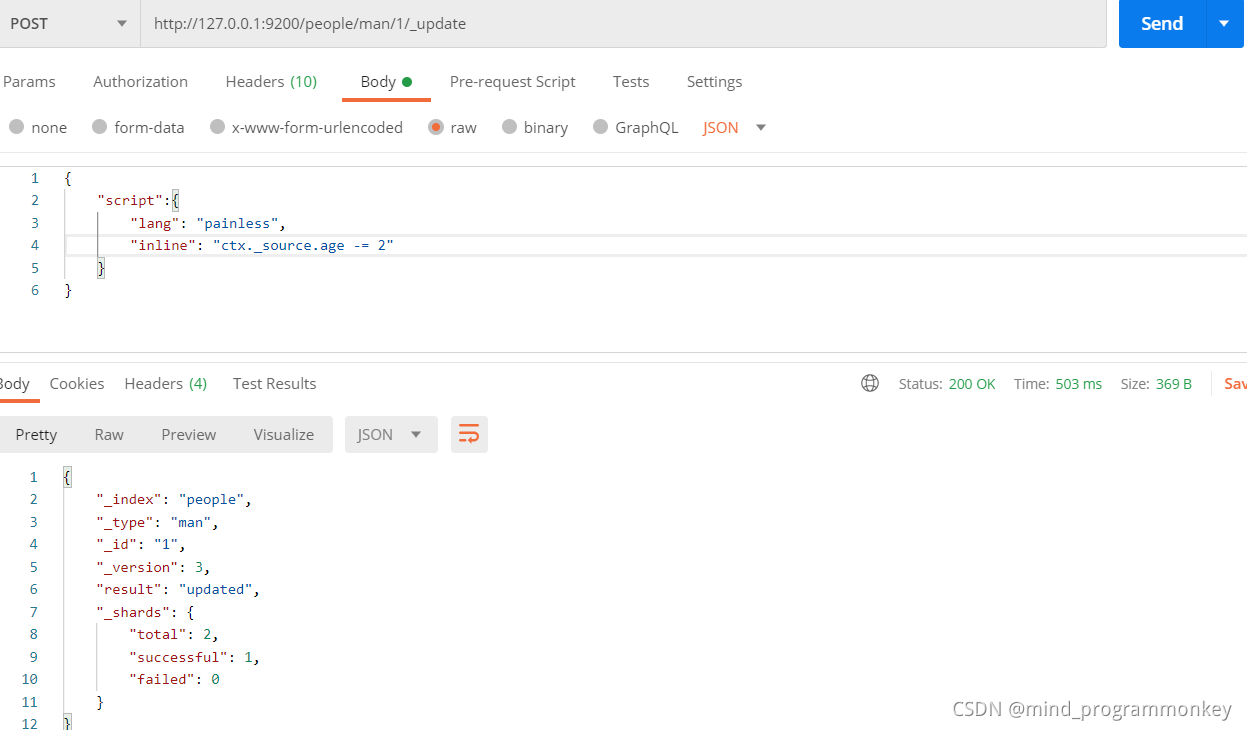
{
    "script":{
        "lang": "painless",
        "inline": "ctx._source.age -= 2"
    }
}
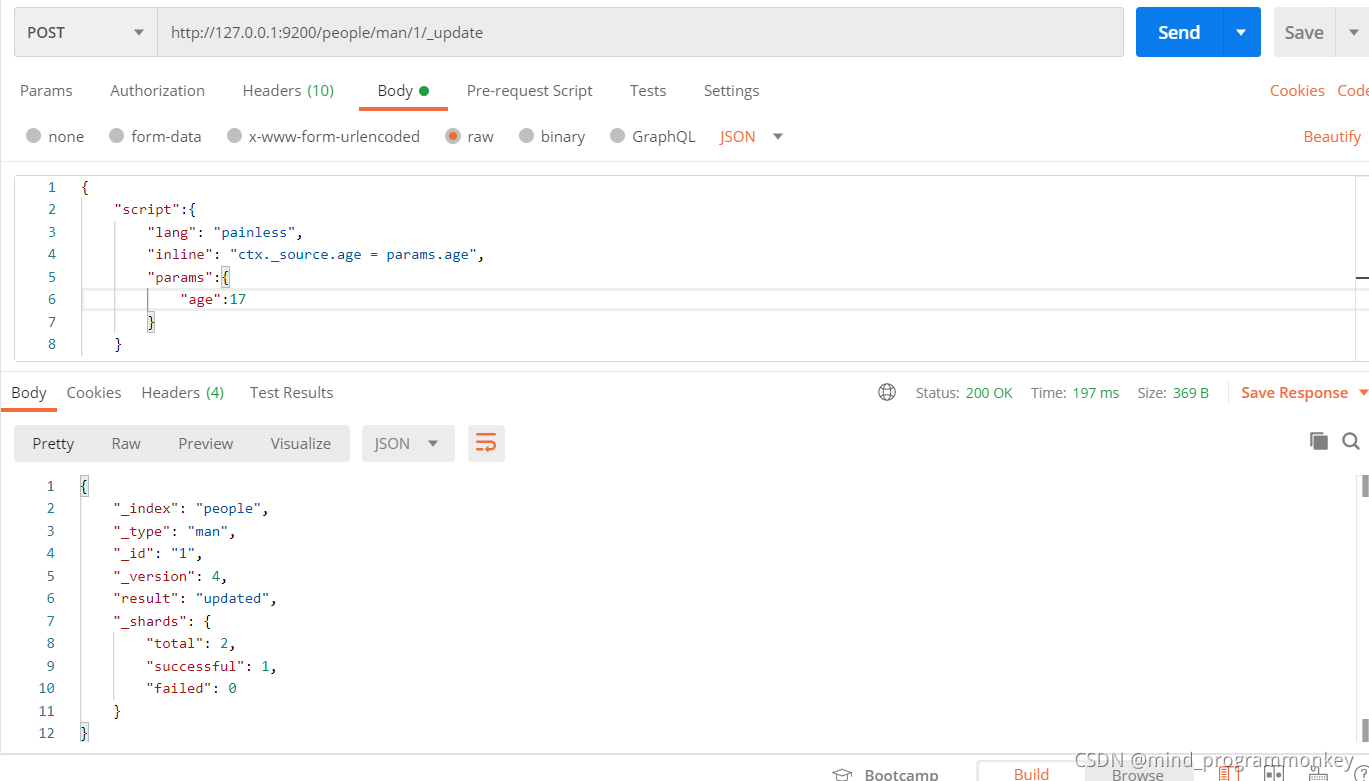
{
    "script":{
        "lang": "painless",
        "inline": "ctx._source.age = params.age",
        "params":{
            "age":17
        }
    }
}
4.4 删除文档数据
删除
- 删除文档;
- 删除索引;
删除文档
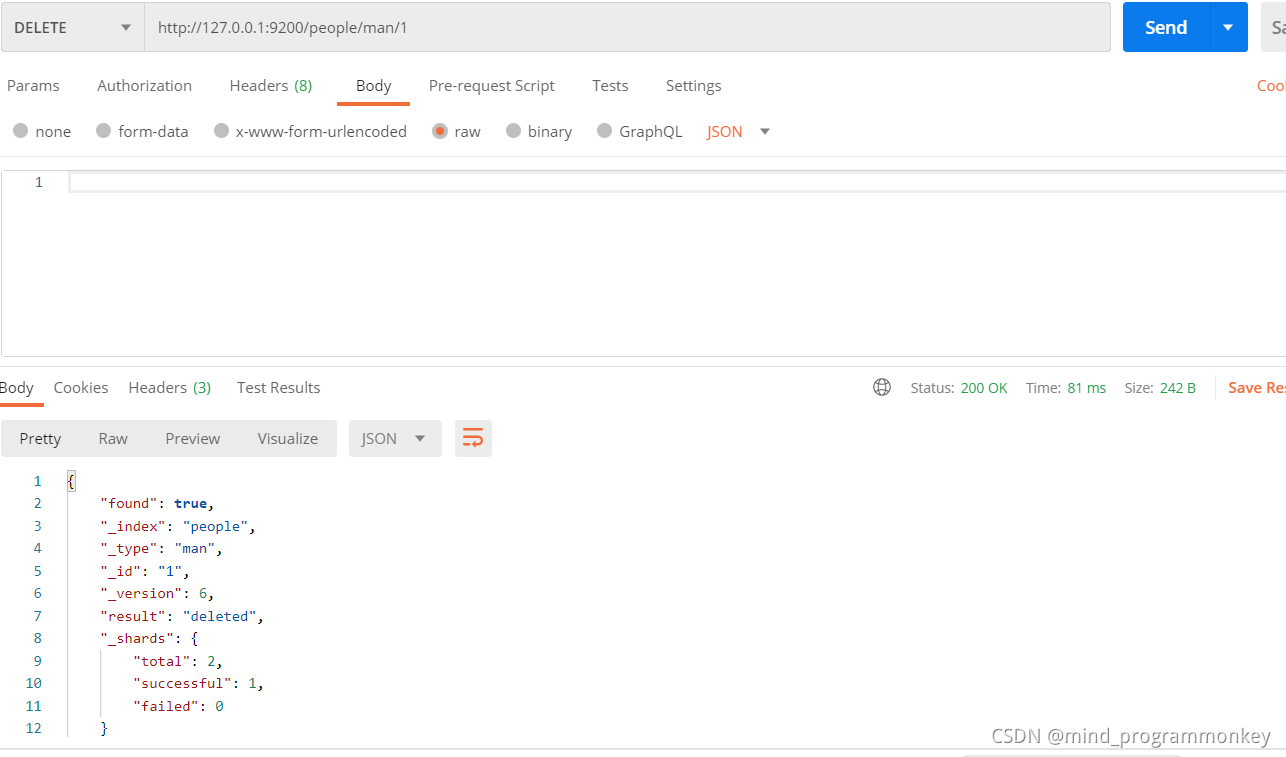
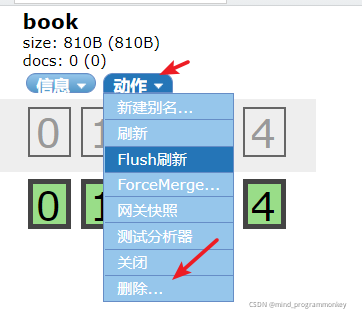
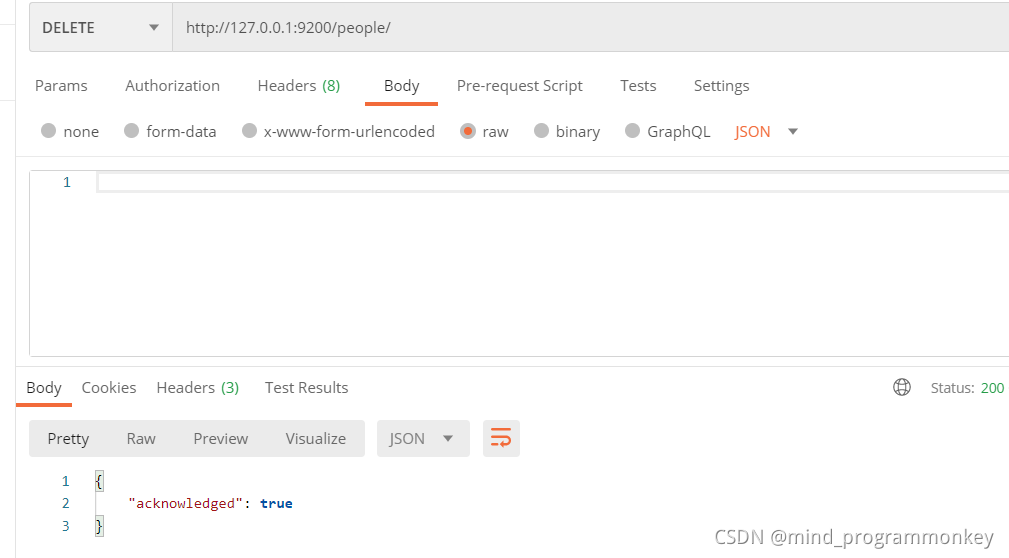
删除索引
第一种:用elasticsearch head删除
第二种:用postman的delete方法
4.5 查询数据
查询
- 简单查询;
- 条件查询;
- 聚合查询;
在查询之前先构造好本次的索引-类型-文档数据。
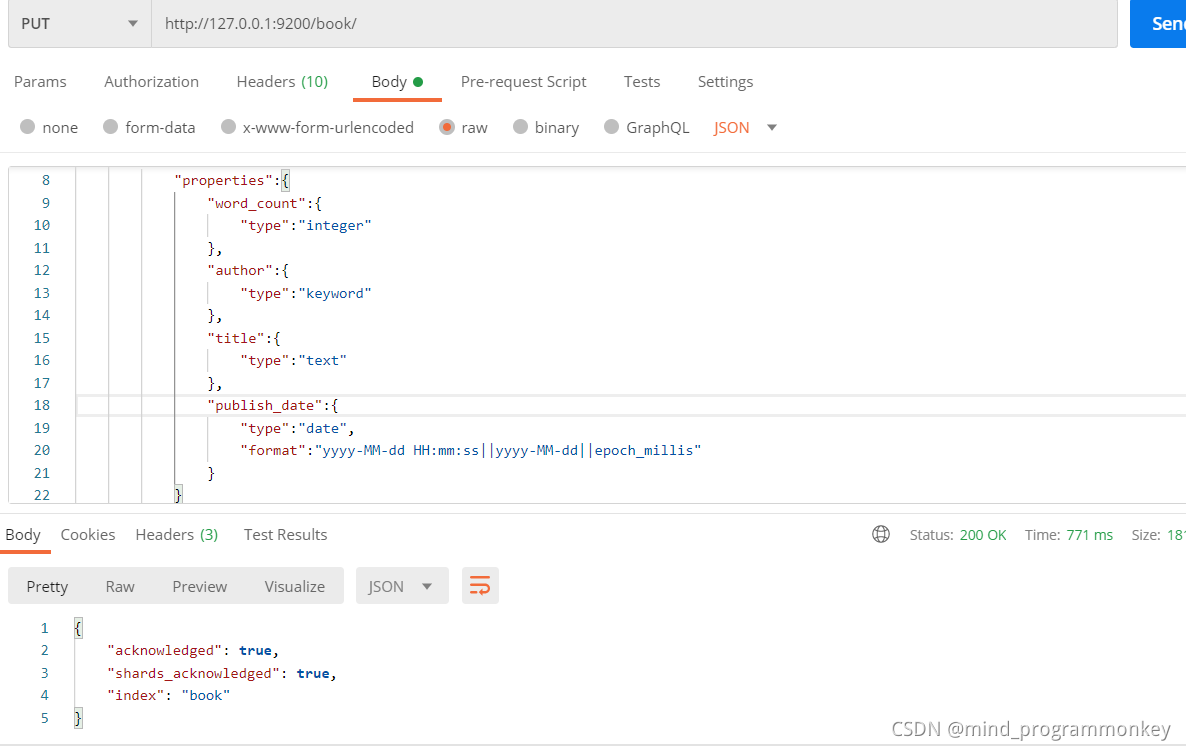
{
    "settings":{
        "number_of_shards":3,
        "number_of_replicas":0
    },
    "mappings":{
        "novel":{
            "properties":{
                "word_count":{
                    "type":"integer"
                },
                "author":{
                    "type":"keyword"
                },
                "title":{
                    "type":"text"
                },
                "publish_date":{
                    "type":"date",
                    "format":"yyyy-MM-dd HH:mm:ss||yyyy-MM-dd||epoch_millis"
                }
            }
        }
    }
}
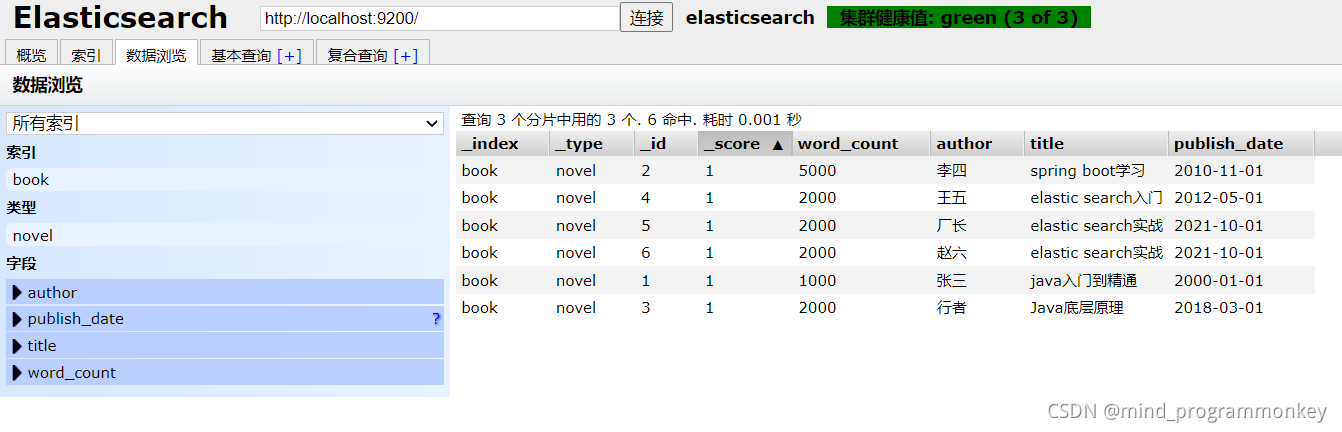
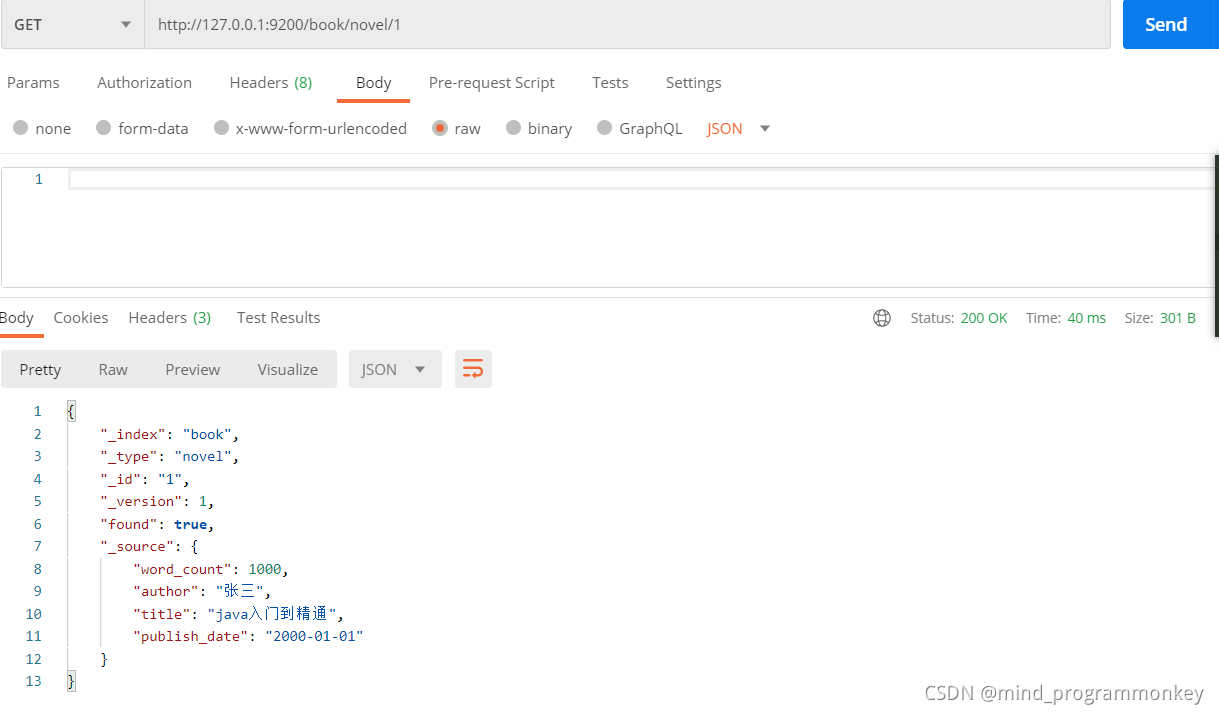
简单查询
根据文档的id查询文档详细信息
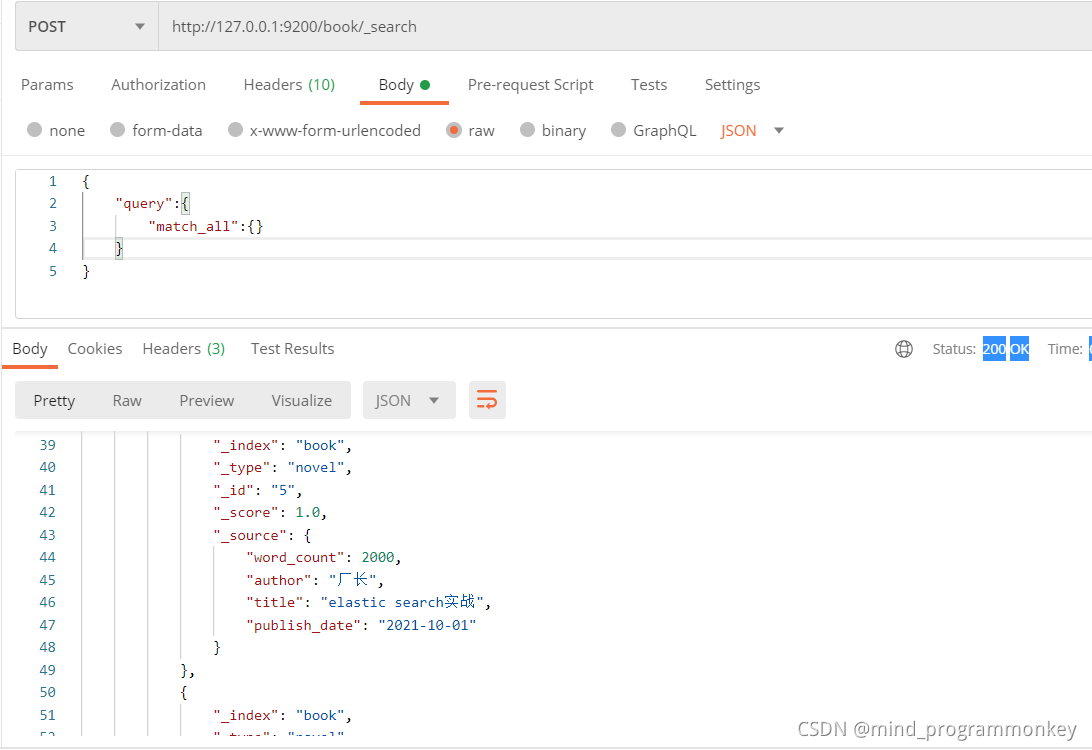
条件查询
全部查询
{
    "query":{
        "match_all":{}
    }
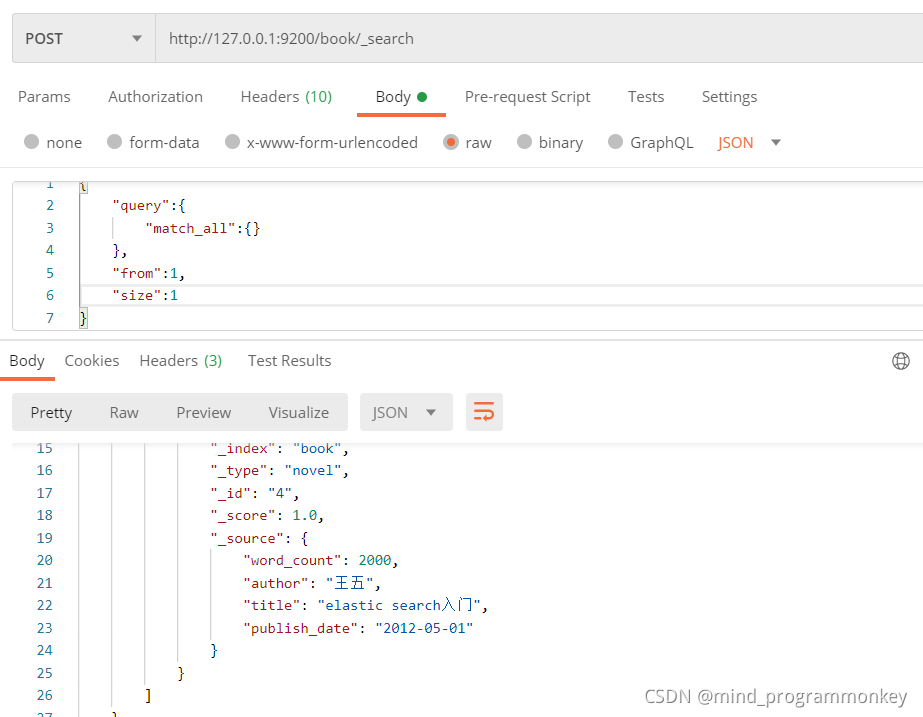
}
限制条件
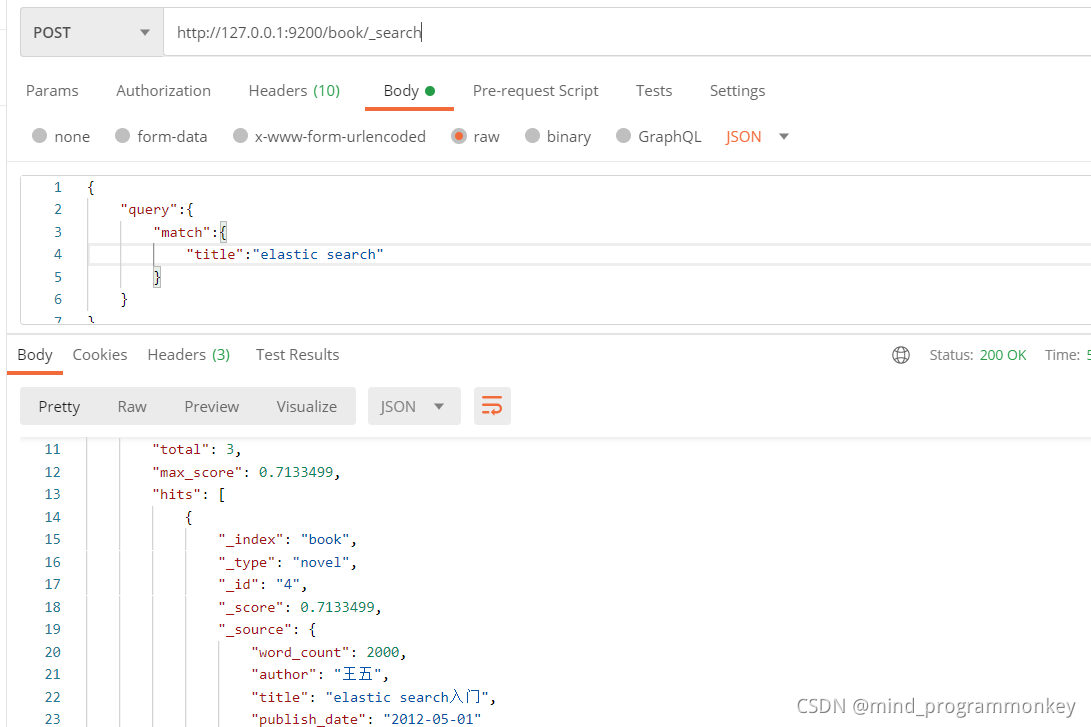
标题检索
{
    "query":{
        "match":{
            "title":"elastic search"
        }
    }
}
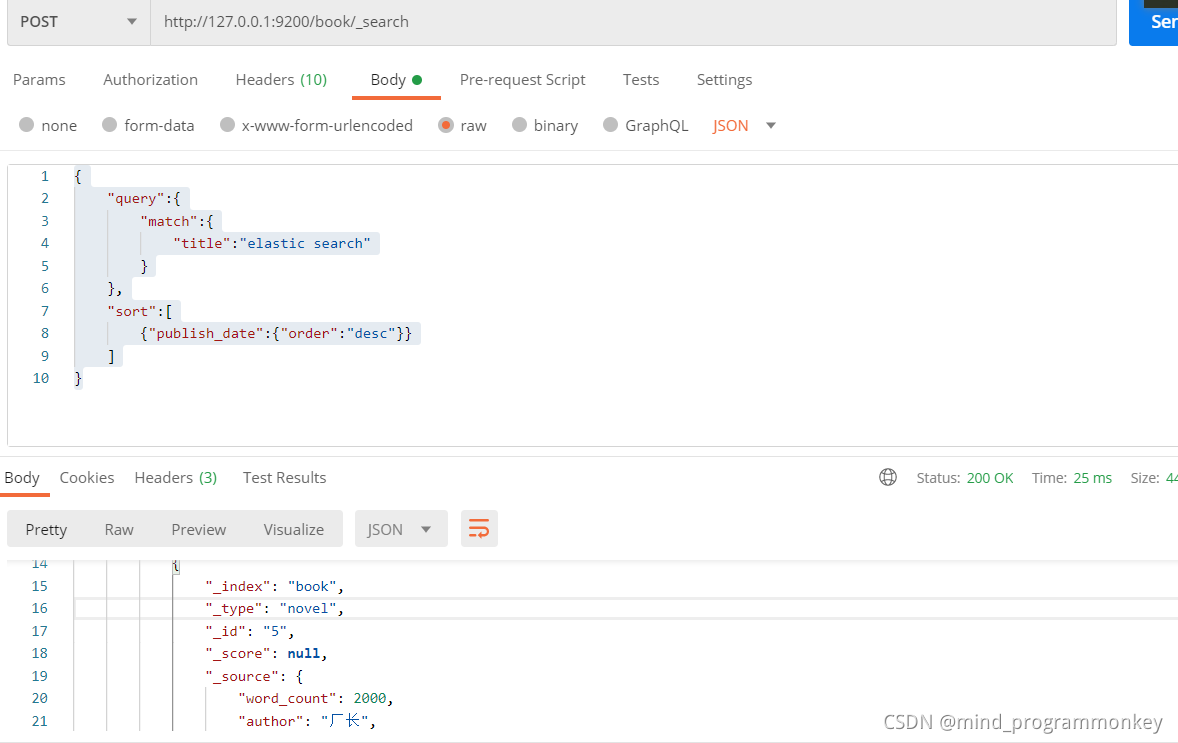
限定条件排序查询
{
    "query":{
        "match":{
            "title":"elastic search"
        }
    },
    "sort":[
        {"publish_date":{"order":"desc"}}
    ]
}
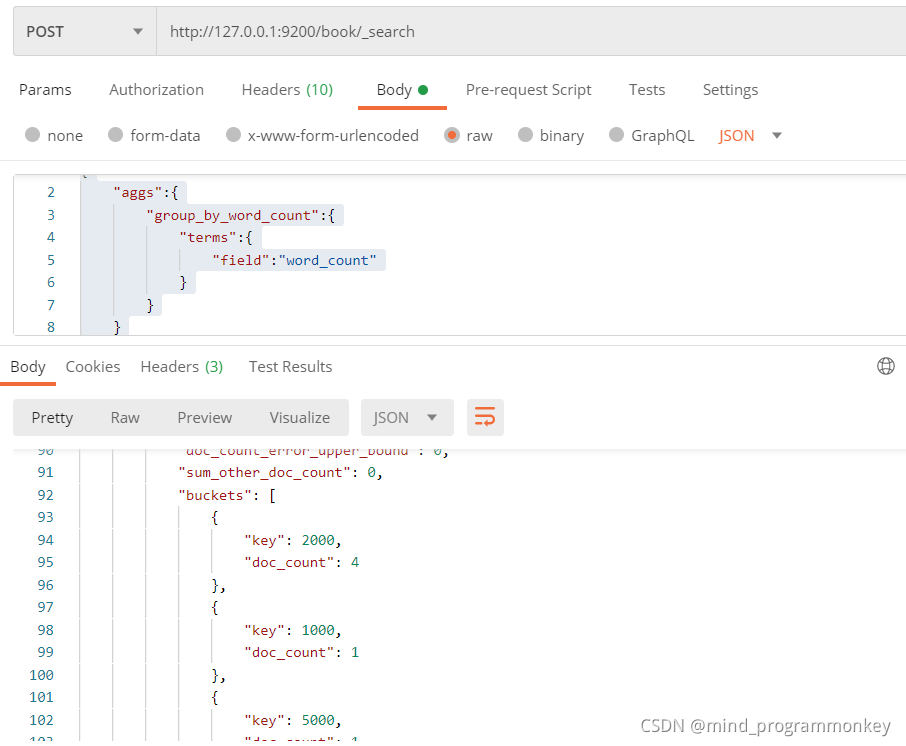
聚合查询
聚合word_count这个统计
{
    "aggs":{
        "group_by_word_count":{
            "terms":{
                "field":"word_count"
            }
        }
    }
}
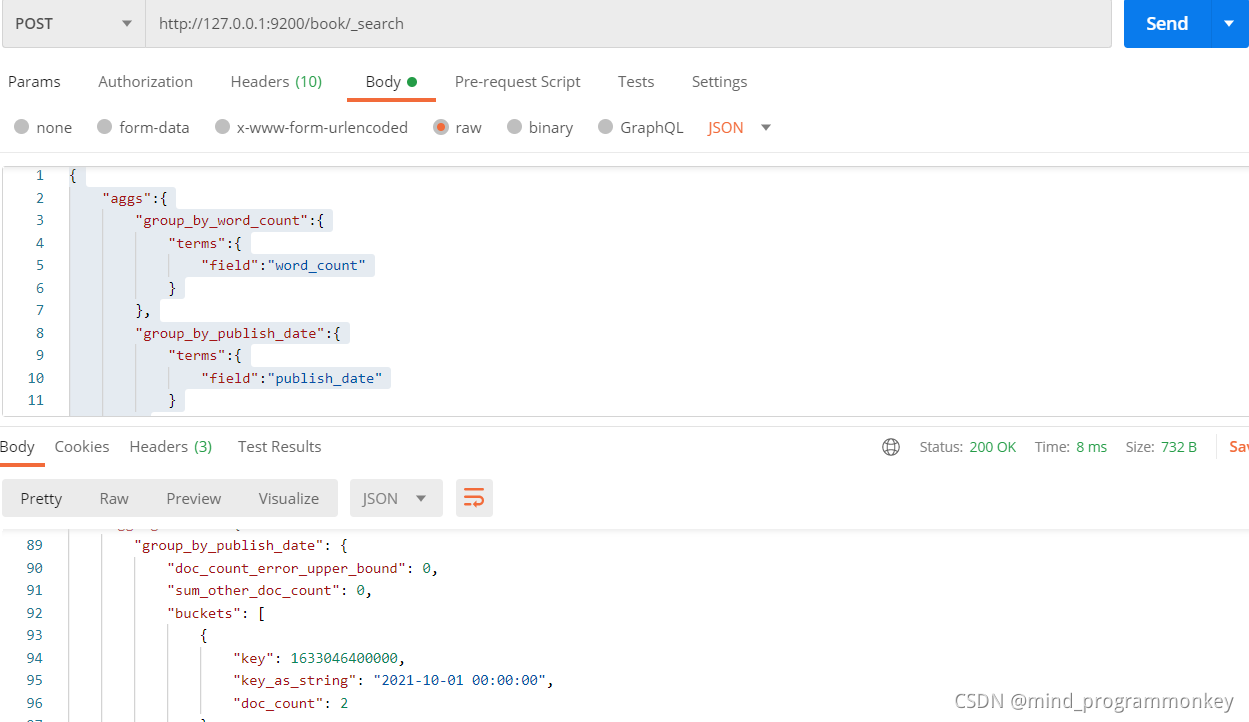
再添加一个聚合规则
{
    "aggs":{
        "group_by_word_count":{
            "terms":{
                "field":"word_count"
            }
        },
        "group_by_publish_date":{
            "terms":{
                "field":"publish_date"
            }
        }
    }
}
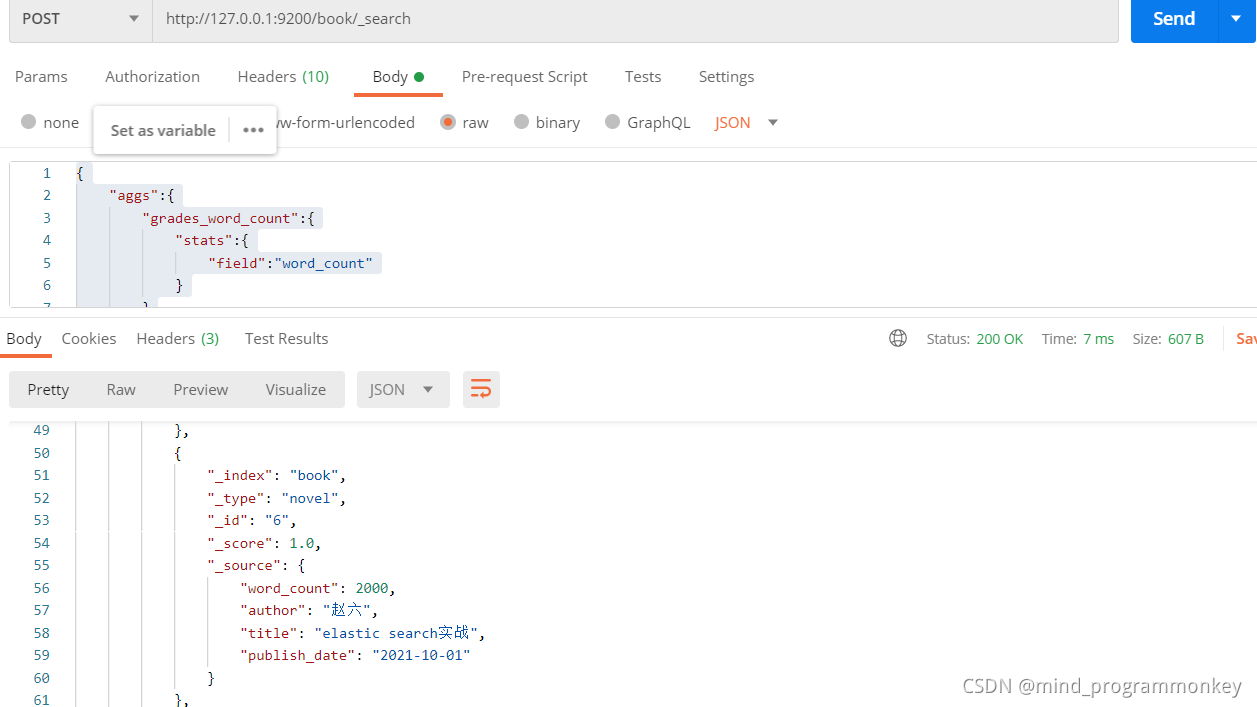
聚合计算
{
    "aggs":{
        "grades_word_count":{
            "stats":{
                "field":"word_count"
            }
        }
    }

}
5.ElasticSearch高级查询
子条件查询:特定字段查询所指特定值;
复合条件查询:以一定的逻辑组合子条件查询;
子条件查询:
- Query context;
- Filter context;
5.1 query
Query Context:
在查询过程中,除了判断文档是否满足查询条件外,ES还会计算一个
_score来标识匹配的程度,旨在判断目标文档和查询条件匹配的有多好
常用查询
全文本查询:针对文本类型数据;字段级别查询:针对结构化数据,如数字、日期等
全文本查询
模糊查询
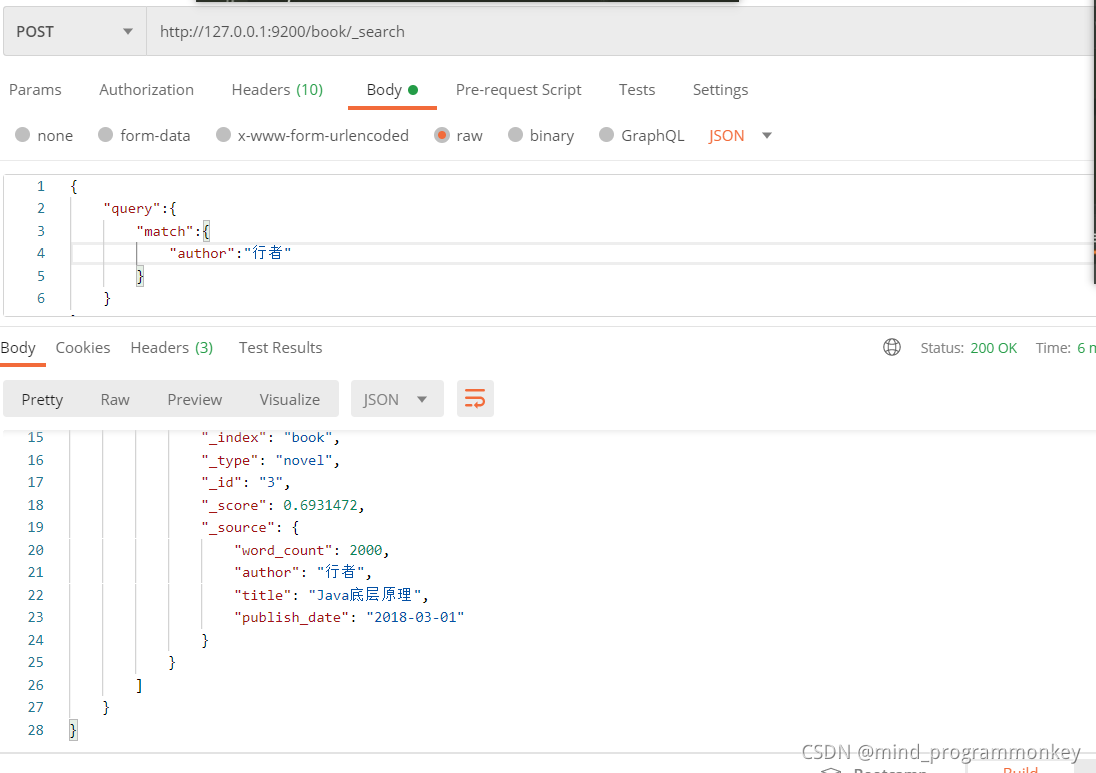
根据作者姓名来查询
{
    "query":{
        "match":{
            "author":"行者"
        }
    }
}
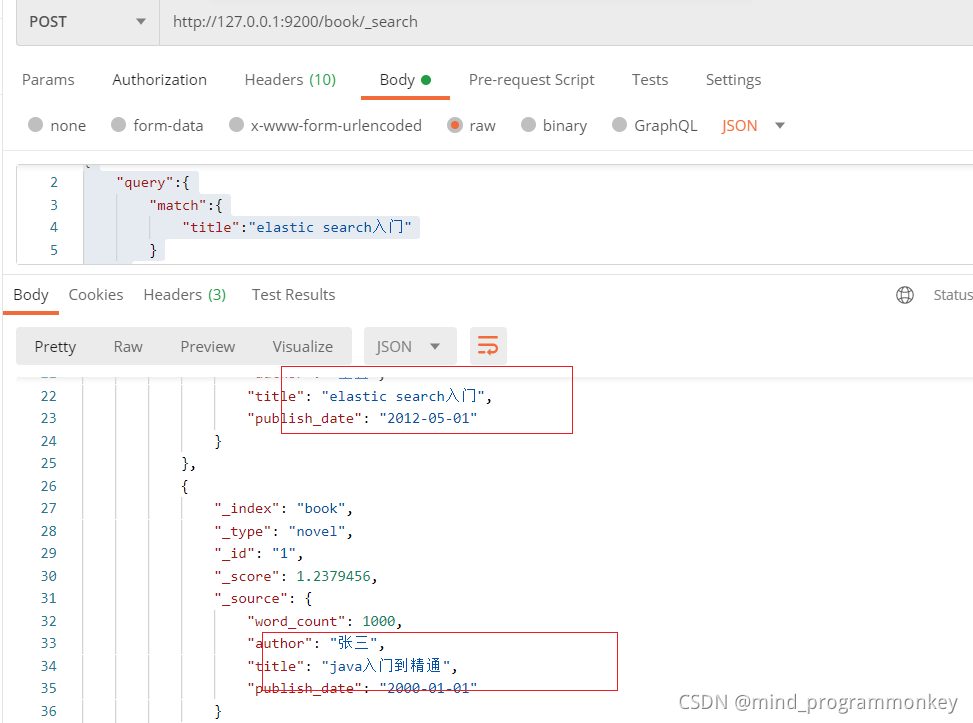
根据title来模糊查询
{
    "query":{
        "match":{
            "title":"elastic search入门"
        }
    }
}
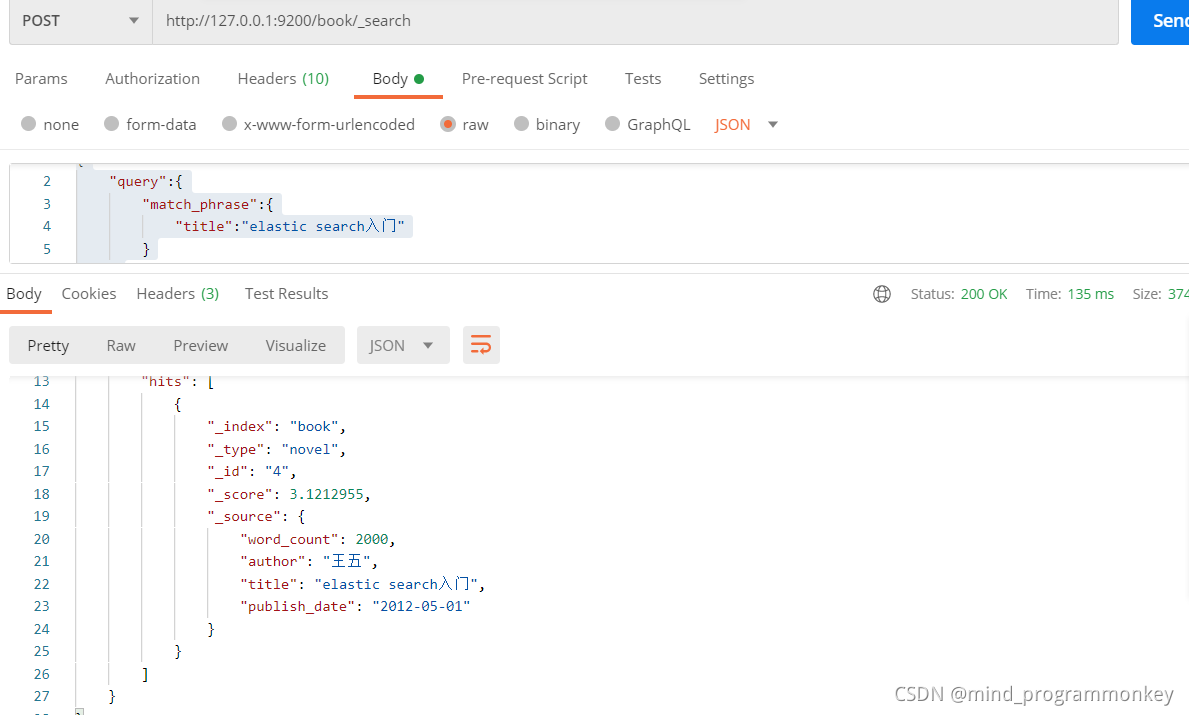
模糊查询
{
    "query":{
        "match_phrase":{
            "title":"elastic search入门"
        }
    }
}
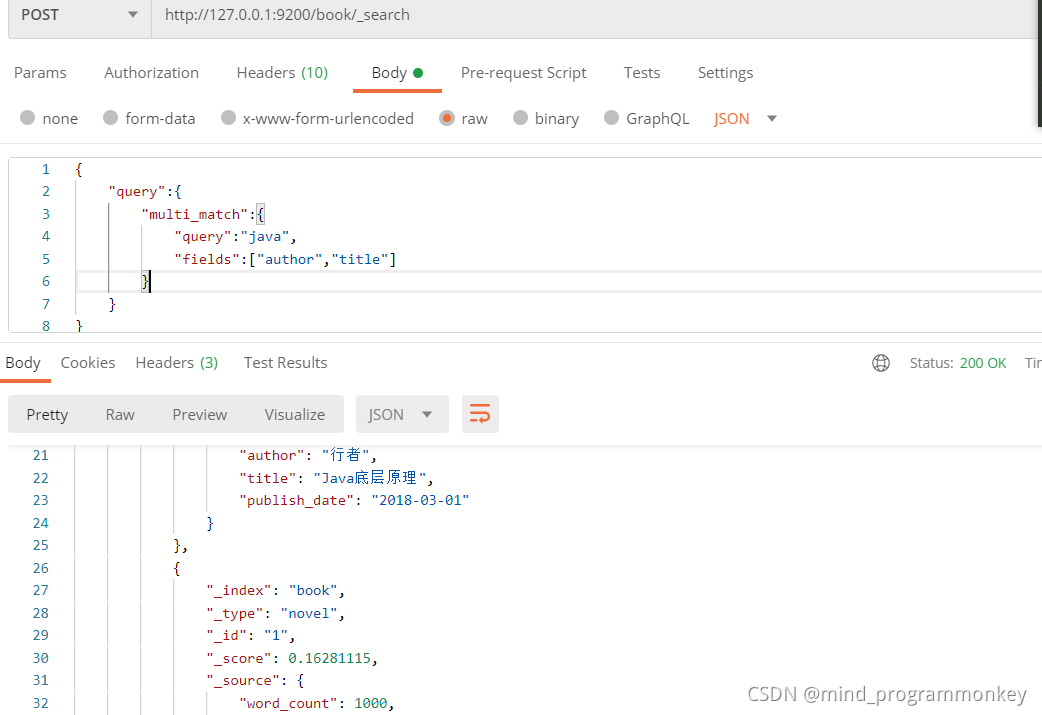
多个匹配
{
    "query":{
        "multi_match":{
            "query":"java",
            "fields":["author","title"]
        }
    }
}
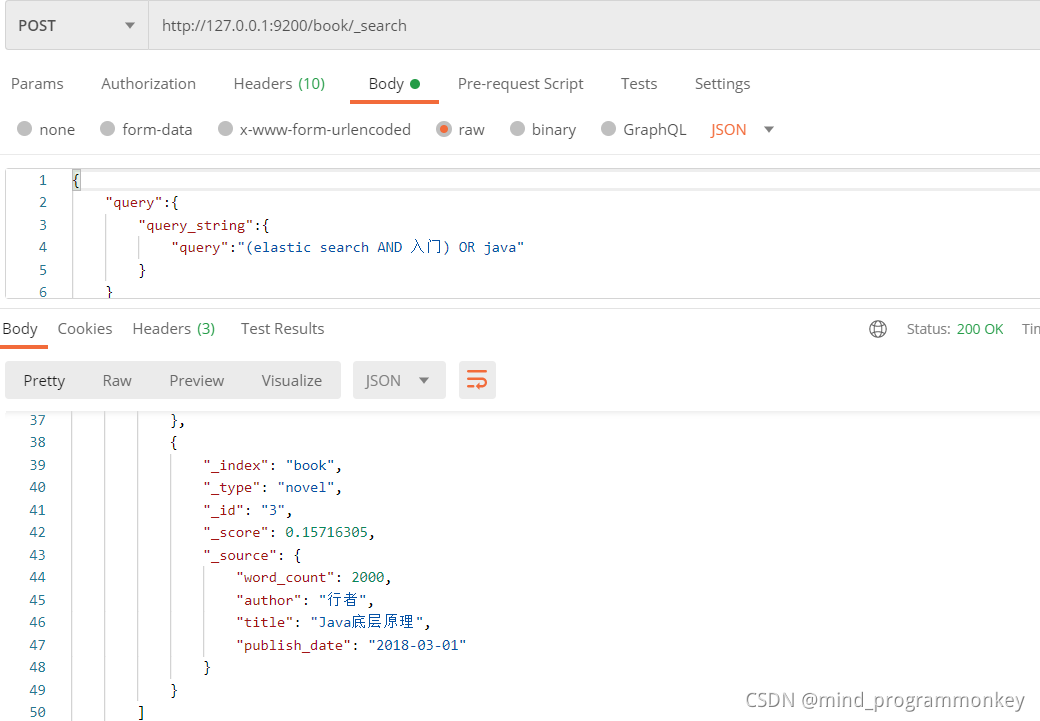
query_string
{
    "query":{
        "query_string":{
            "query":"(elastic search AND 入门) OR java"
        }
    }
}
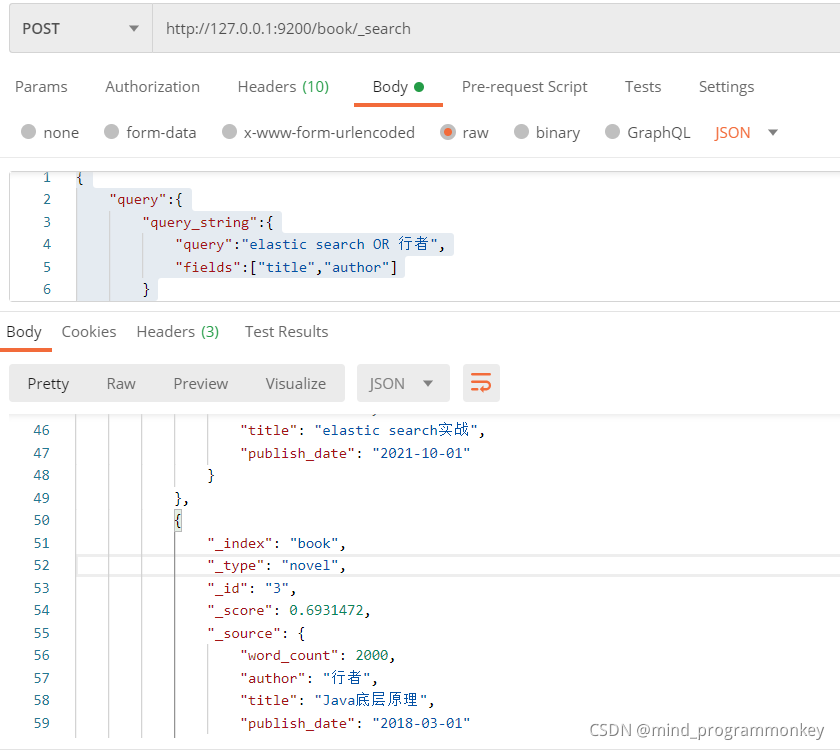
{
    "query":{
        "query_string":{
            "query":"elastic search OR 行者",
            "fields":["title","author"]
        }
    }
}
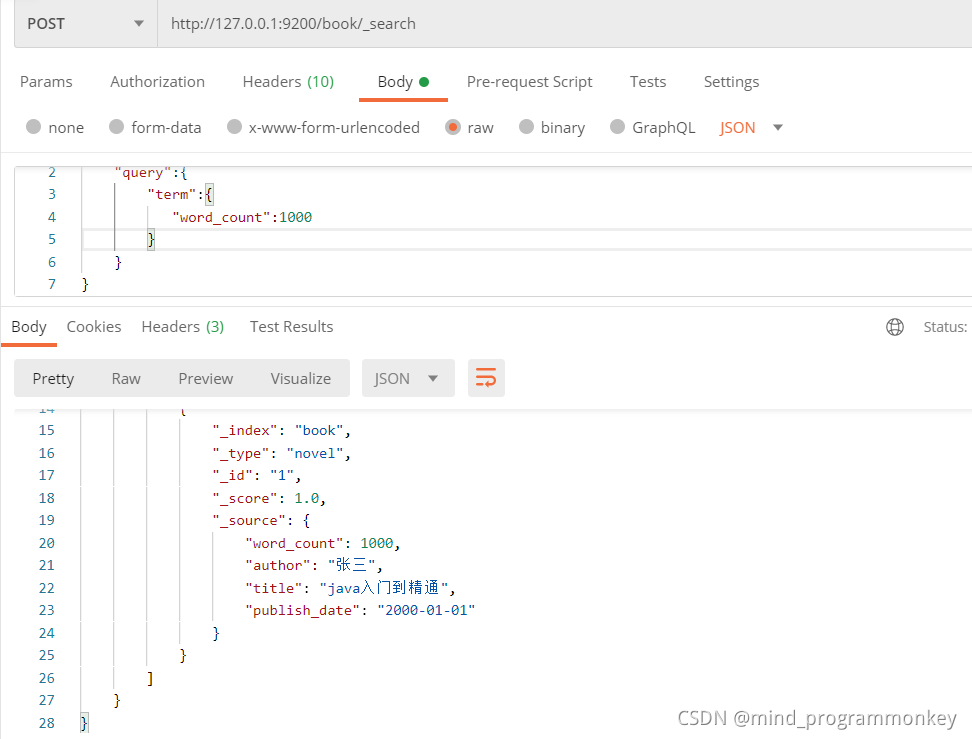
字段级别查询
查询符合word_count的文档
{
    "query":{
        "term":{
           "word_count":1000
        }
    }
}
范围限定
{
    "query":{
        "range":{
           "word_count":{
               "gte":1000,
               "lte":3000
           }
        }
    }
}
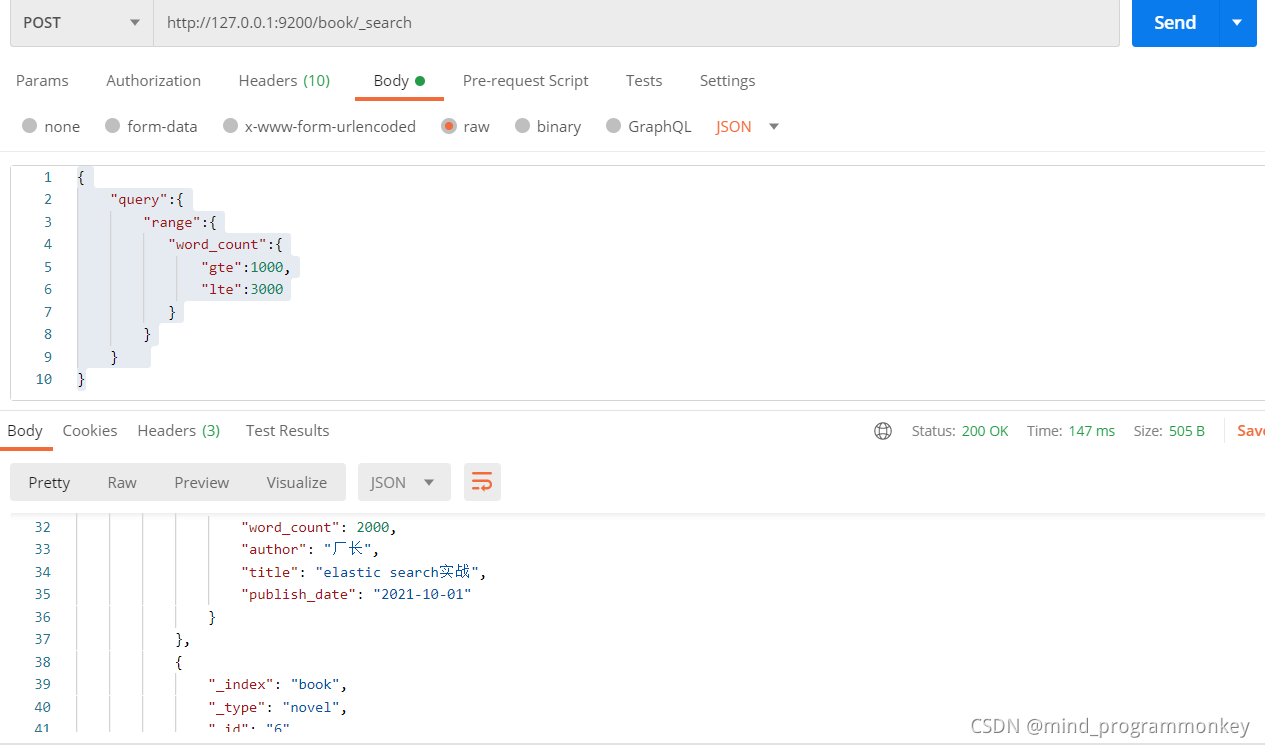
5.2 Filter
Filter Context
在查询过程中,只判断该文档是否满足条件,只有Yes或者No。
{
    "query":{
        "bool":{
            "filter":{
                "term":{
                    "word_count":1000
                }
            }
        }
    }
}
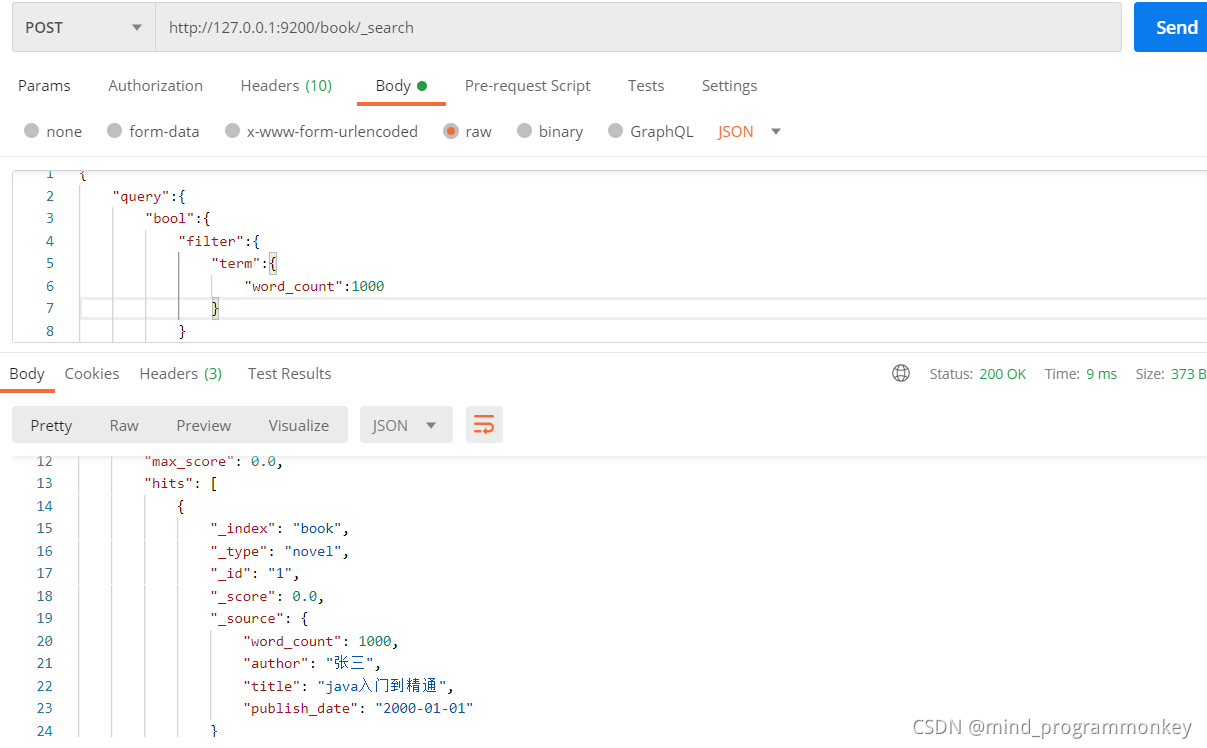
5.3 复合条件查询
- 固定分数查询
- 布尔查找
- …more
固定分数查询
{
    "query":{
        "constant_score":{
            "filter":{
                "match":{
                    "title":"elastic search"
                }
            },
            "boost":2
        }
    }
}
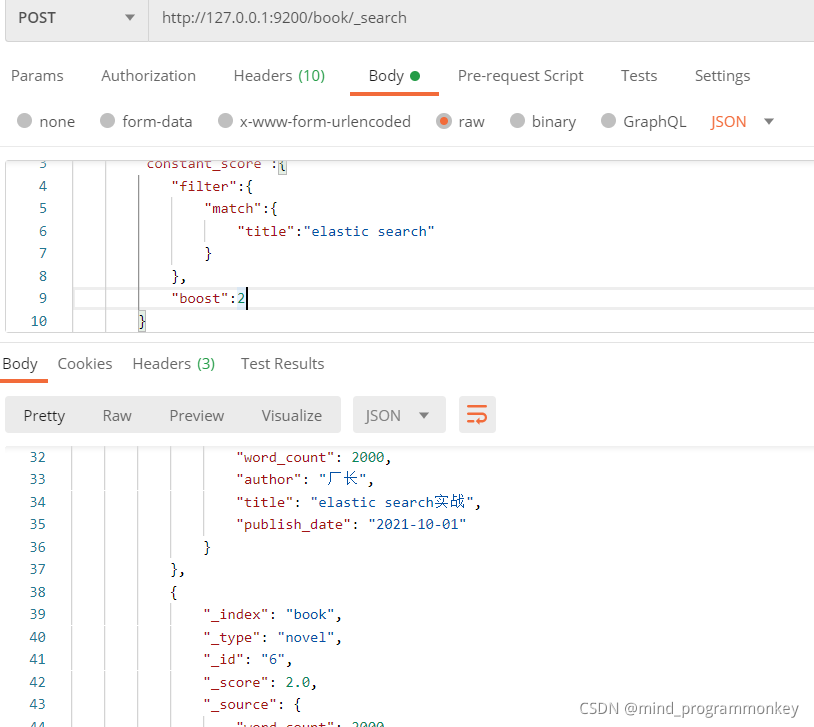
布尔查询
{
    "query":{
        "bool":{
            "must_not":{
                "term":{
                    "author":"张三"
                }
            }
        }
    }
}
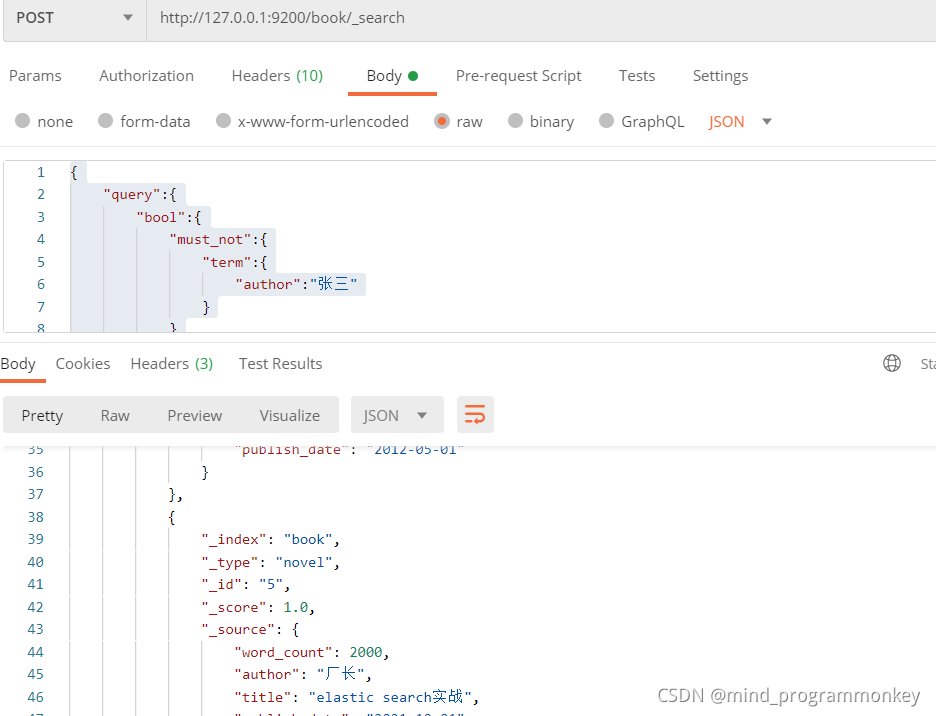
6.SpringBoot整合ElasticSearch实战演练
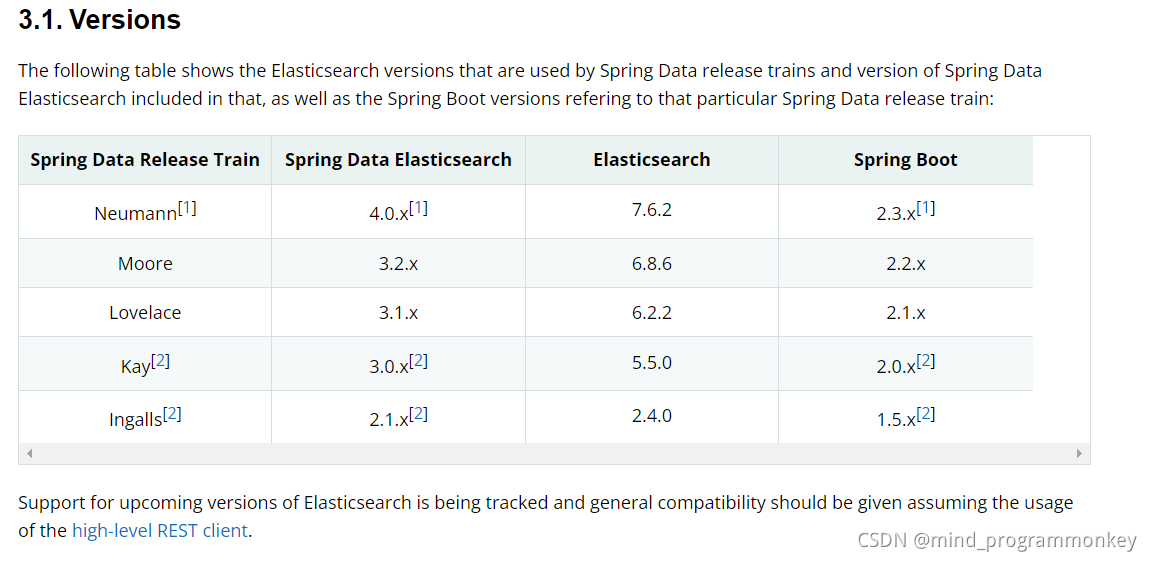
Java操作ElasticSearch有两种方式,一个是通过ES的9300端口使用TCP的方式操作,另一种是通过ES的9200端口使用HTTP的方式
1)9300 TCP
spring-data-elasticsearch:transport-api.jar
- springboot 版本不同, transport-api.jar 不同,不能适配 es 版本
- 7.x 已经不建议使用,8 以后就要废弃
2)9200 HTTP
- JestClient:非官方,更新慢
- RestTemplate:模拟发 HTTP 请求,ES 很多操作需要自己封装,麻烦
- HttpClient:同上
- Elasticsearch-Rest-Client:官方 RestClient,封装了 ES 操作,API 层次分明,上手简单
- spring-data-elasticsearch: spring提供的操作elasticsearch封装的api
6.1 ElasticsearchRepository 文档
关于respository
文档一开始就介绍 CrudRepository ,比如,继承 Repository,其他比如 JpaRepository、MongoRepository是继承CrudRepository。也对其中的方法做了简单说明,我们一起来看一下:
public interface CrudRepository<T, ID extends Serializable>
  extends Repository<T, ID> {

// Saves the given entity.
  <S extends T> S save(S entity);

// Returns the entity identified by the given ID.
  Optional<T> findById(ID primaryKey);

// Returns all entities.
  Iterable<T> findAll();

// Returns the number of entities.
  long count();

// Deletes the given entity.
  void delete(T entity);

// Indicates whether an entity with the given ID exists.
  boolean existsById(ID primaryKey);

  // … more functionality omitted.
}
好了,下面我们看一下今天的主角 ElasticsearchRepository 他是怎样的吧。
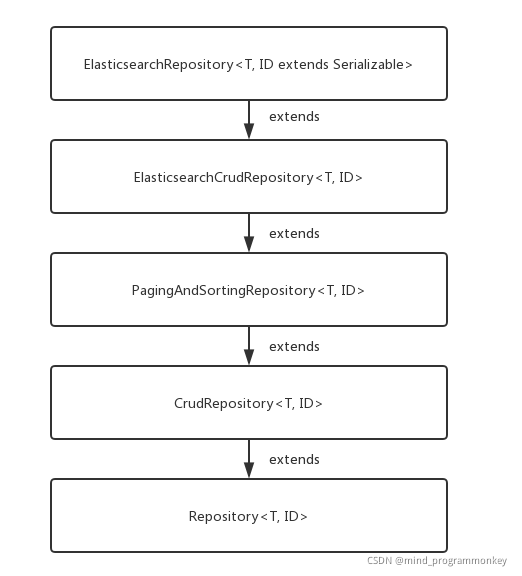
这说明什么?
- 用法和JPA一样;
- 再这他除了有CRUD的基本功能之外,还有分页和排序。
6.2 SpringBoot整合ElasticSearch
本次使用的Java客户端是官方新推出的RestHighLevelClient,使用Http连接查询结果。Java REST Client
(1)创建spring boot的web项目
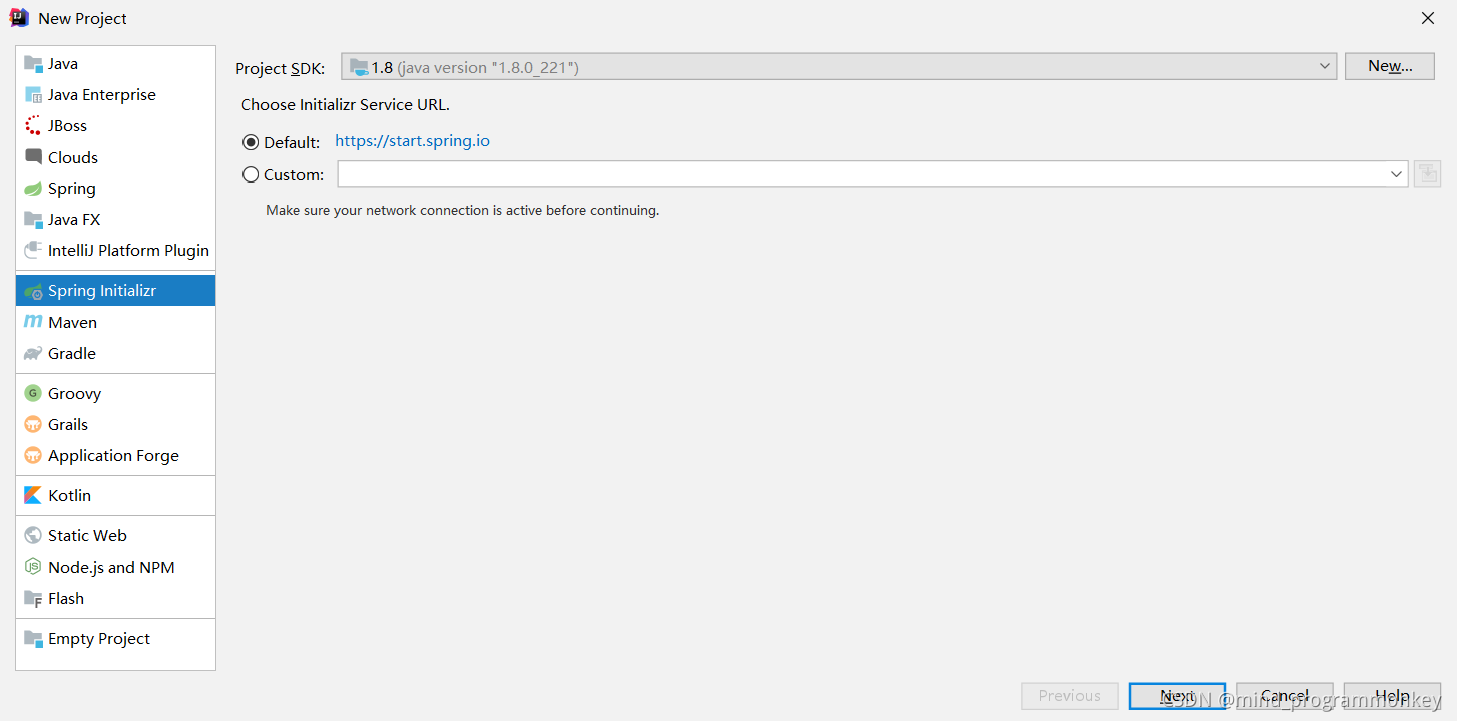
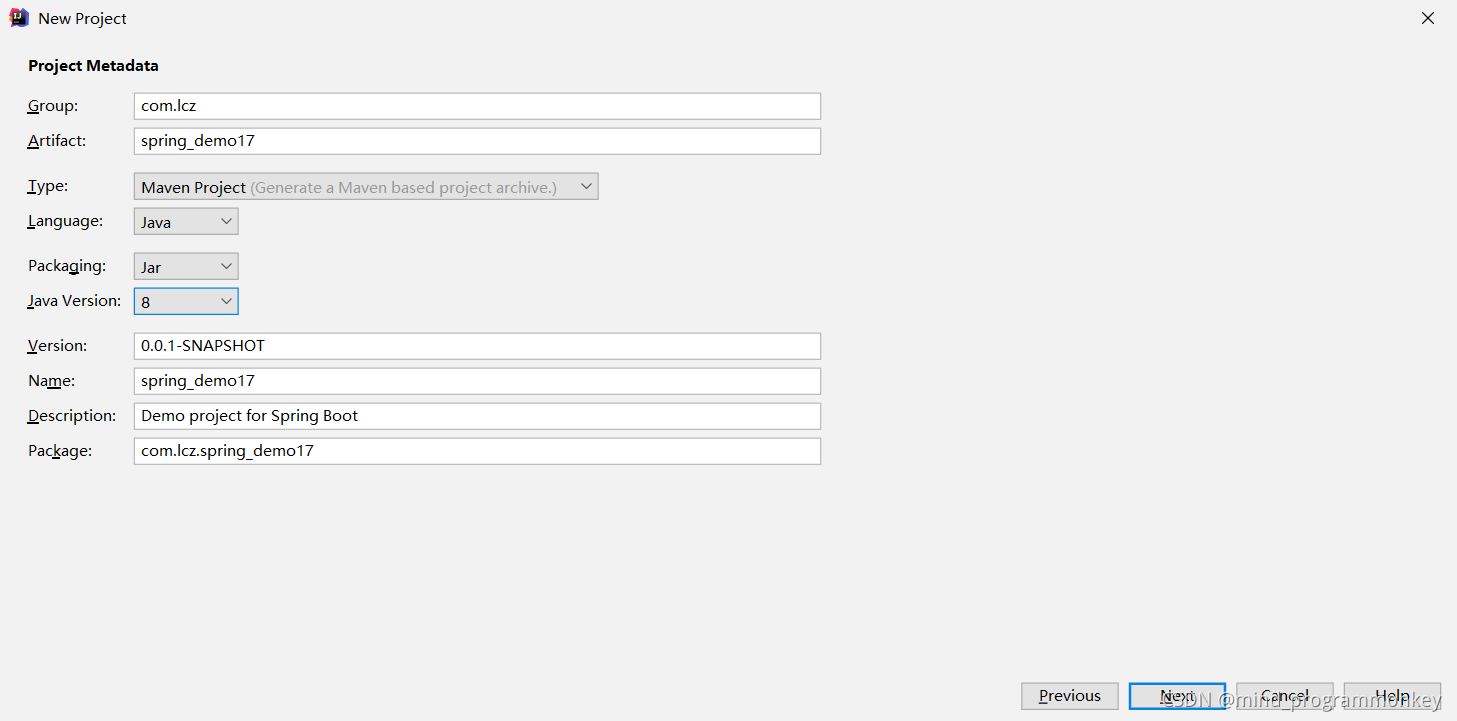
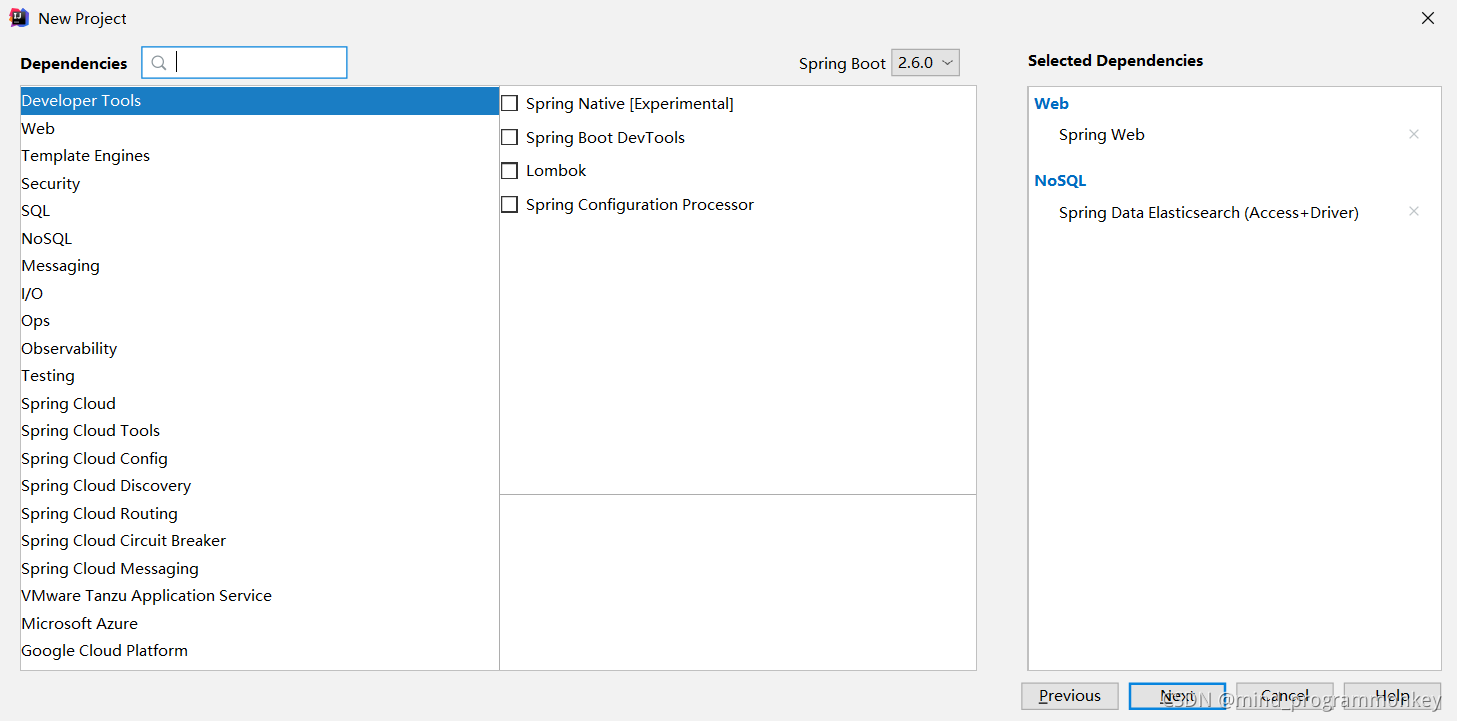
(2)后端代码
a.pom依赖文件
<?xml version="1.0" encoding="UTF-8"?>
<project xmlns="http://maven.apache.org/POM/4.0.0" xmlns:xsi="http://www.w3.org/2001/XMLSchema-instance"
         xsi:schemaLocation="http://maven.apache.org/POM/4.0.0 https://maven.apache.org/xsd/maven-4.0.0.xsd">
    <modelVersion>4.0.0</modelVersion>
    <parent>
        <groupId>org.springframework.boot</groupId>
        <artifactId>spring-boot-starter-parent</artifactId>
        <version>2.5.7</version>
        <relativePath/> <!-- lookup parent from repository -->
    </parent>
    <groupId>com.lcz</groupId>
    <artifactId>spring_demo18</artifactId>
    <version>0.0.1-SNAPSHOT</version>
    <name>spring_demo18</name>
    <description>Demo project for Spring Boot</description>
    <properties>
        <java.version>1.8</java.version>
    </properties>
    <dependencies>
        <dependency>
            <groupId>org.springframework.boot</groupId>
            <artifactId>spring-boot-starter-web</artifactId>
        </dependency>
        <dependency>
            <groupId>org.springframework.boot</groupId>
            <artifactId>spring-boot-starter-data-elasticsearch</artifactId>
        </dependency>
        <dependency>
            <groupId>com.alibaba</groupId>
            <artifactId>fastjson</artifactId>
            <version>1.2.47</version>
        </dependency>


        <dependency>
            <groupId>org.projectlombok</groupId>
            <artifactId>lombok</artifactId>
            <optional>true</optional>
        </dependency>
        <dependency>
            <groupId>org.springframework.boot</groupId>
            <artifactId>spring-boot-starter-test</artifactId>
            <scope>test</scope>
        </dependency>
    </dependencies>

    <build>
        <plugins>
            <plugin>
                <groupId>org.springframework.boot</groupId>
                <artifactId>spring-boot-maven-plugin</artifactId>
                <configuration>
                    <excludes>
                        <exclude>
                            <groupId>org.projectlombok</groupId>
                            <artifactId>lombok</artifactId>
                        </exclude>
                    </excludes>
                </configuration>
            </plugin>
        </plugins>
    </build>

</project>
b.添加配置
spring.data.elasticsearch.cluster-name=elasticsearch
spring.data.elasticsearch.cluster-nodes=127.0.0.1:9300
spring.data.elasticsearch.repositories.enabled=true
spring:
  elasticsearch:
    rest:
      uris: 47.114.142.39:9200
      read-timeout: 30s
      connection-timeout: 5s
但是上述方法 过期了。
根据Spring Data Elasticsearch的Spring 文档:
将
TransportClient被弃用的Elasticsearch 7,并将在被移除Elasticsearch 8。TransportClient只要在使用的 Elasticsearch 版本中可用,Spring Data Elasticsearch 将支持 它,但自版本以来已弃用使用它的类4.0
注意: 这意味着 Spring 团队也会弃用 Elasticsearch 7 支持的旧属性。
现在,Spring 团队推荐开发者使用RestHighLevelClient它现在是Elasticsearch. 它是 的直接替代品,TransportClient因为它接受并返回相同的请求/响应对象。
代码演示如下:
@Configuration
public class ClientConfig {
    @Bean("client")
    public RestHighLevelClient getRestHighLevelClient(){
        RestHighLevelClient client = new RestHighLevelClient(
                //es服务的地址和端口,如果有多个es(es集群)可以链式编程,添加es地址
                RestClient.builder(new HttpHost("127.0.0.1",9200,"http"))
        );
        return client;
    }
}
创建ES客户端配置类,注意使用@Bean时需要指定bean的名字,因为ES默认会自动初始化客户端对象,否则在使用@Autowired依赖注入时,会有多个同一类型的bean,导入注入失败。
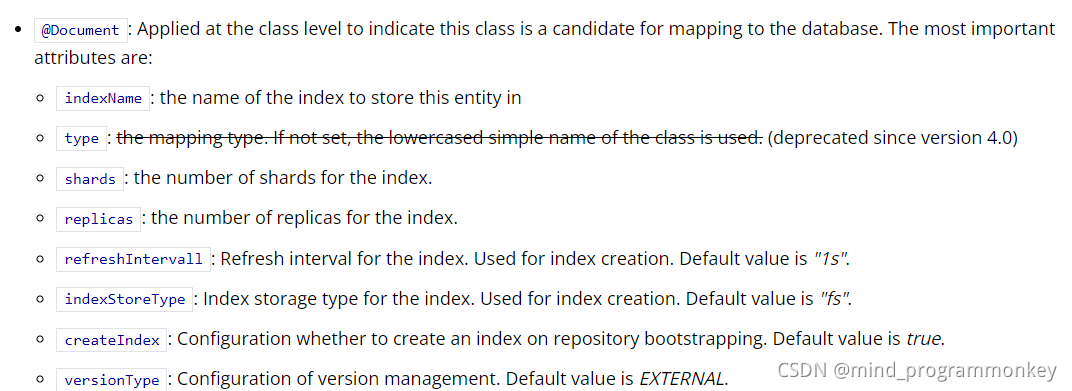
c.实体类
创建实体类,在插入文档时需要.
package com.lcz.spring_demo18.domain;

import lombok.*;

/**
 * @author : codingchao
 * @date : 2021-11-28 21:09
 * @Description:
 **/

public class User {
    private String name;
    private Integer age;
    private String address;

    public User(){

    }
    public User(String name, Integer age, String address) {
        this.name = name;
        this.age = age;
        this.address = address;
    }

    public String getName() {
        return name;
    }

    public void setName(String name) {
        this.name = name;
    }

    public Integer getAge() {
        return age;
    }

    public void setAge(Integer age) {
        this.age = age;
    }

    public String getAddress() {
        return address;
    }

    public void setAddress(String address) {
        this.address = address;
    }
}
@Document代表定义这个是文档, 其中indexName就是索引库的名字必须标注
@Id是标识文档的唯一id
@Field 就是字段了, 其中type为KeyWord代表这个字段不分词, analyzer是存数据的时候用的分词器
d.控制类
索引和文档的CRUD单元测试
package com.lcz.spring_demo18.controller;


import com.alibaba.fastjson.JSON;
import com.lcz.spring_demo18.domain.User;
import org.elasticsearch.action.admin.indices.delete.DeleteIndexRequest;
import org.elasticsearch.action.delete.DeleteRequest;
import org.elasticsearch.action.delete.DeleteResponse;
import org.elasticsearch.action.get.GetRequest;
import org.elasticsearch.action.get.GetResponse;
import org.elasticsearch.action.index.IndexRequest;
import org.elasticsearch.action.index.IndexResponse;
import org.elasticsearch.action.support.master.AcknowledgedResponse;
import org.elasticsearch.action.support.replication.ReplicationResponse;
import org.elasticsearch.client.indices.GetIndexRequest;
import org.elasticsearch.action.update.UpdateResponse;
import org.elasticsearch.client.RequestOptions;
import org.elasticsearch.client.RestHighLevelClient;
import org.elasticsearch.client.indices.CreateIndexRequest;
import org.elasticsearch.action.update.UpdateRequest;
import org.elasticsearch.client.indices.CreateIndexResponse;
import org.elasticsearch.common.xcontent.XContentType;
import org.slf4j.Logger;
import org.slf4j.LoggerFactory;
import org.springframework.beans.factory.annotation.Autowired;
import org.springframework.web.bind.annotation.*;

import java.util.Map;

/**
 * @author : codingchao
 * @date : 2021-11-28 21:09
 * @Description:
 **/
@RestController
public class EsController {

    @Autowired
    private RestHighLevelClient client;

    private Logger log = LoggerFactory.getLogger(this.getClass());
    /**
     * 创建索引(索引库)
     *
     *
     *
     *
     * PUT /test
     *
     * {
     *   "acknowledged" : true,
     *   "shards_acknowledged" : true,
     *   "index" : "test"
     * }
     *
     */
    @PutMapping("/create_index")
    public Object createIndex() throws Exception{
        CreateIndexRequest createIndexRequest = new CreateIndexRequest("index_one");
        CreateIndexResponse createIndexResponse = client.indices().create(createIndexRequest, RequestOptions.DEFAULT);
        log.info(createIndexResponse.index());
        log.info(Boolean.toString(createIndexResponse.isAcknowledged()));
        log.info(Boolean.toString(createIndexResponse.isShardsAcknowledged()));
        return createIndexResponse;
    }

    /**
     *
     * GET /test
     *
     *
     * {
     *   "test" : {
     *     "aliases" : { },
     *     "mappings" : { },
     *     "settings" : {
     *       "index" : {
     *         "routing" : {
     *           "allocation" : {
     *             "include" : {
     *               "_tier_preference" : "data_content"
     *             }
     *           }
     *         },
     *         "number_of_shards" : "1",
     *         "provided_name" : "test",
     *         "creation_date" : "1626834365541",
     *         "number_of_replicas" : "1",
     *         "uuid" : "CDJ24TLGRIe2aCVxblKuTw",
     *         "version" : {
     *           "created" : "7130399"
     *         }
     *       }
     *     }
     *   }
     * }
     *
     *
     * 查找索引库,判断这个库是否存在
     *
     */
    @GetMapping("get_index")
    public void getIndex() throws Exception{
        GetIndexRequest getIndexRequest = new GetIndexRequest("index_one");
        boolean flag = client.indices().exists(getIndexRequest,RequestOptions.DEFAULT);
        if(flag){
            log.info("index_one索引库存在");
        }else{
            log.info("index_one索引库不存在");
        }
    }

    /**
     * 索引库删除
     *
     *
     * DELETE /test
     *
     * {
     *   "acknowledged" : true
     * }
     */
    @DeleteMapping("delete_index")
    public void deleteIndex() throws Exception{
        DeleteIndexRequest deleteIndexRequest = new DeleteIndexRequest("index_one");
        AcknowledgedResponse acknowledgedResponse = client.indices().delete(deleteIndexRequest,RequestOptions.DEFAULT);
        //判断  true表示删除成功
        if(acknowledgedResponse.isAcknowledged()){
            log.info("删除成功");
        }else{
            log.info("删除失败");
        }
    }


    /**
     * 创建文档
     * PUT /index_one/_doc/1
     * {
     *   "name":"刘红飞",
     *   "age":20,
     *   "address":"山西省临汾市洪洞县"
     * }
     *
     * {
     *   "_index" : "index_one",
     *   "_type" : "_doc",
     *   "_id" : "1",
     *   "_version" : 1,
     *   "result" : "created",
     *   "_shards" : {
     *     "total" : 2,
     *     "successful" : 1,
     *     "failed" : 0
     *   },
     *   "_seq_no" : 0,
     *   "_primary_term" : 1
     * }
     *
     *
     */
    @PutMapping("/put_doc")
    public void createDocument() throws Exception{
        User user = new User("张文文",20,"山西省太原市");
        //需要操作哪个索引库
        IndexRequest indexRequest = new IndexRequest("index_one");
        indexRequest.id("2");
        //将对象转换为json字符串存储
        indexRequest.source(JSON.toJSONString(user), XContentType.JSON);
        IndexResponse indexResponse = client.index(indexRequest,RequestOptions.DEFAULT);
        log.info("------对应kibana中的API请求返回结果");
        log.info(indexResponse.getIndex());
        log.info(indexResponse.getId());
        log.info(String.valueOf(indexResponse.getVersion()));
        log.info(indexResponse.getResult().getLowercase());
        ReplicationResponse.ShardInfo shardInfo = indexResponse.getShardInfo();
        log.info(String.valueOf(shardInfo.getSuccessful()));
        indexResponse.status();
    }


    /**
     * 获取文档
     *
     * GET /index_one/_doc/1
     *
     *
     * {
     *   "_index" : "index_one",
     *   "_type" : "_doc",
     *   "_id" : "1",
     *   "_version" : 1,
     *   "_seq_no" : 0,
     *   "_primary_term" : 1,
     *   "found" : true,
     *   "_source" : {
     *     "name" : "刘红飞",
     *     "age" : 20,
     *     "address" : "山西省临汾市洪洞县"
     *   }
     * }
     */
    @GetMapping("/get_doc")
    public void getDocument() throws Exception{

        //查询所有时,进行遍历,的每一个都是map,将map放到list里,最后再通过list展示所有

        GetRequest getRequest = new GetRequest("index_one","1");
        if(client.exists(getRequest,RequestOptions.DEFAULT)){
            GetResponse getResponse = client.get(getRequest,RequestOptions.DEFAULT);
            //返回的是单个文档的数据,key为字段名称,value为字段的值
            Map<String,Object> map = getResponse.getSource();
            log.info(String.valueOf(map.get("name")));
            log.info(String.valueOf(map.get("age")));
            log.info(String.valueOf(map.get("address")));
        }else{
            log.info("当前文档不存在");
        }
    }


    /**
     *
     *更新文档
     *
     * POST /index_one/_doc/1/_update
     * {
     *   "doc":{
     *     "age":30
     *   }
     * }
     *
     * {
     *   "_index" : "index_one",
     *   "_type" : "_doc",
     *   "_id" : "1",
     *   "_version" : 2,
     *   "result" : "updated",
     *   "_shards" : {
     *     "total" : 2,
     *     "successful" : 1,
     *     "failed" : 0
     *   },
     *   "_seq_no" : 2,
     *   "_primary_term" : 1
     * }
     *
     *
     */
    @PostMapping("update_doc")
    public void updateDocument() throws Exception{
        UpdateRequest updateRequest = new UpdateRequest("index_one","1");
        User user = new User();
        user.setAge(10000);
        updateRequest.doc(JSON.toJSONString(user),XContentType.JSON);
        UpdateResponse updateResponse = client.update(updateRequest,RequestOptions.DEFAULT);
        log.info("更新结果:" + updateResponse.getResult().getLowercase());
    }


    /**
     * 删除文档
     *
     * DELETE /index_one/_doc/2
     *
     *
     * {
     *   "_index" : "index_one",
     *   "_type" : "_doc",
     *   "_id" : "2",
     *   "_version" : 4,
     *   "result" : "deleted",
     *   "_shards" : {
     *     "total" : 2,
     *     "successful" : 1,
     *     "failed" : 0
     *   },
     *   "_seq_no" : 6,
     *   "_primary_term" : 1
     * }
     *
     */
    @DeleteMapping("/delete_doc")
    public void deleteDocument() throws Exception{
        DeleteRequest deleteRequest = new DeleteRequest("index_one","2");
        DeleteResponse deleteResponse = client.delete(deleteRequest,RequestOptions.DEFAULT);
        log.info("删除结果:" + deleteResponse.status().name());
        log.info("删除结果:" + deleteResponse.getResult().getLowercase());
    }

}
e.测试结果
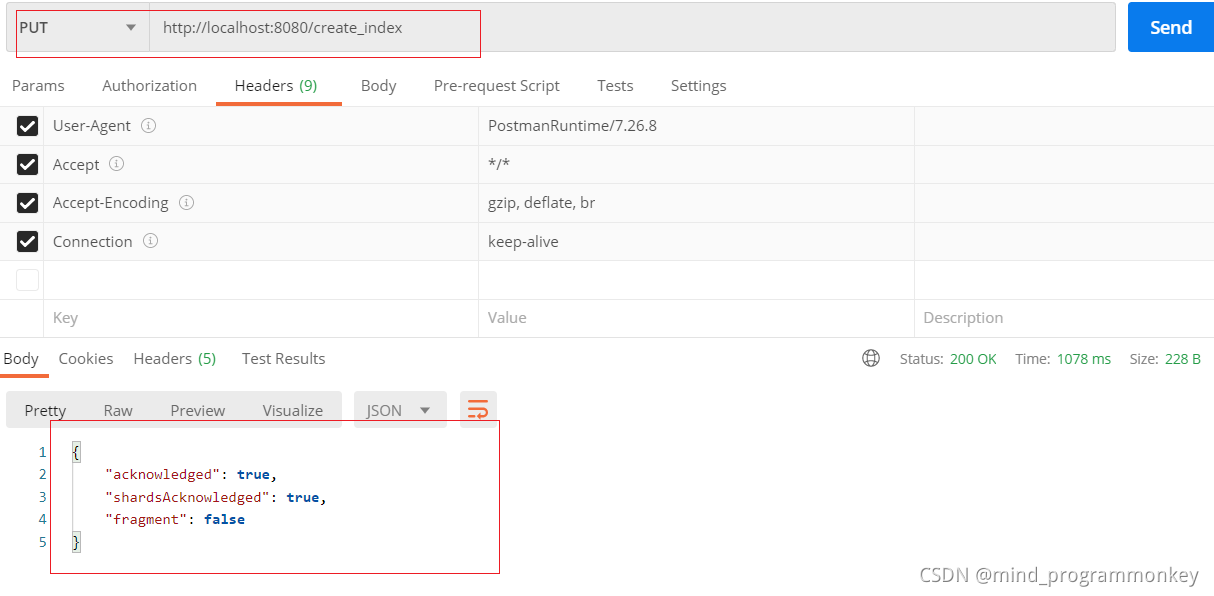
创建索引库
 @PutMapping("/create_index")
    public Object createIndex() throws Exception{
        CreateIndexRequest createIndexRequest = new CreateIndexRequest("index_one");
        CreateIndexResponse createIndexResponse = client.indices().create(createIndexRequest, RequestOptions.DEFAULT);
        log.info(createIndexResponse.index());
        log.info(Boolean.toString(createIndexResponse.isAcknowledged()));
        log.info(Boolean.toString(createIndexResponse.isShardsAcknowledged()));
        return createIndexResponse;
    }
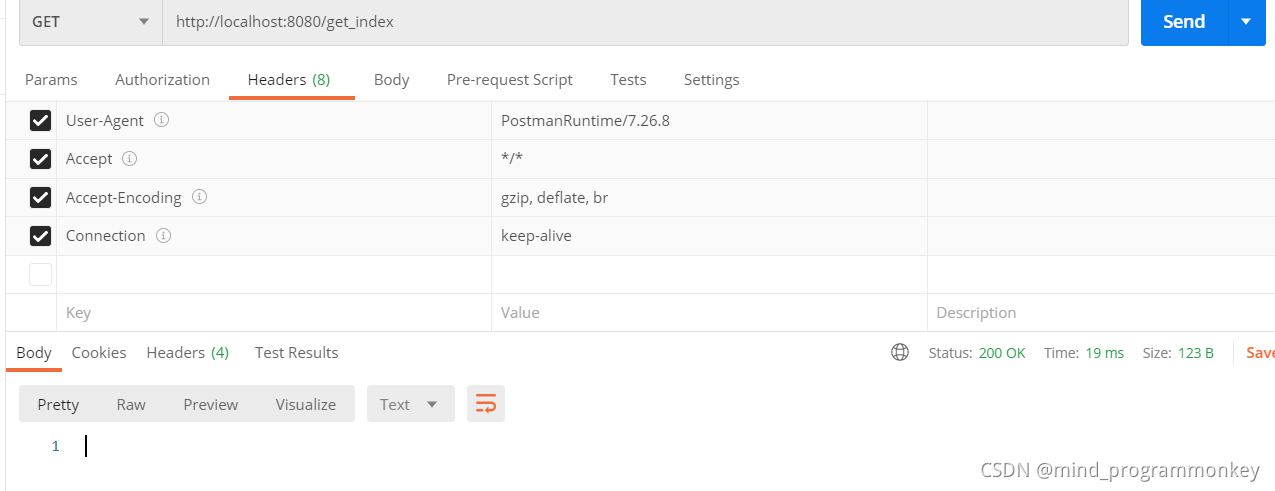
判断索引库是否存在
 @GetMapping("get_index")
    public void getIndex() throws Exception{
        GetIndexRequest getIndexRequest = new GetIndexRequest("index_one");
        boolean flag = client.indices().exists(getIndexRequest,RequestOptions.DEFAULT);
        if(flag){
            log.info("index_one索引库存在");
        }else{
            log.info("index_one索引库不存在");
        }
    }

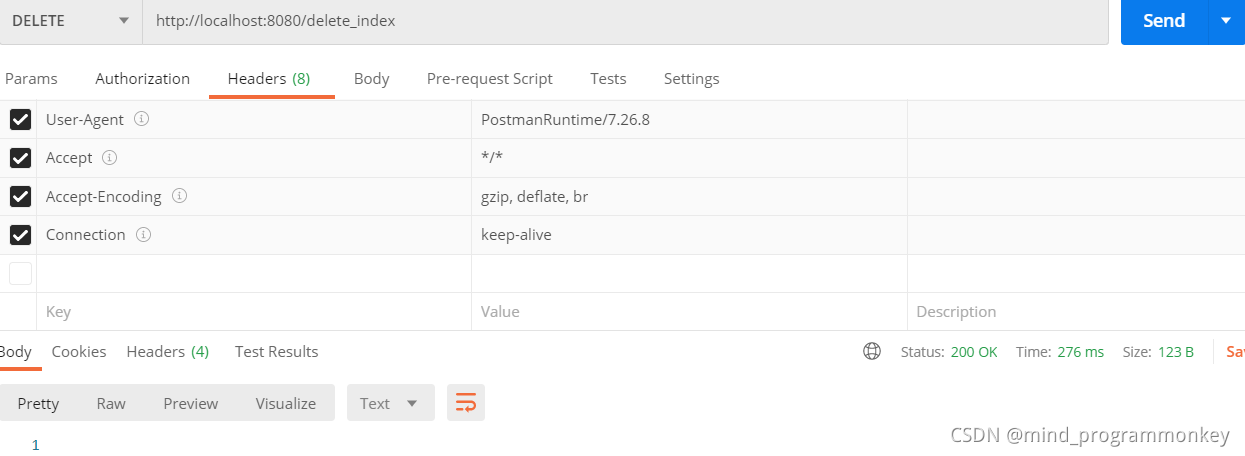
删除索引
@DeleteMapping("delete_index")
    public void deleteIndex() throws Exception{
        DeleteIndexRequest deleteIndexRequest = new DeleteIndexRequest("index_one");
        AcknowledgedResponse acknowledgedResponse = client.indices().delete(deleteIndexRequest,RequestOptions.DEFAULT);
        //判断  true表示删除成功
        if(acknowledgedResponse.isAcknowledged()){
            log.info("删除成功");
        }else{
            log.info("删除失败");
        }
    }

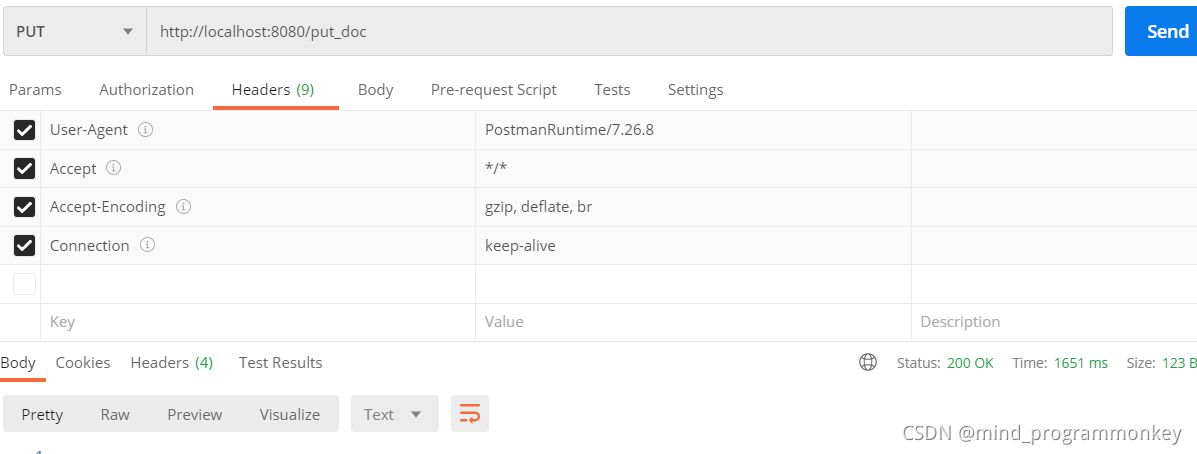
创建文档
 @PutMapping("/put_doc")
    public void createDocument() throws Exception{
        User user = new User("吕厂长",20,"山东省济南市");
        //需要操作哪个索引库
        IndexRequest indexRequest = new IndexRequest("index_one");
        indexRequest.id("1");
        //将对象转换为json字符串存储
        indexRequest.source(JSON.toJSONString(user), XContentType.JSON);
        IndexResponse indexResponse = client.index(indexRequest,RequestOptions.DEFAULT);
        log.info("------对应kibana中的API请求返回结果");
        log.info(indexResponse.getIndex());
        log.info(indexResponse.getId());
        log.info(String.valueOf(indexResponse.getVersion()));
        log.info(indexResponse.getResult().getLowercase());
        ReplicationResponse.ShardInfo shardInfo = indexResponse.getShardInfo();
        log.info(String.valueOf(shardInfo.getSuccessful()));
        indexResponse.status();
    }

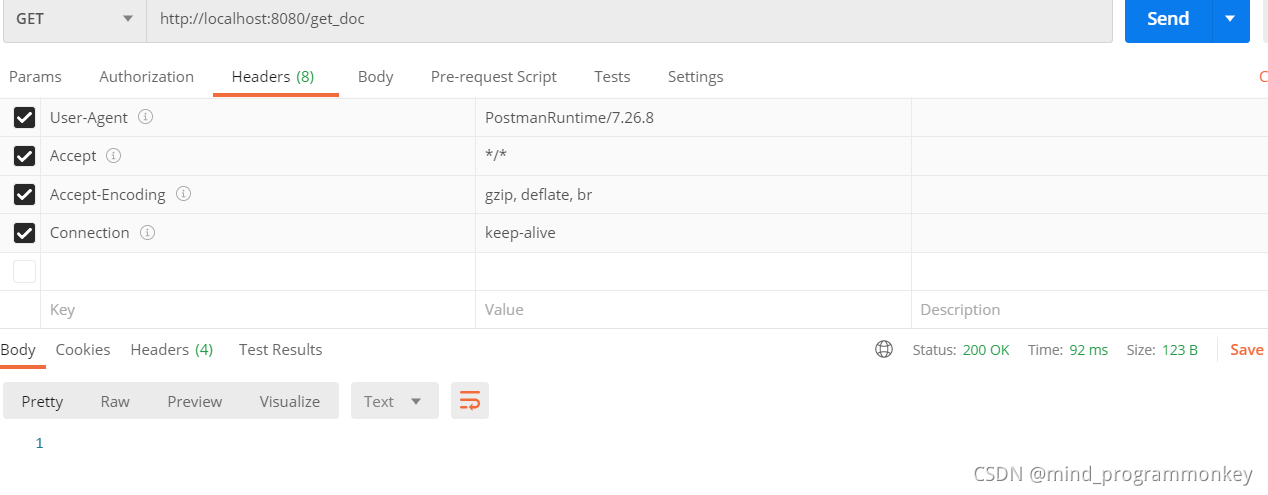
获取文档
@GetMapping("/get_doc")
    public void getDocument() throws Exception{

        //查询所有时,进行遍历,的每一个都是map,将map放到list里,最后再通过list展示所有

        GetRequest getRequest = new GetRequest("index_one","1");
        if(client.exists(getRequest,RequestOptions.DEFAULT)){
            GetResponse getResponse = client.get(getRequest,RequestOptions.DEFAULT);
            //返回的是单个文档的数据,key为字段名称,value为字段的值
            Map<String,Object> map = getResponse.getSource();
            log.info(String.valueOf(map.get("name")));
            log.info(String.valueOf(map.get("age")));
            log.info(String.valueOf(map.get("address")));
        }else{
            log.info("当前文档不存在");
        }
    }

更新文档
@PostMapping("update_doc")
    public void updateDocument() throws Exception{
        UpdateRequest updateRequest = new UpdateRequest("index_one","1");
        User user = new User();
        user.setAge(18);
        updateRequest.doc(JSON.toJSONString(user),XContentType.JSON);
        UpdateResponse updateResponse = client.update(updateRequest,RequestOptions.DEFAULT);
        log.info("更新结果:" + updateResponse.getResult().getLowercase());
    }
删除文档
 @DeleteMapping("/delete_doc")
    public void deleteDocument() throws Exception{
        DeleteRequest deleteRequest = new DeleteRequest("index_one","2");
        DeleteResponse deleteResponse = client.delete(deleteRequest,RequestOptions.DEFAULT);
        log.info("删除结果:" + deleteResponse.status().name());
        log.info("删除结果:" + deleteResponse.getResult().getLowercase());
    }
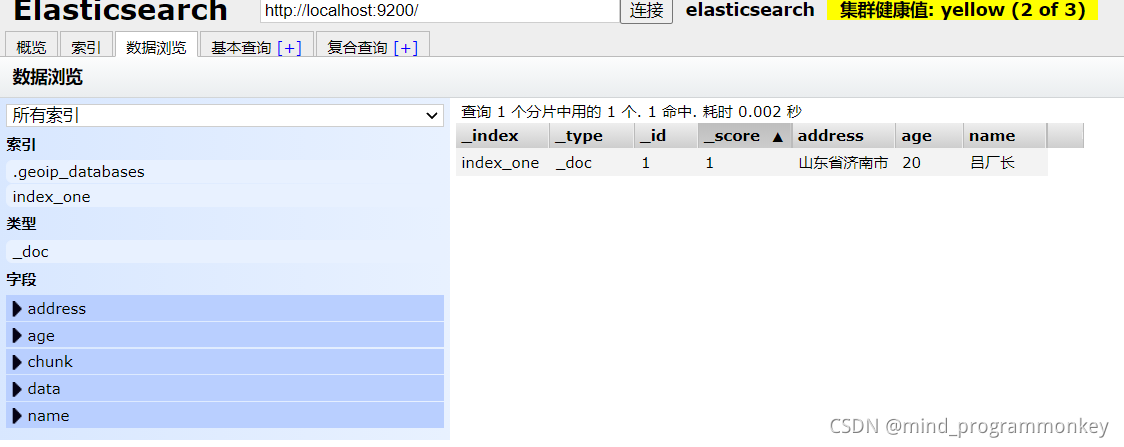
可视化的elasticsearch head





 扫一扫
扫一扫


 1685
1685

 被折叠的 条评论
为什么被折叠?
被折叠的 条评论
为什么被折叠?
 到【灌水乐园】发言





