



 本文介绍如何使用SwipeView组件创建并排式界面。通过实例演示了SwipeView与PageIndicator结合使用的方法,以及如何通过滑动切换页面。
并排式界面的实现的核心组件就是SwipeView。SwipeView由一组页面填充。一次只能看到一页。用户可以横向滑动浏览页面。
请注意,SwipeView本身完全不可见。一般与PageIndicator一起使用,这样可以给用户有多个页面的视觉提示。SwipeView和PageIndicator的组合UI显示是这样的
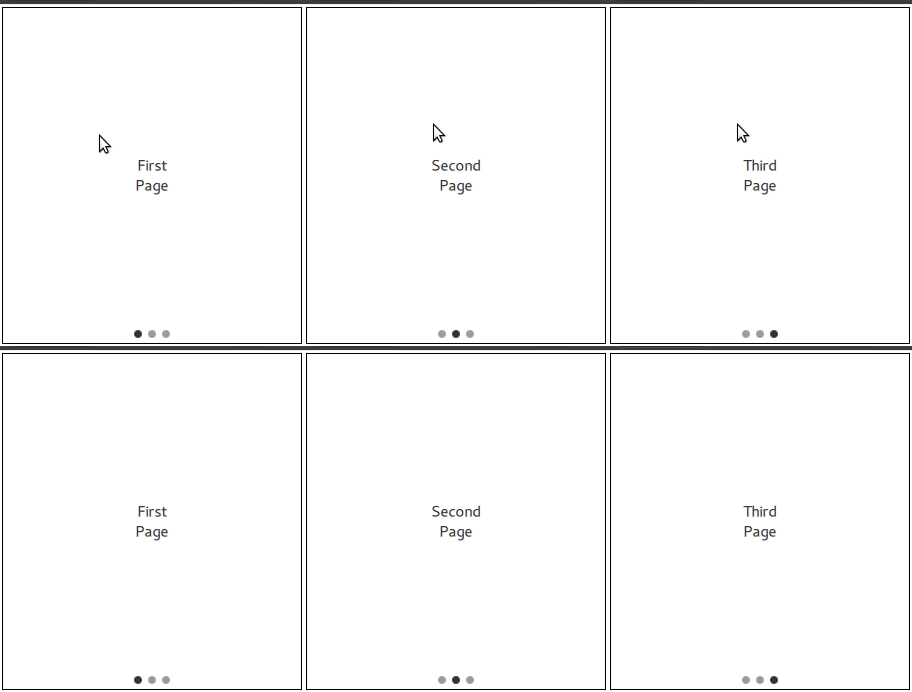
PageIndicator是包含多个页面的容器,并显示当前活动的页面。PageIndicator由呈现页面的代理项组成。PageIndicator的UI显示就是这样的

示例
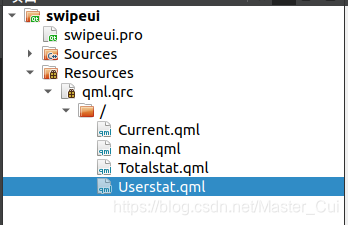
代码结构是这样的
main.qml
import QtQuick 2.14
import QtQuick.Controls 2.5

ApplicationWindow {
    id:rootwindow
    visible: true
    width: 640
    height: 480
    title: qsTr("swipeui")

    SwipeView {
        id:swipeui
        anchors.fill: rootwindow.contentItem

        Current  {

        }

        Totalstat {

        }

        Userstat {

        }
    }

    PageIndicator {
        id:indicator
        anchors.bottom: rootwindow.contentItem.bottom
        anchors.horizontalCenter: rootwindow.contentItem.horizontalCenter

        currentIndex: swipeui.currentIndex
        count: swipeui.count
    }
}
main.qml中的anchors属性的设置可以直接用parent替代,用parent替代后的代码是这样的
ApplicationWindow {
    ...

    SwipeView {
        id:swipeui
        anchors.fill: parent
            ...
    }

    PageIndicator {
        id:indicator
        anchors.bottom: parent.bottom
        anchors.horizontalCenter: parent.horizontalCenter
        ...
    }
}
也就是说parent表示的是rootwindow.contentItem,而不是rootwindow,所以,如果缺少contentItem,只写rootwindow的话,锚点布局会失效,但是QT编译器并不会提示
失效后的效果是这样的
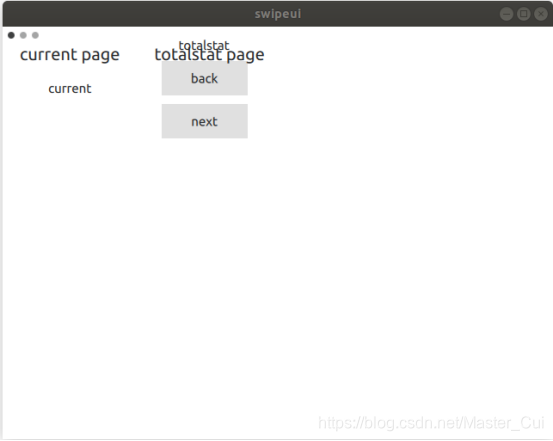
所以,当使用parent时,一定要知道parent表示的是画面中的哪一部分,并不使简单的id替换
Current.qml
import QtQuick 2.0
import QtQuick.Controls 2.5

Page {
    header: Label {
        text: qsTr("current page")
        padding: 20
        font.pixelSize: 20
    }

    Label {
        text: qsTr("current")
        anchors.centerIn: parent
    }
}
Totalstat.qml
import QtQuick 2.0
import QtQuick.Controls 2.5

Page {
    header: Label {
        text: qsTr("totalstat page")
        padding: 20
        font.pixelSize: 20
    }

    Column {
        anchors.centerIn: parent
        spacing: 10

        Label {
            anchors.horizontalCenter: parent.horizontalCenter
            text: qsTr("totalstat")
        }

        Button {
            anchors.horizontalCenter: parent.horizontalCenter
            text: qsTr("back")
            onClicked: {
                swipeui.setCurrentIndex(swipeui.currentIndex-1);
            }
        }

        Button {
            anchors.horizontalCenter: parent.horizontalCenter
            text: qsTr("next")
            onClicked: {
                swipeui.setCurrentIndex(swipeui.currentIndex+1);
            }
        }
    }
}
Userstat.qml
import QtQuick 2.0
import QtQuick.Controls 2.5

Page {
    header: Label {
        text: qsTr("user page")
        padding: 20
        font.pixelSize: 20
    }

    Label {
        text: qsTr("user")
        anchors.centerIn: parent
    }
}
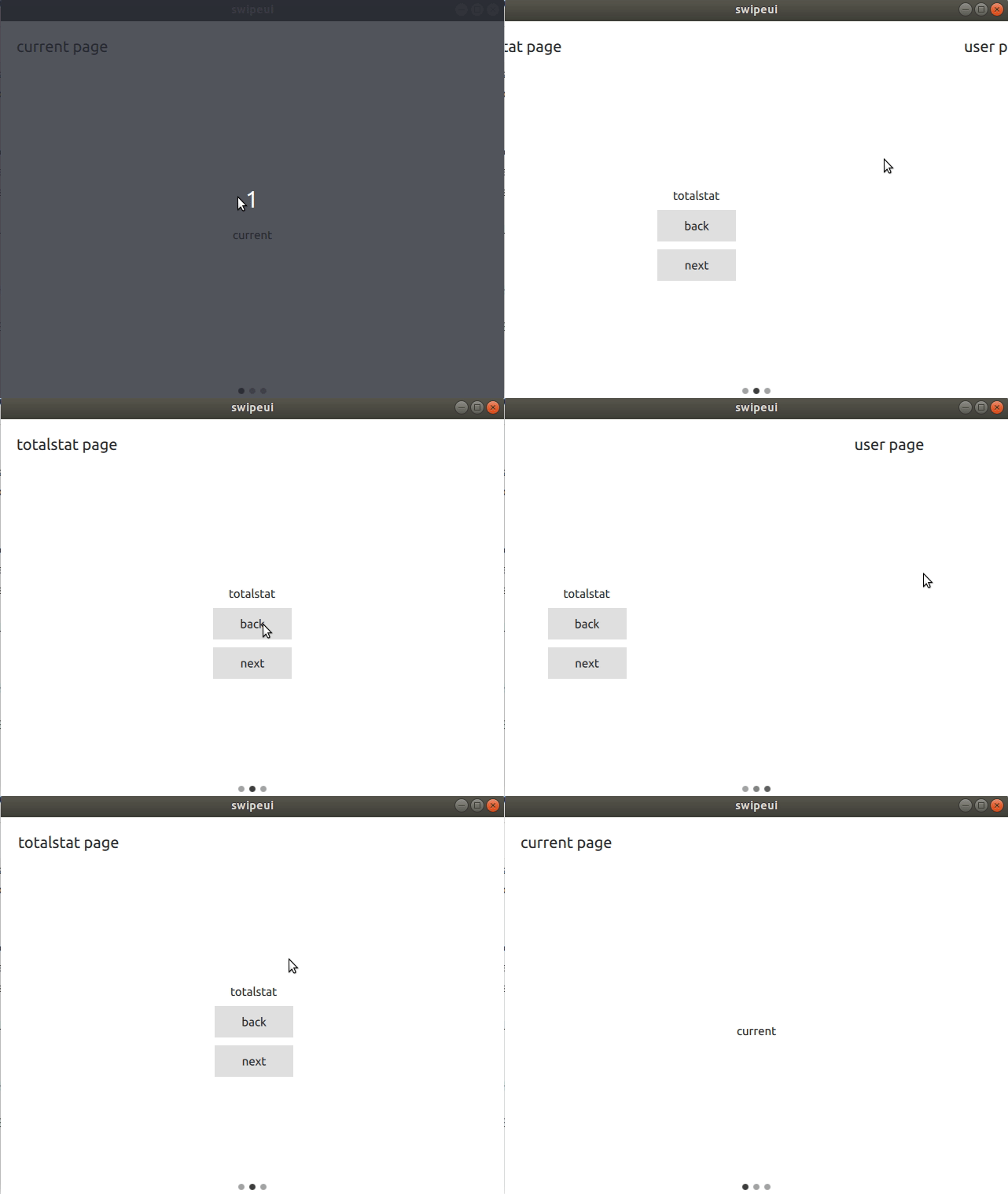
最终效果是这样的
参考
《qml book》
欢迎大家评论交流,作者水平有限,如有错误,欢迎指出





 扫一扫
扫一扫


 1409
1409

 被折叠的 条评论
为什么被折叠?
被折叠的 条评论
为什么被折叠?
 到【灌水乐园】发言





