



 本文详细介绍如何在Ubuntu和Windows环境下配置ESP32的软件开发环境。针对Ubuntu环境,推荐使用ESP-IDF进行编译,并提供了详细的安装步骤;对于Windows环境,则推荐使用快速设置工具一键安装ESP-IDF构建环境。
This blog will be divided into two parts:
- Configure ESP32 software development environment on Ubuntu
- Configure ESP32 software development environment on Windows
1 Configure ESP32 software development environment on Ubuntu
We recommend that you use Ubuntu environment to set up the ESP-IDF compilation environment. Compiling on Ubuntu is faster. The steps for setting up an environment on Ubuntu18.04 are as follows :
Step 1: Install Prerequisites
sudo apt-get install git wget flex bison gperf python3 python3-pip python3-setuptools cmake ninja-build ccache libffi-dev libssl-dev dfu-util libusb-1.0-0
Step 2: Get ESP-IDF
mkdir -p ~/esp

cd ~/esp

git clone -b release/v4.3 --recursive https://github.com/espressif/esp-idf.git

cd esp-idf

git submodule update --init -f --recursive
Step 3: Set up the tools
cd ~/esp/esp-idf

./install.sh
Step 4: Set up the environment variables
cd esp-idf

pwd

export IDF_PATH=$(pwd)

. ./export.sh
Step 5:Start a Project
cd ~/esp-idf/examples/get-started/hello_world

idf.py menuconfig

idf.py build

idf.py flash monitor
2 Configure ESP32 software development environment on Windows
If you are using a Windows environment, we recommend that you use the Quick Setup Tool to install the ESP-IDF build environment with one click. Also, when selecting the ESP-IDF version, please select the latest release/v4.3 version.
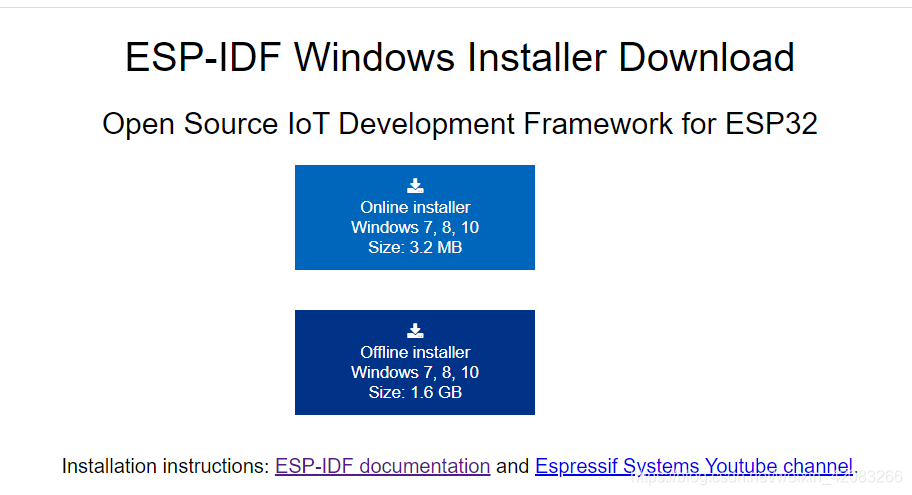
Please use this:





 扫一扫
扫一扫


 1591
1591

 被折叠的 条评论
为什么被折叠?
被折叠的 条评论
为什么被折叠?
 到【灌水乐园】发言





