


 该文章介绍了如何在Vue.js项目中创建一个水波纹点击效果。通过新建CSS和JavaScript文件,定义样式和事件处理,然后在Vue中注册自定义指令,使得按钮在被点击时产生水波纹扩散的视觉效果。
最近看到一个按钮点击出现水波纹的效果,还是很不错的,记录一下实现步骤,先上效果
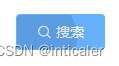
1. 新建wave文件夹,新建waves.css文件,内容如下
.waves-ripple {
position: absolute;
border-radius: 100%;
background-color: rgba(0, 0, 0, 0.15);
background-clip: padding-box;
pointer-events: none;
-webkit-user-select: none;
-moz-user-select: none;
-ms-user-select: none;
user-select: none;
-webkit-transform: scale(0);
-ms-transform: scale(0);
transform: scale(0);
opacity: 1;
}
.waves-ripple.z-active {
opacity: 0;
-webkit-transform: scale(2);
-ms-transform: scale(2);
transform: scale(2);
-webkit-transition: opacity 1.2s ease-out, -webkit-transform 0.6s ease-out;
transition: opacity 1.2s ease-out, -webkit-transform 0.6s ease-out;
transition: opacity 1.2s ease-out, transform 0.6s ease-out;
transit 最低0.47元/天 解锁文章






 扫一扫
扫一扫


 495
495

 被折叠的 条评论
为什么被折叠?
被折叠的 条评论
为什么被折叠?
 到【灌水乐园】发言





