



 本文详细介绍了Qt框架中QFileSystemModel类的使用,包括设置根路径、监听目录变化及处理directoryLoaded信号。通过QFileSystemModel可以获取文件系统中的文件和目录信息,如路径、类型、名称等,并能监听文件系统的实时变更。示例代码展示了如何连接directoryLoaded信号并处理加载完成后的数据,以及如何通过索引来获取和操作文件系统数据。
学习自唐佐林老师Qt
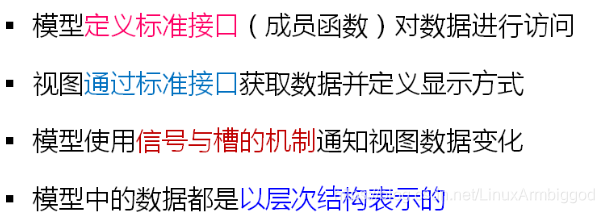
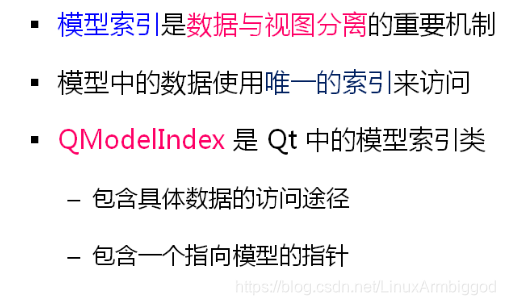
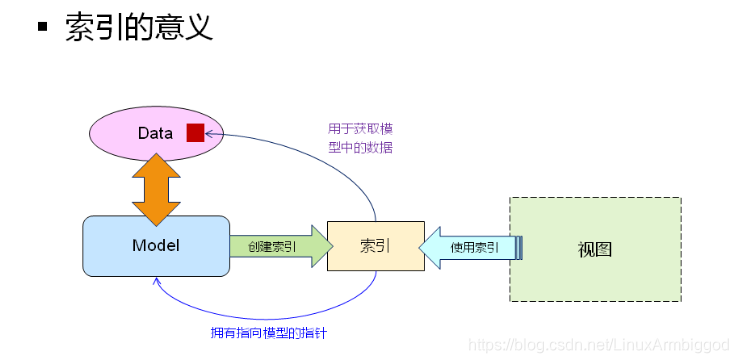
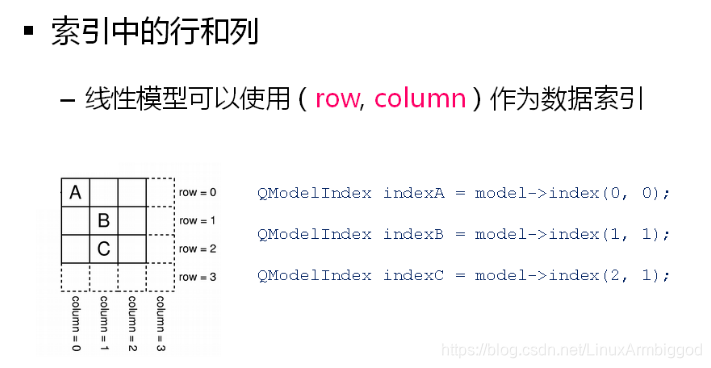
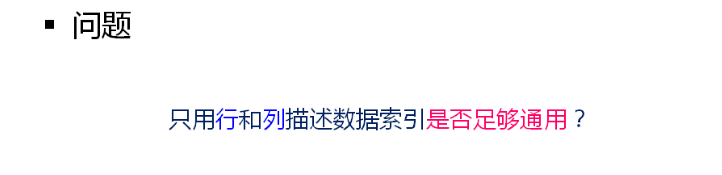
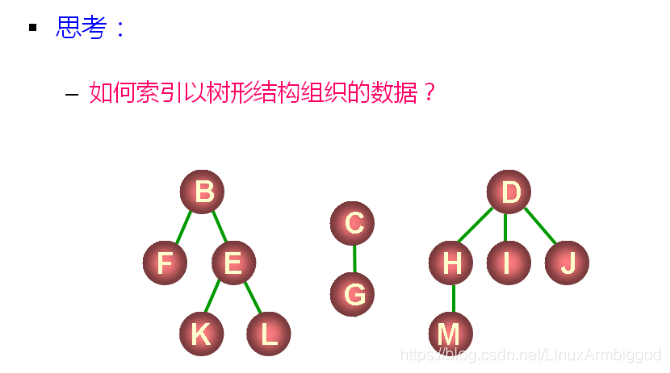
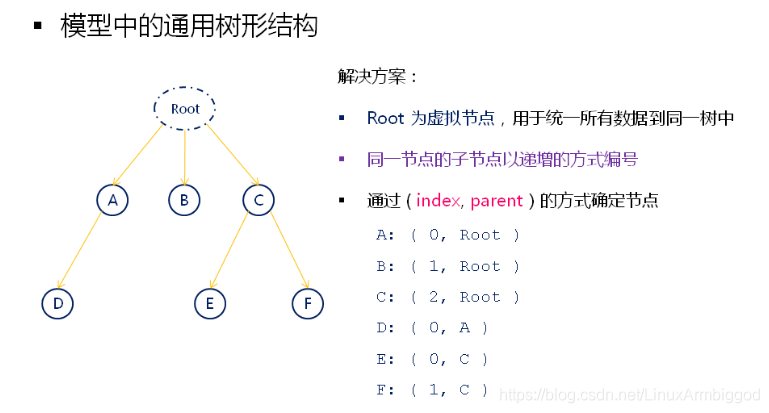
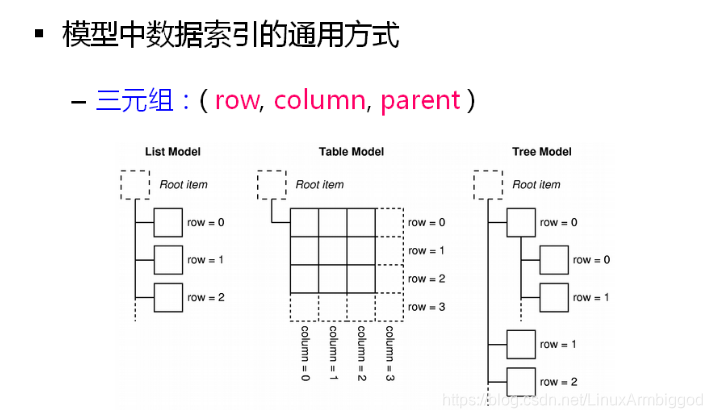
这个图很重要!!!
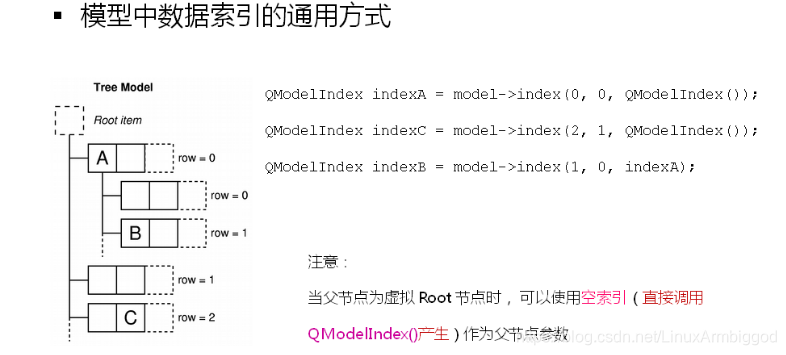
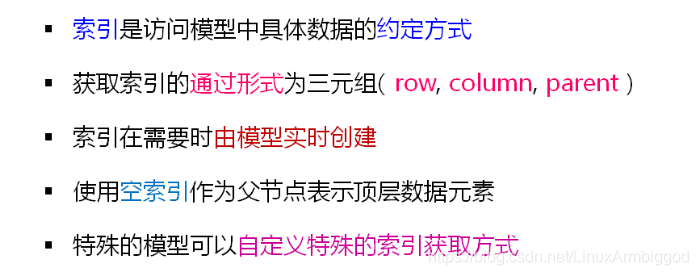
QModelIndex QFileSystemModel::setRootPath ( const QString & newPath )
告知当前文件系统模型,需要监视的就是newPath 参数所代表的路径下面的内容,对该目录中的文件和目录的任何更改都将反映在模型中。
如果路径被更改,rootPathChanged()信号将被发出。
Signals:
1 void directoryLoaded ( const QString & path )
2 void fileRenamed ( const QString & path, const QString & oldName, const QString & newName )
3 void rootPathChanged ( const QString & newPath )
directoryLoaded信号对应槽:
void QFileSystemModel::directoryLoaded ( const QString & path ) [signal]
当收集程序线程完成加载路径时将发出此信号, 即当收集好当前根目录下面的数据后救发送该信号
获取索引函数:这是一个重载函数。返回给定路径和列的模型项索引
QModelIndex QFileSystemModel::index ( const QString & path, int column = 0 ) const
Widget.h
#ifndef WIDGET_H
#define WIDGET_H
#include <QtGui/QWidget>
#include <QPlainTextEdit>
#include <QFileSystemModel>
class Widget : public QWidget
{
    Q_OBJECT

    //多行文本框对象
    QPlainTextEdit m_edit;
    //文件系统模型对象
    QFileSystemModel m_fsm;
protected slots:
    void onDirectoryLoaded(const QString& path);
public:
    Widget(QWidget *parent = 0);
    ~Widget();
};
#endif // WIDGET_H
Widget.cpp
#include "Widget.h"
#include <QDir>
#include <QModelIndex>
#include <QByteArray>
#include <QBuffer>
#include <QTextStream>
Widget::Widget(QWidget *parent)
    : QWidget(parent)
{
    m_edit.setParent(this);
    m_edit.move(10, 10);
    m_edit.resize(500, 300);
    //当收集程序线程完成加载路径时将发出此信号, 即当收集好当前根目录下面的数据后救发送该信号 SIGNAL(directoryLoaded(QString))
    connect(&m_fsm, SIGNAL(directoryLoaded(QString)), this, SLOT(onDirectoryLoaded(QString)));
    //设置文件系统模型参数:从当前工作目录中取数据
    m_fsm.setRootPath(QDir::currentPath());
}
//当该槽函数被调用就说明,文件系统模型已经收集好了我们感兴趣的路径的下的文件和数据信息了,我们就可以处理数据了
//path 为我们感兴趣的路径
void Widget::onDirectoryLoaded(const QString& path)
{
    //通过感兴趣的路径 申请得到一个 索引,通过该索引可以拿到该路径下的数据
    QModelIndex root = m_fsm.index(path);
    //缓冲区
    QByteArray array;
    QBuffer buffer(&array);
    //只写方式打开缓冲区
    if( buffer.open(QIODevice::WriteOnly) )
    {
        //文本流对象
        QTextStream out(&buffer);
        //通过索引拿到 模型当中的数据
        //通过索引判断当前所代表的路径是不是一个文件夹
        out << m_fsm.isDir(root) << endl;
        //通过索引向模型拿数据,将文本流装换为字符串
        out << m_fsm.data(root).toString() << endl;
        //通过索引直通数据 和前面一行效果一样
        out << root.data().toString() << endl;
        //比较 模型地址 和 索引指向创建者模型的指针 是否相同
        out << &m_fsm << endl;
        out << root.model() << endl;
        //通过索引拿到绝对地址,文件名
        out << m_fsm.filePath(root) << endl;
        out << m_fsm.fileName(root) << endl;
        out << endl;
        //m_fsm.rowCount(root):通过索引查看目标路径下有多少个孩子,即有多少文件和目录的总和
        for(int i=0; i<m_fsm.rowCount(root); i++)
        {
            //三元组的方式 取父结点为root目标索引的子索引,即ci是感兴趣路径下的文件和目录索引
            QModelIndex ci = m_fsm.index(i, 0, root);
            //将索引转换为字符串输出
            out << ci.data().toString() << endl;
        }
        //刷新缓冲区(写入内存),关闭缓冲区
        out.flush();
        buffer.close();
    }
    //以只读方式打开 文本流对象,显示到多行文本框
    if( buffer.open(QIODevice::ReadOnly) )
    {
        QTextStream in(&buffer);
        m_edit.insertPlainText(in.readAll());
        buffer.close();
    }
}
Widget::~Widget()
{

}
main.cpp
#include <QtGui/QApplication>
#include "Widget.h"
int main(int argc, char *argv[])
{
    QApplication a(argc, argv);
    Widget w;
    w.show();

    return a.exec();
}
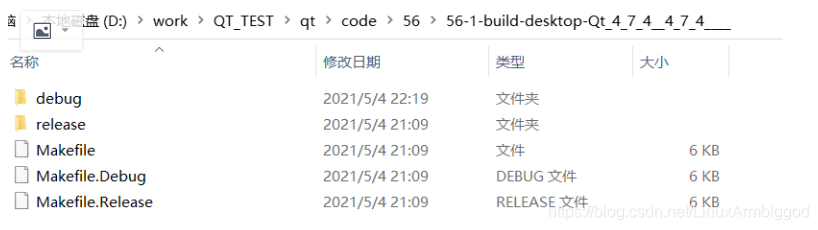
QModelIndex ci = m_fsm.index(i, 0, root);
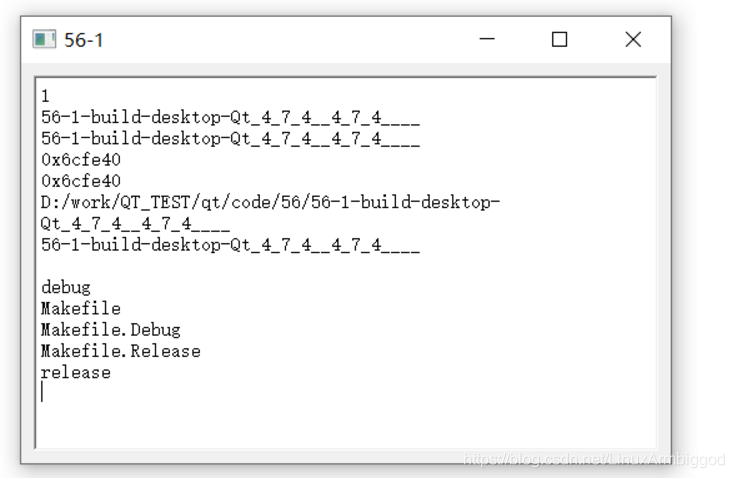
QModelIndex ci = m_fsm.index(i, 1, root);
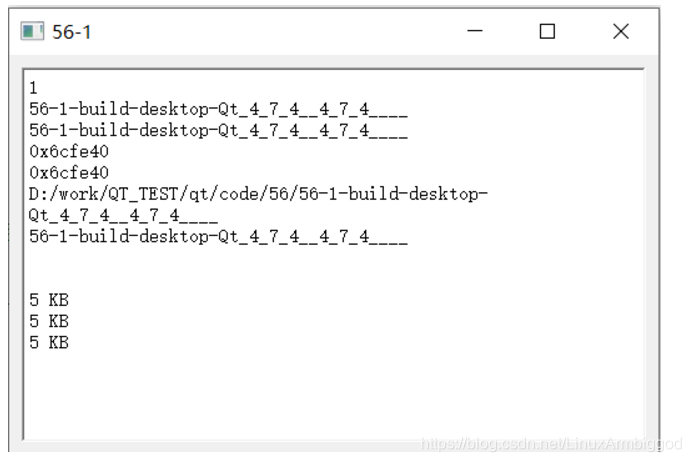
QModelIndex ci = m_fsm.index(i, 2, root);
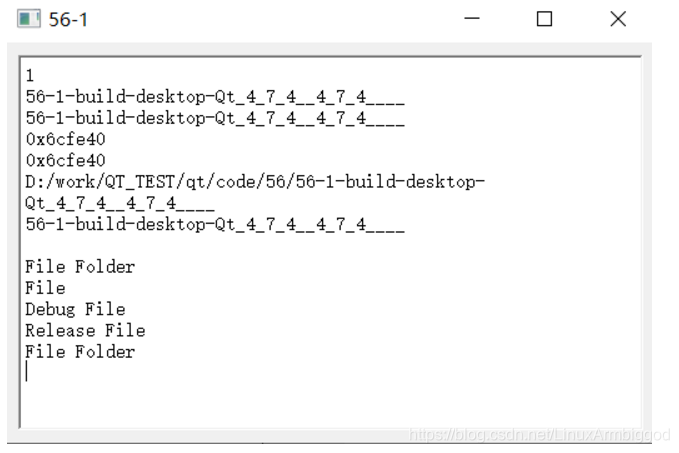
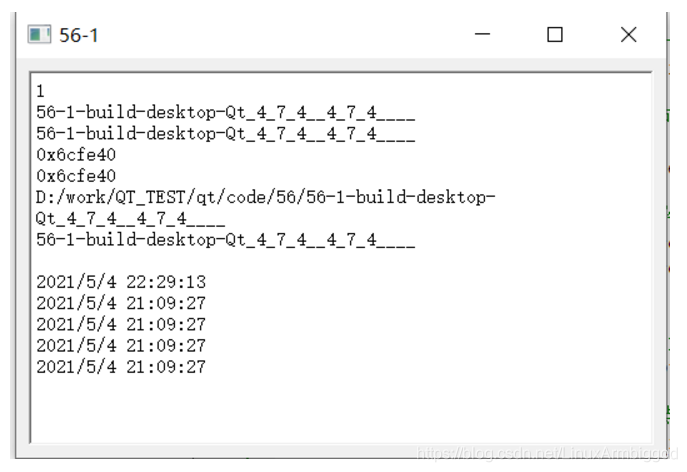
QModelIndex ci = m_fsm.index(i,3, root);





 扫一扫
扫一扫


 4279
4279

 被折叠的 条评论
为什么被折叠?
被折叠的 条评论
为什么被折叠?
 到【灌水乐园】发言





