



 本文详细介绍了如何在Spring Boot项目中配置并解决Swagger UI访问404的问题,包括引入Maven依赖、配置Swagger及添加静态资源处理。
1.本来以为会很容易集成的,结果一直报404,试了好久,心累…最后终于找到解决办法
http://localhost:8080/swagger-ui.html 访问不到,原因是,是因为 MVC 没有找到 swagger-ui 包中的 swagger-ui.html 文件; 但是这个文件在jar包中是切实存在的.
首先是引入maven依赖
<dependency>
			<groupId>io.springfox</groupId>
			<artifactId>springfox-swagger2</artifactId>
			<version>2.6.1</version>
		</dependency>

		<dependency>
			<groupId>io.springfox</groupId>
			<artifactId>springfox-swagger-ui</artifactId>
			<version>2.6.1</version>
		</dependency>
以下是具体代码
首先是swagger的配置
import org.springframework.context.annotation.Bean;
import org.springframework.context.annotation.Configuration;

import springfox.documentation.builders.ApiInfoBuilder;
import springfox.documentation.builders.PathSelectors;
import springfox.documentation.builders.RequestHandlerSelectors;
import springfox.documentation.service.ApiInfo;
import springfox.documentation.spi.DocumentationType;
import springfox.documentation.spring.web.plugins.Docket;
import springfox.documentation.swagger2.annotations.EnableSwagger2;

@Configuration
@EnableSwagger2
public class Swagger2 {

    @Bean
    public Docket createRestApi(){
        System.out.println("======  SWAGGER CONFIG  ======");
        return new Docket(DocumentationType.SWAGGER_2)
                .apiInfo(apiInfo())
                .select()
                .apis(RequestHandlerSelectors.basePackage("com.example.demo.controller")) //扫描的请求controler
                .paths(PathSelectors.any())
                .build();
    }
    private ApiInfo apiInfo() {
        return new ApiInfoBuilder()
                .title("swagger2构建RESTful Api ")
                .description("接口文档")
                .contact("ningL")
                .version("1.0")
                .build();
    }
}
3.按理说这样swagger就已经配置好了,但是如果出现404的幺蛾子,请在配置包中 添加一个相当于配置mvc 静态资源的类
import org.springframework.context.annotation.Configuration;
import org.springframework.web.servlet.config.annotation.ResourceHandlerRegistry;
import org.springframework.web.servlet.config.annotation.WebMvcConfigurer;
@Configuration
public class MVCconfig implements WebMvcConfigurer {

    @Override
    public void addResourceHandlers(ResourceHandlerRegistry registry) {
    //添加一些静态资源 图片,样式 等
        registry.addResourceHandler("/static/**").addResourceLocations("classpath:/static/");
        // 解决 SWAGGER 404报错
        registry.addResourceHandler("/swagger-ui.html").addResourceLocations("classpath:/META-INF/resources/");
        registry.addResourceHandler("/webjars/**").addResourceLocations("classpath:/META-INF/resources/webjars/");
    }
}
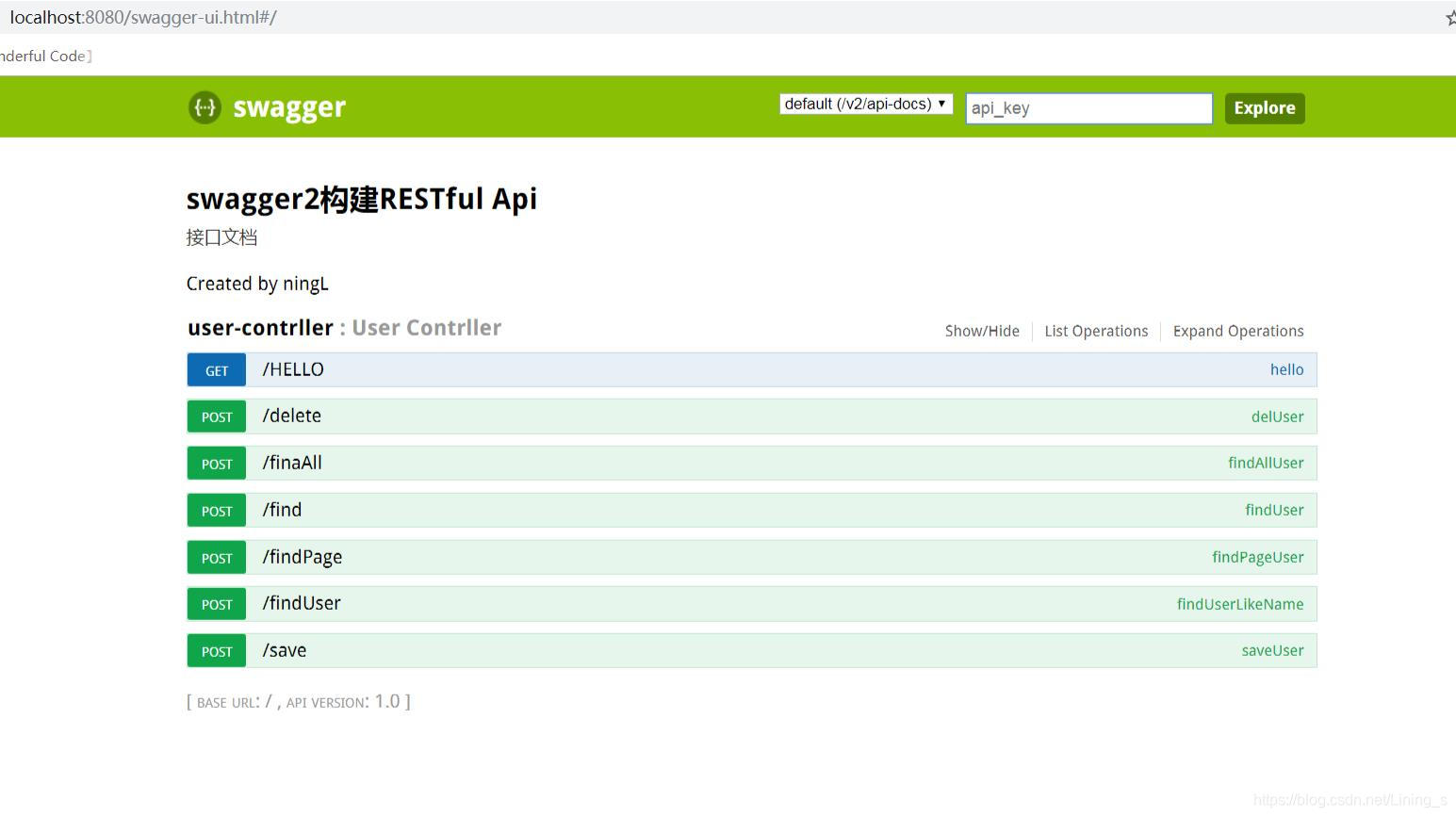
4.启动项目,访问http://localhost:8080/swagger-ui.html,看看有没有解决,反正我的是解决了





 扫一扫
扫一扫


 1066
1066


 到【灌水乐园】发言



