


常见布局
左列定宽,右列自适应
效果
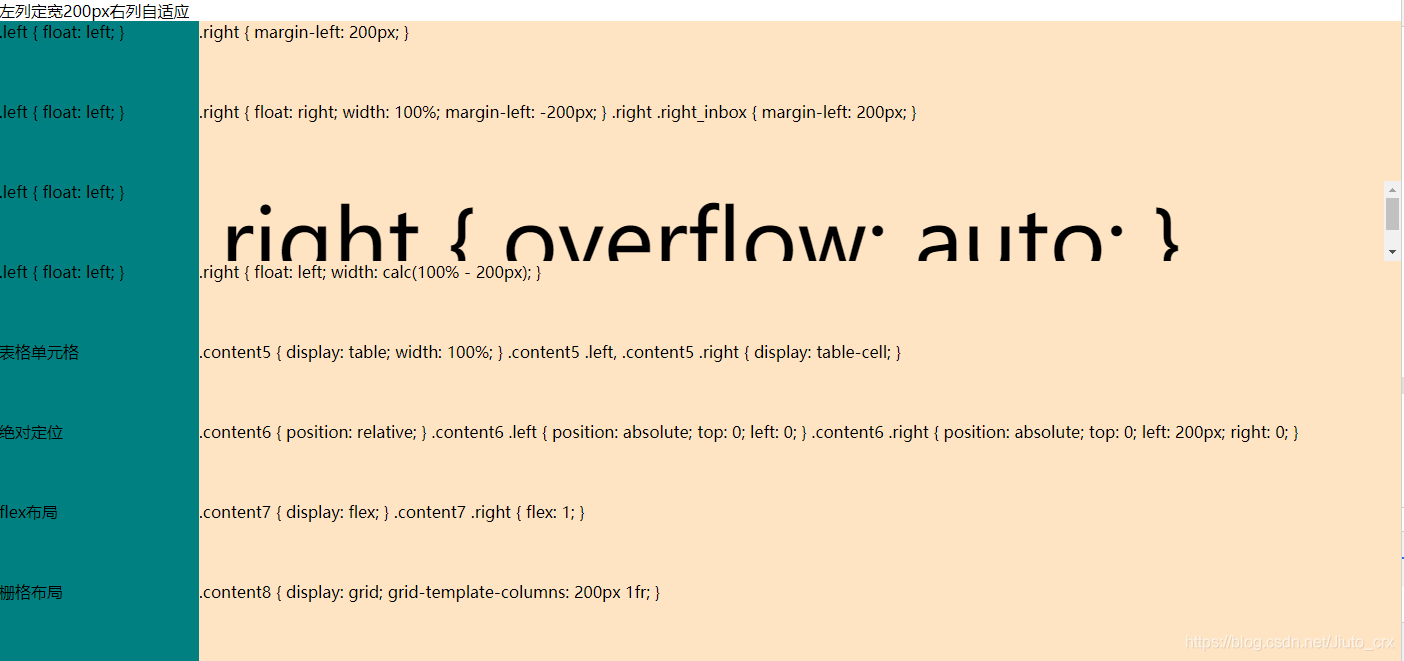
示例基础代码
<div class="content">
    <div class="left"></div>
    <div class="right"></div>
</div>
.content {
    height: 80px;
}
.left {
    width: 200px;
    height: 100%;
    background-color: teal;
}
.right {
    background-color: bisque;
    height: 100%;
}
方式一 float+margin-left
.content1 .left {
    float: left;
}
.content1 .right {
    margin-left: 200px;
}
方式二 right嵌套一个内容区
.content2 .left {
    float: left;
}
.content2 .right {
    float: right;
    width: 100%;
    margin-left: -200px;
}
.content2 .right .right_inbox {
    margin-left: 200px;
}
html right提前
<div class="content content2">
    <div class="right"></div>
    <div class="left"></div>
</div>
方式三 float+overflow (触发BFC)
BFC,即块格式化上下文-MDN
.content3 .left {
    float: left;
}
.content3 .right {
    overflow: auto;
}
方式四 calc计算宽度
.content4 .left {
    float: left;
}
.content4 .right {
    float: left;
    width: calc(100% - 200px);
}
方式五 表格单元格
.content5 {
    display: table;
    width: 100%;
}
.content5 .left, .content5 .right {
    display: table-cell;
}
方式六 绝对定位
.content6 {
    position: relative;
}
.content6 .left {
    position: absolute;
    top: 0;
    left: 0;
}
.content6 .right {
    position: absolute;
    top: 0;
    left: 200px;
    right: 0;
}
方式七 flex布局
.content7 {
    display: flex;
}
.content7 .right {
    flex: 1;
}
方式八 栅格布局
.content8 {
    display: grid;
    grid-template-columns: 200px 1fr;
}
一列不定宽,一列自适应
效果

示例基础代码
<div class="content">
    <div class="left"></div>
    <div class="right"></div>
</div>
.content {
    height: 80px;
}
.left {
    height: 100%;
    background-color: teal;
}
.right {
    background-color: bisque;
    height: 100%;
}
方式一 float+overflow (触发BFC)
.left {
    float: left;
}
.right {
    overflow: auto;
}
方式二 flex布局
.content {
    display: flex;
}
.content .right {
    flex: 1;
}
方式三 栅格布局
.content {
    display: grid;
    grid-template-columns: auto 1fr;
}
圣杯布局-两侧定宽,中间自适应
最终效果
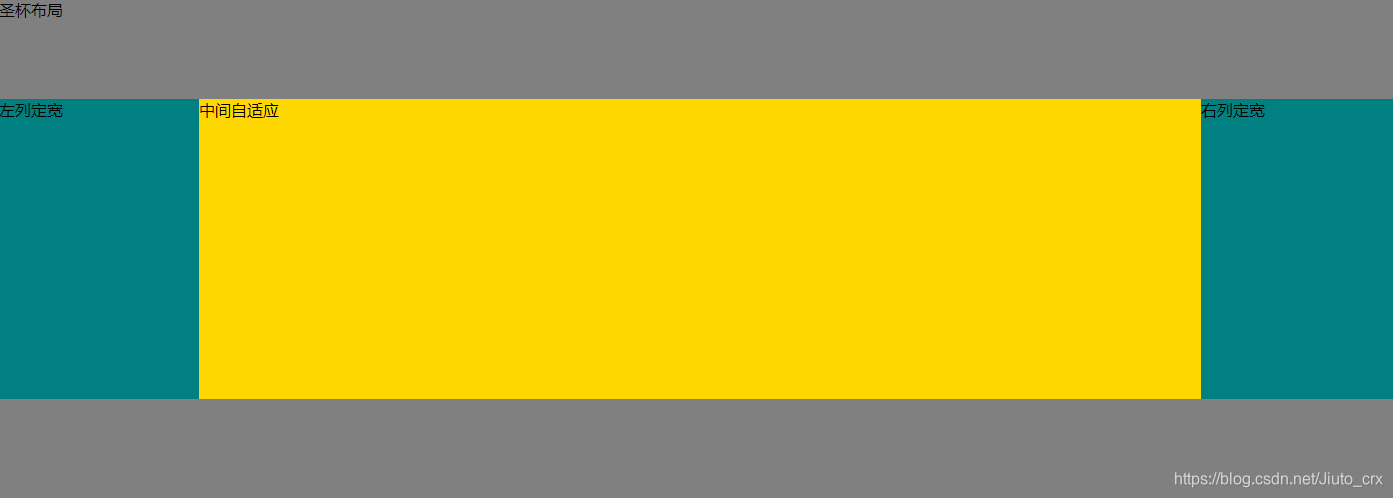
实现代码
html
<div class="box">
    <div class="header">圣杯布局</div>
    <div class="parent">
        <div class="center">中间自适应</div>
        <div class="left">左列定宽</div>
        <div class="right">右列定宽</div>
    </div>
    <div class="footer"></div>
</div>
- 基础css
.box {
    width: 100%;
}
.header, .footer {
    height: 100px;
    background-color: grey;
}
.parent {
    height: 300px;
}
.center {
    width: 100%;
    height: 100%;
    background-color: gold;
    float: left;
}
.left, .right {
    width: 200px;
    height: 100%;
    background-color: teal;
    float: left;
}
此时效果
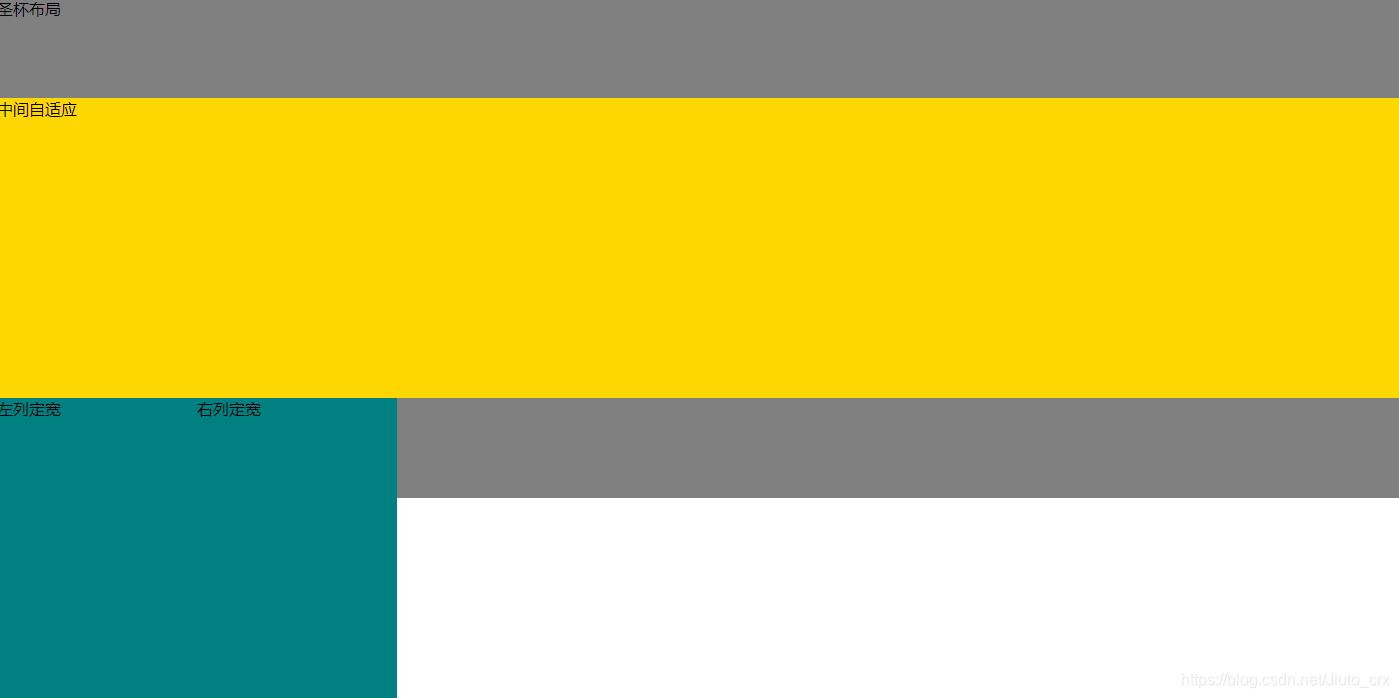
- 给left和right加上margin-left,使左右两列提上去
.left1 {
    margin-left: -100%;
}
.right1 {
    margin-left: -200px;
}
此时效果
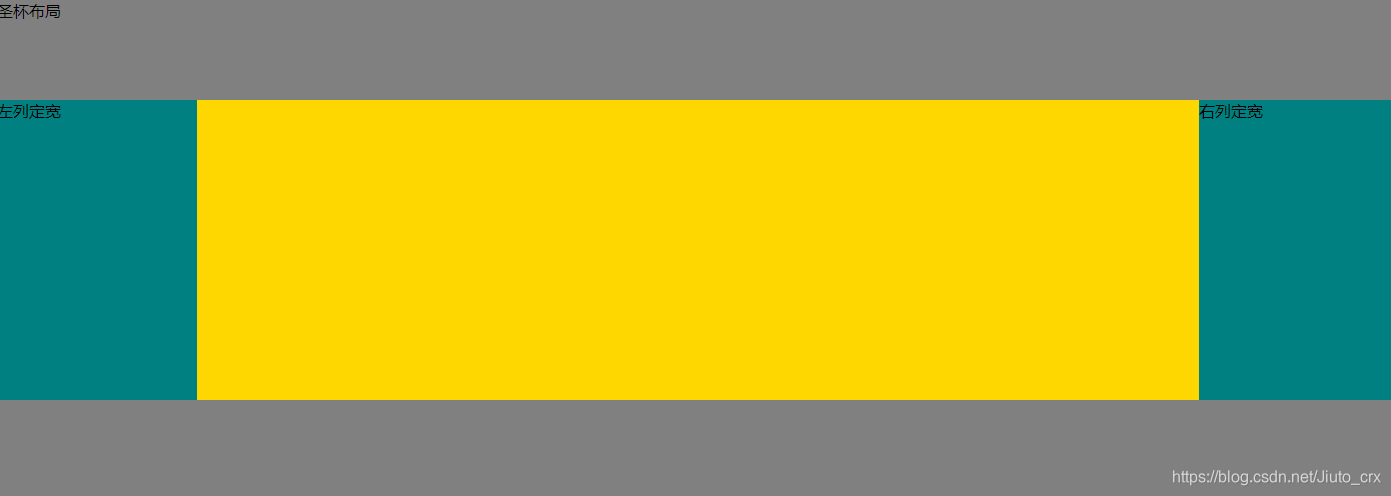
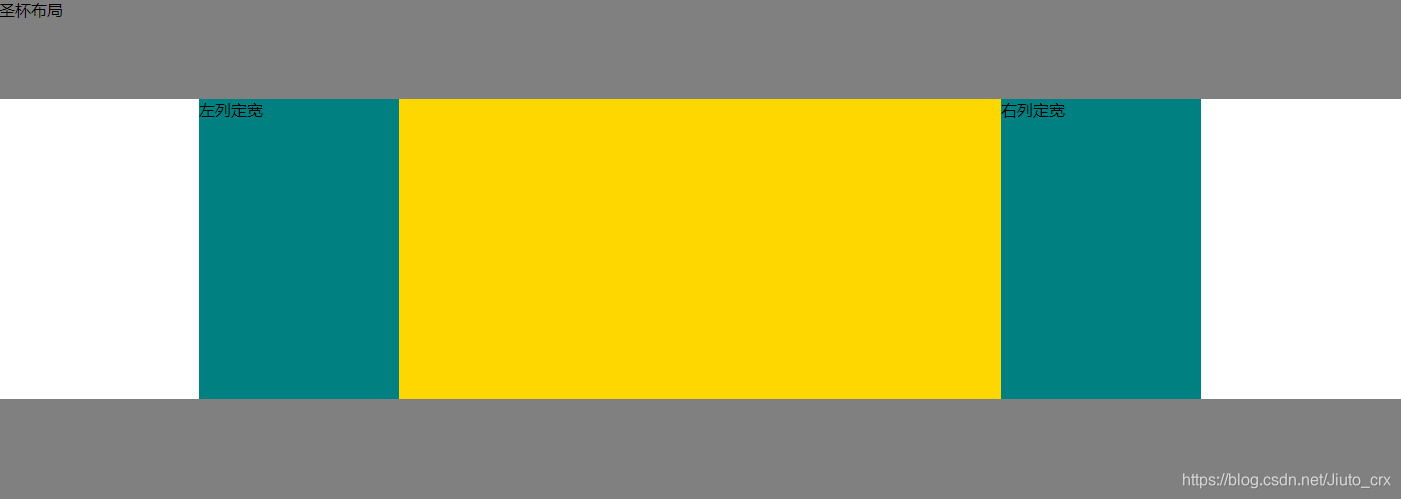
- 此时中间内容是被遮挡的,给parent加上padding,空出位置给两边
.parent {
    padding: 0 200px;
}
此时效果
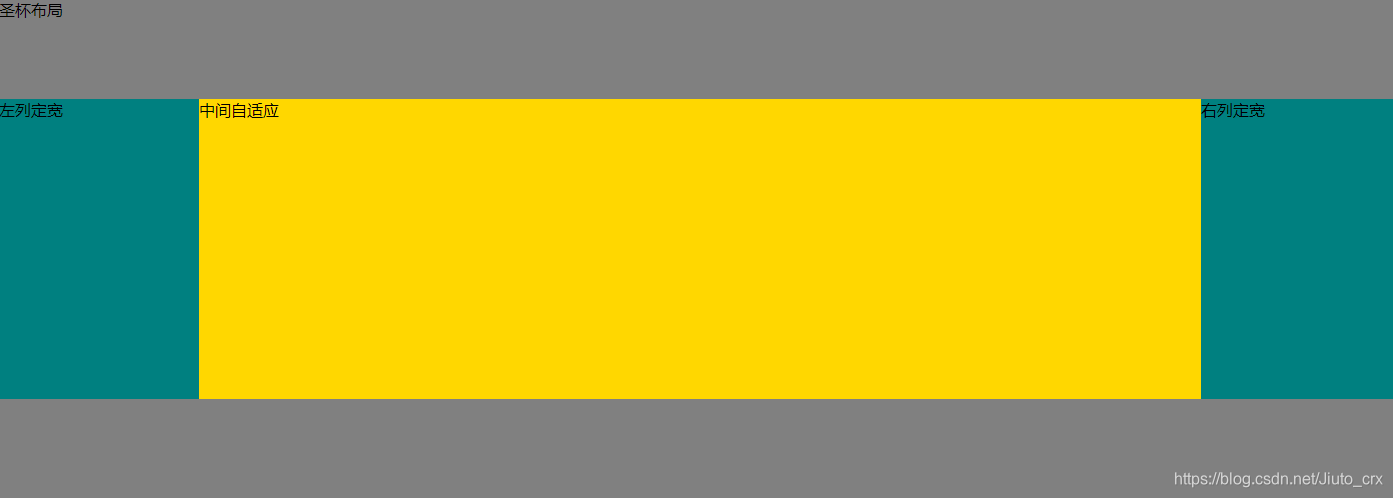
- 左右两列也被移到了中间,用定位将两边移开
.left {
    position: relative;
    left: -200px;
}
.right {
    position: relative;
    left: 200px;
}
此时效果
双飞翼布局
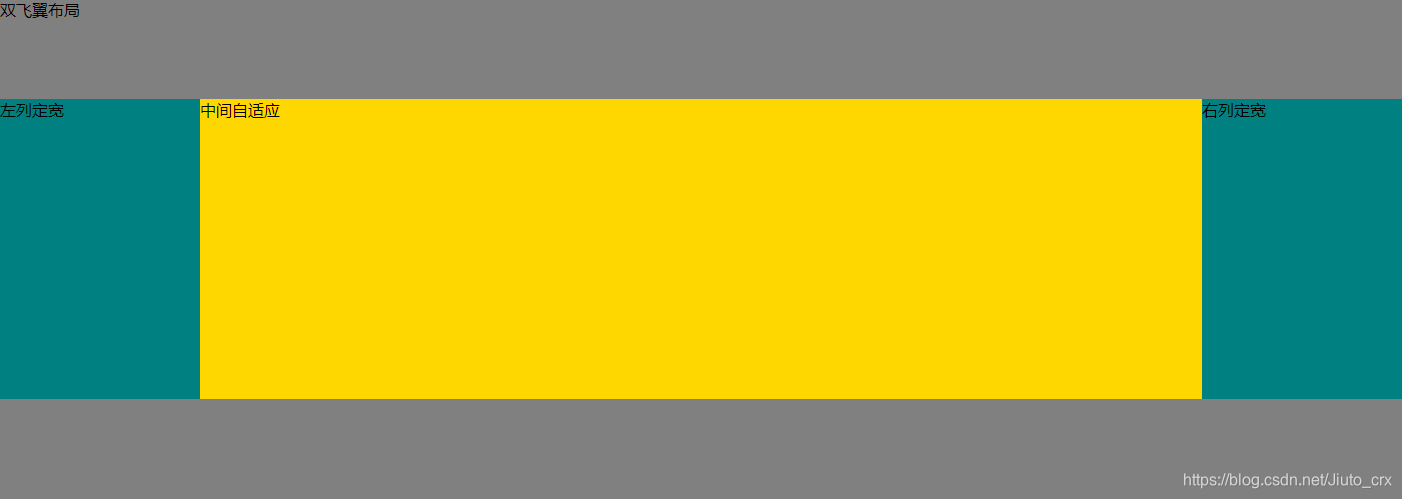
双飞翼布局实现效果和圣杯是一样的,只是实现方式略有不同,有点类似左列定宽右列自适应中的方式二,增加了一个内容区。
实现代码
html
<div class="box">
    <div class="header">双飞翼布局</div>
    <div class="parent">
        <div class="center">
            <div class="center_inbox">中间自适应</div>
        </div>
        <div class="left2">左列定宽</div>
        <div class="right2">右列定宽</div>
    </div>
    <div class="footer"></div>
</div>
- 基础css + 给left和right加上margin-left,使左右两列提上去
.box {
    width: 100%;
}
.header, .footer {
    height: 100px;
    background-color: grey;
}
.parent {
    height: 300px;
}
.center {
    width: 100%;
    height: 100%;
    background-color: gold;
    float: left;
}
.left, .right {
    width: 200px;
    height: 100%;
    background-color: teal;
    float: left;
}
.left {
    margin-left: -100%;
}
.right {
    margin-left: -200px;
}
- 给内容区增加左右外边距
.center_inbox {
    margin: 0 200px;
}
最终效果





 扫一扫
扫一扫


 1704
1704

 被折叠的 条评论
为什么被折叠?
被折叠的 条评论
为什么被折叠?
 到【灌水乐园】发言





