



1.简介
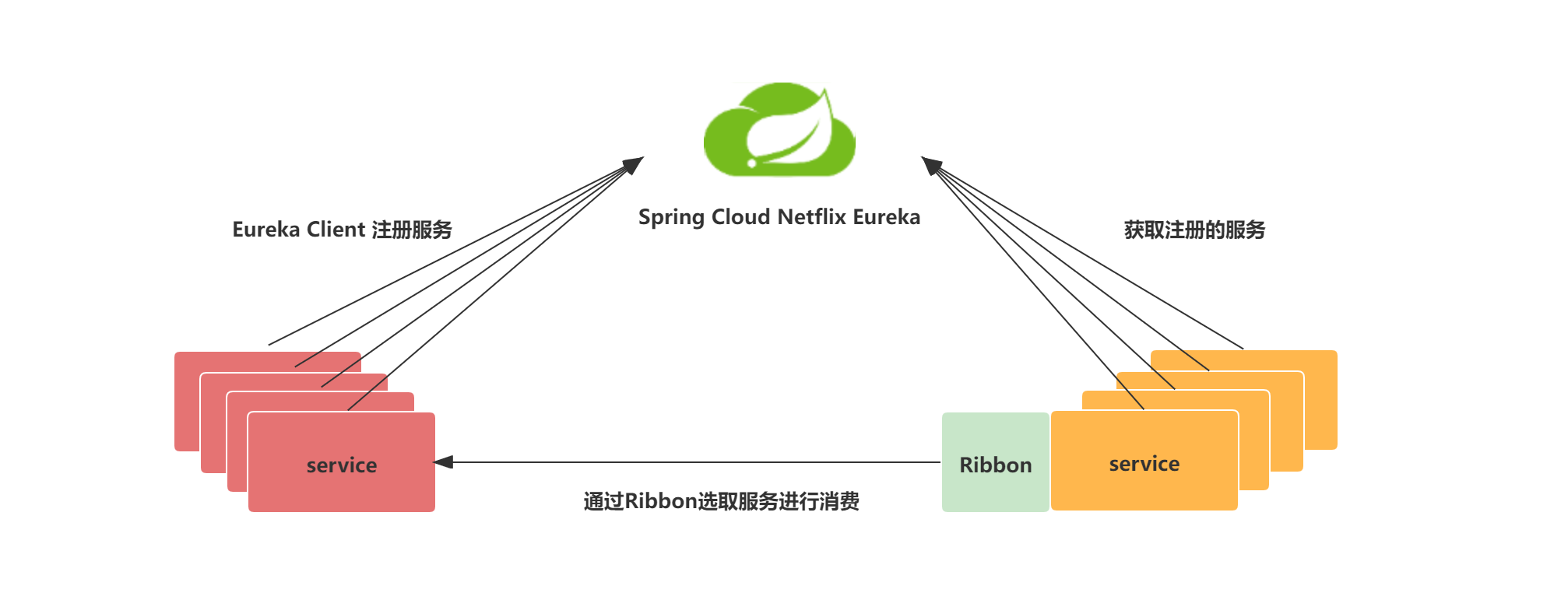
Ribbon是SpringClolud集成的客户端负载均衡器,核心功能有服务发现、服务监听和服务选择规则。
Ribbon通过整合Eureka获取服务列表,然后基于某种负载均衡算法(轮询、随机或自定义),选择需要访问服务的其中一个实例进行调用,其示意图如下图所示。
2.启动三个电影服务(在film服务工程中修改)
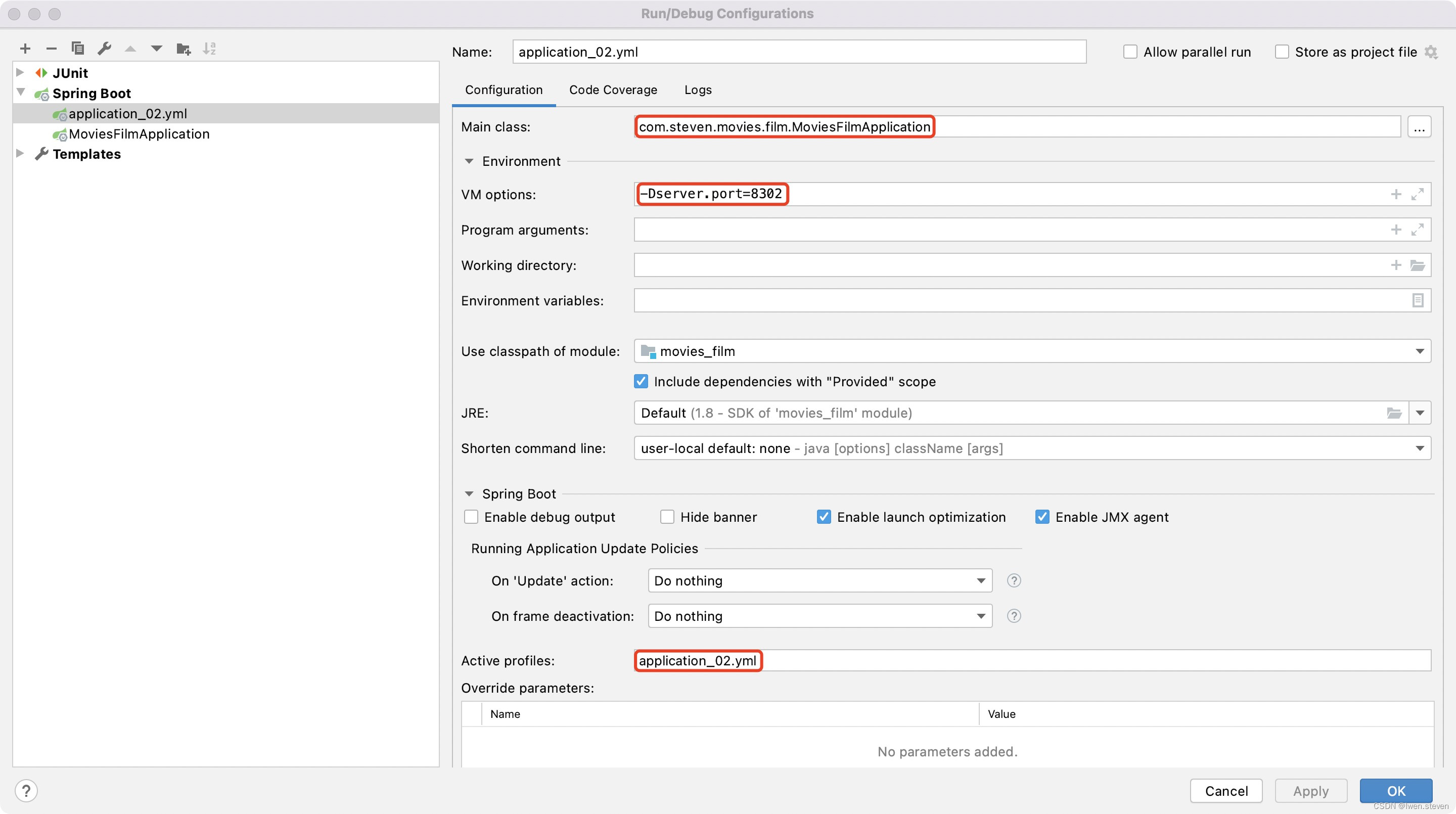
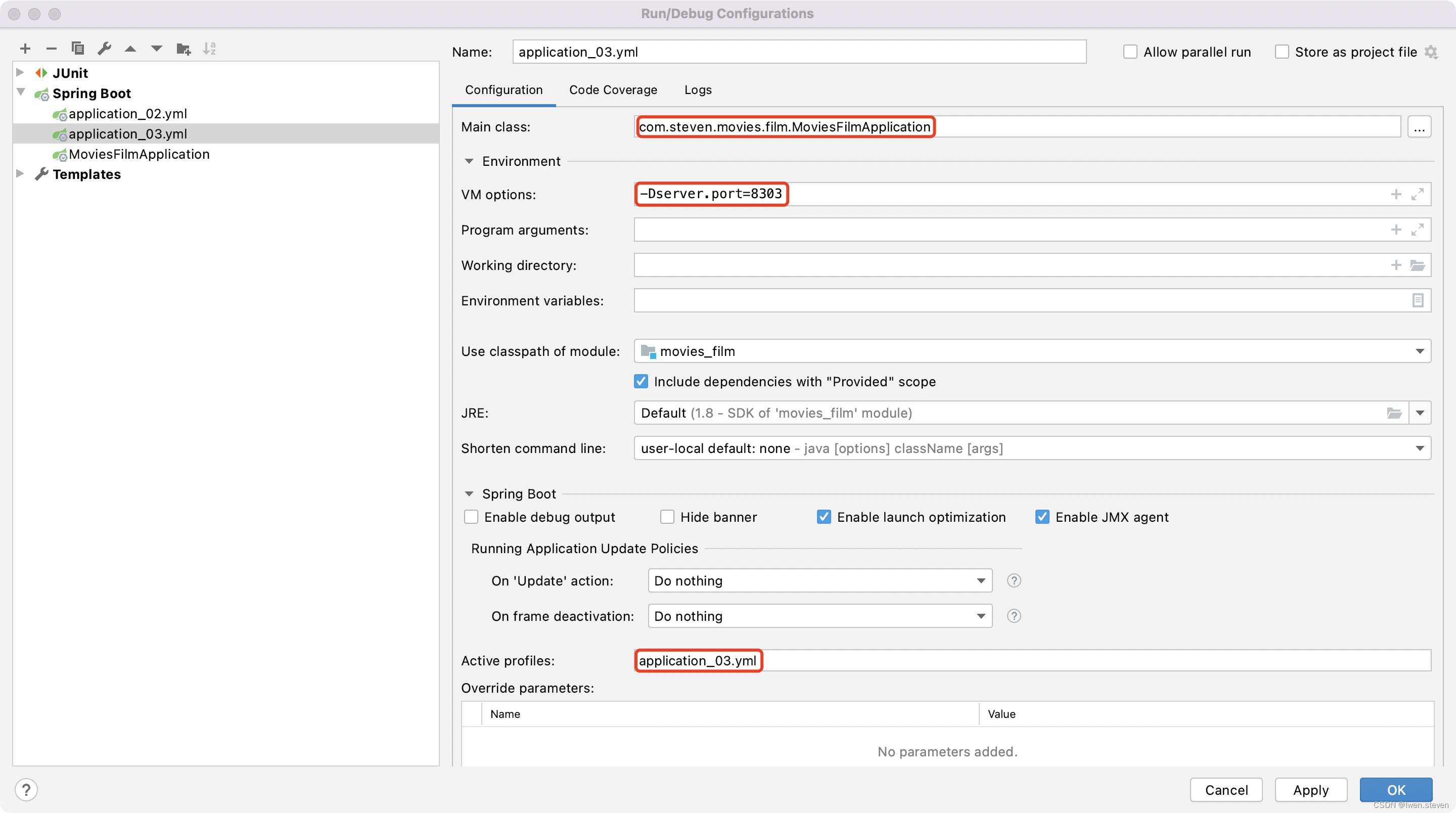
(1).复制application.yml
复制2份application.yml,分别命名为application_02.yml和application_03.yml,并修改其端口号。
server:
  port: 8302

eureka:
  client:
    service-url:
      defaultZone: http://localhost:8761/eureka/
  instance:
    prefer-ip-address: true

spring:
  datasource:
    url: jdbc:mysql://127.0.0.1:3306/study?autoReconnect=true&useUnicode=true&characterEncoding=utf8&zeroDateTimeBehavior=CONVERT_TO_NULL&useSSL=false&serverTimezone=UTC
    username: root
    password: admin123
    filters: log4j,wall,mergeStat
  application:
    name: film.service

mybatis-plus:
  mapper-locations: classpath*:com/steven/movies/**/xml/*Mapper.xml
  global-config:
    id-type: 0
    db-column-underline: false
    refresh-mapper: true

logging:
  config: classpath:logback.xml
server:
  port: 8303

eureka:
  client:
    service-url:
      defaultZone: http://localhost:8761/eureka/
  instance:
    prefer-ip-address: true

spring:
  datasource:
    url: jdbc:mysql://127.0.0.1:3306/study?autoReconnect=true&useUnicode=true&characterEncoding=utf8&zeroDateTimeBehavior=CONVERT_TO_NULL&useSSL=false&serverTimezone=UTC
    username: root
    password: admin123
    filters: log4j,wall,mergeStat
  application:
    name: film.service

mybatis-plus:
  mapper-locations: classpath*:com/steven/movies/**/xml/*Mapper.xml
  global-config:
    id-type: 0
    db-column-underline: false
    refresh-mapper: true

logging:
  config: classpath:logback.xml
(2).启动
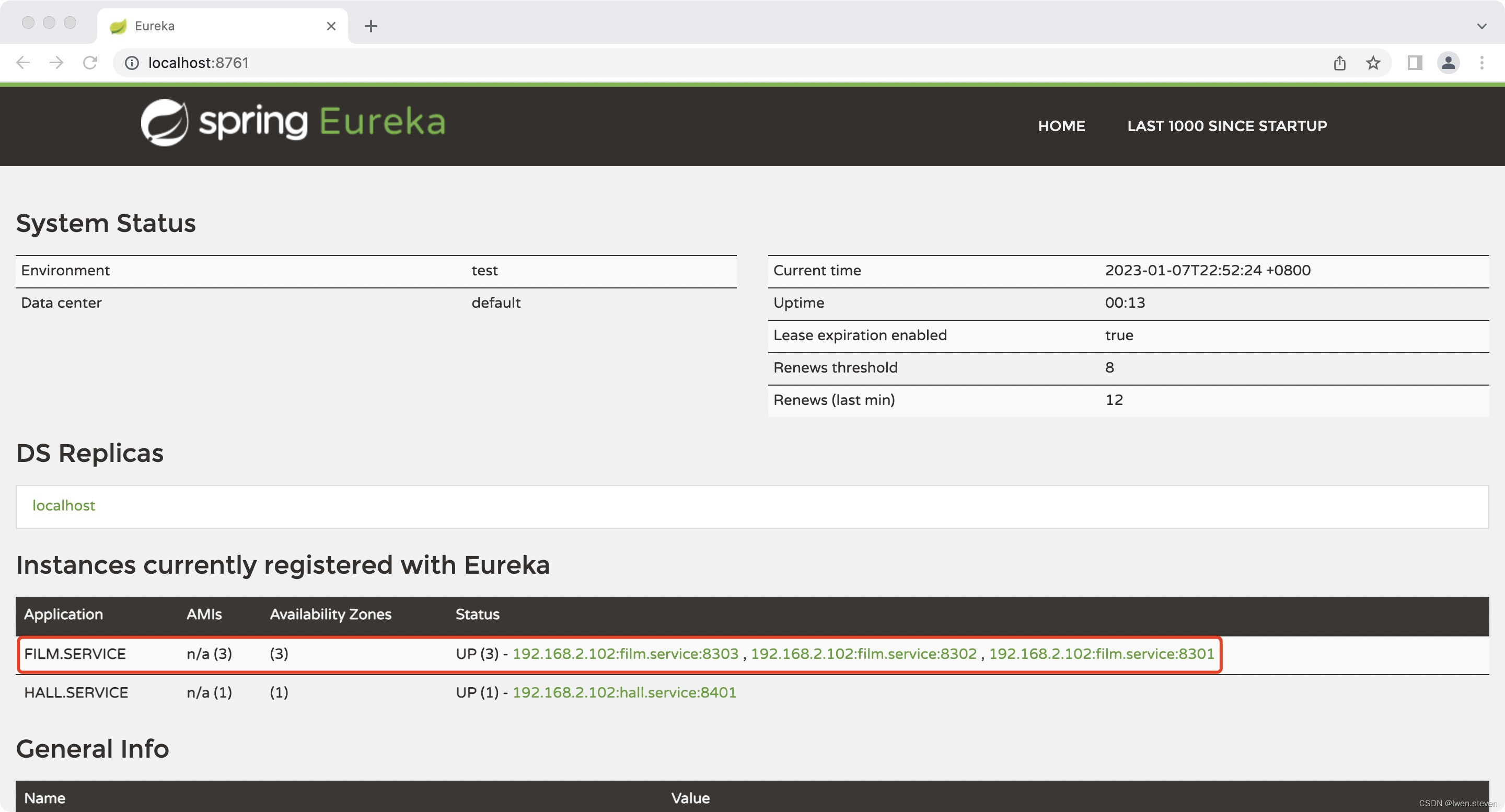
(3).验证
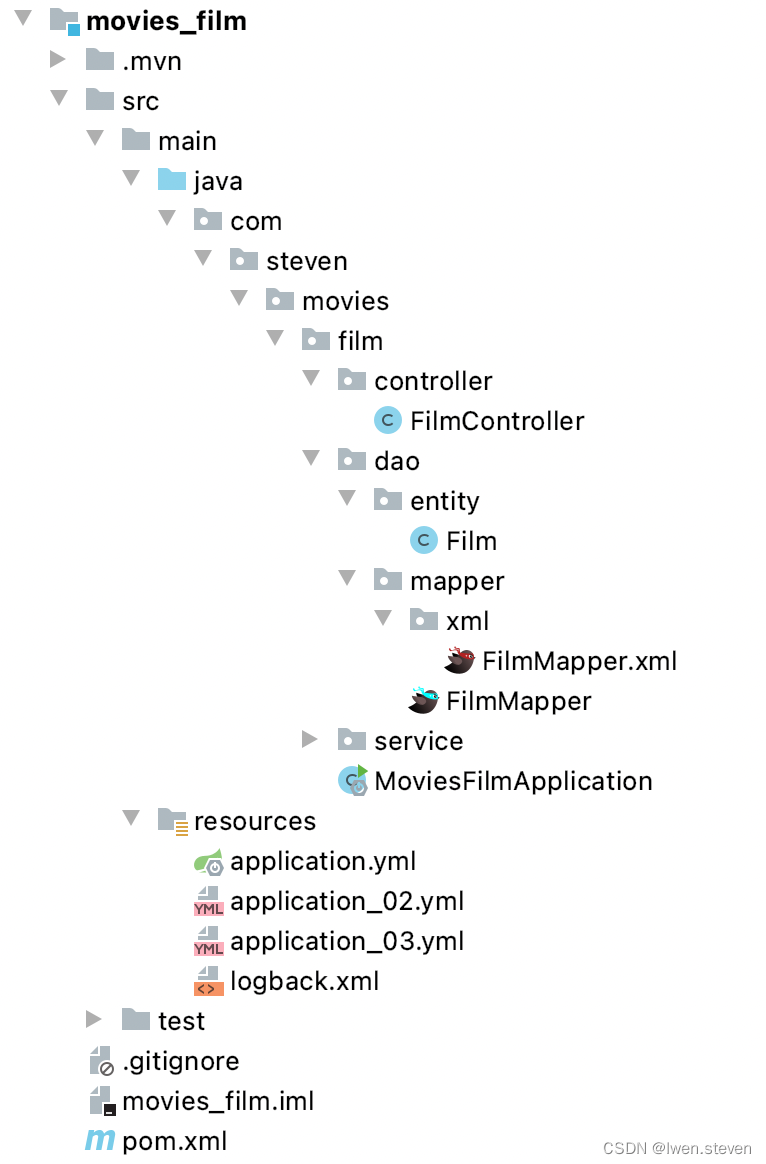
(4).film服务工程目录结构
2.整合Ribbon(在影厅服务中调用电影服务三个实例中的一个进行电影信息查询,在hall服务工程中修改)
(1).controller层开发
在FilmController类中打印端口信息,具体代码如下。
@Slf4j
@RestController
@RequestMapping("/films")
public class FilmController {
    @Autowired
    private IFilmService filmService;

    @Value("${server.port}")
    private int port;

    //根据影厅id获取电影信息
    @RequestMapping(value = "/findFilmListByHallId/{hallId}", method = RequestMethod.GET)
    public ServerResponse findFilmListByHallId(@PathVariable("hallId") Integer hallId) throws CommonServiceException {
        //打印服务端口
        log.error("findFilmListByHallId port:{}", port);

        List<Film> filmList = filmService.findFilmListByHallId(hallId);
        if (CollectionUtils.isEmpty(filmList)) {
            return ServerResponse.createBySuccess();
        } else {
            return ServerResponse.createBySuccess(filmList);
        }
    }
}
(2).测试
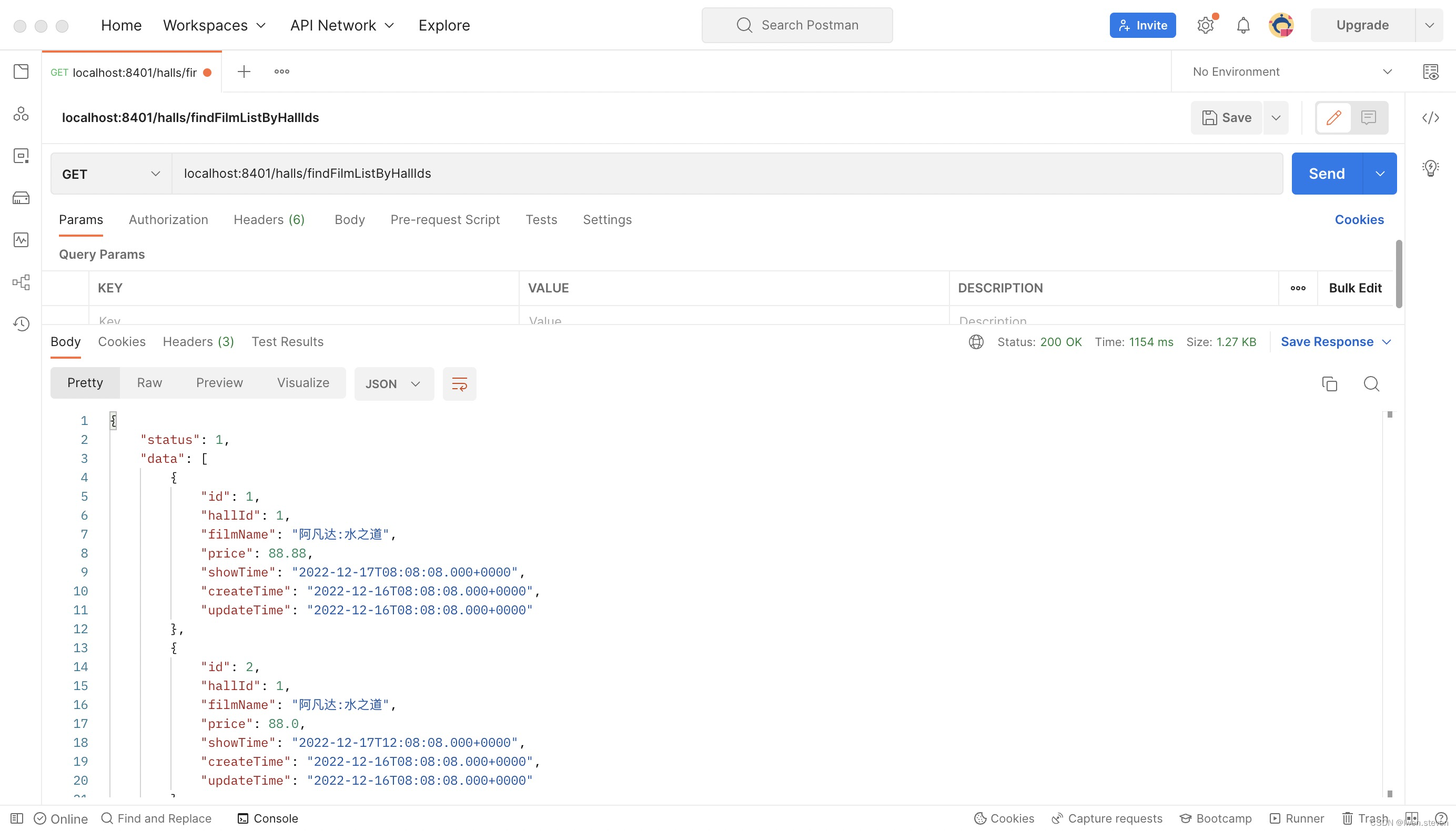
启动项目,然后在postman中请求“localhost:8401/halls/findFilmListByHallIds”,可以查询到相应的信息,测试结果如下图所示。
(3).端口信息打印
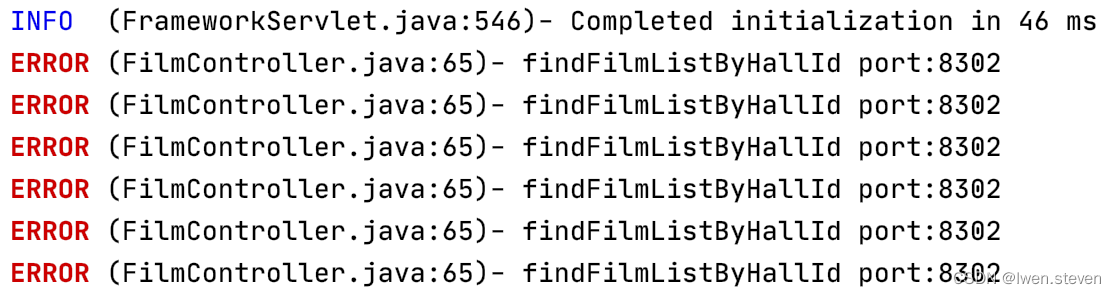
因为Ribbon默认采用轮询负载均衡算法,一共6个影厅,所以,每个电影服务会被请求两次,端口信息均打印两次。



3.IRule
(1).算法规则
IRule通过特定算法选取访问的服务。
| 算法 | 描述 |
|---|---|
| RoundRobinRule | 轮询(默认) |
| RandomRule | 随机 |
| WeightedResponseTimeRule | 根据平均响应时间计算所有服务的权重 |
| BestAvailableRule | 结合了可用过滤规则和响应时长规则 |
| AvailabilityFilteringRule | 可用过滤规则 |
| RetryRule | 遵循RoundRobinRule规则处理,但是会对失败的服务进行重试 |
| ZoneAvoidanceRule | 复合判断Server所在区域的性能和Server的可用性选择服务器 |
(2).配置随机规则
SpringCloud提供了配置和代码两种方式配置随机规则。
在hall服务工程的application.yml文件中添加如下配置。
film.service:
  ribbon:
    NFLoadBalancerRuleClassName: com.netflix.loadbalancer.RandomRule
在hall服务工程的“/src/main/java/com/steven/movies/hall”下新建ribbon目录,并在ribbon目录下新建RibbonConfig类,具体代码如下。
@Configuration
public class RibbonConfig {
    @Bean
    public IRule iRule() {
        return new RandomRule();
    }
}
然后分别请求“localhost:8401/halls/findFilmListByHallIds”进行单独测试,如下图展示的配置方式测试结果,6个影厅,需要请求6次电影服务,分别请求8301一次, 8302一次,8302四次。



(3).源码解析
public class RandomRule extends AbstractLoadBalancerRule {
	@Override
	public void initWithNiwsConfig(IClientConfig clientConfig) {

	}

	@Override
	public Server choose(Object key) {
		return choose(getLoadBalancer(), key);
	}

	public Server choose(ILoadBalancer lb, Object key) {
        if (lb == null) {
            return null;
        }
        Server server = null;

        while (server == null) {
            if (Thread.interrupted()) {
                return null;
            }
            //上线服务实例列表
            List<Server> upList = lb.getReachableServers();
            //所有服务实例列表
            List<Server> allList = lb.getAllServers();

            int serverCount = allList.size();
            if (serverCount == 0) {
                return null;
            }
			//随机获取一个下标
            int index = chooseRandomInt(serverCount);
            server = upList.get(index);

            if (server == null) {
                Thread.yield();
                continue;
            }

            if (server.isAlive()) {
                return (server);
            }

            server = null;
            Thread.yield();
        }

        return server;

    }

	protected int chooseRandomInt(int serverCount) {
		return ThreadLocalRandom.current().nextInt(serverCount);
	}
}
(4).自定义
仿照源码,自定义一个负载均衡算法,在ribbon目录下新建MyRule类,具体代码如下。
public class MyRule extends AbstractLoadBalancerRule {
    @Override
    public void initWithNiwsConfig(IClientConfig iClientConfig) {

    }

    @Override
    public Server choose(Object key) {
        return choose(getLoadBalancer(), key);
    }

    public Server choose(ILoadBalancer lb, Object key) {
        if (lb == null) {
            return null;
        } else {
            Server server = null;

            while (server == null) {
                if (Thread.interrupted()) {
                    return null;
                }
                //获得还可用的服务
                List<Server> upList = lb.getReachableServers();
                //获得全部的服务
                List<Server> allList = lb.getAllServers();
                int serverCount = allList.size();
                if (serverCount == 0) {
                    return null;
                }

                //自定义算法start
                server = upList.get(0);
                //自定义算法end

                if (server == null) {
                    Thread.yield();
                } else {
                    if (server.isAlive()) {
                        return server;
                    }

                    server = null;
                    Thread.yield();
                }
            }
            return server;
        }
    }
}
@Configuration
public class RibbonConfig {
    @Bean
    public IRule iRule() {
        return new MyRule();
    }
}
请求“localhost:8401/halls/findFilmListByHallIds”进行测试,如下图所示,6个影厅,需要请求6次电影服务,全部打到了8302上。
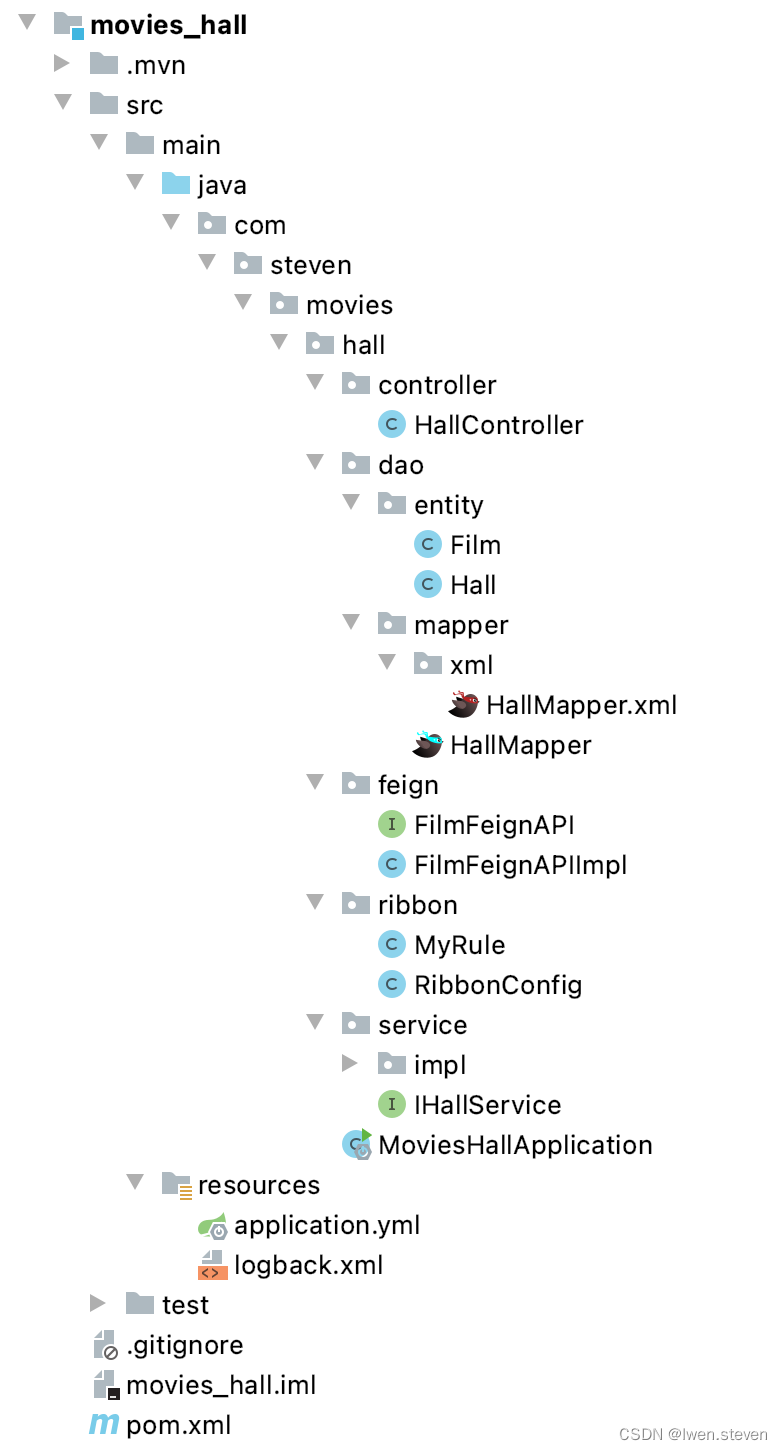
(5).hall服务工程目录结构
4.IPing
(1).实现规则
IPing是Ribbon保证服务可用的基石。
| 算法 | 描述 |
|---|---|
| PingUrl | 不执行Ping操作,从Eureka Client的反馈判断存活 |
| NIWDiscoveryPing | 使用HttpClient对服务进行Ping操作 |
| DummyPing | 如果没有明确报错,就返回true |
| NoOpPing | 永远返回true |
(2).配置
在RibbonConfig类中添加如下配置
@Configuration
public class RibbonConfig {

    @Bean
    public IPing iPing(){
        return new NIWSDiscoveryPing();
    }

}
(3).源码解析
public class NIWSDiscoveryPing extends AbstractLoadBalancerPing {
	@Override
    public void initWithNiwsConfig(IClientConfig iClientConfig) {

    }

	public boolean isAlive(Server server) {
	    boolean isAlive = true;
	    //判断传入的server是否为空,接着再判断server的类型是不是DiscoveryEnabledServer
	    if (server!=null && server instanceof DiscoveryEnabledServer){
	           DiscoveryEnabledServer dServer = (DiscoveryEnabledServer)server;
	           //调用getInstanceInfo获取当前实例的信息
	           InstanceInfo instanceInfo = dServer.getInstanceInfo();
	           if (instanceInfo!=null){
	           	   //如果instanceInfo不为空,获取Status
	               InstanceStatus status = instanceInfo.getStatus();
	               if (status!=null){
	               	   //判断当前实例状态是不是UP
	                   isAlive = status.equals(InstanceStatus.UP);
	               }
	           }
	       }
	    return isAlive;
	}
}
通过这段代码,可以看到它并没有对服务器发起一个真实的healthCheack,而是通过Eureka的服务发现机制,获取Instance的Status,最后通过这个Status判断实例是否存活。
其实这种方式有一定的延迟,因为Eureka的延迟,所以服务的状态并不是最新的,当前Instance是DOWN的状态了,而Ribbon仍然获取的是UP状态。
即使访问失败,SpringCloud还有重试功能,重试不行还有Timeout,Timeout还是不行,还有降级功能,降级完了还有熔断。
(4).自定义
public class MyPing extends AbstractLoadBalancerPing {
    @Override
    public void initWithNiwsConfig(IClientConfig iClientConfig) {

    }

    @Override
    public boolean isAlive(Server server) {
        boolean isAlive = true;
        //实现逻辑
        return isAlive;
    }
}
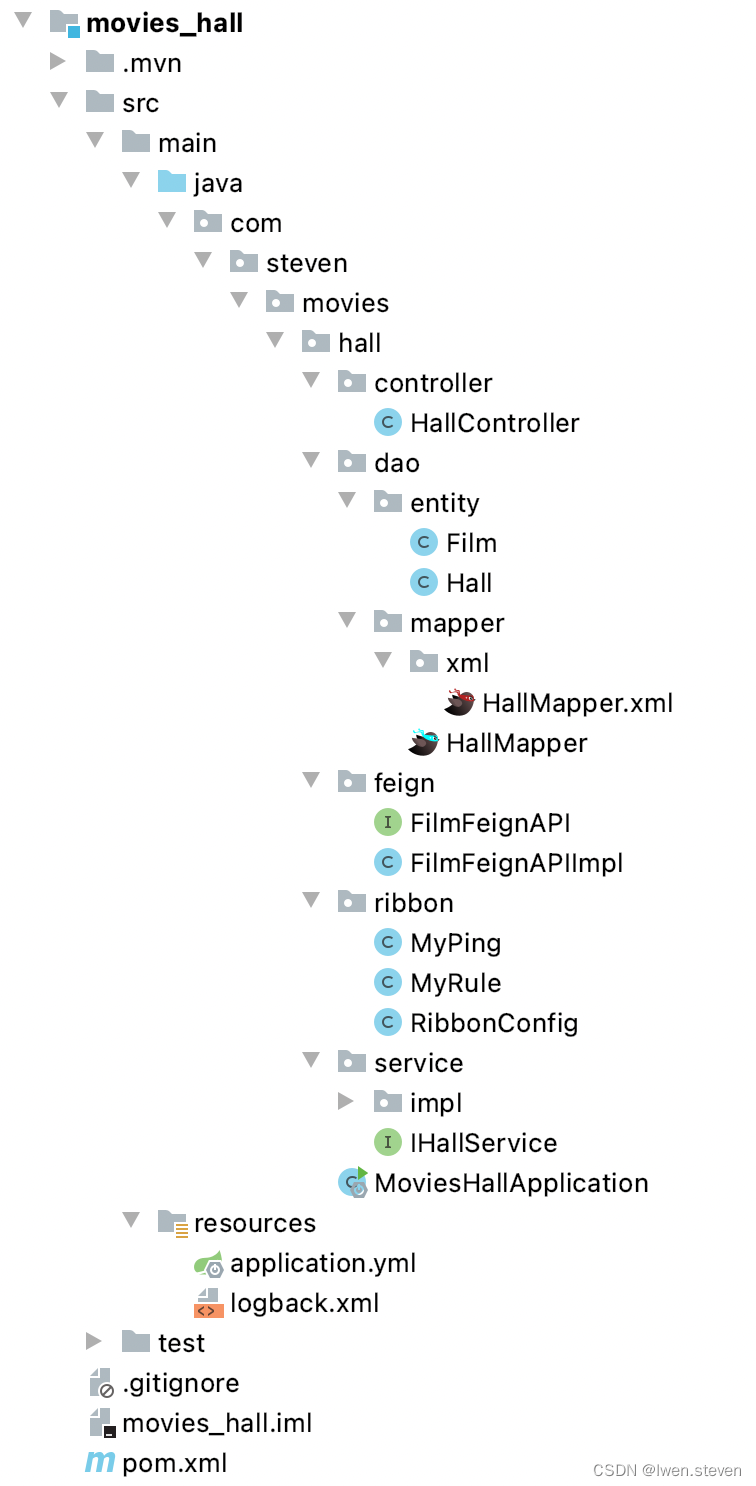
(5).hall服务工程目录结构





 扫一扫
扫一扫


 1088
1088

 被折叠的 条评论
为什么被折叠?
被折叠的 条评论
为什么被折叠?
 到【灌水乐园】发言





