


此文章为SharedPreferences数据存储持久化技术用户账号注册登录修改综合应用完整程序代码,关于SharedPreferences相关内容请见SharedPreferences数据存储持久化技术博客文章。
一、用户登陆
xml布局:
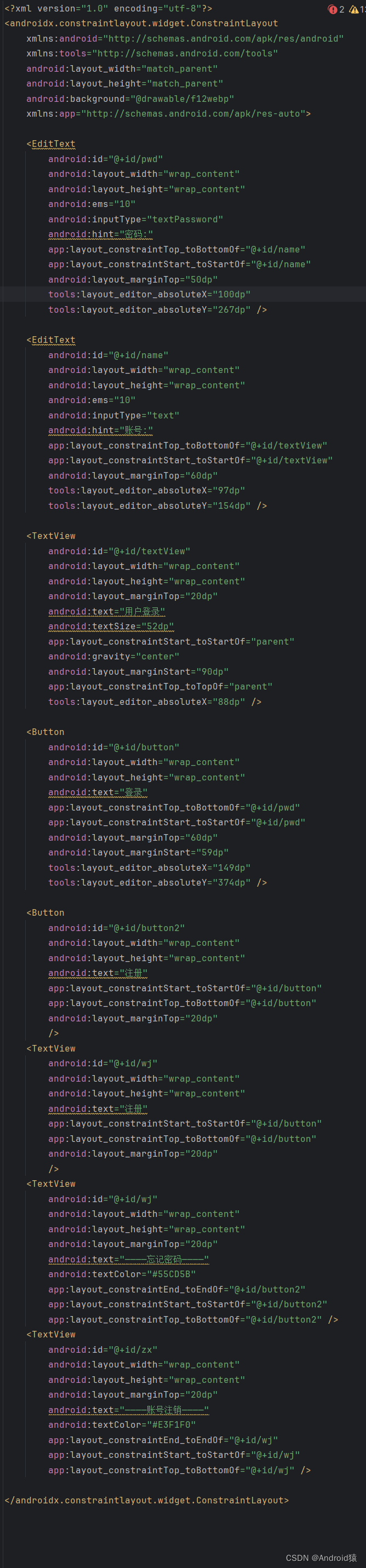
<?xml version="1.0" encoding="utf-8"?>
<androidx.constraintlayout.widget.ConstraintLayout
    xmlns:android="http://schemas.android.com/apk/res/android"
    xmlns:tools="http://schemas.android.com/tools"
    android:layout_width="match_parent"
    android:layout_height="match_parent"
    android:background="@drawable/f12webp"
    xmlns:app="http://schemas.android.com/apk/res-auto">

    <EditText
        android:id="@+id/pwd"
        android:layout_width="wrap_content"
        android:layout_height="wrap_content"
        android:ems="10"
        android:inputType="textPassword"
        android:hint="密码:"
        app:layout_constraintTop_toBottomOf="@+id/name"
        app:layout_constraintStart_toStartOf="@+id/name"
        android:layout_marginTop="50dp"
        tools:layout_editor_absoluteX="100dp"
        tools:layout_editor_absoluteY="267dp" />

    <EditText
        android:id="@+id/name"
        android:layout_width="wrap_content"
        android:layout_height="wrap_content"
        android:ems="10"
        android:inputType="text"
        android:hint="账号:"
        app:layout_constraintTop_toBottomOf="@+id/textView"
        app:layout_constraintStart_toStartOf="@+id/textView"
        android:layout_marginTop="60dp"
        tools:layout_editor_absoluteX="97dp"
        tools:layout_editor_absoluteY="154dp" />

    <TextView
        android:id="@+id/textView"
        android:layout_width="wrap_content"
        android:layout_height="wrap_content"
        android:layout_marginTop="20dp"
        android:text="用户登录"
        android:textSize="52dp"
        app:layout_constraintStart_toStartOf="parent"
        android:gravity="center"
        android:layout_marginStart="90dp"
        app:layout_constraintTop_toTopOf="parent"
        tools:layout_editor_absoluteX="88dp" />

    <Button
        android:id="@+id/button"
        android:layout_width="wrap_content"
        android:layout_height="wrap_content"
        android:text="登录"
        app:layout_constraintTop_toBottomOf="@+id/pwd"
        app:layout_constraintStart_toStartOf="@+id/pwd"
        android:layout_marginTop="60dp"
        android:layout_marginStart="59dp"
        tools:layout_editor_absoluteX="149dp"
        tools:layout_editor_absoluteY="374dp" />

    <Button
        android:id="@+id/button2"
        android:layout_width="wrap_content"
        android:layout_height="wrap_content"
        android:text="注册"
        app:layout_constraintStart_toStartOf="@+id/button"
        app:layout_constraintTop_toBottomOf="@+id/button"
        android:layout_marginTop="20dp"
        />
    <TextView
        android:id="@+id/wj"
        android:layout_width="wrap_content"
        android:layout_height="wrap_content"
        android:layout_marginTop="20dp"
        android:text="————忘记密码————"
        android:textColor="#55CD5B"
        app:layout_constraintEnd_toEndOf="@+id/button2"
        app:layout_constraintStart_toStartOf="@+id/button2"
        app:layout_constraintTop_toBottomOf="@+id/button2" />
    <TextView
        android:id="@+id/zx"
        android:layout_width="wrap_content"
        android:layout_height="wrap_content"
        android:layout_marginTop="20dp"
        android:text="————账号注销————"
        android:textColor="#E3F1F0"
        app:layout_constraintEnd_toEndOf="@+id/wj"
        app:layout_constraintStart_toStartOf="@+id/wj"
        app:layout_constraintTop_toBottomOf="@+id/wj" />

</androidx.constraintlayout.widget.ConstraintLayout>- 1.
- 2.
- 3.
- 4.
- 5.
- 6.
- 7.
- 8.
- 9.
- 10.
- 11.
- 12.
- 13.
- 14.
- 15.
- 16.
- 17.
- 18.
- 19.
- 20.
- 21.
- 22.
- 23.
- 24.
- 25.
- 26.
- 27.
- 28.
- 29.
- 30.
- 31.
- 32.
- 33.
- 34.
- 35.
- 36.
- 37.
- 38.
- 39.
- 40.
- 41.
- 42.
- 43.
- 44.
- 45.
- 46.
- 47.
- 48.
- 49.
- 50.
- 51.
- 52.
- 53.
- 54.
- 55.
- 56.
- 57.
- 58.
- 59.
- 60.
- 61.
- 62.
- 63.
- 64.
- 65.
- 66.
- 67.
- 68.
- 69.
- 70.
- 71.
- 72.
- 73.
- 74.
- 75.
- 76.
- 77.
- 78.
- 79.
- 80.
- 81.
- 82.
- 83.
- 84.
- 85.
- 86.
- 87.
- 88.
- 89.
- 90.
- 91.
代码:
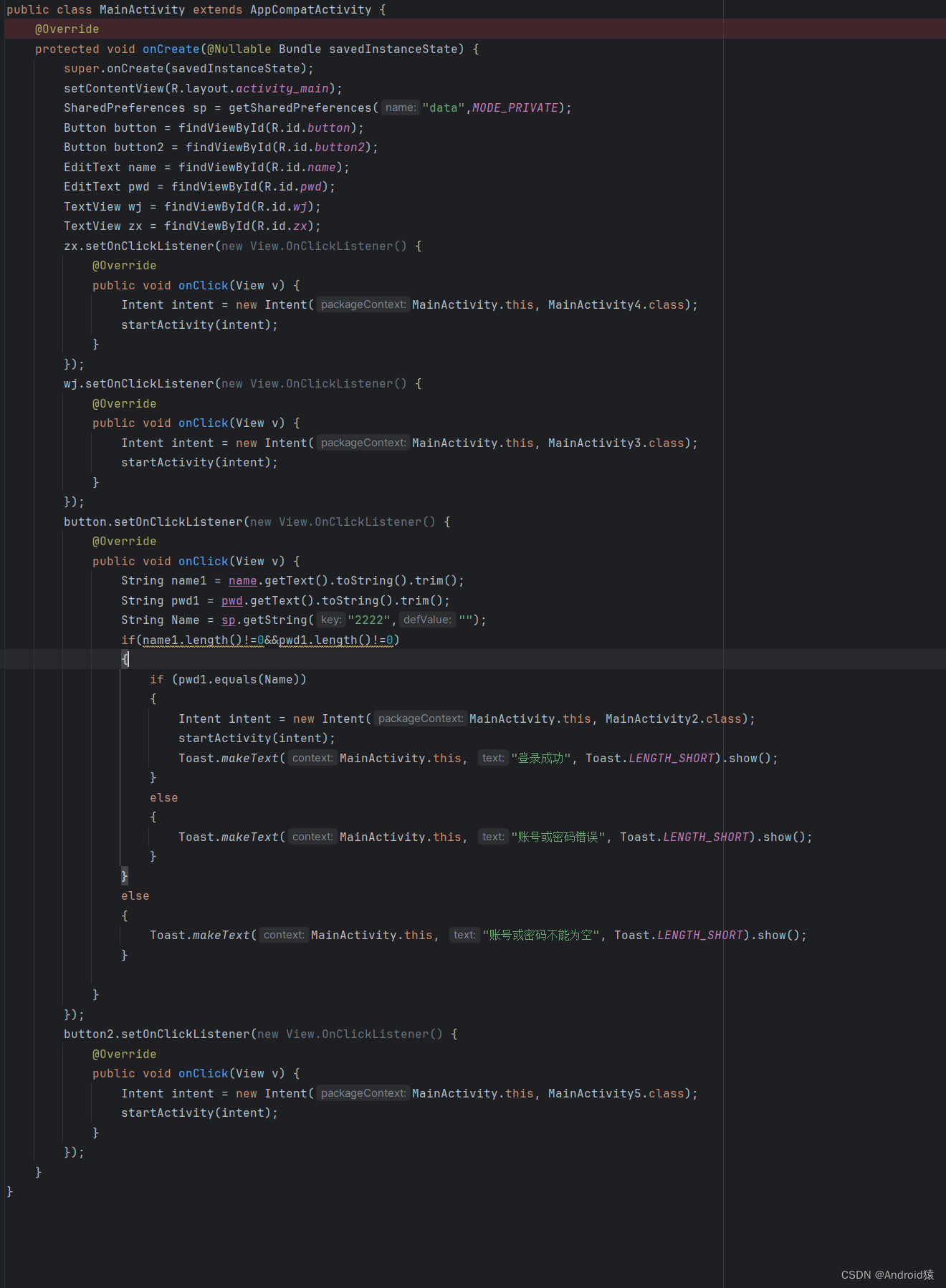
public class MainActivity extends AppCompatActivity {
    @Override
    protected void onCreate(@Nullable Bundle savedInstanceState) {
        super.onCreate(savedInstanceState);
        setContentView(R.layout.activity_main);
        SharedPreferences sp = getSharedPreferences("data",MODE_PRIVATE);
        Button button = findViewById(R.id.button);
        Button button2 = findViewById(R.id.button2);
        EditText name = findViewById(R.id.name);
        EditText pwd = findViewById(R.id.pwd);
        TextView wj = findViewById(R.id.wj);
        TextView zx = findViewById(R.id.zx);
        zx.setOnClickListener(new View.OnClickListener() {
            @Override
            public void onClick(View v) {
                Intent intent = new Intent(MainActivity.this, MainActivity4.class);
                startActivity(intent);
            }
        });
        wj.setOnClickListener(new View.OnClickListener() {
            @Override
            public void onClick(View v) {
                Intent intent = new Intent(MainActivity.this, MainActivity3.class);
                startActivity(intent);
            }
        });
        button.setOnClickListener(new View.OnClickListener() {
            @Override
            public void onClick(View v) {
                String name1 = name.getText().toString().trim();
                String pwd1 = pwd.getText().toString().trim();
                String Name = sp.getString("2222","");
                if(name1.length()!=0&&pwd1.length()!=0)
                {
                    if (pwd1.equals(Name))
                    {
                        Intent intent = new Intent(MainActivity.this, MainActivity2.class);
                        startActivity(intent);
                        Toast.makeText(MainActivity.this, "登录成功", Toast.LENGTH_SHORT).show();
                    }
                    else
                    {
                        Toast.makeText(MainActivity.this, "账号或密码错误", Toast.LENGTH_SHORT).show();
                    }
                }
                else
                {
                    Toast.makeText(MainActivity.this, "账号或密码不能为空", Toast.LENGTH_SHORT).show();
                }

            }
        });
        button2.setOnClickListener(new View.OnClickListener() {
            @Override
            public void onClick(View v) {
                Intent intent = new Intent(MainActivity.this, MainActivity5.class);
                startActivity(intent);
            }
        });
    }
}- 1.
- 2.
- 3.
- 4.
- 5.
- 6.
- 7.
- 8.
- 9.
- 10.
- 11.
- 12.
- 13.
- 14.
- 15.
- 16.
- 17.
- 18.
- 19.
- 20.
- 21.
- 22.
- 23.
- 24.
- 25.
- 26.
- 27.
- 28.
- 29.
- 30.
- 31.
- 32.
- 33.
- 34.
- 35.
- 36.
- 37.
- 38.
- 39.
- 40.
- 41.
- 42.
- 43.
- 44.
- 45.
- 46.
- 47.
- 48.
- 49.
- 50.
- 51.
- 52.
- 53.
- 54.
- 55.
- 56.
- 57.
- 58.
- 59.
- 60.
- 61.
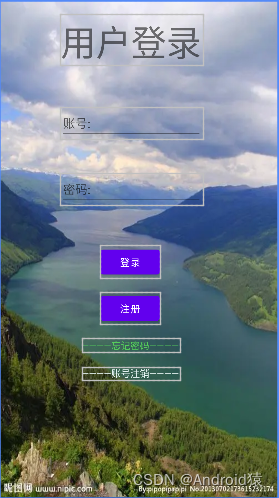
效果:
二、用户注册
xml布局:
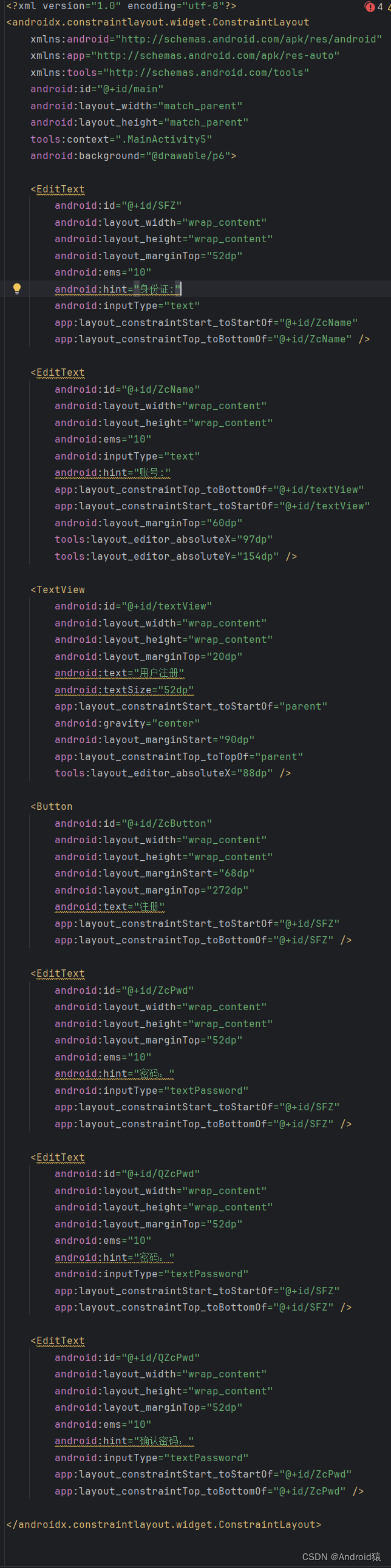
<?xml version="1.0" encoding="utf-8"?>
<androidx.constraintlayout.widget.ConstraintLayout
    xmlns:android="http://schemas.android.com/apk/res/android"
    xmlns:app="http://schemas.android.com/apk/res-auto"
    xmlns:tools="http://schemas.android.com/tools"
    android:id="@+id/main"
    android:layout_width="match_parent"
    android:layout_height="match_parent"
    tools:context=".MainActivity5"
    android:background="@drawable/p6">

    <EditText
        android:id="@+id/SFZ"
        android:layout_width="wrap_content"
        android:layout_height="wrap_content"
        android:layout_marginTop="52dp"
        android:ems="10"
        android:hint="身份证:"
        android:inputType="text"
        app:layout_constraintStart_toStartOf="@+id/ZcName"
        app:layout_constraintTop_toBottomOf="@+id/ZcName" />

    <EditText
        android:id="@+id/ZcName"
        android:layout_width="wrap_content"
        android:layout_height="wrap_content"
        android:ems="10"
        android:inputType="text"
        android:hint="账号:"
        app:layout_constraintTop_toBottomOf="@+id/textView"
        app:layout_constraintStart_toStartOf="@+id/textView"
        android:layout_marginTop="60dp"
        tools:layout_editor_absoluteX="97dp"
        tools:layout_editor_absoluteY="154dp" />

    <TextView
        android:id="@+id/textView"
        android:layout_width="wrap_content"
        android:layout_height="wrap_content"
        android:layout_marginTop="20dp"
        android:text="用户注册"
        android:textSize="52dp"
        app:layout_constraintStart_toStartOf="parent"
        android:gravity="center"
        android:layout_marginStart="90dp"
        app:layout_constraintTop_toTopOf="parent"
        tools:layout_editor_absoluteX="88dp" />

    <Button
        android:id="@+id/ZcButton"
        android:layout_width="wrap_content"
        android:layout_height="wrap_content"
        android:layout_marginStart="68dp"
        android:layout_marginTop="272dp"
        android:text="注册"
        app:layout_constraintStart_toStartOf="@+id/SFZ"
        app:layout_constraintTop_toBottomOf="@+id/SFZ" />

    <EditText
        android:id="@+id/ZcPwd"
        android:layout_width="wrap_content"
        android:layout_height="wrap_content"
        android:layout_marginTop="52dp"
        android:ems="10"
        android:hint="密码:"
        android:inputType="textPassword"
        app:layout_constraintStart_toStartOf="@+id/SFZ"
        app:layout_constraintTop_toBottomOf="@+id/SFZ" />

    <EditText
        android:id="@+id/QZcPwd"
        android:layout_width="wrap_content"
        android:layout_height="wrap_content"
        android:layout_marginTop="52dp"
        android:ems="10"
        android:hint="确认密码:"
        android:inputType="textPassword"
        app:layout_constraintStart_toStartOf="@+id/ZcPwd"
        app:layout_constraintTop_toBottomOf="@+id/ZcPwd" />

</androidx.constraintlayout.widget.ConstraintLayout>- 1.
- 2.
- 3.
- 4.
- 5.
- 6.
- 7.
- 8.
- 9.
- 10.
- 11.
- 12.
- 13.
- 14.
- 15.
- 16.
- 17.
- 18.
- 19.
- 20.
- 21.
- 22.
- 23.
- 24.
- 25.
- 26.
- 27.
- 28.
- 29.
- 30.
- 31.
- 32.
- 33.
- 34.
- 35.
- 36.
- 37.
- 38.
- 39.
- 40.
- 41.
- 42.
- 43.
- 44.
- 45.
- 46.
- 47.
- 48.
- 49.
- 50.
- 51.
- 52.
- 53.
- 54.
- 55.
- 56.
- 57.
- 58.
- 59.
- 60.
- 61.
- 62.
- 63.
- 64.
- 65.
- 66.
- 67.
- 68.
- 69.
- 70.
- 71.
- 72.
- 73.
- 74.
- 75.
- 76.
- 77.
- 78.
- 79.
- 80.
- 81.
代码:
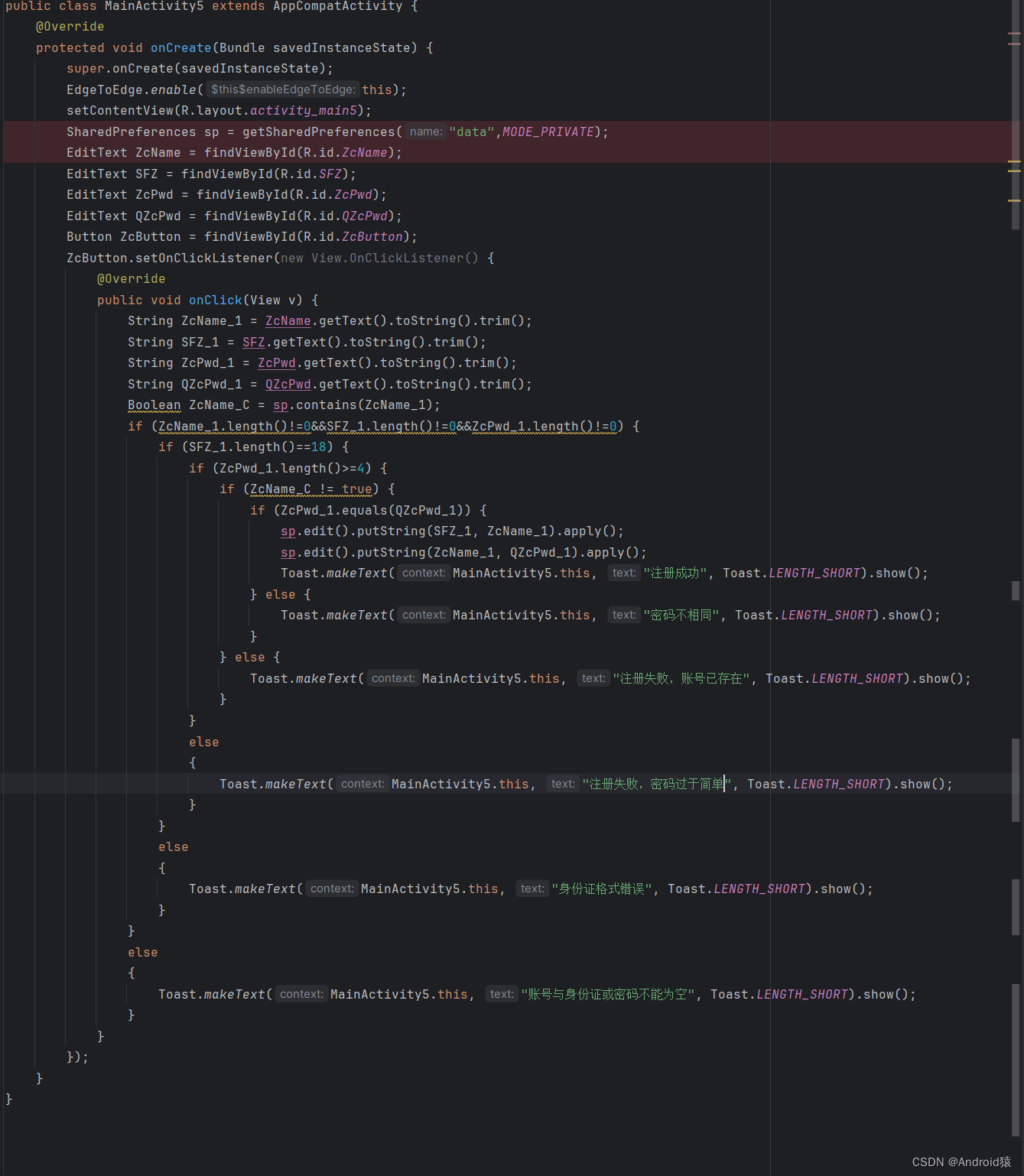
public class MainActivity5 extends AppCompatActivity {
    @Override
    protected void onCreate(Bundle savedInstanceState) {
        super.onCreate(savedInstanceState);
        EdgeToEdge.enable(this);
        setContentView(R.layout.activity_main5);
        SharedPreferences sp = getSharedPreferences("data",MODE_PRIVATE);
        EditText ZcName = findViewById(R.id.ZcName);
        EditText SFZ = findViewById(R.id.SFZ);
        EditText ZcPwd = findViewById(R.id.ZcPwd);
        EditText QZcPwd = findViewById(R.id.QZcPwd);
        Button ZcButton = findViewById(R.id.ZcButton);
        ZcButton.setOnClickListener(new View.OnClickListener() {
            @Override
            public void onClick(View v) {
                String ZcName_1 = ZcName.getText().toString().trim();
                String SFZ_1 = SFZ.getText().toString().trim();
                String ZcPwd_1 = ZcPwd.getText().toString().trim();
                String QZcPwd_1 = QZcPwd.getText().toString().trim();
                Boolean ZcName_C = sp.contains(ZcName_1);
                if (ZcName_1.length()!=0&&SFZ_1.length()!=0&&ZcPwd_1.length()!=0) {
                    if (SFZ_1.length()==18) {
                        if (ZcPwd_1.length()>=4) {
                            if (ZcName_C != true) {
                                if (ZcPwd_1.equals(QZcPwd_1)) {
                                    sp.edit().putString(SFZ_1, ZcName_1).apply();
                                    sp.edit().putString(ZcName_1, QZcPwd_1).apply();
                                    Toast.makeText(MainActivity5.this, "注册成功", Toast.LENGTH_SHORT).show();
                                } else {
                                    Toast.makeText(MainActivity5.this, "密码不相同", Toast.LENGTH_SHORT).show();
                                }
                            } else {
                                Toast.makeText(MainActivity5.this, "注册失败,账号已存在", Toast.LENGTH_SHORT).show();
                            }
                        }
                        else
                        {
                            Toast.makeText(MainActivity5.this, "注册失败,密码过于简单", Toast.LENGTH_SHORT).show();
                        }
                    }
                    else
                    {
                        Toast.makeText(MainActivity5.this, "身份证格式错误", Toast.LENGTH_SHORT).show();
                    }
                }
                else
                {
                    Toast.makeText(MainActivity5.this, "账号与身份证或密码不能为空", Toast.LENGTH_SHORT).show();
                }
            }
        });
    }
}- 1.
- 2.
- 3.
- 4.
- 5.
- 6.
- 7.
- 8.
- 9.
- 10.
- 11.
- 12.
- 13.
- 14.
- 15.
- 16.
- 17.
- 18.
- 19.
- 20.
- 21.
- 22.
- 23.
- 24.
- 25.
- 26.
- 27.
- 28.
- 29.
- 30.
- 31.
- 32.
- 33.
- 34.
- 35.
- 36.
- 37.
- 38.
- 39.
- 40.
- 41.
- 42.
- 43.
- 44.
- 45.
- 46.
- 47.
- 48.
- 49.
- 50.
- 51.
- 52.
- 53.
效果:
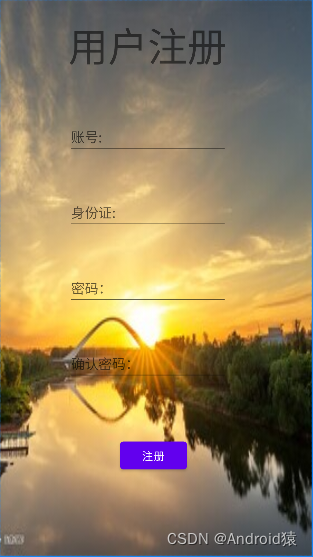
三、忘记密码
xml布局:
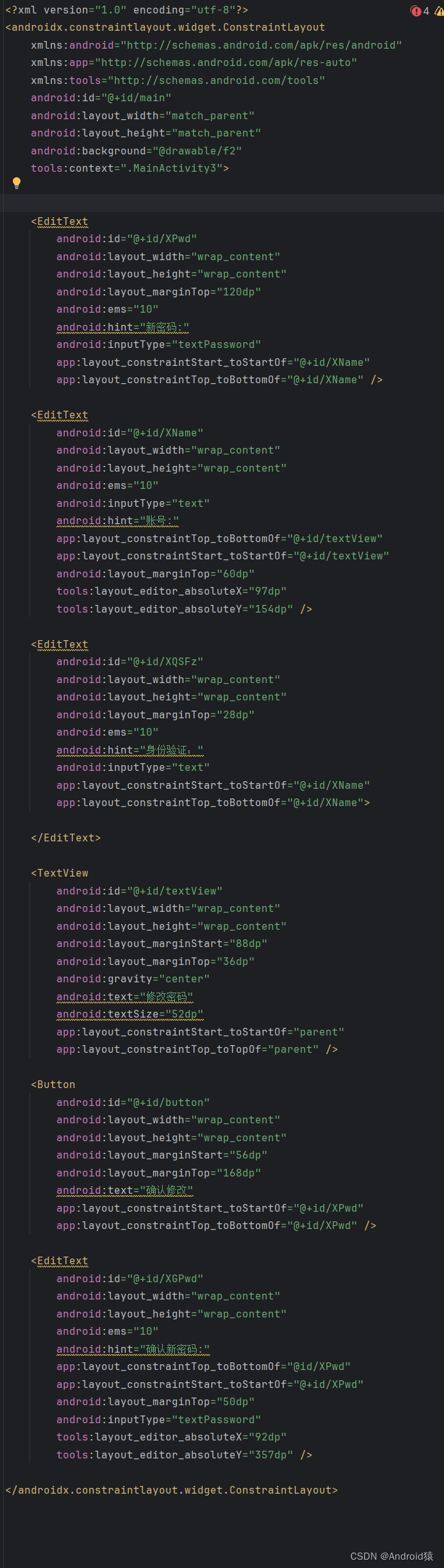
<?xml version="1.0" encoding="utf-8"?>
<androidx.constraintlayout.widget.ConstraintLayout
    xmlns:android="http://schemas.android.com/apk/res/android"
    xmlns:app="http://schemas.android.com/apk/res-auto"
    xmlns:tools="http://schemas.android.com/tools"
    android:id="@+id/main"
    android:layout_width="match_parent"
    android:layout_height="match_parent"
    android:background="@drawable/f2"
    tools:context=".MainActivity3">


    <EditText
        android:id="@+id/XPwd"
        android:layout_width="wrap_content"
        android:layout_height="wrap_content"
        android:layout_marginTop="120dp"
        android:ems="10"
        android:hint="新密码:"
        android:inputType="textPassword"
        app:layout_constraintStart_toStartOf="@+id/XName"
        app:layout_constraintTop_toBottomOf="@+id/XName" />

    <EditText
        android:id="@+id/XName"
        android:layout_width="wrap_content"
        android:layout_height="wrap_content"
        android:ems="10"
        android:inputType="text"
        android:hint="账号:"
        app:layout_constraintTop_toBottomOf="@+id/textView"
        app:layout_constraintStart_toStartOf="@+id/textView"
        android:layout_marginTop="60dp"
        tools:layout_editor_absoluteX="97dp"
        tools:layout_editor_absoluteY="154dp" />

    <EditText
        android:id="@+id/XQSFz"
        android:layout_width="wrap_content"
        android:layout_height="wrap_content"
        android:layout_marginTop="28dp"
        android:ems="10"
        android:hint="身份验证:"
        android:inputType="text"
        app:layout_constraintStart_toStartOf="@+id/XName"
        app:layout_constraintTop_toBottomOf="@+id/XName">

    </EditText>

    <TextView
        android:id="@+id/textView"
        android:layout_width="wrap_content"
        android:layout_height="wrap_content"
        android:layout_marginStart="88dp"
        android:layout_marginTop="36dp"
        android:gravity="center"
        android:text="修改密码"
        android:textSize="52dp"
        app:layout_constraintStart_toStartOf="parent"
        app:layout_constraintTop_toTopOf="parent" />

    <Button
        android:id="@+id/button"
        android:layout_width="wrap_content"
        android:layout_height="wrap_content"
        android:layout_marginStart="56dp"
        android:layout_marginTop="168dp"
        android:text="确认修改"
        app:layout_constraintStart_toStartOf="@+id/XPwd"
        app:layout_constraintTop_toBottomOf="@+id/XPwd" />

    <EditText
        android:id="@+id/XGPwd"
        android:layout_width="wrap_content"
        android:layout_height="wrap_content"
        android:ems="10"
        android:hint="确认新密码:"
        app:layout_constraintTop_toBottomOf="@id/XPwd"
        app:layout_constraintStart_toStartOf="@+id/XPwd"
        android:layout_marginTop="50dp"
        android:inputType="textPassword"
        tools:layout_editor_absoluteX="92dp"
        tools:layout_editor_absoluteY="357dp" />

</androidx.constraintlayout.widget.ConstraintLayout>- 1.
- 2.
- 3.
- 4.
- 5.
- 6.
- 7.
- 8.
- 9.
- 10.
- 11.
- 12.
- 13.
- 14.
- 15.
- 16.
- 17.
- 18.
- 19.
- 20.
- 21.
- 22.
- 23.
- 24.
- 25.
- 26.
- 27.
- 28.
- 29.
- 30.
- 31.
- 32.
- 33.
- 34.
- 35.
- 36.
- 37.
- 38.
- 39.
- 40.
- 41.
- 42.
- 43.
- 44.
- 45.
- 46.
- 47.
- 48.
- 49.
- 50.
- 51.
- 52.
- 53.
- 54.
- 55.
- 56.
- 57.
- 58.
- 59.
- 60.
- 61.
- 62.
- 63.
- 64.
- 65.
- 66.
- 67.
- 68.
- 69.
- 70.
- 71.
- 72.
- 73.
- 74.
- 75.
- 76.
- 77.
- 78.
- 79.
- 80.
- 81.
- 82.
- 83.
- 84.
- 85.
代码:
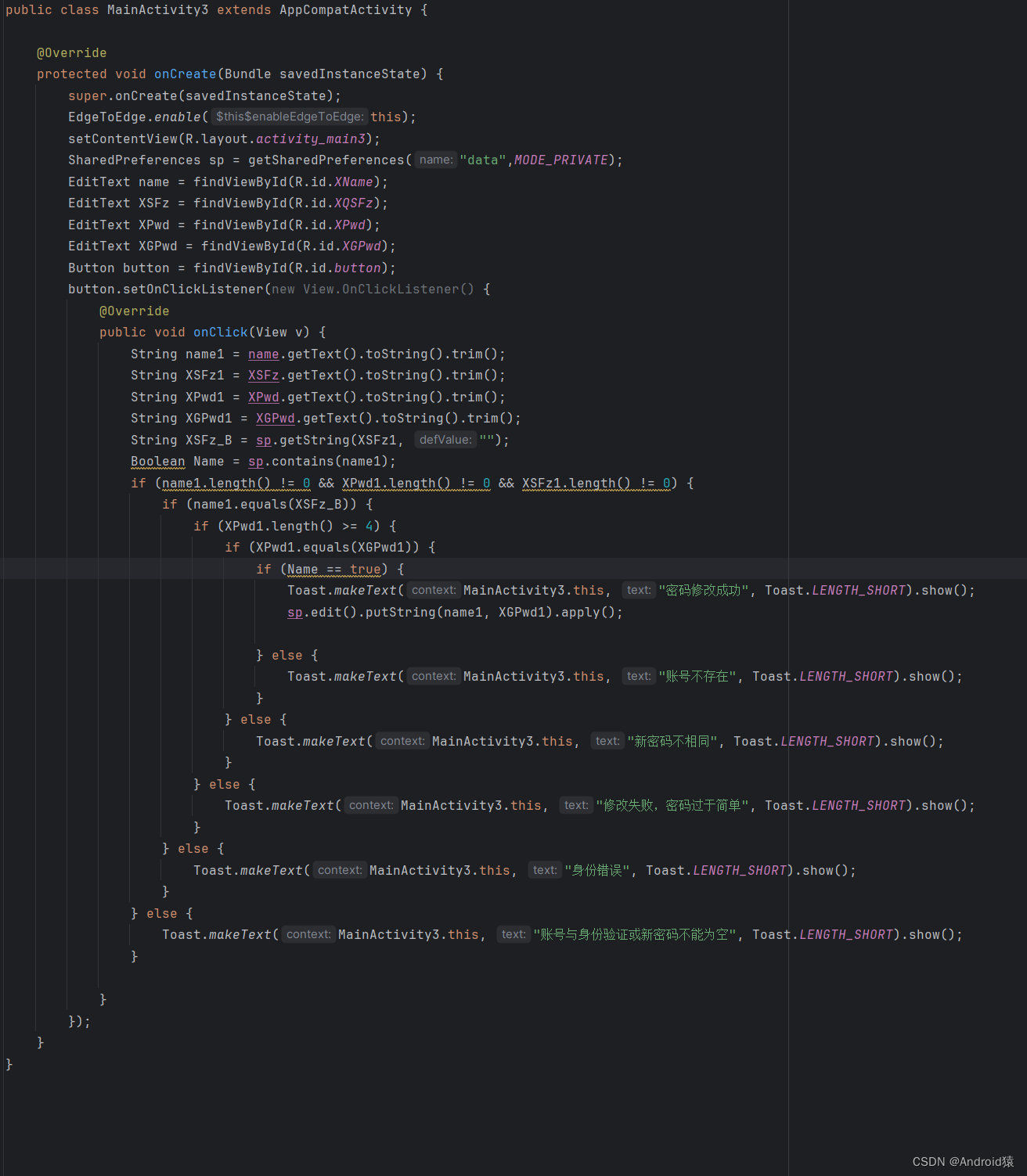
public class MainActivity3 extends AppCompatActivity {

    @Override
    protected void onCreate(Bundle savedInstanceState) {
        super.onCreate(savedInstanceState);
        EdgeToEdge.enable(this);
        setContentView(R.layout.activity_main3);
        SharedPreferences sp = getSharedPreferences("data",MODE_PRIVATE);
        EditText name = findViewById(R.id.XName);
        EditText XSFz = findViewById(R.id.XQSFz);
        EditText XPwd = findViewById(R.id.XPwd);
        EditText XGPwd = findViewById(R.id.XGPwd);
        Button button = findViewById(R.id.button);
        button.setOnClickListener(new View.OnClickListener() {
            @Override
            public void onClick(View v) {
                String name1 = name.getText().toString().trim();
                String XSFz1 = XSFz.getText().toString().trim();
                String XPwd1 = XPwd.getText().toString().trim();
                String XGPwd1 = XGPwd.getText().toString().trim();
                String XSFz_B = sp.getString(XSFz1, "");
                Boolean Name = sp.contains(name1);
                if (name1.length() != 0 && XPwd1.length() != 0 && XSFz1.length() != 0) {
                    if (name1.equals(XSFz_B)) {
                        if (XPwd1.length() >= 4) {
                            if (XPwd1.equals(XGPwd1)) {
                                if (Name == true) {
                                    Toast.makeText(MainActivity3.this, "密码修改成功", Toast.LENGTH_SHORT).show();
                                    sp.edit().putString(name1, XGPwd1).apply();

                                } else {
                                    Toast.makeText(MainActivity3.this, "账号不存在", Toast.LENGTH_SHORT).show();
                                }
                            } else {
                                Toast.makeText(MainActivity3.this, "新密码不相同", Toast.LENGTH_SHORT).show();
                            }
                        } else {
                            Toast.makeText(MainActivity3.this, "修改失败,密码过于简单", Toast.LENGTH_SHORT).show();
                        }
                    } else {
                        Toast.makeText(MainActivity3.this, "身份错误", Toast.LENGTH_SHORT).show();
                    }
                } else {
                    Toast.makeText(MainActivity3.this, "账号与身份验证或新密码不能为空", Toast.LENGTH_SHORT).show();
                }

            }
        });
    }
}- 1.
- 2.
- 3.
- 4.
- 5.
- 6.
- 7.
- 8.
- 9.
- 10.
- 11.
- 12.
- 13.
- 14.
- 15.
- 16.
- 17.
- 18.
- 19.
- 20.
- 21.
- 22.
- 23.
- 24.
- 25.
- 26.
- 27.
- 28.
- 29.
- 30.
- 31.
- 32.
- 33.
- 34.
- 35.
- 36.
- 37.
- 38.
- 39.
- 40.
- 41.
- 42.
- 43.
- 44.
- 45.
- 46.
- 47.
- 48.
- 49.
- 50.
效果:

四、账号注销
xml布局:
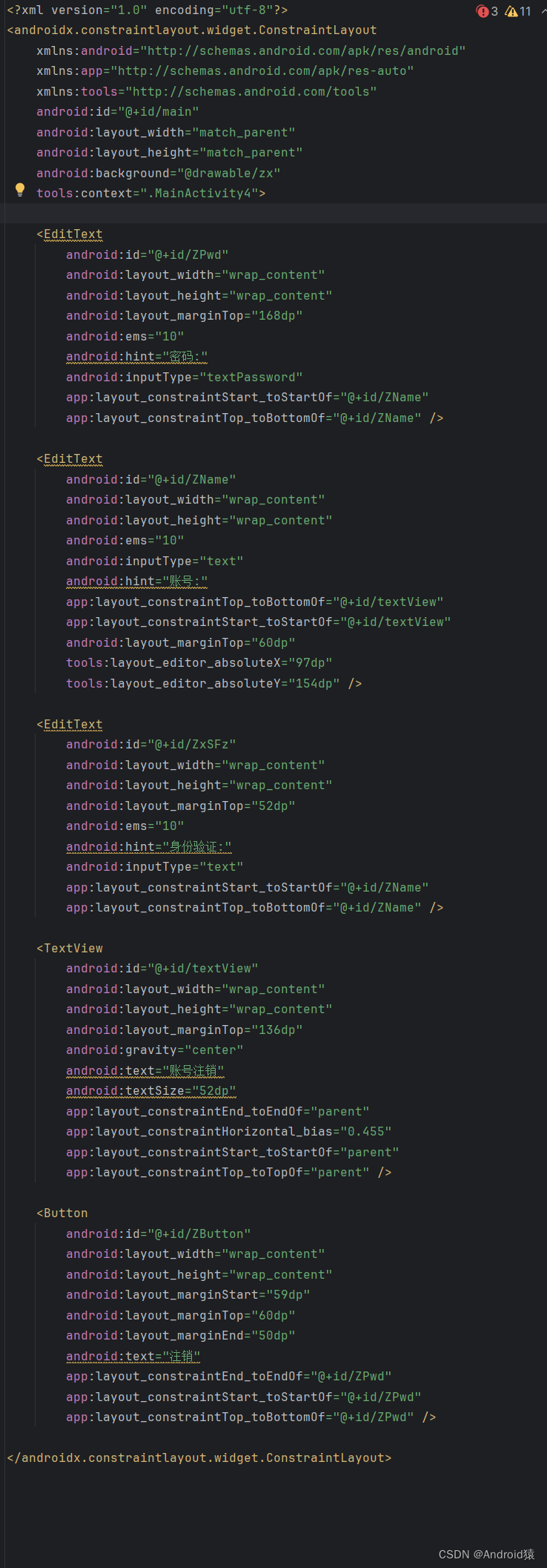
<?xml version="1.0" encoding="utf-8"?>
<androidx.constraintlayout.widget.ConstraintLayout
    xmlns:android="http://schemas.android.com/apk/res/android"
    xmlns:app="http://schemas.android.com/apk/res-auto"
    xmlns:tools="http://schemas.android.com/tools"
    android:id="@+id/main"
    android:layout_width="match_parent"
    android:layout_height="match_parent"
    android:background="@drawable/zx"
    tools:context=".MainActivity4">

    <EditText
        android:id="@+id/ZPwd"
        android:layout_width="wrap_content"
        android:layout_height="wrap_content"
        android:layout_marginTop="168dp"
        android:ems="10"
        android:hint="密码:"
        android:inputType="textPassword"
        app:layout_constraintStart_toStartOf="@+id/ZName"
        app:layout_constraintTop_toBottomOf="@+id/ZName" />

    <EditText
        android:id="@+id/ZName"
        android:layout_width="wrap_content"
        android:layout_height="wrap_content"
        android:ems="10"
        android:inputType="text"
        android:hint="账号:"
        app:layout_constraintTop_toBottomOf="@+id/textView"
        app:layout_constraintStart_toStartOf="@+id/textView"
        android:layout_marginTop="60dp"
        tools:layout_editor_absoluteX="97dp"
        tools:layout_editor_absoluteY="154dp" />

    <EditText
        android:id="@+id/ZxSFz"
        android:layout_width="wrap_content"
        android:layout_height="wrap_content"
        android:layout_marginTop="52dp"
        android:ems="10"
        android:hint="身份验证:"
        android:inputType="text"
        app:layout_constraintStart_toStartOf="@+id/ZName"
        app:layout_constraintTop_toBottomOf="@+id/ZName" />

    <TextView
        android:id="@+id/textView"
        android:layout_width="wrap_content"
        android:layout_height="wrap_content"
        android:layout_marginTop="136dp"
        android:gravity="center"
        android:text="账号注销"
        android:textSize="52dp"
        app:layout_constraintEnd_toEndOf="parent"
        app:layout_constraintHorizontal_bias="0.455"
        app:layout_constraintStart_toStartOf="parent"
        app:layout_constraintTop_toTopOf="parent" />

    <Button
        android:id="@+id/ZButton"
        android:layout_width="wrap_content"
        android:layout_height="wrap_content"
        android:layout_marginStart="59dp"
        android:layout_marginTop="60dp"
        android:layout_marginEnd="50dp"
        android:text="注销"
        app:layout_constraintEnd_toEndOf="@+id/ZPwd"
        app:layout_constraintStart_toStartOf="@+id/ZPwd"
        app:layout_constraintTop_toBottomOf="@+id/ZPwd" />

</androidx.constraintlayout.widget.ConstraintLayout>- 1.
- 2.
- 3.
- 4.
- 5.
- 6.
- 7.
- 8.
- 9.
- 10.
- 11.
- 12.
- 13.
- 14.
- 15.
- 16.
- 17.
- 18.
- 19.
- 20.
- 21.
- 22.
- 23.
- 24.
- 25.
- 26.
- 27.
- 28.
- 29.
- 30.
- 31.
- 32.
- 33.
- 34.
- 35.
- 36.
- 37.
- 38.
- 39.
- 40.
- 41.
- 42.
- 43.
- 44.
- 45.
- 46.
- 47.
- 48.
- 49.
- 50.
- 51.
- 52.
- 53.
- 54.
- 55.
- 56.
- 57.
- 58.
- 59.
- 60.
- 61.
- 62.
- 63.
- 64.
- 65.
- 66.
- 67.
- 68.
- 69.
- 70.
- 71.
- 72.
代码:
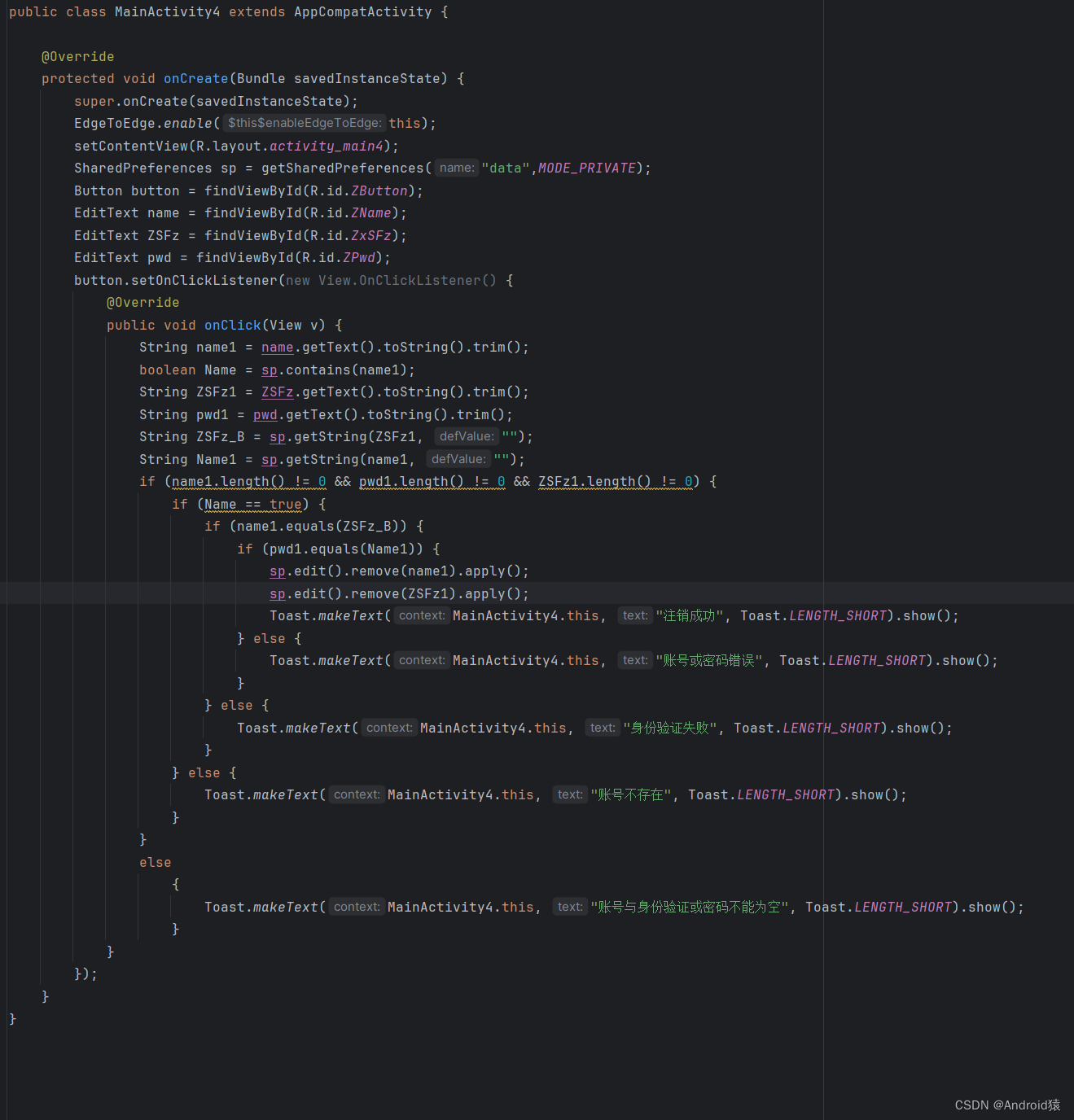
public class MainActivity4 extends AppCompatActivity {

    @Override
    protected void onCreate(Bundle savedInstanceState) {
        super.onCreate(savedInstanceState);
        EdgeToEdge.enable(this);
        setContentView(R.layout.activity_main4);
        SharedPreferences sp = getSharedPreferences("data",MODE_PRIVATE);
        Button button = findViewById(R.id.ZButton);
        EditText name = findViewById(R.id.ZName);
        EditText ZSFz = findViewById(R.id.ZxSFz);
        EditText pwd = findViewById(R.id.ZPwd);
        button.setOnClickListener(new View.OnClickListener() {
            @Override
            public void onClick(View v) {
                String name1 = name.getText().toString().trim();
                boolean Name = sp.contains(name1);
                String ZSFz1 = ZSFz.getText().toString().trim();
                String pwd1 = pwd.getText().toString().trim();
                String ZSFz_B = sp.getString(ZSFz1, "");
                String Name1 = sp.getString(name1, "");
                if (name1.length() != 0 && pwd1.length() != 0 && ZSFz1.length() != 0) {
                    if (Name == true) {
                        if (name1.equals(ZSFz_B)) {
                            if (pwd1.equals(Name1)) {
                                sp.edit().remove(name1).apply();
                                sp.edit().remove(ZSFz1).apply();
                                Toast.makeText(MainActivity4.this, "注销成功", Toast.LENGTH_SHORT).show();
                            } else {
                                Toast.makeText(MainActivity4.this, "账号或密码错误", Toast.LENGTH_SHORT).show();
                            }
                        } else {
                            Toast.makeText(MainActivity4.this, "身份验证失败", Toast.LENGTH_SHORT).show();
                        }
                    } else {
                        Toast.makeText(MainActivity4.this, "账号不存在", Toast.LENGTH_SHORT).show();
                    }
                }
                else
                    {
                        Toast.makeText(MainActivity4.this, "账号与身份验证或密码不能为空", Toast.LENGTH_SHORT).show();
                    }
            }
        });
    }
}- 1.
- 2.
- 3.
- 4.
- 5.
- 6.
- 7.
- 8.
- 9.
- 10.
- 11.
- 12.
- 13.
- 14.
- 15.
- 16.
- 17.
- 18.
- 19.
- 20.
- 21.
- 22.
- 23.
- 24.
- 25.
- 26.
- 27.
- 28.
- 29.
- 30.
- 31.
- 32.
- 33.
- 34.
- 35.
- 36.
- 37.
- 38.
- 39.
- 40.
- 41.
- 42.
- 43.
- 44.
- 45.
- 46.
效果:

五、登陆成功
xml布局:
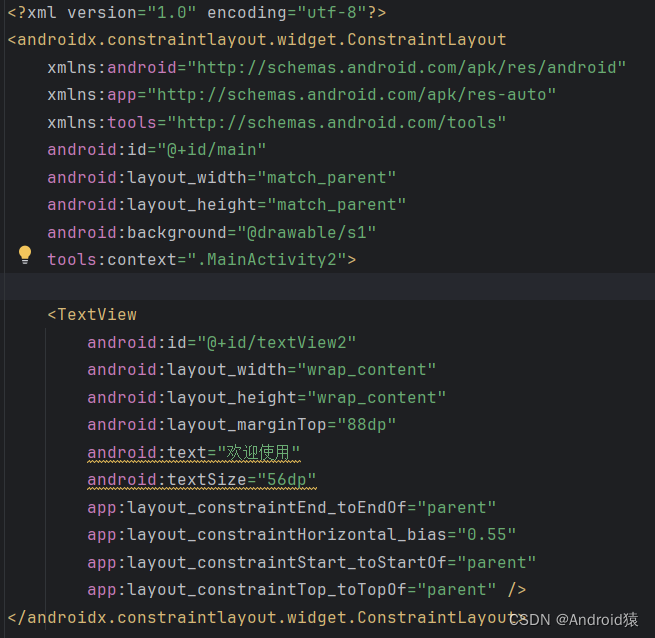
<?xml version="1.0" encoding="utf-8"?>
<androidx.constraintlayout.widget.ConstraintLayout
    xmlns:android="http://schemas.android.com/apk/res/android"
    xmlns:app="http://schemas.android.com/apk/res-auto"
    xmlns:tools="http://schemas.android.com/tools"
    android:id="@+id/main"
    android:layout_width="match_parent"
    android:layout_height="match_parent"
    android:background="@drawable/s1"
    tools:context=".MainActivity2">

    <TextView
        android:id="@+id/textView2"
        android:layout_width="wrap_content"
        android:layout_height="wrap_content"
        android:layout_marginTop="88dp"
        android:text="欢迎使用"
        android:textSize="56dp"
        app:layout_constraintEnd_toEndOf="parent"
        app:layout_constraintHorizontal_bias="0.55"
        app:layout_constraintStart_toStartOf="parent"
        app:layout_constraintTop_toTopOf="parent" />
</androidx.constraintlayout.widget.ConstraintLayout>- 1.
- 2.
- 3.
- 4.
- 5.
- 6.
- 7.
- 8.
- 9.
- 10.
- 11.
- 12.
- 13.
- 14.
- 15.
- 16.
- 17.
- 18.
- 19.
- 20.
- 21.
- 22.
- 23.
代码:
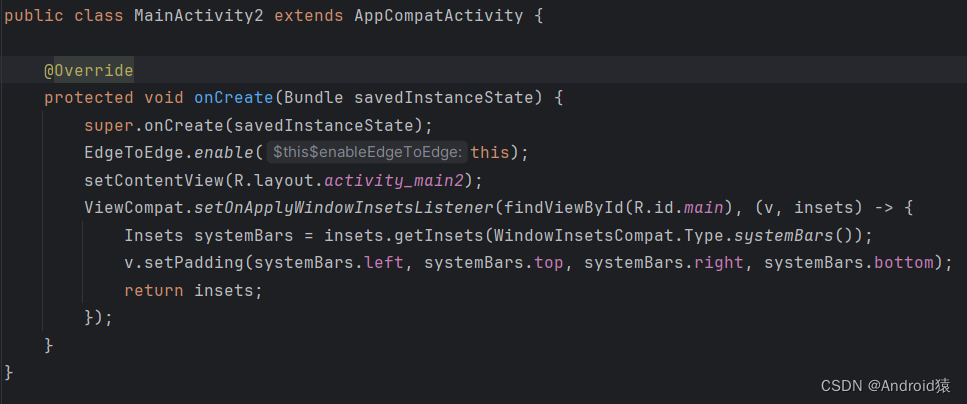
public class MainActivity2 extends AppCompatActivity {

    @Override
    protected void onCreate(Bundle savedInstanceState) {
        super.onCreate(savedInstanceState);
        EdgeToEdge.enable(this);
        setContentView(R.layout.activity_main2);
        ViewCompat.setOnApplyWindowInsetsListener(findViewById(R.id.main), (v, insets) -> {
            Insets systemBars = insets.getInsets(WindowInsetsCompat.Type.systemBars());
            v.setPadding(systemBars.left, systemBars.top, systemBars.right, systemBars.bottom);
            return insets;
        });
    }
}- 1.
- 2.
- 3.
- 4.
- 5.
- 6.
- 7.
- 8.
- 9.
- 10.
- 11.
- 12.
- 13.
- 14.
效果:






 扫一扫
扫一扫


 4万+
4万+

 被折叠的 条评论
为什么被折叠?
被折叠的 条评论
为什么被折叠?
 到【灌水乐园】发言





