一、快速使用

MyBatis Plus官方文档: MyBatis Plus官方文档

添加依赖:官方文档都有。 Spring Boot 3的依赖:

<dependency>
    <groupId>com.baomidou</groupId>
    <artifactId>mybatis-plus-spring-boot3-starter</artifactId>
    <version>3.5.10.1</version>
</dependency>
  • 1.
  • 2.
  • 3.
  • 4.
  • 5.

配置文件:

mybatis-plus:
  configuration:
    # MyBatis 配置
    map-underscore-to-camel-case: true
  global-config:
    # 全局配置
    db-config:
      # 数据库配置
      id-type: auto
  • 1.
  • 2.
  • 3.
  • 4.
  • 5.
  • 6.
  • 7.
  • 8.
  • 9.

也要配置数据库:

spring:
  datasource:
    url: jdbc:mysql://127.0.0.1:3306/mybatis_test?characterEncoding=utf8&useSSL=false
    username: root
    password: 1234
    driver-class-name: com.mysql.cj.jdbc.Driver
  • 1.
  • 2.
  • 3.
  • 4.
  • 5.
  • 6.

再写实体类,

package com.example.mybatisplus.demo.model;

import lombok.Data;

import java.util.Date;
@Data
public class UserInfo {
    private Integer id;

    private String username;

    private String password;

    private Byte age;

    private Byte gender;

    private String phone;

    private Byte deleteFlag;

    private Date createTime;

    private Date updateTime;


}
  • 1.
  • 2.
  • 3.
  • 4.
  • 5.
  • 6.
  • 7.
  • 8.
  • 9.
  • 10.
  • 11.
  • 12.
  • 13.
  • 14.
  • 15.
  • 16.
  • 17.
  • 18.
  • 19.
  • 20.
  • 21.
  • 22.
  • 23.
  • 24.
  • 25.
  • 26.
  • 27.

写Mapper接口,要继承BaseMapper,泛型指代要操作的实体类。

package com.example.mybatisplus.demo.mapper;

import com.baomidou.mybatisplus.core.mapper.BaseMapper;
import com.example.mybatisplus.demo.model.UserInfo;
import org.apache.ibatis.annotations.Mapper;

@Mapper
public interface UserInfoMapper extends BaseMapper<UserInfo> {
}
  • 1.
  • 2.
  • 3.
  • 4.
  • 5.
  • 6.
  • 7.
  • 8.
  • 9.

打印日志配置:

mybatis-plus:
  configuration:
    # 配置打印 MyBatis⽇志 
    log-impl: org.apache.ibatis.logging.stdout.StdOutImpl
  • 1.
  • 2.
  • 3.
  • 4.

二、CRUD简单使用

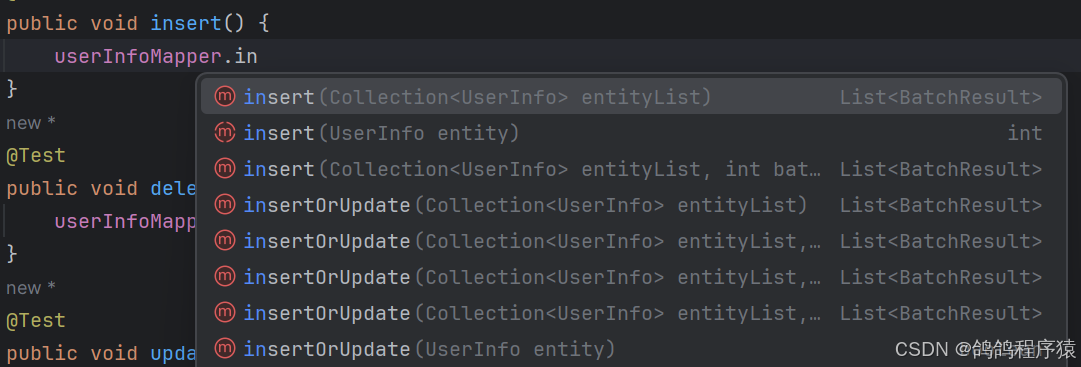
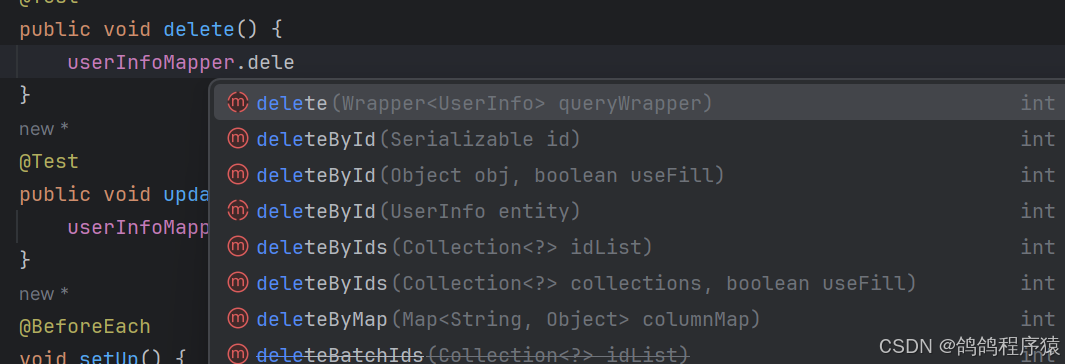
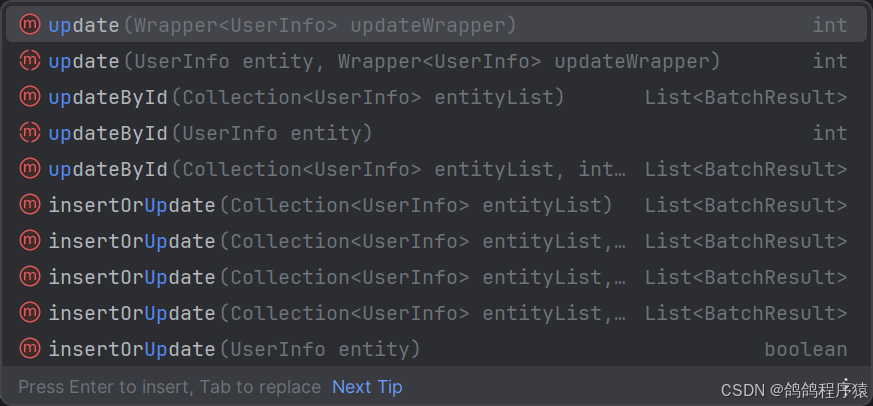
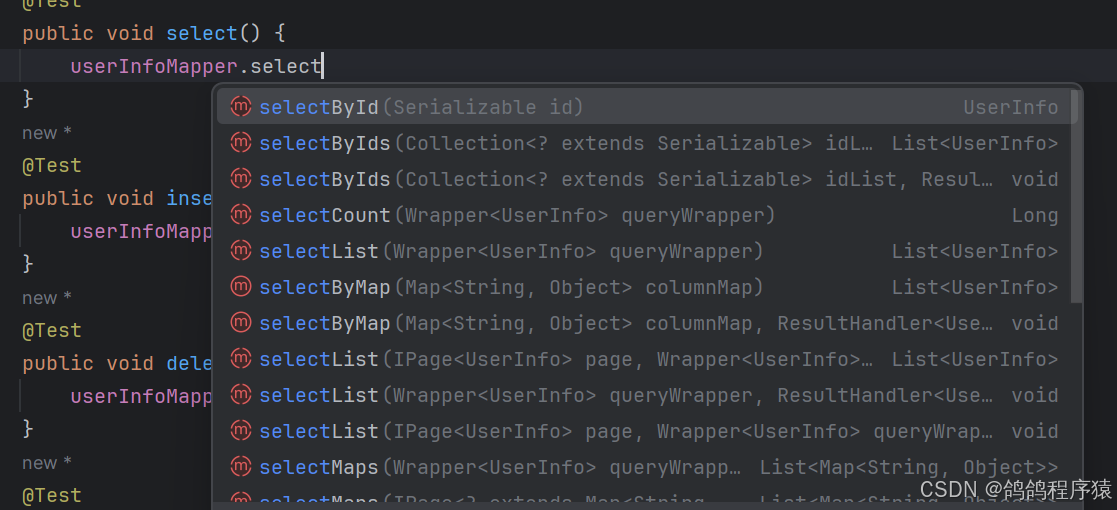
直接调用对应方法即可,方法名十分清晰。

  • 增:
  • 查:

三、常见注解

如果我们的数据库设计是按照蛇形标准来设计数据库名以及字段名的话,驼峰方式命名类属性的话,MyBatis Plus会自动帮我们映射,但是如果有不和规范无法映射的话,就需要使用注解来帮我们映射。

3.1 @TableName

@TableName是类注解,用来表示当前类对应的数据库表名。
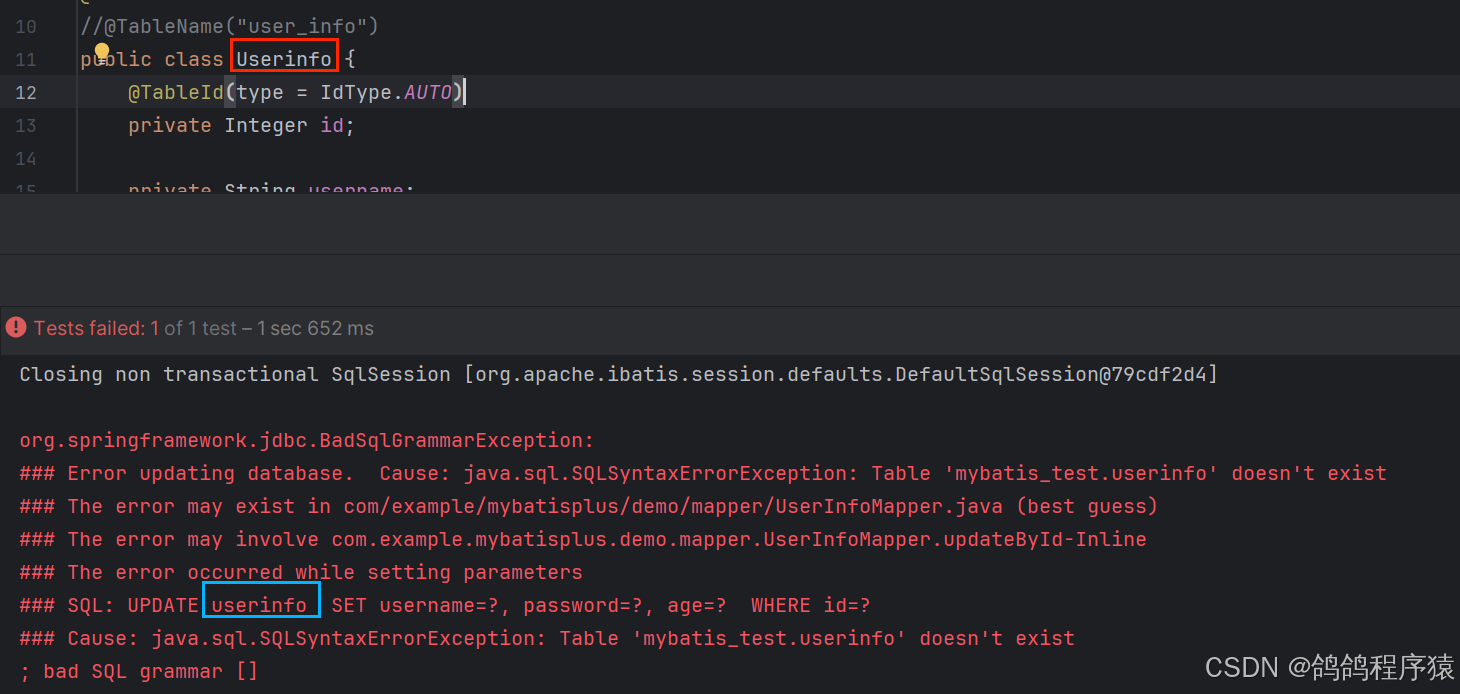
通过错误日志可以看见mybatis-Plus是通过我们的类名去找表名的,当不符合规范就会找不到,但是加上@TableName注解讲明表名,就可以找到。

3.2 @TableFiled

@TableFiled注解这个是属性注解,跟@TableName作用一样,是用来对应当不符合规范命名时,对应类属性与数据库表字段的。

@TableField("update_time")
    private Date updateTime;
  • 1.
  • 2.

3.3 @TableId

@TableId注解,是用来对应主键的。MyBatis - Plus默认主键是id,但是如果主键不是,就可以加上该注解表明这是主键对应的属性。还可以用 @TableId注解的type属性来设置当前是否是自增的。

@TableId(value = "id",type = IdType.AUTO)
    private Integer id;
  • 1.
  • 2.

四、条件构造器

前面介绍的都是简单的CRUD,在实际的应⽤场景中,我们还需要使⽤更复杂的操作,MyBatisPlus也给我们提供了相应的⽀持。 MyBatis-Plus 提供了⼀套强⼤的条件构造器(Wrapper),⽤于构建复杂的数据库查询条件。Wrapper 类允许开发者以链式调⽤的⽅式构造查询条件,⽆需编写繁琐的 SQL 语句, 从⽽提⾼开发效率并减少 SQL注⼊的⻛险。

以下是主要的 Wrapper 类及其功能:

  • AbstractWrapper:这是⼀个抽象基类,提供了所有 Wrapper 类共有的⽅法和属性。详情看 官网
  • QueryWrapper:⽤于构造查询条件,在AbstractWrapper的基础上拓展了⼀个select⽅法,允许指定查询字段。
  • UpdateWrapper: ⽤于构造更新条件,可以在更新数据时指定条件。
  • LambdaQueryWrapper:基于 Lambda 表达式的查询条件构造器,它通过 Lambda 表达式来引⽤实体类的属性,从⽽避免了硬编码字段名。
  • LambdaUpdateWrapper:基于 Lambda 表达式的更新条件构造器, 它允许你使⽤ Lambda 表达式来指定更新字段和条件,同样避免了硬编码字段名的问题。

介绍一些简写过的方法:

  • lt : "less than" 的缩写,表⽰⼩于.
  • le : "less than or equal to"的缩写, 表⽰⼩于等于
  • ge : "greater than or equal to" 的缩写, 表⽰⼤于等于.
  • gt : "greater than" 的缩写, 表⽰⼤于.
  • eq : "equals" 的缩写, 表⽰等于.
  • ne : "not equals" 的缩写, 表⽰不等于.

4.1 QueryWrapper

QueryWrapper并不只⽤于查询语句, ⽆论是修改, 删除, 查询,后面需要跟条件查询的时候都可以使⽤QueryWrapper来构建查询条件。

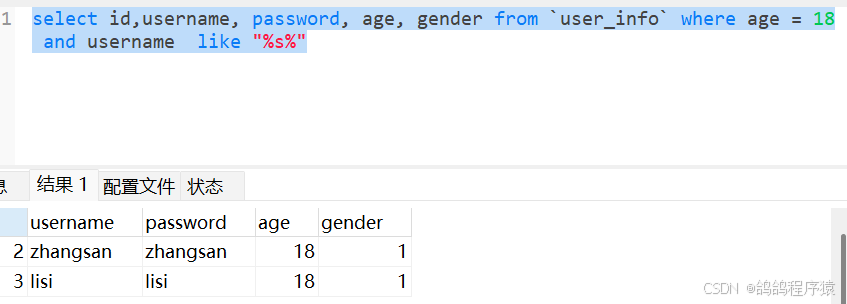
例如下面的sql语句:

select id,username, password, age, gender from `user_info` where age = 18 and username  like "%s%"
  • 1.

结果如下:

当我们使用QueryMapper对应的代码如下:

@Test
    public void selectByCondition() {
        QueryWrapper<UserInfo> queryWrapper = new QueryWrapper<>();
        queryWrapper.select(" id","username", "password", "age", "gender")
                .eq("age",18)
                .like("username","s");
        System.out.println(userInfoMapper.selectList(queryWrapper));
    }
  • 1.
  • 2.
  • 3.
  • 4.
  • 5.
  • 6.
  • 7.
  • 8.

结果:

默认情况下Mybatis-Plus会根据 @TableFiled ⽣成别名, 当指定了QueryWrapper的select属性后就仅仅是属性值⽽没有了别名. 查询出来的结果会对应不上 解决办法:

  1. ⾃⼰写⾃定义SQL
  2. 实体类名和字段名保持⼀致
  3. 不指定QueryWrapper的select字段
  4. 使⽤LambdaQueryWrapper实现

4.2 UpdateWrapper

完成下面的sql语句:

update user_info set delete_flag = 1, age = age + 10 where id in(1,2,3)
  • 1.

运行前数据:

使用UpdateWrapper的代码:

@Test
    public void updateByCondition() {
        UpdateWrapper<UserInfo> updateWrapper = new UpdateWrapper<>();
        updateWrapper.set("delete_flag",1)
                .setSql("age = age + 10")
                .in("id", List.of(1,2,3));
        userInfoMapper.update(updateWrapper);
    }
  • 1.
  • 2.
  • 3.
  • 4.
  • 5.
  • 6.
  • 7.
  • 8.

运行后结果:

4.3 LambdaQueryWrapper

LambdaQueryWrapper是基于Lambda表达式的条件构造器,它通过 Lambda 表达式来引⽤实体类的属性,从⽽避免了硬编码字段名。也提⾼了代码的可读性和可维护性。

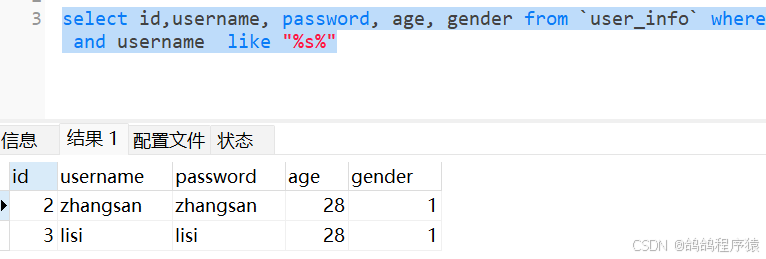
查询下面的sql

select id,username, password, age, gender from `user_info` where age = 28 and username  like "%s%"
  • 1.

结果:

对应的使用LambdaQueryWrapper的代码:

@Test
    public void selectByCondition2() {
        LambdaQueryWrapper<UserInfo> lambdaQueryWrapper = new LambdaQueryWrapper<>();
        lambdaQueryWrapper
                .select(UserInfo::getId, UserInfo::getUsername, UserInfo::getPassword,
                        UserInfo::getAge,UserInfo::getGender, UserInfo::getDeleteFlag)
                .eq(UserInfo::getAge,28)
                .like(UserInfo::getUsername,"s");
        System.out.println(userInfoMapper.selectList(lambdaQueryWrapper));
    }
  • 1.
  • 2.
  • 3.
  • 4.
  • 5.
  • 6.
  • 7.
  • 8.
  • 9.
  • 10.

结果:

4.4 LambdaUpdateWrapper

update user_info set delete_flag = 1, age = age - 10 where id in(1,2,3)
  • 1.

运行前数据:

对应使用LambdaUpdateWrapper代码:

@Test
    public void updateByCondition2() {
        LambdaUpdateWrapper<UserInfo> lambdaUpdateWrapper = new LambdaUpdateWrapper<>();
        lambdaUpdateWrapper.set(UserInfo::getDeleteFlag, 1)
                .setSql("age = age - 10")
                .in(UserInfo::getId, List.of(1,2,3));
        userInfoMapper.update(lambdaUpdateWrapper);
    }
  • 1.
  • 2.
  • 3.
  • 4.
  • 5.
  • 6.
  • 7.
  • 8.

执行结果:

五、自定义SQL

官方文档, MyBatis Plus官方文档介绍自定义SQL如下:
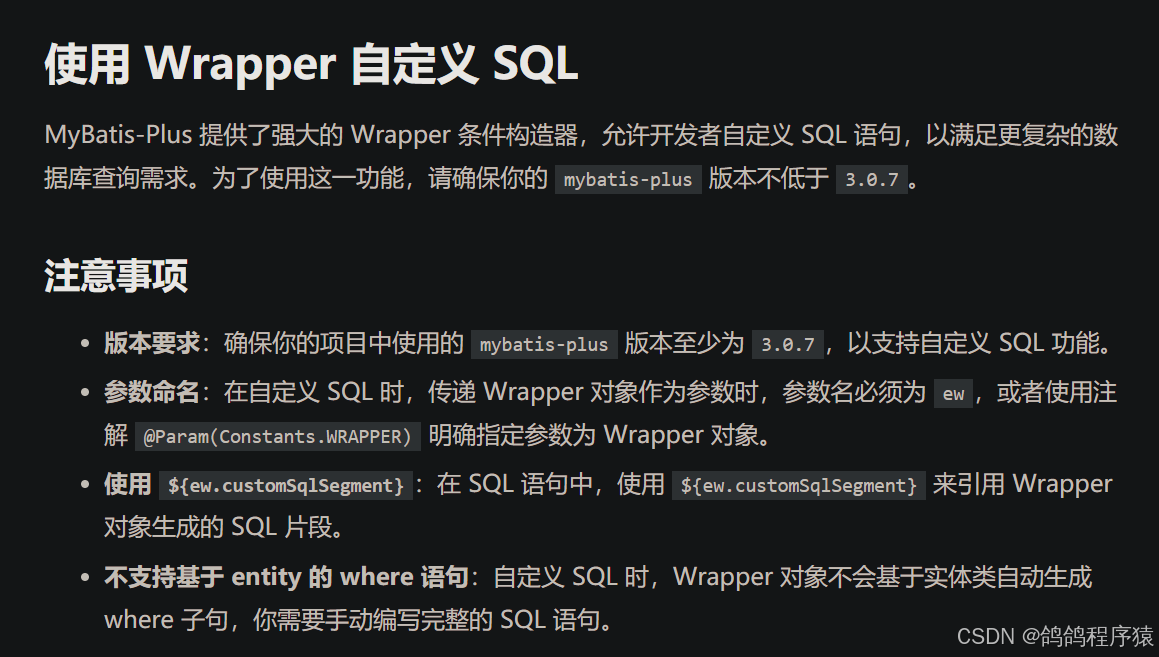
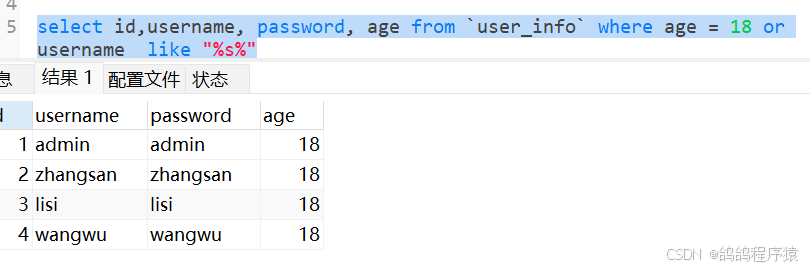
示例一: SQL语句:

select id,username, password, age from `user_info` where age = 18 or username  like "%s%"
  • 1.

结果:

代码:

@Select(" select id,username, password, age from user_info  ${ew.customSqlSegment}")
     List<UserInfo> select (@Param(Constants.WRAPPER) Wrapper<UserInfo> wrapper);
  • 1.
  • 2.

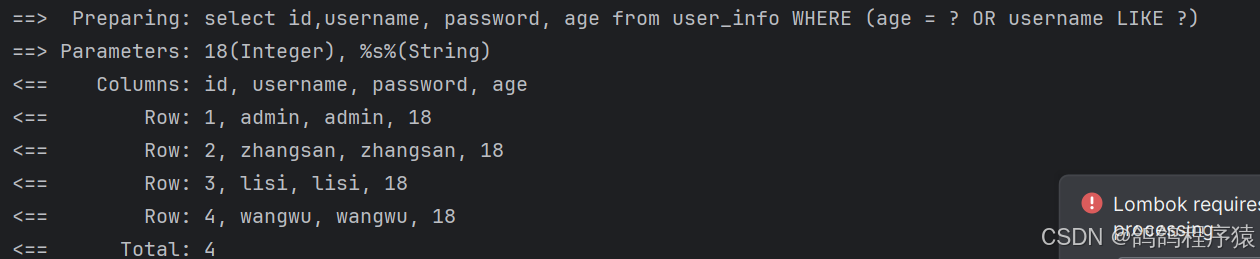
测试代码:

@Test
    void testSelect() {
        QueryWrapper<UserInfo> queryWrapper = new QueryWrapper<>();
        queryWrapper.eq("age",18)
                .or()
                .like("username","s");
        userInfoMapper.select(queryWrapper);
    }
  • 1.
  • 2.
  • 3.
  • 4.
  • 5.
  • 6.
  • 7.
  • 8.

结果:

示例二: 执行的SQL语句:

update user_info set delete_flag = 0, age = age + 10 where id in(1,2,3)
  • 1.

原始数据:

xml代码:

<update id="update">
        update user_info set delete_flag = 0, age = age + #{age} ${ew.customSqlSegment}
    </update>
  • 1.
  • 2.
  • 3.

测试代码:

@Test
    void testUpdate() {
        UpdateWrapper<UserInfo> updateWrapper = new UpdateWrapper<>();
        updateWrapper.in("id", List.of(1,2,3));
        userInfoMapper.update(10,updateWrapper);
    }
  • 1.
  • 2.
  • 3.
  • 4.
  • 5.
  • 6.

结果: