文章目录
  • 工具版本
  • 环境准备
  • 准备数据库
  • 安装mysql
  • 创建database和表结构
  • 后端开发
  • 技术点
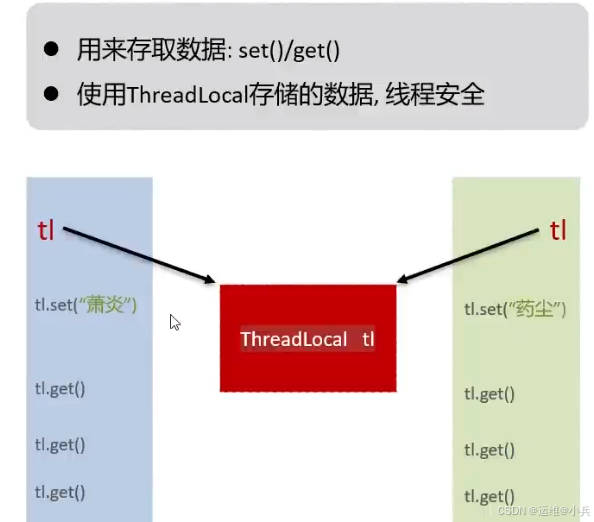
  • ThreadLocal提供线程局部变量
  • 参数校验
  • 准备工作
  • 创建工程
  • 安装通义灵码插件
  • pom.xml引入起步依赖
  • 配置文件application.yml中引入mybatis的配置信息
  • 创建包结构,并准备实体类
  • 创建启动类
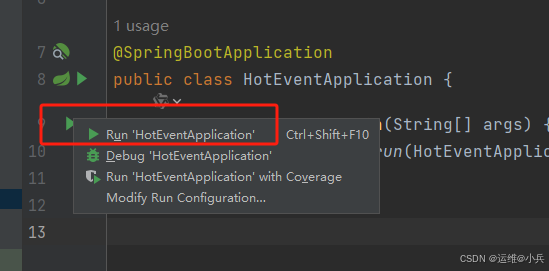
  • 验证工程能否正常启动
  • 开发模块
  • 用户模块
  • 参考资料

工具版本

Mysql:5.7.44
IDEA:2022.1.4
SpringBoot:3.1.3
VScode:1.92.1(安装插件:Live Server(启动服务,打开html文件)

Redis: 3.2.1
OSS对象存储:阿里云
NodeJS: 18.18.0
element-plus
vue-router: 版本4

环境准备

准备数据库

安装mysql

Linux安装mysql

创建database和表结构
-- 创建数据库
create database hot_event CHARACTER SET utf8mb4 COLLATE utf8mb4_unicode_ci; 

-- 使用数据库
use hot_event;

-- 用户表
create table user (
                      id int unsigned primary key auto_increment comment 'ID',
                      username varchar(20) not null unique comment '用户名',
                      password varchar(32)  comment '密码',
                      nickname varchar(10)  default '' comment '昵称',
                      email varchar(128) default '' comment '邮箱',
                      user_pic varchar(128) default '' comment '头像',
                      create_time datetime not null comment '创建时间',
                      update_time datetime not null comment '修改时间'
) comment '用户表';

-- 分类表
create table category(
                         id int unsigned primary key auto_increment comment 'ID',
                         category_name varchar(32) not null comment '分类名称',
                         category_alias varchar(32) not null comment '分类别名',
                         create_user int unsigned not null comment '创建人ID',
                         create_time datetime not null comment '创建时间',
                         update_time datetime not null comment '修改时间',
                         constraint fk_category_user foreign key (create_user) references user(id) -- 外键约束
);

-- 文章表
create table article(
                        id int unsigned primary key auto_increment comment 'ID',
                        title varchar(30) not null comment '文章标题',
                        content varchar(10000) not null comment '文章内容',
                        cover_img varchar(128) not null  comment '文章封面',
                        state varchar(3) default '草稿' comment '文章状态: 只能是[已发布] 或者 [草稿]',
                        category_id int unsigned comment '文章分类ID',
                        create_user int unsigned not null comment '创建人ID',
                        create_time datetime not null comment '创建时间',
                        update_time datetime not null comment '修改时间',
                        constraint fk_article_category foreign key (category_id) references category(id),-- 外键约束
                        constraint fk_article_user foreign key (create_user) references user(id) -- 外键约束
)
  • 1.
  • 2.
  • 3.
  • 4.
  • 5.
  • 6.
  • 7.
  • 8.
  • 9.
  • 10.
  • 11.
  • 12.
  • 13.
  • 14.
  • 15.
  • 16.
  • 17.
  • 18.
  • 19.
  • 20.
  • 21.
  • 22.
  • 23.
  • 24.
  • 25.
  • 26.
  • 27.
  • 28.
  • 29.
  • 30.
  • 31.
  • 32.
  • 33.
  • 34.
  • 35.
  • 36.
  • 37.
  • 38.
  • 39.
  • 40.
  • 41.
  • 42.
  • 43.

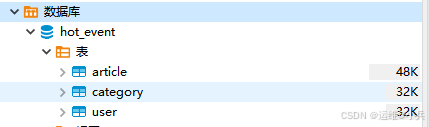
一共是三张表

Springboot+vue3开发项目——热点事件_java

后端开发

技术点

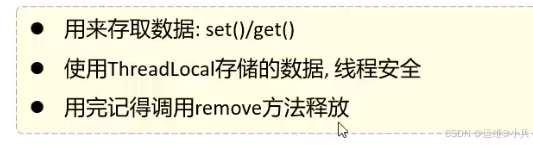
ThreadLocal提供线程局部变量

用于存取/获取token
Springboot+vue3开发项目——热点事件_spring boot_02

Springboot+vue3开发项目——热点事件_mysql_03

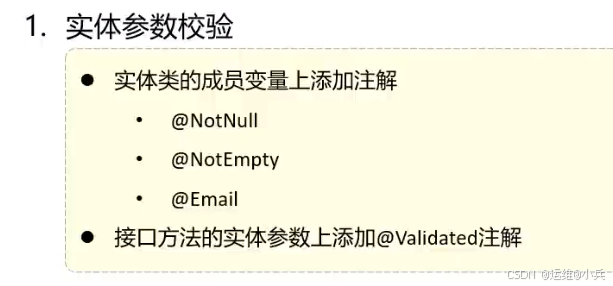
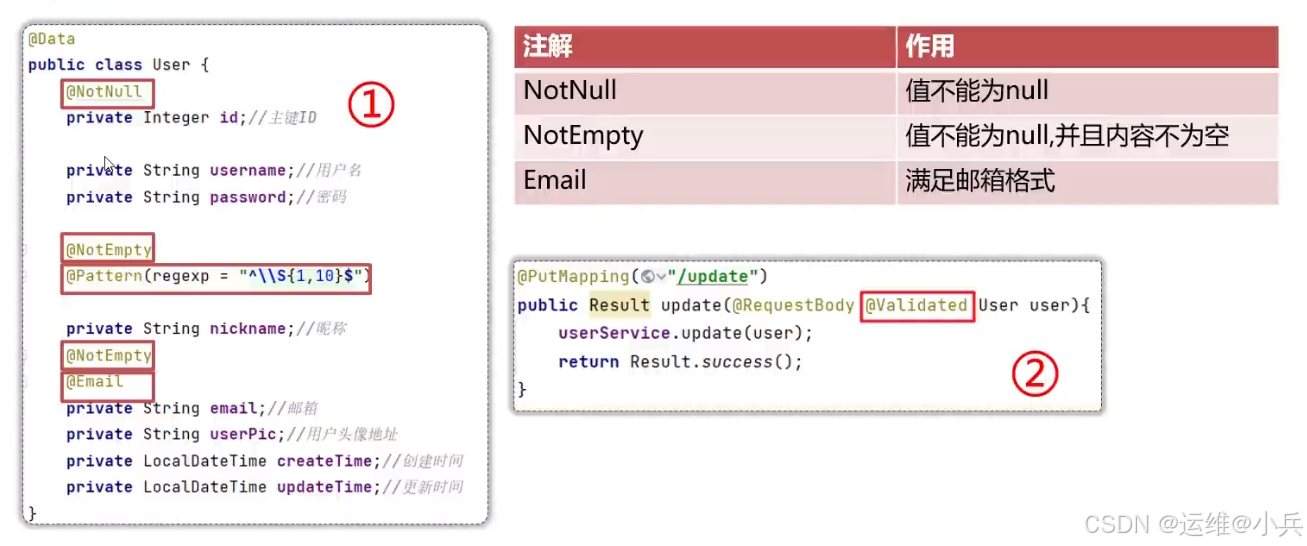
参数校验

Springboot+vue3开发项目——热点事件_mysql_04

Springboot+vue3开发项目——热点事件_后端_05

准备工作

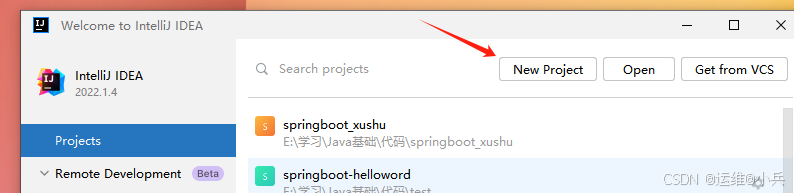
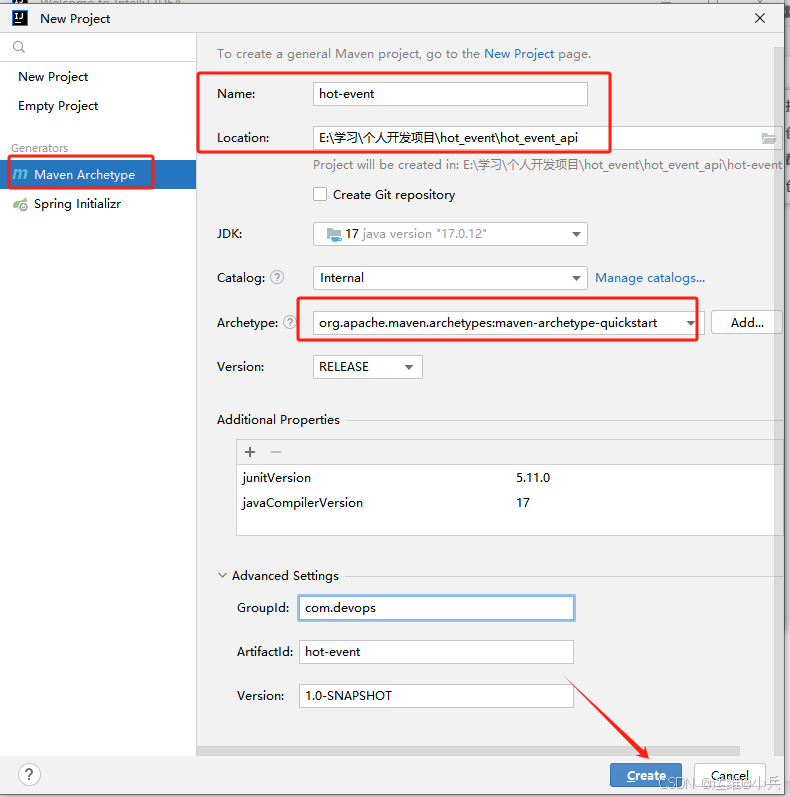
创建工程

Springboot+vue3开发项目——热点事件_mysql_06

Springboot+vue3开发项目——热点事件_java_07

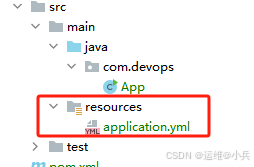
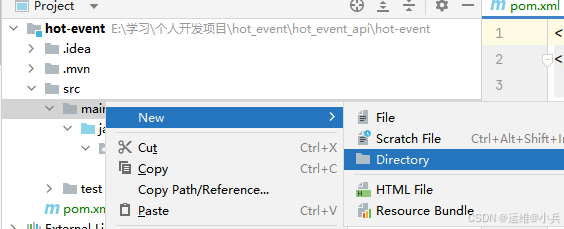
在main下面创建resources目录和application.yml
Springboot+vue3开发项目——热点事件_后端_08

Springboot+vue3开发项目——热点事件_后端_09

工程创建完成

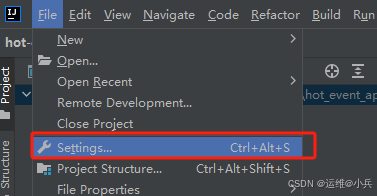
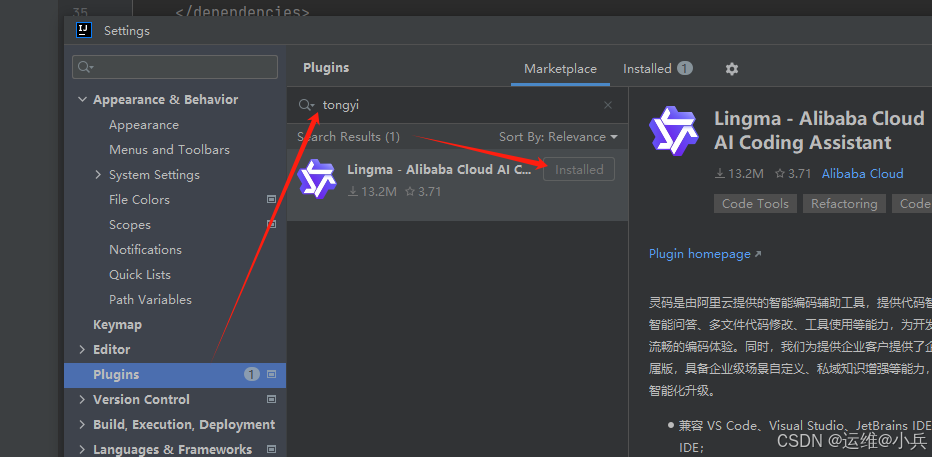
安装通义灵码插件

Springboot+vue3开发项目——热点事件_mysql_10

Springboot+vue3开发项目——热点事件_mysql_11

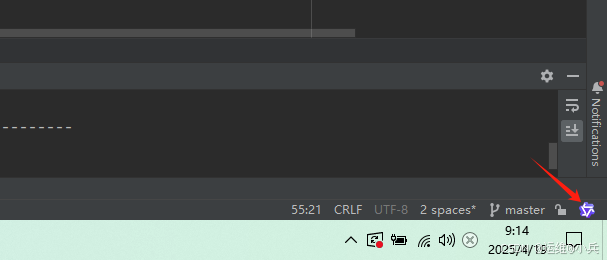
安装完成后右下角会出现它的图标

点击完成登录认证即可

Springboot+vue3开发项目——热点事件_后端_12

pom.xml引入起步依赖

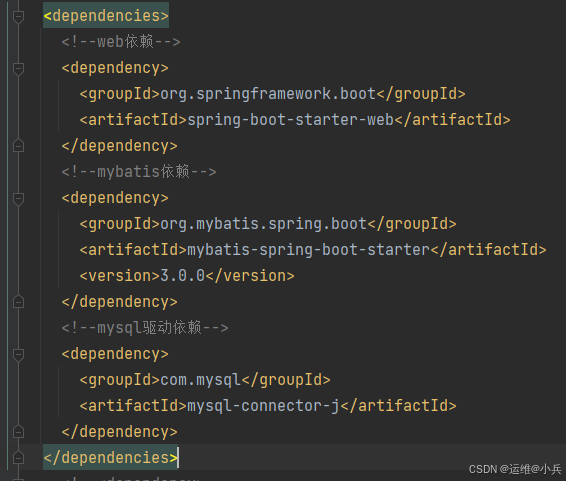
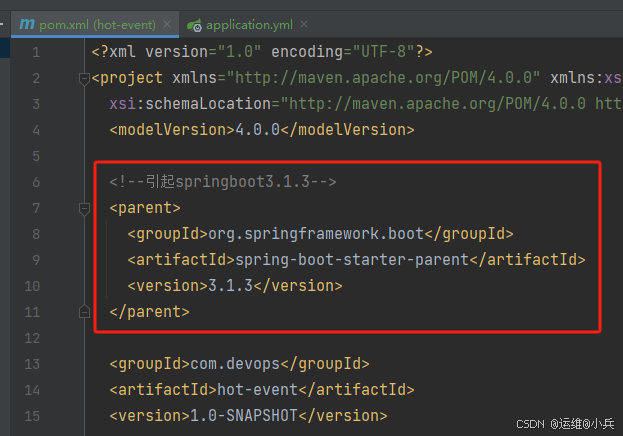
引入对应的依赖(web、mybatis、mysql驱动)
Springboot+vue3开发项目——热点事件_spring boot_13

<!--引起springboot3.1.3-->
  <parent>
    <groupId>org.springframework.boot</groupId>
    <artifactId>spring-boot-starter-parent</artifactId>
    <version>3.1.3</version>
  </parent>
  • 1.
  • 2.
  • 3.
  • 4.
  • 5.
  • 6.

Springboot+vue3开发项目——热点事件_后端_14

<dependencies>
    <!--web依赖-->
    <dependency>
      <groupId>org.springframework.boot</groupId>
      <artifactId>spring-boot-starter-web</artifactId>
    </dependency>
    <!--mybatis依赖-->
    <dependency>
      <groupId>org.mybatis.spring.boot</groupId>
      <artifactId>mybatis-spring-boot-starter</artifactId>
      <version>3.0.0</version>
    </dependency>
    <!--mysql驱动依赖-->
    <dependency>
      <groupId>com.mysql</groupId>
      <artifactId>mysql-connector-j</artifactId>
    </dependency>
</dependencies>
  • 1.
  • 2.
  • 3.
  • 4.
  • 5.
  • 6.
  • 7.
  • 8.
  • 9.
  • 10.
  • 11.
  • 12.
  • 13.
  • 14.
  • 15.
  • 16.
  • 17.
  • 18.
配置文件application.yml中引入mybatis的配置信息
# 配置数据库
spring:
  datasource:
    driver-class-name: com.mysql.cj.jdbc.Driver
    url: jdbc:mysql://115.175.20.2:3306/hot_event?useUnicode=true&characterEncoding=utf-8&useSSL=false&serverTimezone=UTC
    username: root
    password: abcdef
  • 1.
  • 2.
  • 3.
  • 4.
  • 5.
  • 6.
  • 7.
创建包结构,并准备实体类

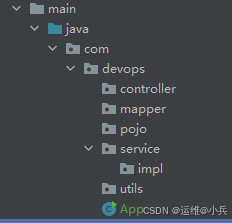
在devops目录下分别创建controller(定义接口URI)、service(存放接口和接口实现类)、mapper(存放数据库操作)、pojo(存放实体类)、utils(存放工具类)
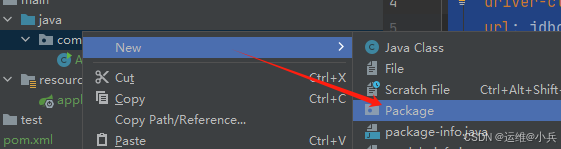
Springboot+vue3开发项目——热点事件_spring_15

目录结构如下

Springboot+vue3开发项目——热点事件_spring boot_16

准备三个实体类:User.java、Category.java、Article.java,分别对应数据库的三张表
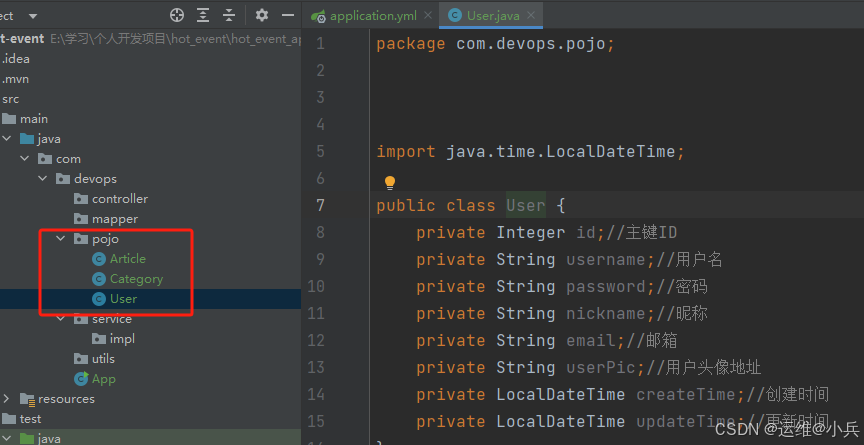
Springboot+vue3开发项目——热点事件_spring boot_17

创建启动类

把App重命名为HotEventApplication

package com.devops;

import org.springframework.boot.SpringApplication;
import org.springframework.boot.autoconfigure.SpringBootApplication;


@SpringBootApplication
public class HotEventApplication {
    public static void main(String[] args) {
        SpringApplication.run(HotEventApplication.class, args);
    }
}
  • 1.
  • 2.
  • 3.
  • 4.
  • 5.
  • 6.
  • 7.
  • 8.
  • 9.
  • 10.
  • 11.
  • 12.
验证工程能否正常启动

Springboot+vue3开发项目——热点事件_java_18

启动成功

Springboot+vue3开发项目——热点事件_spring_19

开发模块

用户模块