


 本文介绍了如何使用RecyclerView和自定义LayoutManager实现类似抖音的主页面滑动效果,包括视频播放、暂停和释放的处理。通过自定义VideoView、RecyclerView.ItemDecoration和LayoutManager,结合PagerSnapHelper,实现了列表的无限滑动和单个Item的视频播放控制。
目录
补充:源码地址:https://github.com/JArchie/TiktokDemo
写在前面

各位老铁,我又来啦!既然来了,那肯定又来搞事情啦,话不多说,先上图!
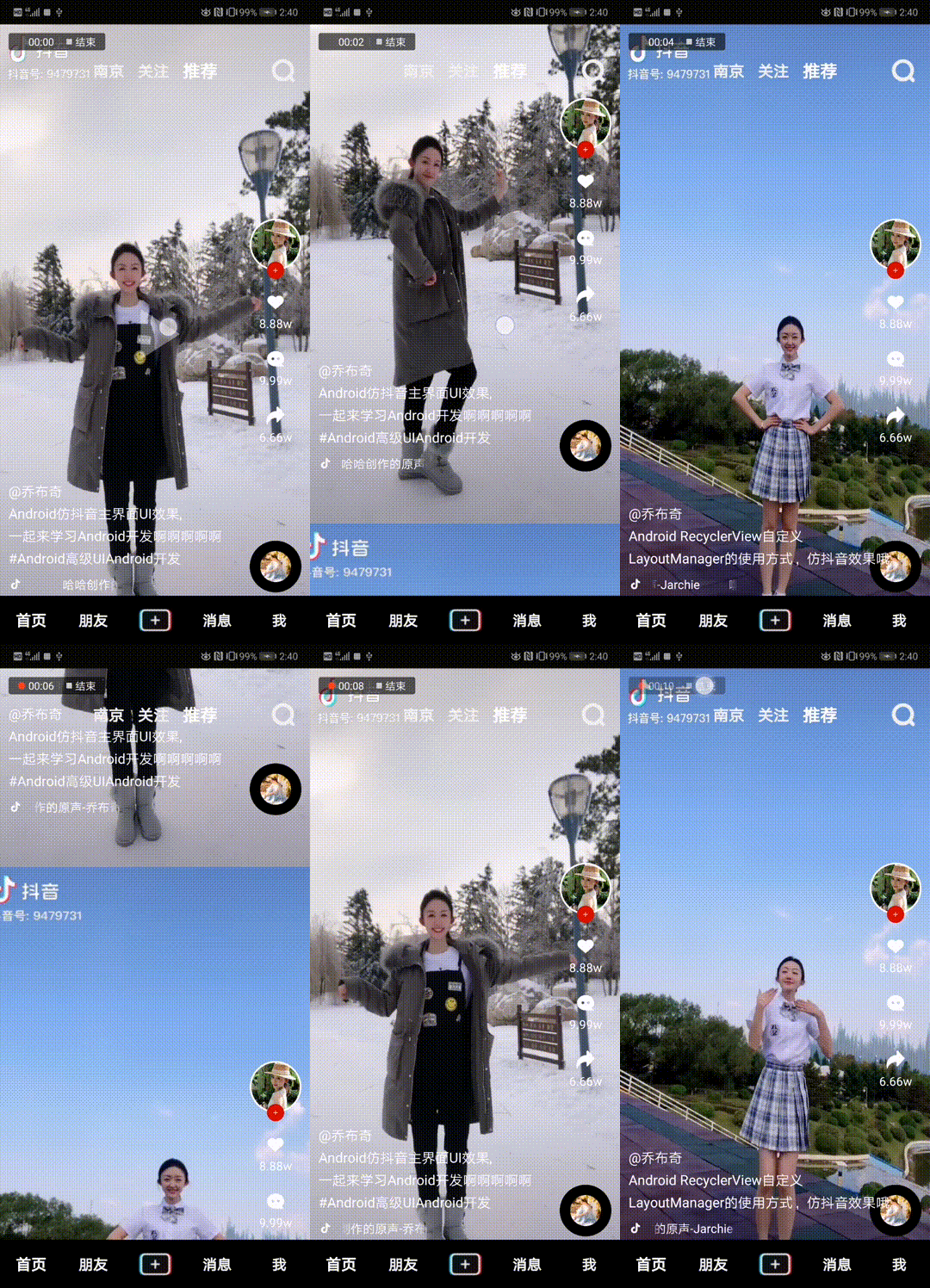
“抖音”都玩过吧,是不是很好玩,我反正是天天刷,作为一个非著名的Android低级攻城狮,虽然技术菜的一匹,但是也经常刷着刷着会思考:咦?这玩意是用哪个控件做的?这个效果是咋实现的啊?由于本人技术水平有限,所以今天咱就先挑个比较简单的来看看是如何实现的,思考再三,我们就拿抖音首页的这个效果来练练手吧,话不多说,开搞!
一、准备工作
我们先不急着写代码,先对抖音的这种效果做一个简单的分析,首先需要明确的是它是可以滑动的,并且可以上滑回去,也可以下滑到下一个,滑动的数量跟随视频的个数而定,到这里其实能实现这种效果的控件就已经被缩小到一个范围内了。初步判定可以使用ViewPager或者是RecyclerView来实现,你细想一下,它实际上就是一个列表啊,每一屏的视频效果就是一个单独的Item,并且它的列表Item的数量可以很大,至少目前你应该没有哪一次是能把抖音滑到底的吧,那最后咱们使用RecyclerView来实现这个效果。
为什么不用ViewPager?我们需要的是每次只加载一屏,ViewPager默认会有预加载机制,并且数据量较大的时候性能表现也是很差的。反之,RecyclerView最好的性能就是只加载一屏幕的Item,并且处理海量数据时性能更优,所以我们选用RecyclerView实现。
基础列表的承载控件我们已经选好了,然后通过上面的效果不难发现,每一屏里面实际上只有一个Item,所以基础的页面布局你应该也知道该怎么做了。然后就是视频播放了,由于这里我们只是仿照实现抖音的主页面效果,最核心的实际上是实现这个RecyclerView滑动的效果,所以代码我这里是尽量考虑简单化,因此视频播放就直接使用的Android原生的VideoView来做的,效果肯定不会多好,如果你对视频播放这块要求比较高的话,可以考虑使用基于ijkplayer实现的一些比较优秀的开源库,再或者能力强的自己基于ffmpeg定制开发播放器。
OK,到这里基本的分析就已经做完了,下面我们就先来实现基础代码吧!
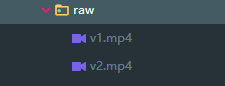
先把需要的图片和视频文件准备好哦,别忘记了,视频这里放在res/raw目录下:
1.1、主页面布局
新建一个TiktokIndexActivity.java,创建布局文件activity_tiktok_layout.xml:
<?xml version="1.0" encoding="utf-8"?>
<RelativeLayout xmlns:android="http://schemas.android.com/apk/res/android"
android:layout_width="match_parent"
android:layout_height="match_parent">
<android.support.v7.widget.RecyclerView
android:id="@+id/mRecycler"
android:layout_width="match_parent"
android:layout_height="match_parent"
android:background="@color/color_01"/>
<RelativeLayout
android:layout_width="match_parent"
android:layout_height="35dp"
android:layout_marginTop="36dp">
<LinearLayout
android:layout_width="wrap_content"
android:layout_height="wrap_content"
android:layout_centerInParent="true"
android:orientation="horizontal"
android:gravity="center_vertical">
<TextView
android:layout_width="wrap_content"
android:layout_height="wrap_content"
android:layout_marginRight="16dp"
android:text="南京"
android:textColor="#f2f2f2"
android:textSize="18sp"
android:textStyle="bold" />
<TextView
android:layout_width="wrap_content"
android:layout_height="wrap_content"
android:layout_marginRight="16dp"
android:text="关注"
android:textColor="#f2f2f2"
android:textSize="18sp"
android:textStyle="bold" />
<TextView
android:layout_width="wrap_content"
android:layout_height="wrap_content"
android:text="推荐"
android:textColor="@android:color/white"
android:textSize="20sp"
android:textStyle="bold" />
</LinearLayout>
<ImageView
android:layout_width="30dp"
android:layout_height="30dp"
android:layout_alignParentRight="true"
android:layout_centerVertical="true"
android:layout_marginRight="16dp"
android:src="@drawable/search_icon"
android:tint="#f2f2f2" />
</RelativeLayout>
<LinearLayout
android:id="@+id/mBottomLayout"
android:layout_width="match_parent"
android:layout_height="?actionBarSize"
android:background="@color/color_01"
android:layout_alignParentBottom="true"
android:gravity="center_vertical"
android:orientation="horizontal">
<TextView
android:layout_width="0dp"
android:layout_height="wrap_content"
android:layout_weight="1"
android:gravity="center"
android:text="首页"
android:textColor="@android:color/white"
android:textSize="18sp"
android:textStyle="bold" />
<TextView
android:layout_width="0dp"
android:layout_height="wrap_content"
android:layout_weight="1"
android:gravity="center"
android:text="朋友"
android:textColor="#f2f2f2"
android:textSize="17sp"
android:textStyle="bold" />
<LinearLayout
android:layout_width="0dp"
android:layout_height="match_parent"
android:layout_weight="1"
android:gravity="center">
<ImageView
android:layout_width="50dp"
android:layout_height="30dp"
android:scaleType="fitCenter"
android:src="@drawable/icon_add" />
</LinearLayout>
<TextView
android:layout_width="0dp"
android:layout_height="wrap_content"
android:layout_weight="1"
android:gr 最低0.47元/天 解锁文章






 扫一扫
扫一扫


 927
927


 到【灌水乐园】发言



