


 本文详细介绍jQuery中元素操作如类、代码、CSS调整及事件处理技巧,包括事件绑定、移除、冒泡与默认行为控制,适合前端开发者进阶学习。
文章目录
Class操作
addClass(class|fn)
作用: 添加一个类
如果要添加多个, 多个类名之间用空格隔开即可
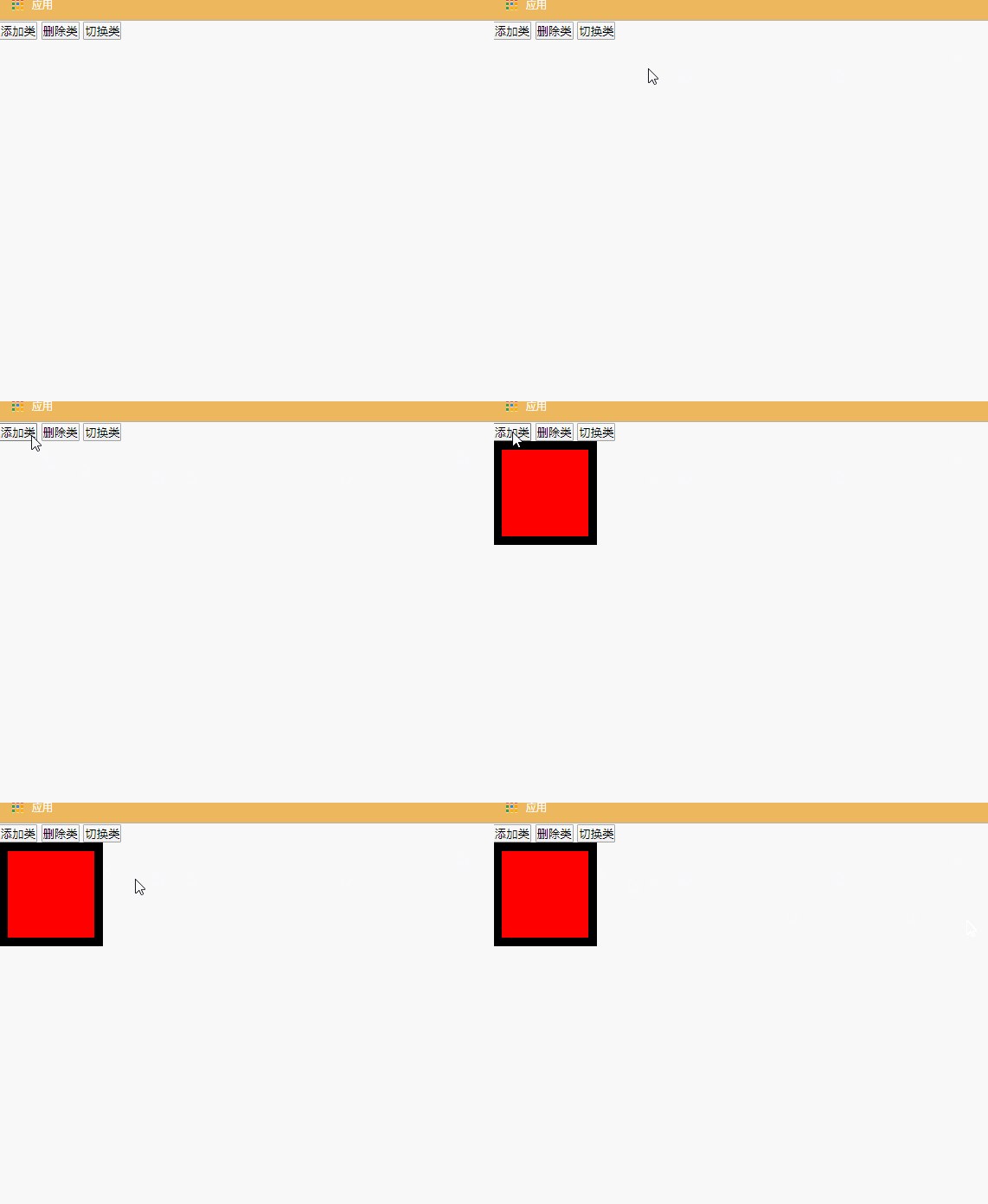
$(function () {
    var btns = document.getElementsByTagName("button")
    btns[0].onclick = function () {
        // $("div").addClass("class1")
        $("div").addClass("class1 class2")
    }
})
removeClass([class|fn])
作用: 删除一个类
如果想删除多个, 多个类名之间用空格隔开即可
$(function () {
    var btns = document.getElementsByTagName("button")
    btns[0].onclick = function () {
        // $("div").addClass("class1")
        $("div").addClass("class1 class2")
    }
})
toggleClass(class|fn[,sw])
作用: 切换类
有就删除, 没有就添加
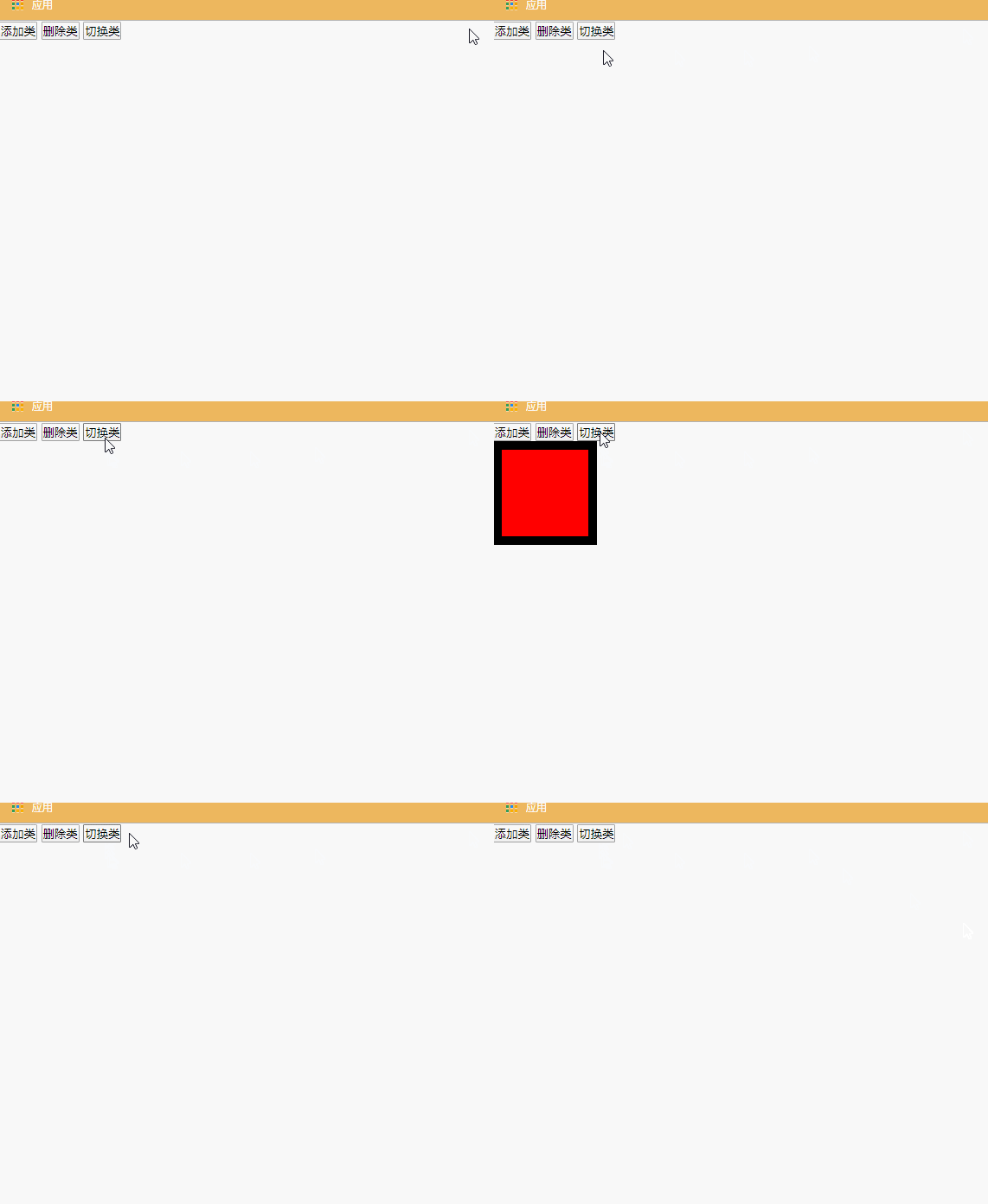
$(function () {
    var btns = document.getElementsByTagName("button")
    btns[2].onclick = function () {
    	$("div").toggleClass("class2 class1")
    }
})
代码/文本/值操作
html([val|fn])
和原生JS中的innerHTML一模一样
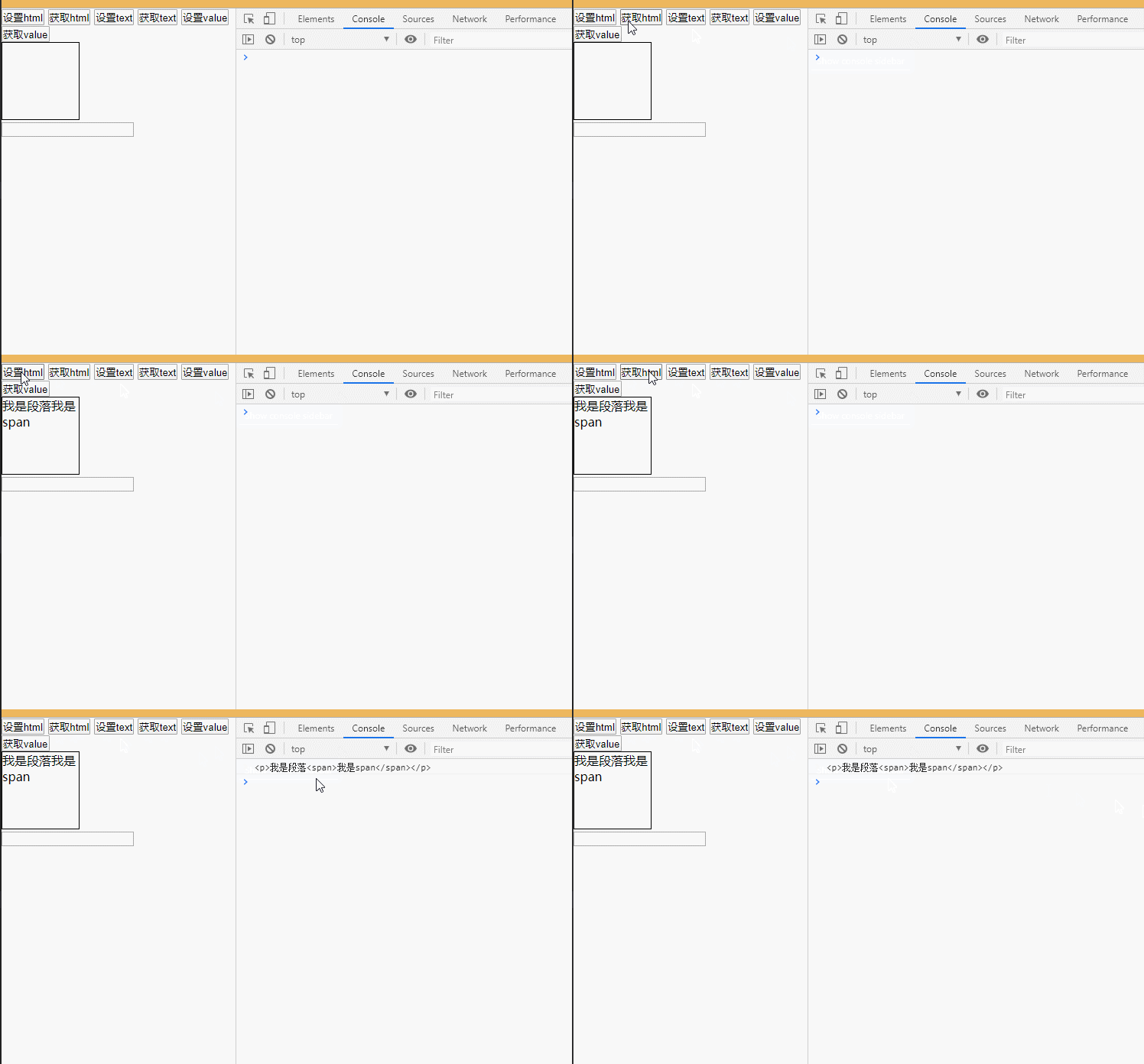
$(function () {
    var btns = document.getElementsByTagName("button")
    btns[0].onclick = function () {
    	$("div").html("<p>我是段落<span>我是span</span></p>")
    }
    btns[1].onclick = function () {
    	console.log($("div").html())
    }
})
text([val|fn])
和原生JS中的innerText一模一样

$(function () {
    var btns = document.getElementsByTagName("button")
    btns[2].onclick = function () {
    	$("div").text("<p>我是段落<span>我是span</span></p>")
    }
    btns[3].onclick = function () {
    	console.log($("div").text())
    }
})
val([val|fn|arr])
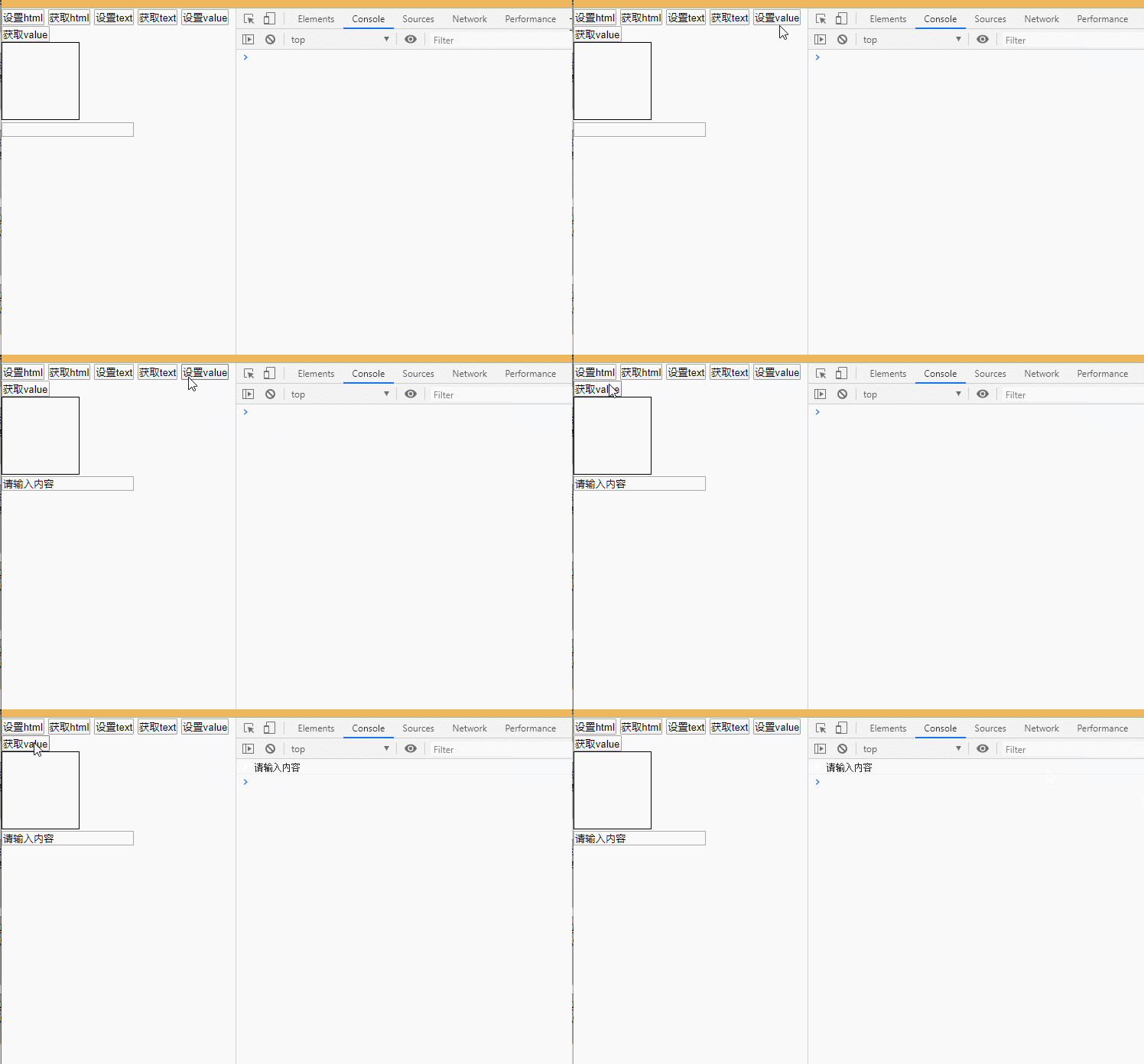
$(function () {
    var btns = document.getElementsByTagName("button")
    btns[4].onclick = function () {
    	$("input").val("请输入内容")
    }
    btns[5].onclick = function () {
    	console.log($("input").val())
    }
})
CSS相关
操作CSS
逐个设置
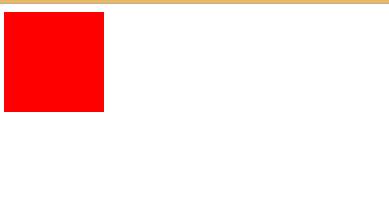
$(function () {
    $("div").css("width", "100px")
    $("div").css("height", "100px")
    $("div").css("background", "red")
})
链式设置
链式操作如果大于3步, 建议分开

$(function () {
    $("div").css("width", "100px").css("height", "100px").css("background", "blue")
})
批量设置

$(function () {
    $("div").css({
        width: "100px",
        height: "100px",
        background: "yellow"
    })
})
获取CSS样式值
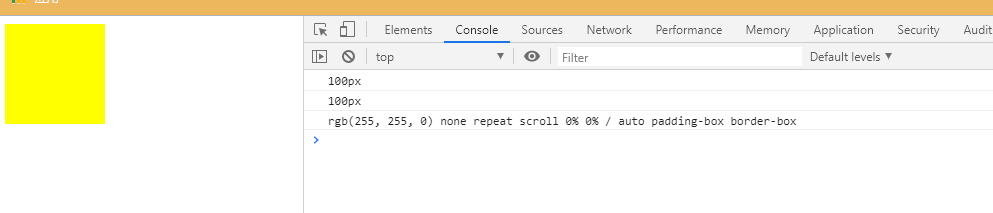
$(function () {
    console.log($("div").css("width"))
    console.log($("div").css("height"))
    console.log($("div").css("background"))
})
位置和尺寸
监听获取
offset([coordinates])
作用: 获取元素距离窗口的偏移位
position()
作用: 获取元素距离定位元素的偏移位
监听设置
position方法只能获取不能设置

<!DOCTYPE html>
<html lang="en">
<head>
    <meta charset="UTF-8">
    <meta name="viewport" content="width=device-width, initial-scale=1.0">
    <title>Document</title>
    <style>
        *{
            margin: 0;
            padding: 0;
        }
        .father{
            width: 200px;
            height: 200px;
            background: red;
            border: 50px solid #000;
            margin-left: 50px;
            position: relative;
        }
        .son{
            width: 100px;
            height: 100px;
            background: blue;
            position: absolute;
            left: 50px;
            top: 50px;
        }
    </style>
    <script src="js/jquery-1.12.4.js"></script>
    <script>
        $(function () {
            // 编写jQuery相关代码
            var btns = document.getElementsByTagName("button")
            // 监听获取
            btns[0].onclick = function () {
                // 获取元素的宽度
                // console.log($(".father").width())//200


                // offset([coordinates])
                // 作用: 获取元素距离窗口的偏移位
                // console.log($(".son").offset().left)//150
                // position()
                // 作用: 获取元素距离定位元素的偏移位


                console.log($(".son").position().left)//50
            }
            // 监听设置
            btns[1].onclick = function () {
                // 设置元素的宽度
                // $(".father").width("500px")

                // $(".son").offset({
                //     left: 10
                // })

                // 注意点: position方法只能获取不能设置
                // $(".son").position({
                //     left: 10
                // })

                $(".son").css({
                    left: "10px"
                })
            }
        })
    </script>
</head>
<body>
    <div class="father">
        <div class="son"></div>
    </div>
    <button>监听获取</button>
    <button>监听设置</button>
</body>
</html>
scrollTop方法
监听设置
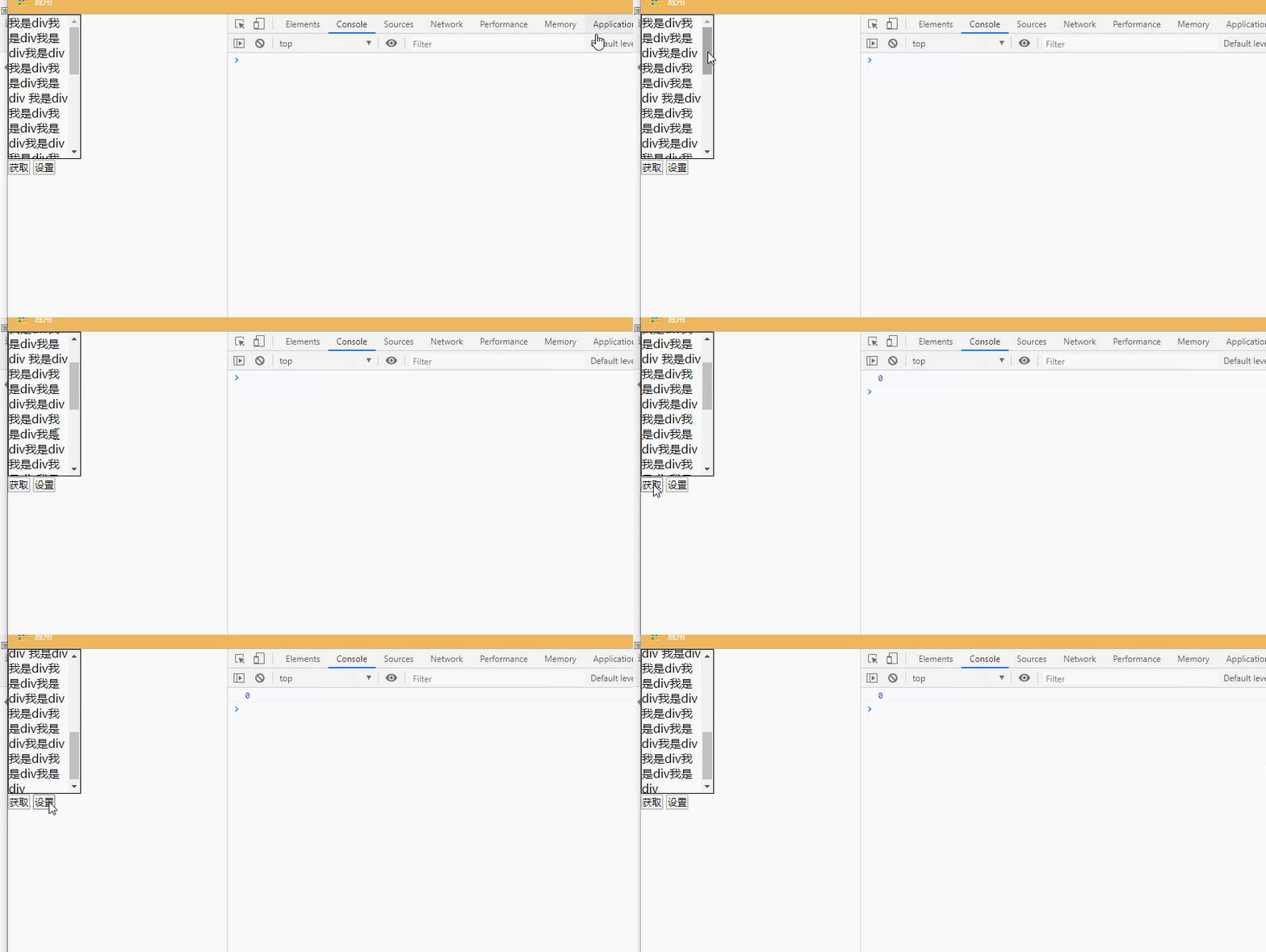
获取滚动的偏移位
console.log($(".scroll").scrollTop())
获取网页滚动的偏移位
为了保证浏览器的兼容, 获取网页滚动的偏移位需要按照如下写法
console.log($("body").scrollTop()+$("html").scrollTop())
监听设置
设置滚动的偏移位
$(".scroll").scrollTop(300)
设置网页滚动偏移位
为了保证浏览器的兼容, 设置网页滚动偏移位的时候必须按照如下写法
$("html,body").scrollTop(300)
<!DOCTYPE html>
<html lang="en">
<head>
    <meta charset="UTF-8">
    <meta name="viewport" content="width=device-width, initial-scale=1.0">
    <title>Document</title>
    <style>
        *{
            margin: 0;
            padding: 0;
        }
        .scroll{
            width: 100px;
            height: 200px;
            border: 1px solid #000;
            overflow: auto;
        }
    </style>
    <script src="js/jquery-1.12.4.js"></script>
    <script>
        $(function () {
            // 编写jQuery相关代码
            var btns = document.getElementsByTagName("button")
            // 监听获取
            btns[0].onclick = function () {
                // 获取滚动的偏移位
                // console.log($(".scroll").scrollTop())
                // 获取网页滚动的偏移位
                // 注意点: 为了保证浏览器的兼容, 获取网页滚动的偏移位需要按照如下写法
                console.log($("body").scrollTop()+$("html").scrollTop())
            }
            btns[1].onclick = function () {
                // 设置滚动的偏移位
                $(".scroll").scrollTop(300)
                // 设置网页滚动偏移位
                // 注意点: 为了保证浏览器的兼容, 设置网页滚动偏移位的时候必须按照如下写法
                $("html,body").scrollTop(300)
            }
        })
    </script>
</head>
<body>
    <div class="scroll">我是div我是div我是div我是div我是div我是div我是div
        我是div我是div我是div我是div我是div我是div我是div我是div我是div我是div我是div我是div
        我是div我是div我是div我是div我是div我是div我是div我是div我是div我是div我是div我是div
    </div>
    <button>获取</button>
    <button>设置</button>
</body>
</html>
事件处理
事件绑定
有两种绑定事件方式
- eventName(fn)
编码效率略高/ 部分事件jQuery没有实现,所以不能添加

$(function () {
    $("button").click(function () {
    	alert("hello lnj")
    })
    $("button").click(function () {
    	alert("hello 123")
    })
    $("button").mouseleave(function () {
    	alert("hello mouseleave")
    })
    $("button").mouseenter(function () {
    	alert("hello mouseenter")
    })
})
- on(eventName, fn)
编码效率略低/ 所有js事件都可以添加
可以添加多个相同或者不同类型的事件,不会覆盖

$(function () {
    $("button").on("click", function () {
    	alert("hello click1")
    })
    $("button").on("click", function () {
    	alert("hello click2")
    })
    $("button").on("mouseleave", function () {
    	alert("hello mouseleave")
    })
    $("button").on("mouseenter", function () {
    	alert("hello mouseenter")
    })
})
事件移除
- off方法如果不传递参数, 会移除所有的事件
$("button").off()
- off方法如果传递一个参数, 会移除所有指定类型的事件

$("button").off("click")
- off方法如果传递两个参数, 会移除所有指定类型的指定事件
("button").off("click", test1)
事件冒泡和默认行为
什么是事件冒泡?

$(function () {
    $(".son").click(function (event) {
    	alert("son")
    })
    $(".father").click(function () {
    	alert("father")
    })
})
如何阻止事件冒泡
- return false
- event.stopPropagation()

$(function () {
    $(".son").click(function (event) {
    	alert("son")
    	// return false
		event.stopPropagation()
    })
    $(".father").click(function () {
    	alert("father")
    })
})
什么是默认行为?

$(function () {
    $("a").click(function (event) {
    	alert("弹出注册框")
    })
})
如何阻止默认行为
- return false
- event.stopPropagation()

$(function () {
    $("a").click(function (event) {
    	alert("弹出注册框")
    	// return false
		event.preventDefault()
    })
})
事件自动触发
事件冒泡
- trigger: 如果利用trigger自动触发事件,会触发事件冒泡
- triggerHandler: 如果利用triggerHandler自动触发事件, 不会触发事件冒泡

$(function () {
    $(".son").click(function (event) {
    	alert("son")
    })
    $(".father").click(function () {
    	alert("father")
    })
    $(".father").trigger("click")
    $(".father").triggerHandler("click")
    // $(".son").trigger("click")
    // $(".son").triggerHandler("click")
})
默认行为
- trigger: 如果利用trigger自动触发事件,会触发默认行为
- triggerHandler: 如果利用triggerHandler自动触发事件, 不会触发默认行为
$(function () {
    $("input[type='submit']").click(function () {
    	alert("submit")
    })
    $("input[type='submit']").trigger("click")
    $("input[type='submit']").triggerHandler("click")
    $("span").click(function () {
    	alert("a")
    })
    // $("a").triggerHandler("click")
    $("span").trigger("click")
})
自定义事件
满足条件
- 事件必须是通过on绑定的
- 事件必须通过trigger来触发
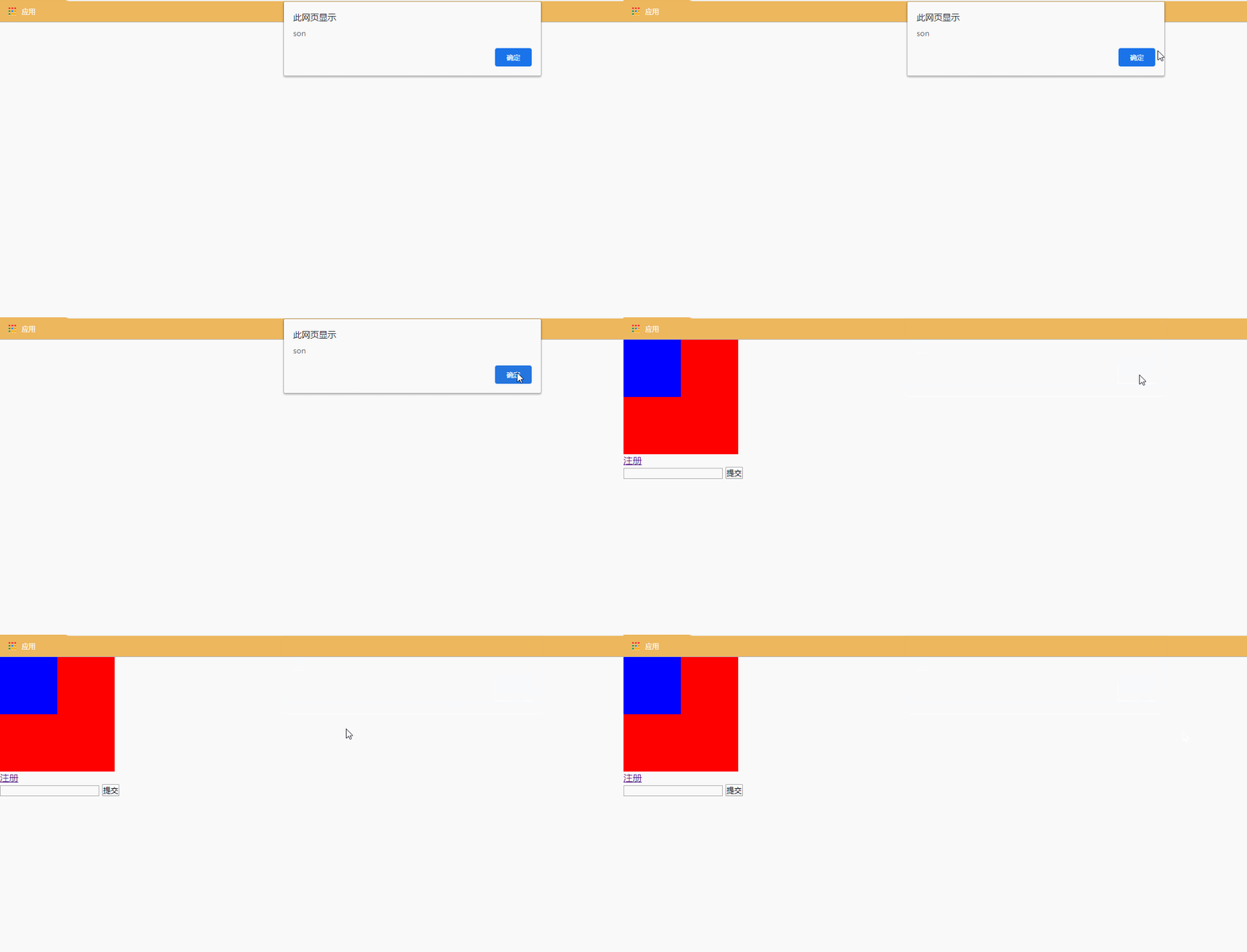
$(function () {
    $(".son").on("myClick", function () {
    	alert("son")
    })
    $(".son").triggerHandler("myClick")
})
事件命名空间
满足条件
- 事件是通过on来绑定的
- 通过trigger触发事件
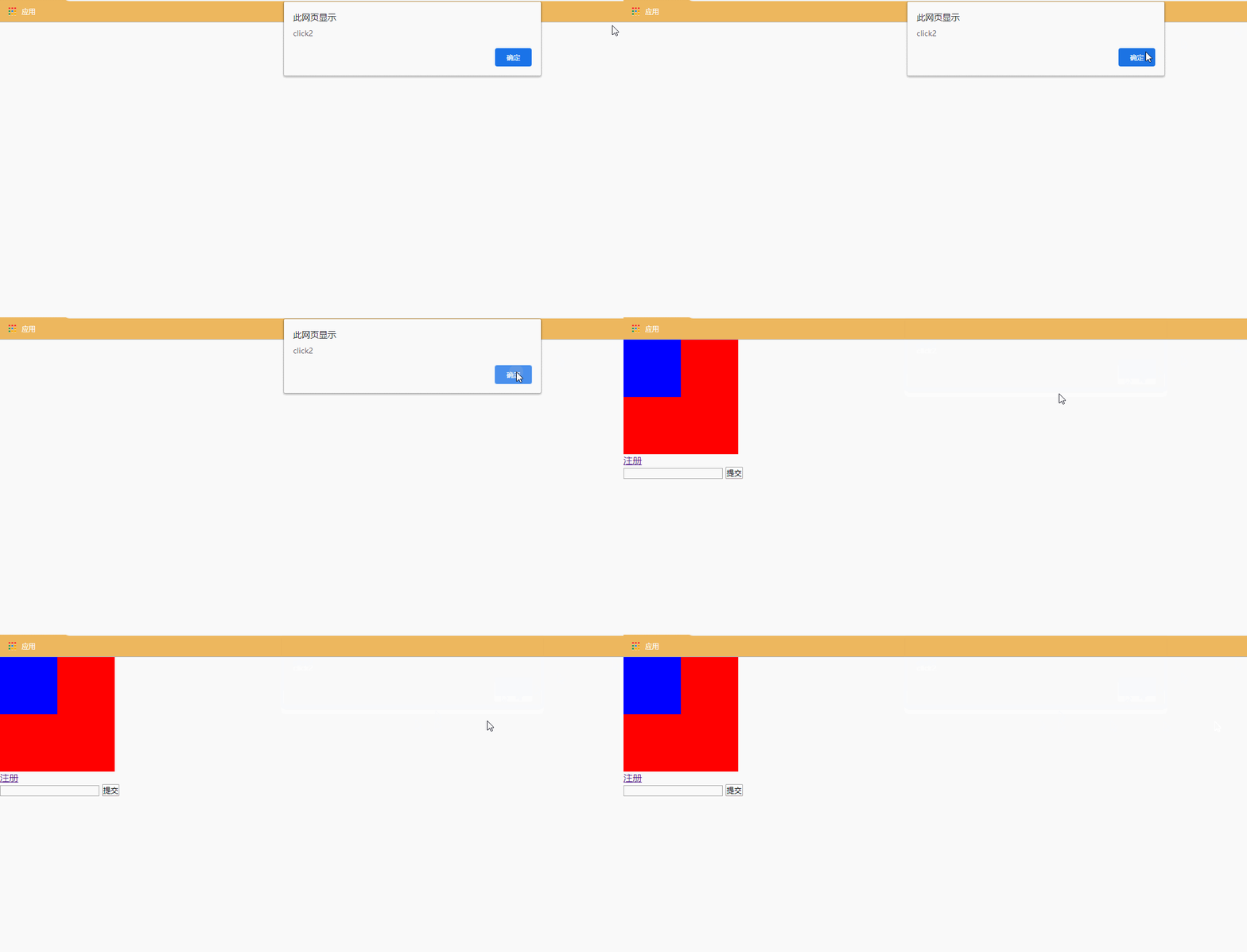
$(function () {
    $(".son").on("click.zs", function () {
    	alert("click1")
    })
    $(".son").on("click.ls", function () {
    	alert("click2")
    })
    // $(".son").trigger("click.zs")
    $(".son").trigger("click.ls")
})
事件委托
什么是事件委托
请别人帮忙做事情, 然后将做完的结果反馈给我们
在jQuery中,如果通过核心函数找到的元素不止一个, 那么在添加事件的时候,jQuery会遍历所有找到的元素,给所有找到的元素添加事件

$(function () {
    $(".son").on("click.zs", function () {
    	alert("click1")
    })
    $(".son").on("click.ls", function () {
    	alert("click2")
    })
    // $(".son").trigger("click.zs")
    $(".son").trigger("click.ls")
})
事件委托练习
<!DOCTYPE html>
<html lang="en">
<head>
    <meta charset="UTF-8">
    <meta name="viewport" content="width=device-width, initial-scale=1.0">
    <title>Document</title>
    <style>
        *{
            margin: 0;
            padding: 0;
        }
        html,body{
            width: 100%;
            height: 100%;
        }
        .mask{
            width: 100%;
            height: 100%;
            background: rgba(0,0,0,0.5);
            position: fixed;
            top: 0;
            left: 0;
        }
        .login{
            width: 521px;
            height: 292px;
            margin: 100px auto;
            position: relative;
        }
        .login>span{
            width: 50px;
            height: 50px;
            /*background: red;*/
            position: absolute;
            top: 0;
            right: 0;
        }
    </style>
    <script src="js/jquery-1.12.4.js"></script>
    <script>
        $(function () {
            // 编写jQuery相关代码
            $("a").click(function () {
                var $mask = $("<div class=\"mask\">\n" +
                    "    <div class=\"login\">\n" +
                    "        <img src=\"images/login.png\" alt=\"\">\n" +
                    "        <span></span>\n" +
                    "    </div>\n" +
                    "</div>")
                // 添加蒙版
                $("body").append($mask);
                $("body").delegate(".login>span", "click", function () {
                    // 移除蒙版
                    $mask.remove()
                })
                return false
            })
        })
    </script>
</head>
<body>
    <!-- <div class="mask">
        <div class="login">
            <images src="images/login.png" alt="">
            <span></span>
        </div>
    </div> -->
    <a href="http://www.baidu.com">点击登录</a>
    <div><img src="images/06.gif" width="100%" height="100%"></div>
</body>
</html>
移入移出事件
- mouseover/mouseout事件, 子元素被移入移出也会触发父元素的事件

$(function () {
    $(".father").mouseover(function () {
    	console.log("father被移入了")
    })
    $(".father").mouseout(function () {
    	console.log("father被移出了")
    })
})
- mouseenter/mouseleave事件, 子元素被移入移出不会触发父元素的事件(推荐)

$(function () {
    $(".father").mouseenter(function () {
    	console.log("father被移入了")
    })
    $(".father").mouseleave(function () {
    	console.log("father被移出了")
    })
})





 扫一扫
扫一扫


 1047
1047

 被折叠的 条评论
为什么被折叠?
被折叠的 条评论
为什么被折叠?
 到【灌水乐园】发言





