


-
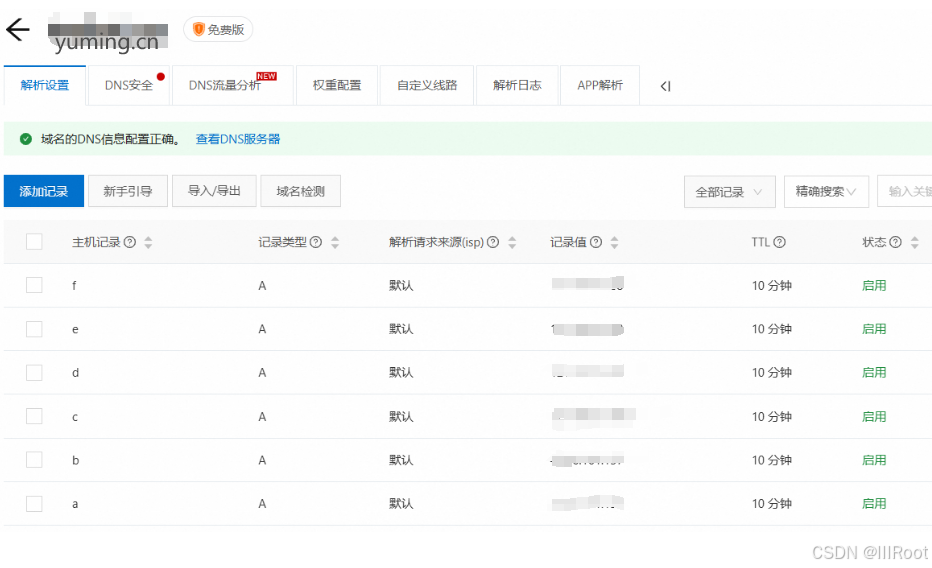
阿里云域名申请,进行dns解析
-
获取免费https证书地址:https://ohttps.com/monitor/certificates
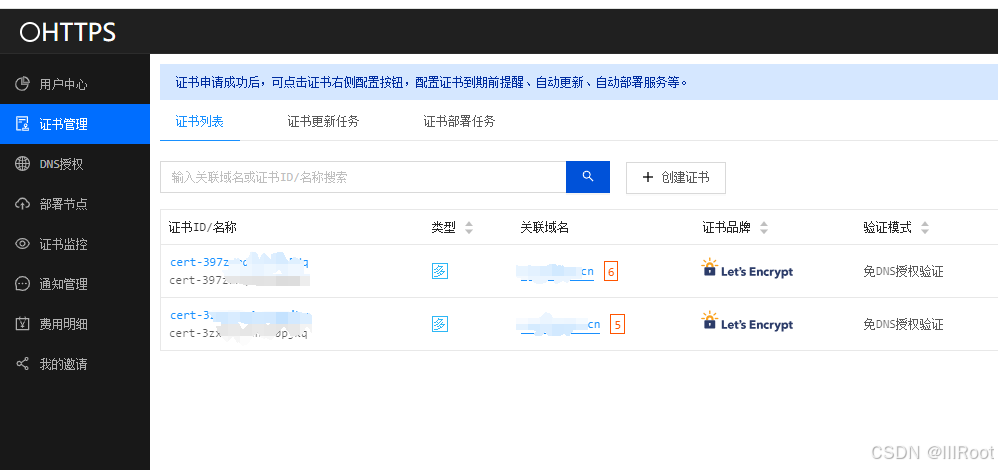
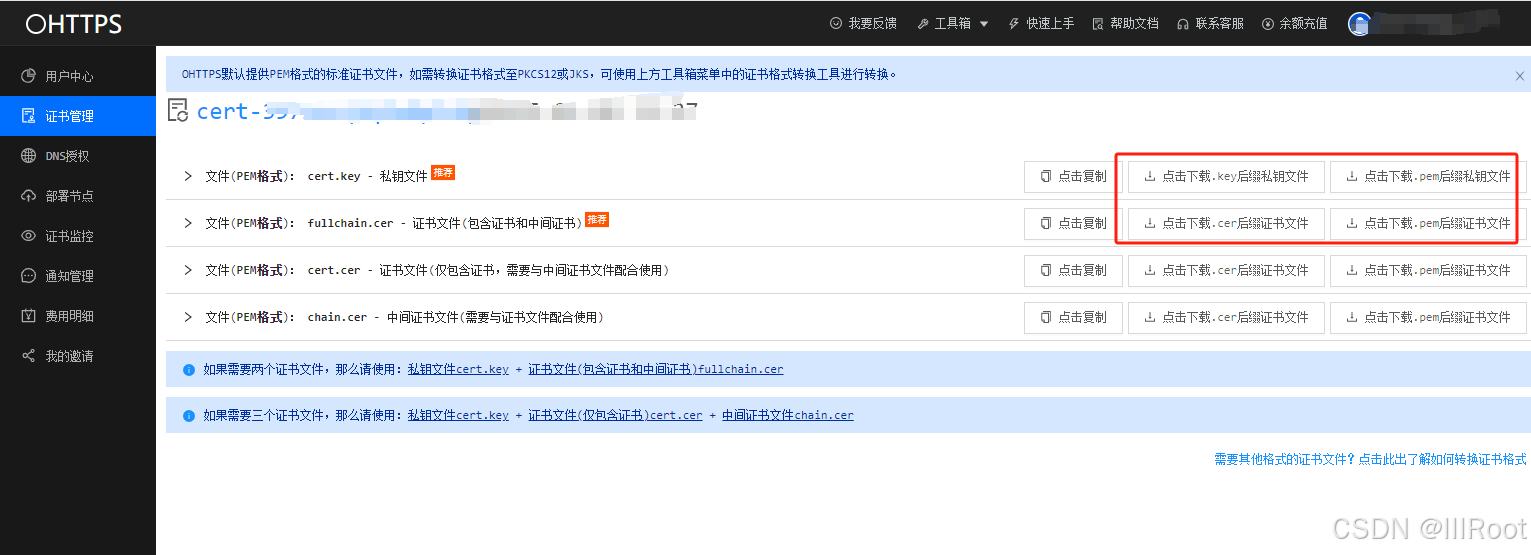
证书管理->查看->查看证书文件->下载
-
上传证书到服务器,并配置nginx代理tomcat服务地址后重启
server {
    listen 8446 ssl ;  # 默认可用443
    server_name  c.yuming.cn;
    # gzip config
    gzip on;
    gzip_min_length 1k;
    gzip_comp_level 9;
    gzip_types text/plain application/javascript application/x-javascript text/css application/xml text/javascript application/x-httpd-php image/jpeg image/gif image/png;
    gzip_vary on;
    gzip_disable "MSIE [1-6]\.";

    ssl_certificate  /usr/local/fullchain.pem;  #证书信息
    ssl_certificate_key /usr/local/cert.key;  #证书信息

    client_max_body_size 200M;


location / {
        proxy_pass  http://123.45.6.7:8086;
        add_header 'Access-Control-Allow-Origin' '*';  # 或者具体的域名,比如 'https://example.com'
        add_header 'Access-Control-Allow-Methods' 'GET, POST, PUT, DELETE, OPTIONS';
        add_header 'Access-Control-Allow-Headers' 'Content-Type, Authorization, X-Requested-With';
        add_header 'Access-Control-Allow-Credentials' 'true';  # 如果需要支持 cookie 等敏感信息
        # 如果是预检请求(OPTIONS),直接返回 200 OK
        if ($request_method = 'OPTIONS') {
            return 204;
        }
        proxy_redirect ~^http://([^:]+)(:\d+)?(.*)$ https://$1$2$3;

        proxy_set_header   Host             $host;
        proxy_set_header   X-Real-IP        $remote_addr;
        proxy_set_header   X-Forwarded-For  $proxy_add_x_forwarded_for;
   }

   location /ABCD {
        proxy_pass  http://123.45.6.7:8086/ABCD;
        proxy_redirect ~^http://([^:]+)(:\d+)?(.*)$ https://$1$2$3;

        proxy_set_header   Host             $host;
        proxy_set_header   X-Real-IP        $remote_addr;
        proxy_set_header   X-Forwarded-For  $proxy_add_x_forwarded_for;
   }
- 浏览器输入c.yuming.cn进行验证





 扫一扫
扫一扫


 被折叠的 条评论
为什么被折叠?
被折叠的 条评论
为什么被折叠?
 到【灌水乐园】发言





