


 本文介绍了如何在Spring Boot项目中通过Maven引入PageHelper库,配置分页参数,设置和使用分页对象,最终实现在Controller层进行分页展示。
步骤(maven方式):
1)、引入PageHelper jar包坐标;
代码截图
<!--pagehelper分页插件-->
        <dependency>
            <groupId>com.github.pagehelper</groupId>
            <artifactId>pagehelper</artifactId>
            <version>5.1.2</version>
        </dependency>
        <dependency>
            <groupId>com.github.pagehelper</groupId>
            <artifactId>pagehelper-spring-boot-autoconfigure</artifactId>
            <version>1.2.3</version>
        </dependency>
        <dependency>
            <groupId>com.github.pagehelper</groupId>
            <artifactId>pagehelper-spring-boot-starter</artifactId>
            <version>1.2.3</version>
        </dependency>
2)、在application.yml中配置
# 配置pagehelper参数
pagehelper:
  helperDialect: mysql
  reasonable: true
  supportMethodsArguments: true
  params: count=countSql
3)、编写业务层代码(设置分页所必须的参数);
我们只需要向PageHelper所提供的实例中传入分页所必须获取的参数(当前页索引、每页展示的数据量)即可;
代码截图:
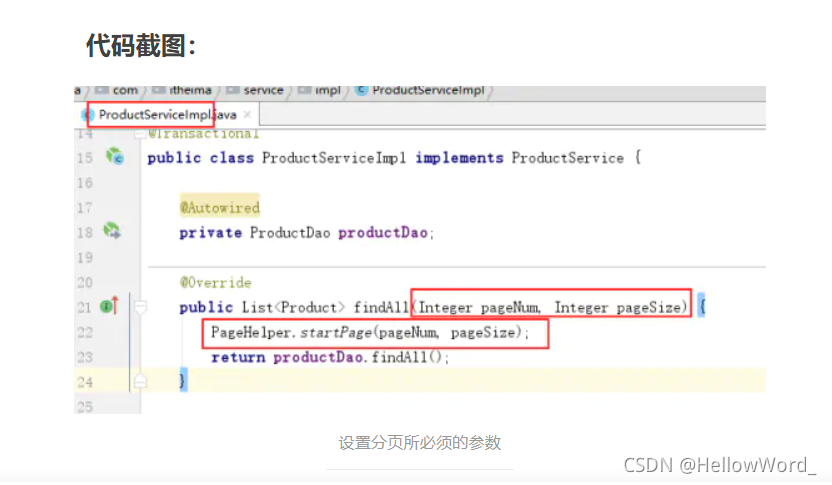
设置分页所必须的参数
4)、编写Controller层代码(将分页展示的数据传入PageHelper所提供的分页对象中);
说明:由于前台分页展示所需要的数据较多,所以PageHelper提供了一个类来存取分页展示所需要的信息;
代码截图:
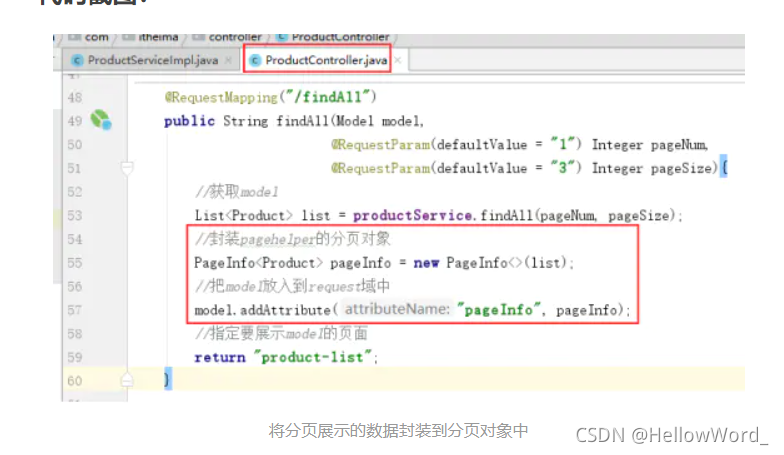
将分页展示的数据封装到分页对象中
效果演示(最终结果):
代码截图:
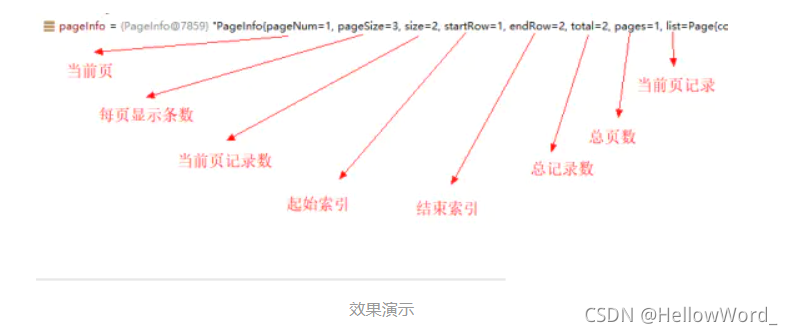
效果演示
使用:有了最终结果,将该分页对象存储到request域中,视图层通过el表达式即可完成分页;
作者:青春代言人
链接:https://www.jianshu.com/p/a5df4a8cebd2
来源:简书
著作权归作者所有。商业转载请联系作者获得授权,非商业转载请注明出处。





 扫一扫
扫一扫


 910
910

 被折叠的 条评论
为什么被折叠?
被折叠的 条评论
为什么被折叠?
 到【灌水乐园】发言





