


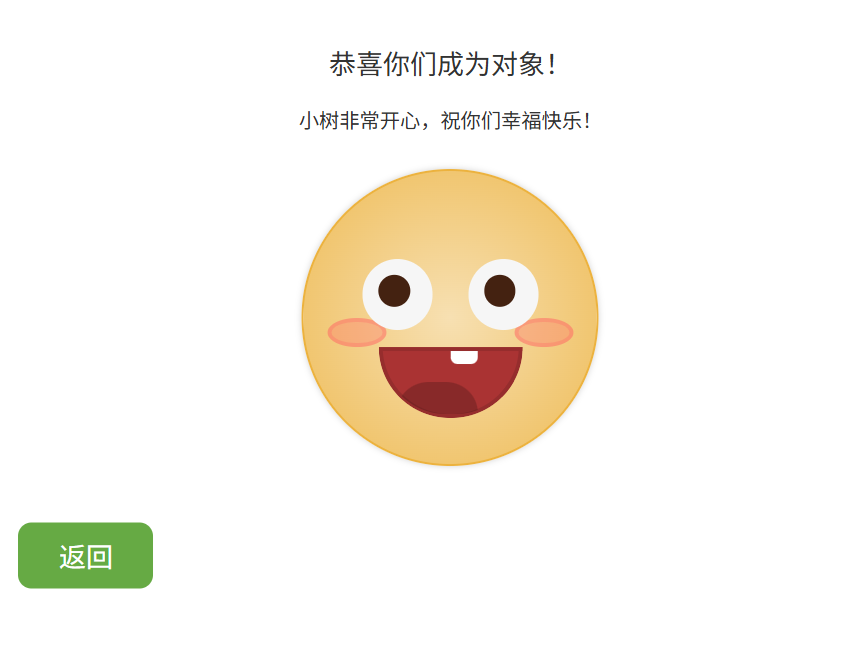
效果展示
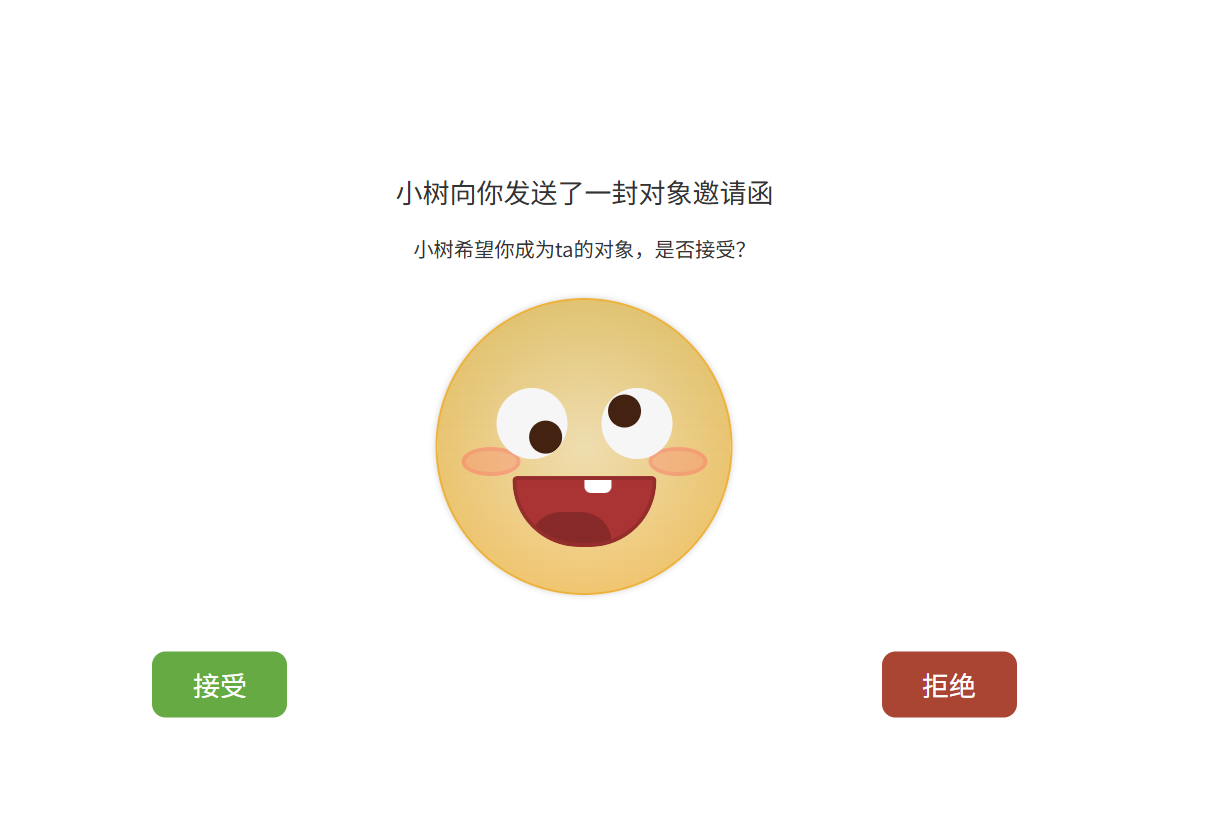
接受页面
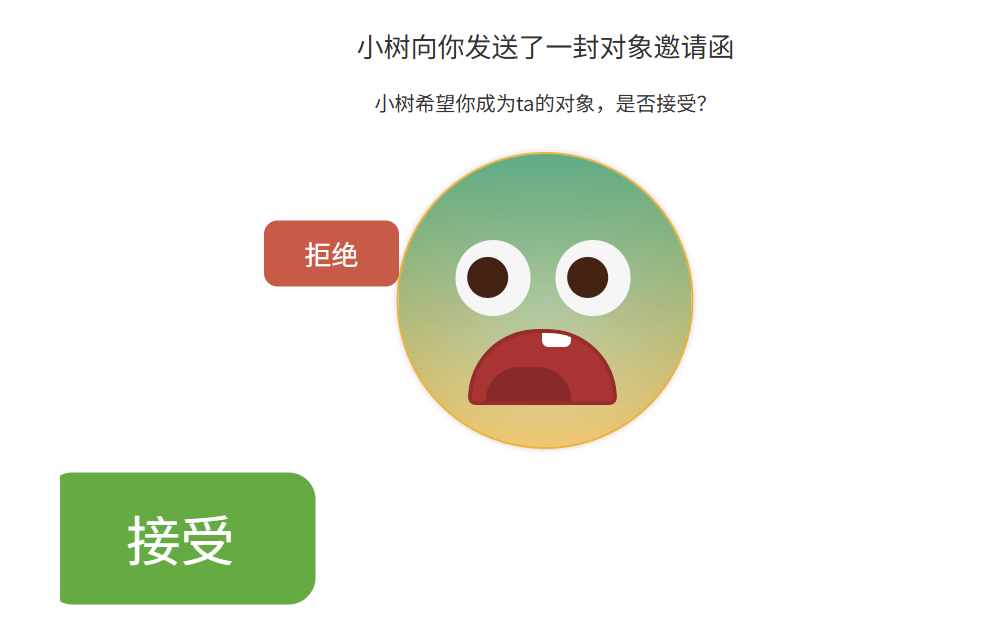
点击拒绝无效 接受按钮会无限放大
**
代码展示
**
<!-- 接受后的新界面 -->
<section class="accepted hidden">
    <div class="accepted-body">
        <h2 class="accepted-body-title">恭喜你们成为对象!</h2>
        <h3 class="accepted-body-subtitle">小树非常开心,祝你们幸福快乐!</h3>
        <figure class="boi" style="--happiness:1; --derp:0; --px:0.5; --py:0.5;">
            <div class="boi-blush boi-blush-left"></div>
            <div class="boi-blush boi-blush-right"></div>
            <div class="boi-eye boi-eye-left"></div>
            <div class="boi-eye boi-eye-right"></div>
            <div class="boi-mouth"></div>
        </figure>
        <a class="accepted-body-button" href="javascript:void(0)">返回</a>
    </div>
</section>

<!-- 拒绝后的新界面 -->
<section class="rejected hidden">
    <div class="rejected-body">
        <h2 class="rejected-body-title">小树有点难过...</h2>
        <h3 class="rejected-body-subtitle">但小树尊重你的决定,祝你一切顺利!</h3>
        <figure class="boi" style="--happiness:0.2; --derp:0; --px:0.5; --py:0.5;">
            <div class="boi-blush boi-blush-left"></div>
            <div class="boi-blush boi-blush-right"></div>
            <div class="boi-eye boi-eye-left"></div>
            <div class="boi-eye boi-eye-right"></div>
            <div class="boi-mouth"></div>
        </figure>
        <a class="rejected-body-button" href="javascript:void(0)">返回</a>
    </div>
</section>

<script>
    const confirmSection = document.querySelector('.confirm');
    const acceptedSection = document.querySelector('.accepted');
    const rejectedSection = document.querySelector('.rejected');
    const boi = document.querySelector('.boi');
    const btnDelete = document.querySelector('.confirm-body-button-delete');
    const btnCancel = document.querySelector('.confirm-body-button-cancel');
    const current = {
        happiness: 0.9,
        derp: 1,
        px: 0.5,
        py: 0.5
    };
    const target = { ...current };
    let rejectCount = 0;

    // 事件监听
    confirmSection.addEventListener('mousemove', onMouseMove);
    confirmSection.addEventListener('mouseleave', onMouseLeave);

    btnCancel.addEventListener('click', () => {
        confirmSection.classList.add('hidden');
        acceptedSection.classList.remove('hidden');
        target.happiness = 1; // 开心到起飞
        updateBoi();
    });

    btnDelete.addEventListener('click', () => {
        rejectCount++;
        if (rejectCount >= 5) {
            btnDelete.style.position = 'absolute';
            btnDelete.style.left = `${Math.random() * 80}%`;
            btnDelete.style.top = `${Math.random() * 80}%`;
        }
        target.happiness = Math.max(0.1, target.happiness - 0.1); // 每次点击拒绝,表情更委屈
        btnCancel.style.transform = `scale(${1 + rejectCount * 0.1})`; // 接受按钮变大
        updateBoi();
    });

    acceptedSection.querySelector('a').addEventListener('click', () => {
        acceptedSection.classList.add('hidden');
        confirmSection.classList.remove('hidden');
        resetBoi();
    });

    rejectedSection.querySelector('a').addEventListener('click', () => {
        rejectedSection.classList.add('hidden');
        confirmSection.classList.remove('hidden');
        resetBoi();
    });

    function onMouseMove({ clientX: x, clientY: y }) {
        let dx1 = x - btnDelete.getBoundingClientRect().x - btnDelete.getBoundingClientRect().width * 0.5;
        let dy1 = y - btnDelete.getBoundingClientRect().y - btnDelete.getBoundingClientRect().height * 0.5;
        let dx2 = x - btnCancel.getBoundingClientRect().x - btnCancel.getBoundingClientRect().width * 0.5;
        let dy2 = y - btnCancel.getBoundingClientRect().y - btnCancel.getBoundingClientRect().height * 0.5;
        let px = (x - confirmSection.getBoundingClientRect().x) / confirmSection.getBoundingClientRect().width;
        let py = (y - confirmSection.getBoundingClientRect().y) / confirmSection.getBoundingClientRect().height;
        let distDelete = Math.sqrt(dx1 * dx1 + dy1 * dy1);
        let distCancel = Math.sqrt(dx2 * dx2 + dy2 * dy2);
        let happiness = Math.pow(distDelete / (distCancel + distDelete), 0.75);

        target.happiness = happiness;
        target.derp = 0;
        target.px = px;
        target.py = py;
    }

    function onMouseLeave() {
        target.happiness = 0.9;
        target.derp = 1;
        target.px = 0.5;
        target.py = 0.5;
    }

    function updateBoi() {
        for (let prop in target) {
            if (target[prop] === current[prop]) {
                continue;
            } else if (Math.abs(target[prop] - current[prop]) < 0.01) {
                current[prop] = target[prop];
            } else {
                current[prop] += (target[prop] - current[prop]) * 0.1;
            }
            boi.style.setProperty(`--${prop}`, current[prop]);
        }
        requestAnimationFrame(updateBoi);
    }

    function resetBoi() {
        target.happiness = 0.9;
        target.derp = 1;
        target.px = 0.5;
        target.py = 0.5;
        rejectCount = 0;
        btnCancel.style.transform = 'scale(1)';
        btnDelete.style.position = 'static';
    }

    updateBoi();
</script>





 扫一扫
扫一扫


 2万+
2万+

 被折叠的 条评论
为什么被折叠?
被折叠的 条评论
为什么被折叠?
 到【灌水乐园】发言





