



 本文介绍了如何在游戏或应用中使用Button控制角色乔治的移动,并保持George的名字标签相对固定。通过实例代码展示了如何使Button不动,而乔治和名字根据点击事件动态切换位置。
一、资源展示
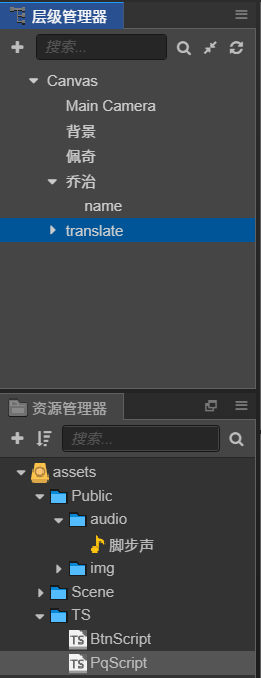
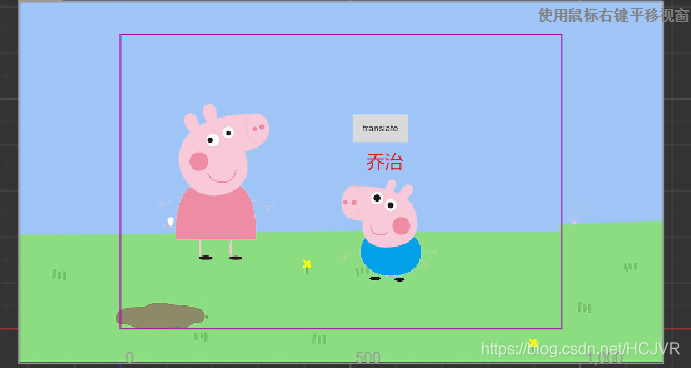
二、处理事件
要使用button控制乔治移动,以及名字位置和中英文切换。如果button放在乔治内,button会随乔治一起移动。现在要求button固定不动,乔治和名字动。
// BtnScript类调用PqScript类中的move方法
const {ccclass, property} = cc._decorator;
import PqScript from "./PqScript"

@ccclass
export default class BtnScript extends cc.Component {
    @property(cc.Label)
    label: cc.Label = null;

    @property
    text: string = 'hello';

    // LIFE-CYCLE CALLBACKS:
    onLoad () {
        this.node.on("mousedown", this.clicked, this)
    }

    clicked() {
        let nodeName : cc.Node = cc.find("Canvas/乔治/name")
        let targetName : cc.Label = nodeName.getComponent(cc.Label)

        let PqClass= cc.find("Canvas/乔治").getComponent(PqScript)
        PqClass.move()
        if(nodeName.position.y > 0) {
            nodeName.setPosition(-10, -150)
            targetName.string = "George Pig"
        }else {
            nodeName.setPosition(-10, 150)
            targetName.string = "乔治"
        }
    }
}
先引入类
import PqScript from “./PqScript”
找到乔治上的PqScript类
let PqClass= cc.find(“Canvas/乔治”).getComponent(PqScript)
调用PqClass内的move方法,让他移动
三、结果
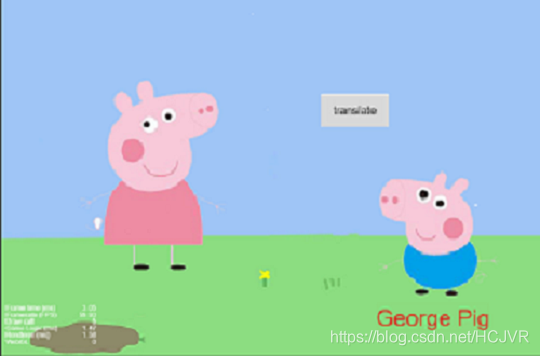
如有错误和不足欢迎指正!





 扫一扫
扫一扫


 1602
1602

 被折叠的 条评论
为什么被折叠?
被折叠的 条评论
为什么被折叠?
 到【灌水乐园】发言





