


 本文介绍了如何在Windows系统中安装Microsoft消息队列服务器,并通过C#代码展示了创建、发送和接收消息的基本操作。
学习网站:
https://www.cnblogs.com/HirsinkaI/p/7656158.html
安装方法
控制面板-》程序和功能-》启用或关闭windows功能-》Microsoft消息队列服务器-》选中安装
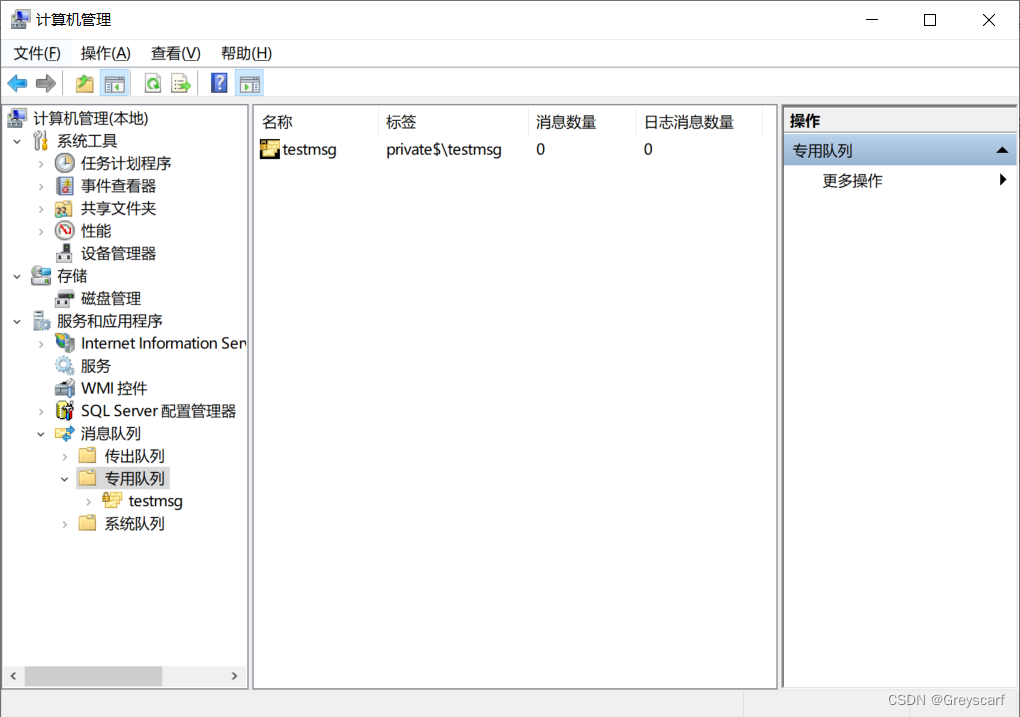
安装之后打开【计算机管理】
简单测试代码
static void Main(string[] args)
        {
            String mqname = @".\private$\testmsg";

            if (!MessageQueue.Exists(mqname))
            {
                MessageQueue.Create(mqname);
            }
            MessageQueue que = new MessageQueue(mqname);
            que.Formatter = new BinaryMessageFormatter();
            que.Send("推送信息:xxx");

            while (true)
            {
                using (Message msg = que.Receive())
                {
                    String str = (String)msg.Body;
                    Console.WriteLine("Received: {0}", str);
                }
            }

        }





 扫一扫
扫一扫


 1111
1111

 被折叠的 条评论
为什么被折叠?
被折叠的 条评论
为什么被折叠?
 到【灌水乐园】发言





