


 本文详细介绍了如何使用Dubbo框架创建微服务项目,包括服务提供者和消费者的具体实现过程,涵盖了项目目录结构、依赖引入、服务接口定义、实现类编写、控制器测试、配置文件设置及启动类的编写。
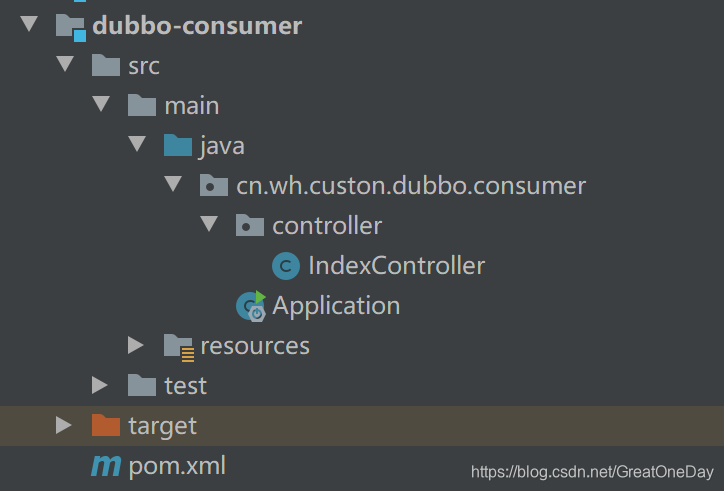
创建的项目的目录具体为:
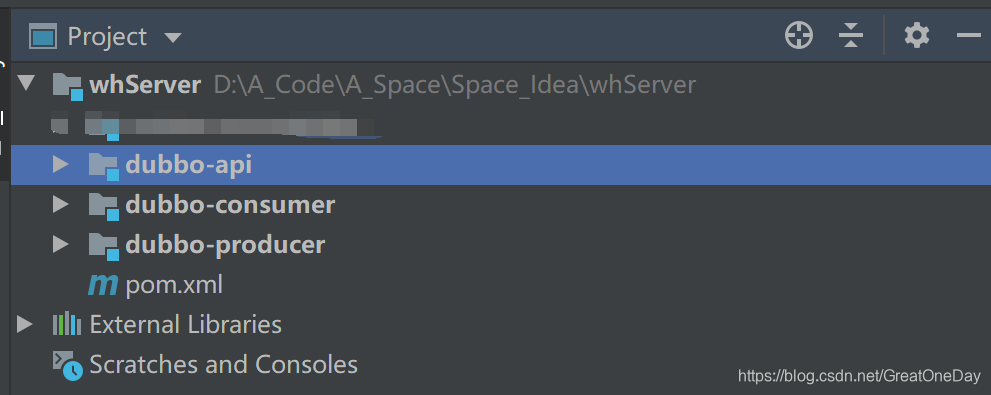
dubbo-api:存放需要注册到Dubbo服务的service接口
dubbo-producer:存放生产者的Controller,service实现类,实体类等
dubbo-consumer:存放消费者的Controller,service实现类,实体类等
项目
在项目的pom.xml文件中引入SpringBoot依赖
   <parent>
        <groupId>org.springframework.boot</groupId>
        <artifactId>spring-boot-starter-parent</artifactId>
        <version>2.2.5.RELEASE</version>
    </parent>
dubbo-api:
只需要在dubbo-api中提供需要调用的service接口
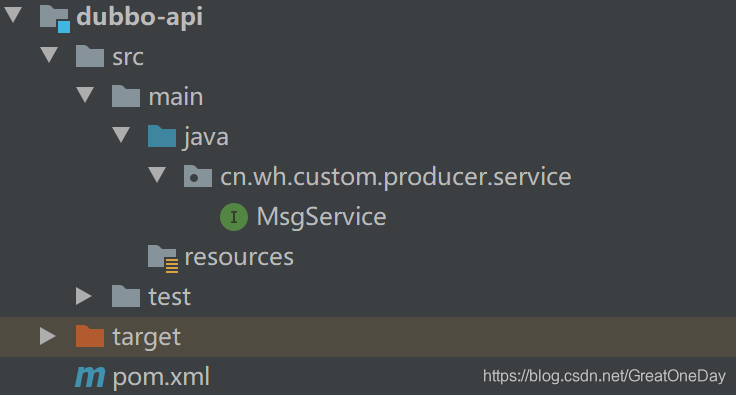
package cn.wh.custom.producer.service;
public interface MsgService {
    /**
     * 发送短信
     */
    int sendMsg();
}
dubbo-producer:
注意:这里需要添加dubbo-api的依赖
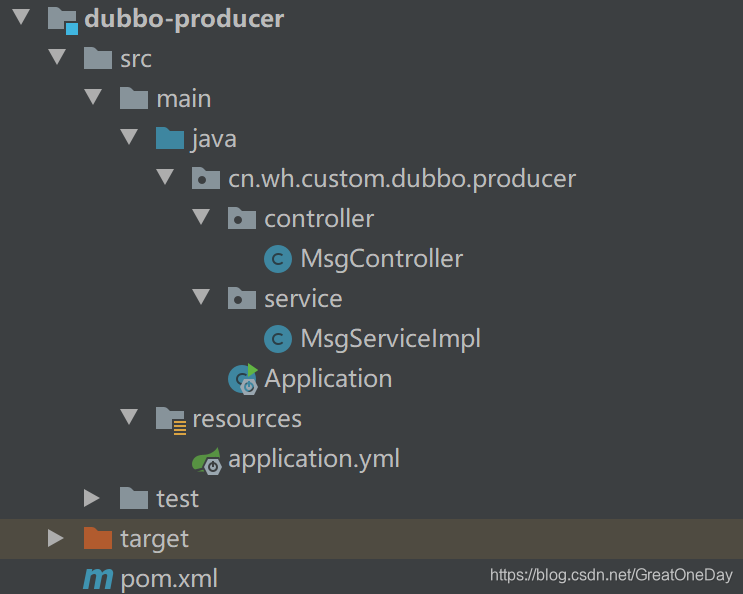
添加依赖:
<dependencies>
        <dependency>
            <groupId>org.springframework.boot</groupId>
            <artifactId>spring-boot-starter</artifactId>
            <version>2.2.5.RELEASE</version>
        </dependency>
        <dependency>
            <groupId>org.springframework.boot</groupId>
            <artifactId>spring-boot-starter-web</artifactId>
            <version>2.2.5.RELEASE</version>
        </dependency>

        <!--dubbo-->
        <dependency>
            <groupId>org.apache.dubbo</groupId>
            <artifactId>dubbo-spring-boot-starter</artifactId>
            <version>2.7.5</version>
        </dependency>
        <dependency>
            <groupId>org.apache.curator</groupId>
            <artifactId>curator-recipes</artifactId>
            <version>4.0.1</version>
        </dependency>
    </dependencies>
添加yml配置:
server:
  port: 8081

# Dubbo配置
dubbo:
  application:
    name: dubbo-producer
  protocol:
    port: -1
    name: dubbo
  registry:
    address: zookeeper://127.0.0.1:2181
    check: false
添加service实现类:
注意:@Service必须为org.apache.dubbo.config.annotation包下的
package cn.wh.custom.dubbo.producer.service;
import org.springframework.stereotype.Service;
import cn.wh.custom.producer.service.MsgService;
@Service
@org.apache.dubbo.config.annotation.Service(interfaceName = "MsgService.class", validation = "true")
public class MsgServiceImpl implements MsgService {
    /**
     * 发送短信
     */
    @Override
    public int sendMsg() {
        // 发送短信成功
        return 1;
    }
}
添加controller测试:
package cn.wh.custom.dubbo.producer.controller;
import org.springframework.beans.factory.annotation.Autowired;
import org.springframework.web.bind.annotation.RequestMapping;
import org.springframework.web.bind.annotation.RestController;
import cn.wh.custom.producer.service.MsgService;
@RestController
@RequestMapping("msg")
public class MsgController {
    @Autowired
    private MsgService msgService;
    @RequestMapping("send")
    public String sendMsg() {
        int result = msgService.sendMsg();
        if (result > 0)
            System.out.println("发送短信成功");
        else
            System.out.println("发送短信失败");
        return "success";
    }
}
添加启动类:
注意:这里必须添加启动Dubbo的注解
package cn.wh.custom.dubbo.producer;
import org.apache.dubbo.config.spring.context.annotation.EnableDubbo;
import org.springframework.boot.SpringApplication;
import org.springframework.boot.autoconfigure.SpringBootApplication;
/**
 * @Description 启动类
 */
@SpringBootApplication
@EnableDubbo
public class Application {
    public static void main(String[] args) {
        SpringApplication.run(Application.class, args);
    }
}
访问:http://localhost:8081/msg/send
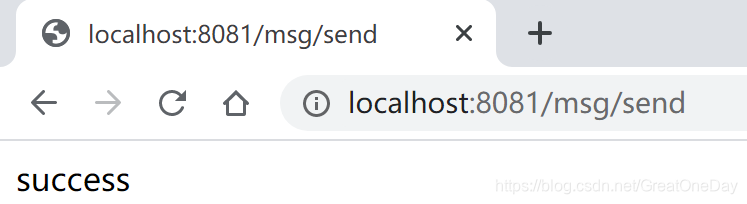
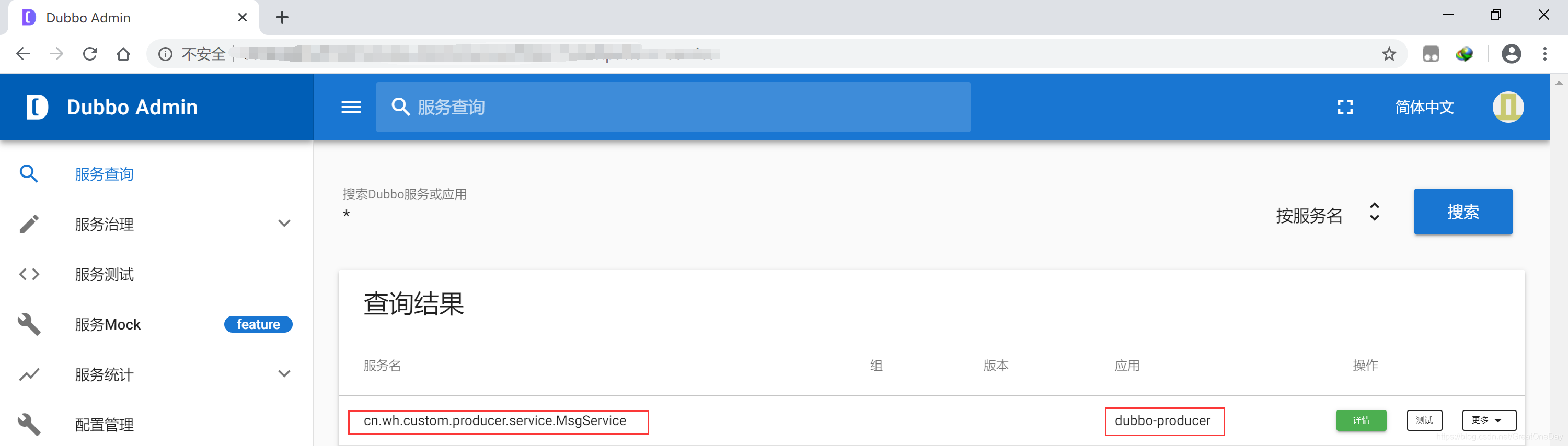
项目启动之后,就会把dubbo-producer的接口注册到Dubbo服务中
dubbo-consumer:
注意:这里需要添加dubbo-api的依赖
添加依赖:
这里添加的依赖和生产者的依赖一样
 <dependencies>
        <dependency>
            <groupId>org.springframework.boot</groupId>
            <artifactId>spring-boot-starter</artifactId>
            <version>2.2.5.RELEASE</version>
        </dependency>
        <dependency>
            <groupId>org.springframework.boot</groupId>
            <artifactId>spring-boot-starter-web</artifactId>
            <version>2.2.5.RELEASE</version>
        </dependency>

        <!--dubbo-->
        <dependency>
            <groupId>org.apache.dubbo</groupId>
            <artifactId>dubbo-spring-boot-starter</artifactId>
            <version>2.7.5</version>
        </dependency>
        <dependency>
            <groupId>org.apache.curator</groupId>
            <artifactId>curator-recipes</artifactId>
            <version>4.0.1</version>
        </dependency>
    </dependencies>
添加配置:
这里添加的配置和生产者的配置一样,不过端口号需要修改一下
server:
  port: 8082

# Dubbo配置
dubbo:
  application:
    name: dubbo-producer
  protocol:
    port: -1
    name: dubbo
  registry:
    address: zookeeper://127.0.0.1:2181
    check: false
添加Controller测试:
注意: 必须使用org.apache.dubbo.config.annotation包下的@Reference注解,通过此注解注入dubbo,提供服务提供者的接口
package cn.wh.custon.dubbo.consumer.controller;

import cn.wh.custom.producer.service.MsgService;
import org.apache.dubbo.config.annotation.Reference;
import org.springframework.web.bind.annotation.RequestMapping;
import org.springframework.web.bind.annotation.RestController;
@RestController
@RequestMapping("/")
public class IndexController {
    @Reference
    private MsgService msgService;
    @RequestMapping("index")
    public String index() {
        int result = msgService.sendMsg();
        if(result > 0 )
            System.out.println("Dubbo调用成功");
        else
            System.out.println("Dubbo调用失败");
        return result + "";
    }
}
添加启动类:
注意:必须添加@EnableDubbo注解,开启Dubbo服务
package cn.wh.custon.dubbo.consumer;

import org.apache.dubbo.config.spring.context.annotation.EnableDubbo;
import org.springframework.boot.SpringApplication;
import org.springframework.boot.autoconfigure.SpringBootApplication;
@SpringBootApplication
@EnableDubbo
public class Application {
    public static void main(String[] args) {
        SpringApplication.run(Application.class, args);
    }
}
访问:http://localhost:8082/index
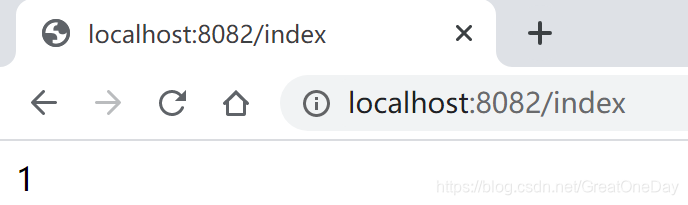
结果:调用Dubbo生产者的消息成功。





 扫一扫
扫一扫


 1万+
1万+

 被折叠的 条评论
为什么被折叠?
被折叠的 条评论
为什么被折叠?
 到【灌水乐园】发言





