浮动
HTML
<!DOCTYPE html>
<html>
<head>
<meta charset="utf-8" />
<title></title>
<link rel="stylesheet" type="text/css" href="css/浮动.css"/>
</head>
<body>
<div class="bigBox">
<div class="bigbox1">盒子一</div>
<div class="bigbox2">
<div class="box2">盒子二</div>
<div class="box3">盒子三</div>
</div>
<div class="bigbox3">
<div class="box4">盒子四</div>
<div class="box5">盒子五</div>
</div>
</div>
</body>
</html>
CSS
.bigBox {
width: 608px;
height: 308px;
}
.bigbox1 {
background-color: red;
width: 200px;
height: 300px;
float: left;
}
.bigbox2 {
width: 400px;
height: 150px;
float: left;
}
.bigbox3 {
width: 400px;
height: 150px;
float: left;
}
.box2 {
background-color: orange;
width: 200px;
height: 150px;
float: left;
}
.box3 {
background-color: yellow;
width: 200px;
height: 150px;
float: left;
}
.box4 {
background-color: green;
width: 200px;
height: 150px;
float: left;
}
.box5 {
background-color: blue;
width: 200px;
height: 150px;
float: left;
}
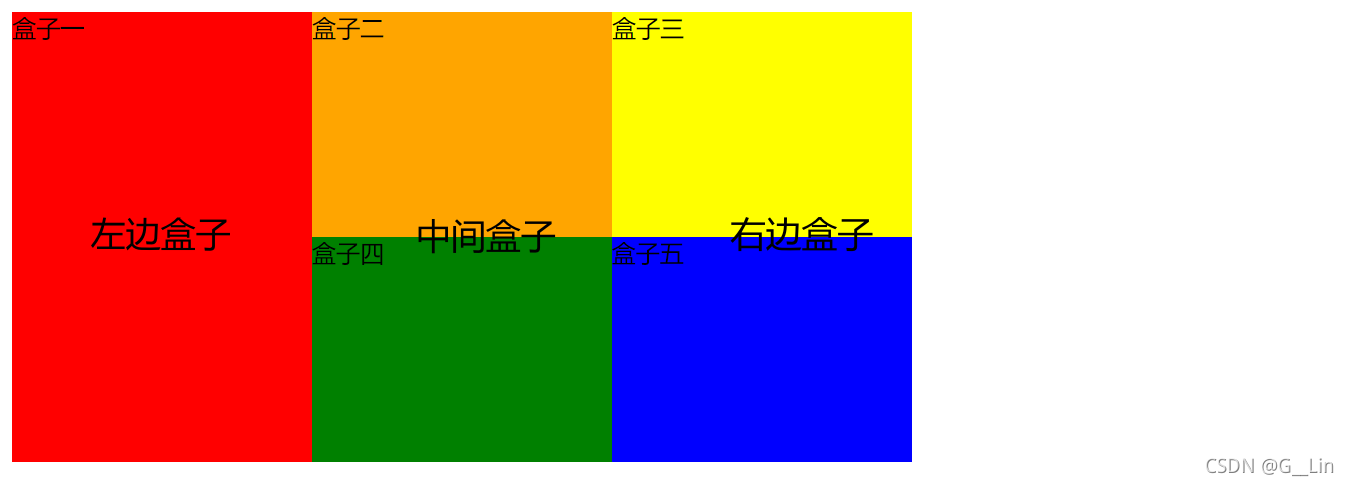
效果图





 扫一扫
扫一扫


 6347
6347

 被折叠的 条评论
为什么被折叠?
被折叠的 条评论
为什么被折叠?
 到【灌水乐园】发言





