Python将Json文件内容转为VOC中的XML文件
前提条件
相关介绍
- Python是一种跨平台的计算机程序设计语言。是一个高层次的结合了解释性、编译性、互动性和面向对象的脚本语言。最初被设计用于编写自动化脚本(shell),随着版本的不断更新和语言新功能的添加,越多被用于独立的、大型项目的开发。
- Python OS模块提供了非常丰富的方法用来处理文件和目录。
- Python JSON (JavaScript Object Notation) 是一种轻量级的数据交换格式。
- 实验目标:Python将Json文件内容转为VOC中的XML文件
实验环境
Json文件内容转为VOC中的XML文件
Json文件内容
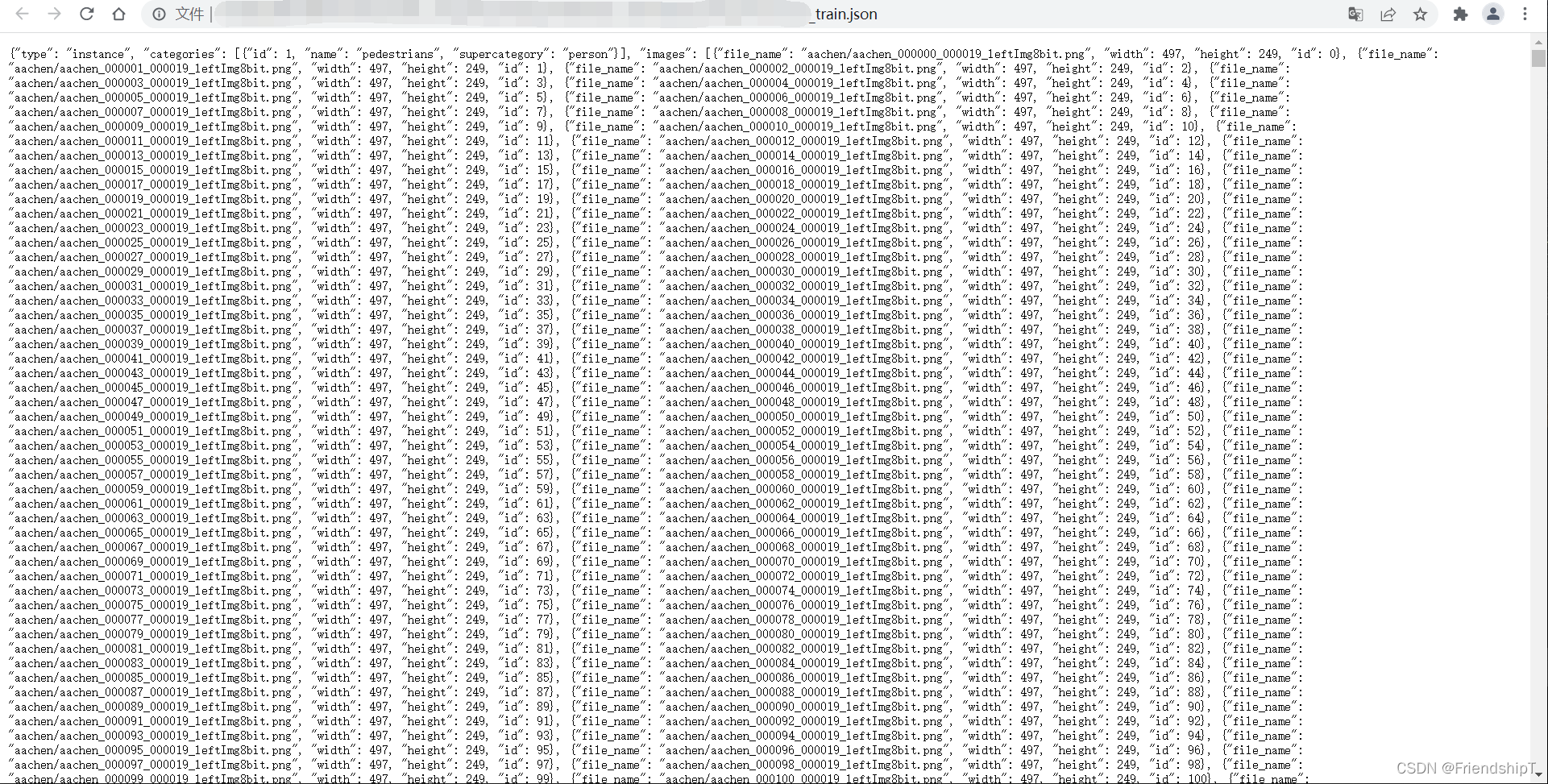
代码实现
"""
Created on 2022/02/25 10:00
@author: TFX
"""
import os
import json
path = r"citypersons_all_train.json"
file = open(path, "rb")
data = json.load(file)
img_list = data["images"]
annotations_list = data["annotations"]
new_xml=r"Annotations"
if not os.path.isdir(new_xml):
os.makedirs(new_xml)
for i in img_list:
img_name = i["file_name"].split("/")[1]
width, height = i["width"],i["height"]
xml_name=img_name.split('.')[0]
xml_file = open((new_xml + '\\' + xml_name + '.xml'), 'w')
xml_file.write('<annotation>\n')
xml_file.write(' <folder>citysperson</folder>\n')
xml_file.write(' <filename>' + str(img_name)+ '</filename>\n')
xml_file.write(' <size>\n')
xml_file.write(' <width>' + str(width) + '</width>\n')
xml_file.write(' <height>' + str(height) + '</height>\n')
xml_file.write(' <depth>3</depth>\n')
xml_file.write(' </size>\n')
for j in annotations_list:
if i['id']==j['image_id']:
x,y,w,h=j['bbox']
xml_file.write(' <object>\n')
xml_file.write(' <name>' + 'person' + '</name>\n')
xml_file.write(' <pose>Unspecified</pose>\n')
xml_file.write(' <truncated>0</truncated>\n')
xml_file.write(' <difficult>0</difficult>\n')
xml_file.write(' <bndbox>\n')
xml_file.write(' <xmin>' + str(x) + '</xmin>\n')
xml_file.write(' <ymin>' + str(y) + '</ymin>\n')
xml_file.write(' <xmax>' + str(x+w) + '</xmax>\n')
xml_file.write(' <ymax>' + str(y+h) + '</ymax>\n')
xml_file.write(' </bndbox>\n')
xml_file.write(' </object>\n')
xml_file.write('</annotation>\n')
输出结果
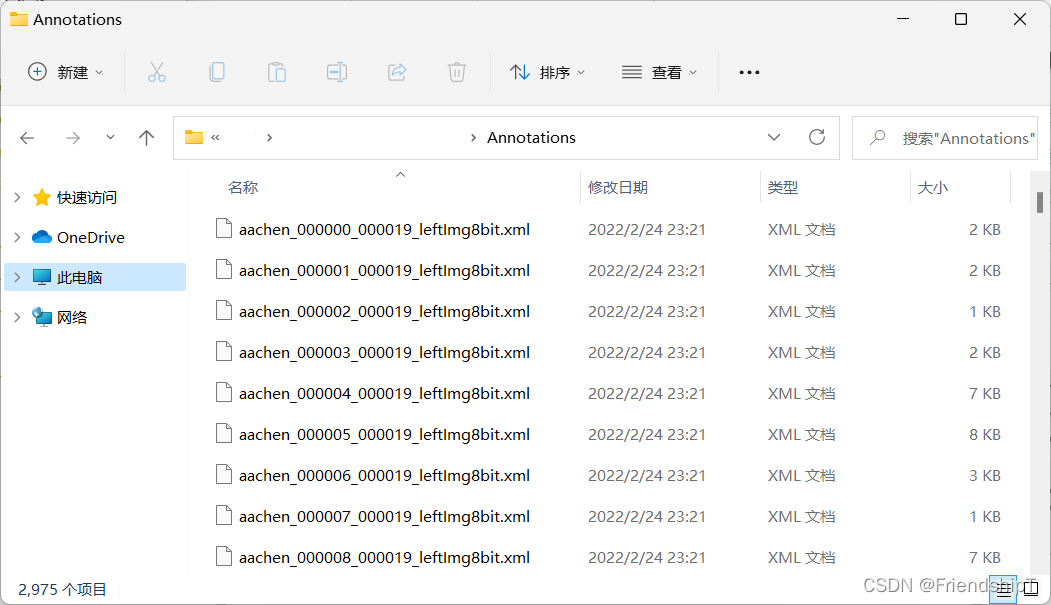
<annotation>
    <folder>citysperson</folder>
    <filename>aachen_000000_000019_leftImg8bit.png</filename>
    <size>
        <width>497</width>
        <height>249</height>
        <depth>3</depth>
    </size>
    <object>
        <name>person</name>
        <pose>Unspecified</pose>
        <truncated>0</truncated>
        <difficult>0</difficult>
        <bndbox>
            <xmin>216.5646266686439</xmin>
            <ymin>108.0395278784154</ymin>
            <xmax>221.66312124268148</xmax>
            <ymax>120.90715704146263</ymax>
        </bndbox>
    </object>
    <object>
        <name>person</name>
        <pose>Unspecified</pose>
        <truncated>0</truncated>
        <difficult>0</difficult>
        <bndbox>
            <xmin>218.74969577180286</xmin>
            <ymin>107.5539569666023</ymin>
            <xmax>227.0044012726256</xmax>
            <ymax>120.90715704146263</ymax>
        </bndbox>
    </object>
    <object>
        <name>person</name>
        <pose>Unspecified</pose>
        <truncated>0</truncated>
        <difficult>0</difficult>
        <bndbox>
            <xmin>447.6963806916809</xmin>
            <ymin>105.85445877525643</ymin>
            <xmax>458.37894075156913</xmax>
            <ymax>131.58971710135089</ymax>
        </bndbox>
    </object>
    <object>
        <name>person</name>
        <pose>Unspecified</pose>
        <truncated>0</truncated>
        <difficult>0</difficult>
        <bndbox>
            <xmin>248.85509230421525</xmin>
            <ymin>52.19887301990856</ymin>
            <xmax>255.6530850695987</xmax>
            <ymax>60.45357852073131</ymax>
        </bndbox>
    </object>
</annotation>



 该博客介绍了如何使用Python将包含图像信息和标注的Json文件转换为PASCAL VOC XML格式,用于计算机视觉任务的数据标注。实验中,通过Python的OS和JSON模块读取Json文件,然后逐条解析并生成对应的XML文件,内容包括图像尺寸、对象名称、边界框坐标等信息。





 扫一扫
扫一扫


 2224
2224

 被折叠的 条评论
为什么被折叠?
被折叠的 条评论
为什么被折叠?
 到【灌水乐园】发言





