


 本文详细介绍了如何在Unity中使用InputSystem配置移动和冲刺功能,包括Jump和Dash动作的设置,以及相应的C#脚本编写,涉及碰撞检测和状态管理。
0.基础配置
基础配置在上一期中有介绍
[Chip]Unity开发笔记--Input System实现移动
1.Input Actions配置
1.在Actions中右键Add Action命名为Jump,Action Type为Button。
2.右键Jump选择Add Binding,在右侧Path中选择Listen按下空格键,即可将空格键绑定为跳跃所需的按键。
3.同理Add Action命名为Dash,将Shift键绑定为冲刺所需的按键。
配置完后如图所示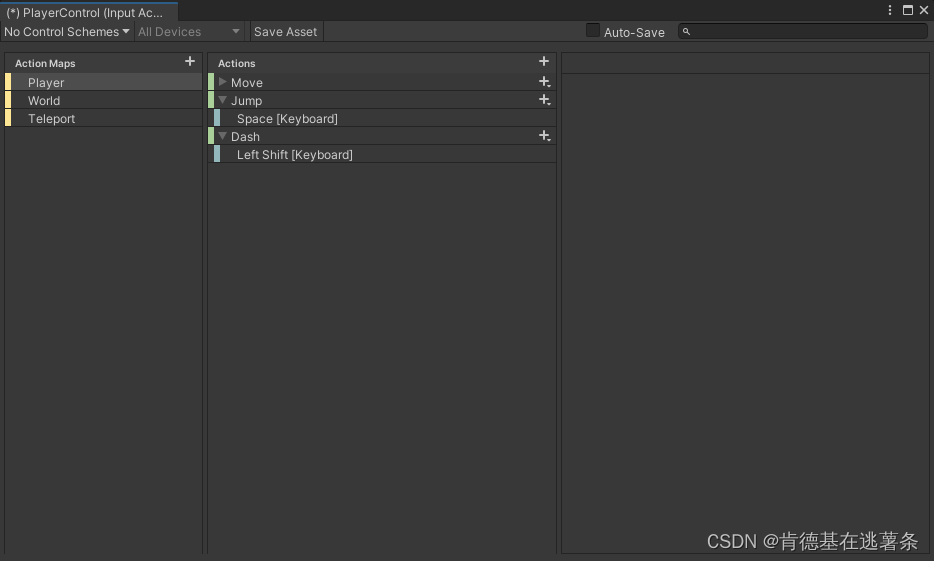
4.保存后关闭窗口。
2.跳跃代码编写
1.右键Create一个C# Scrpt命名为Jump,并挂载到Player身上。
2.初始化PlayerControl
public class Jump : MonoBehaviour
{
public PlayerControl playerControl;
private void Awake()
{
playerControl = new PlayerControl();
}
private void OnEnable()
{
playerControl.Enable();
}
private void OnDisable()
{
playerControl.Di 最低0.47元/天 解锁文章






 扫一扫
扫一扫


 4425
4425

 被折叠的 条评论
为什么被折叠?
被折叠的 条评论
为什么被折叠?
 到【灌水乐园】发言





