



import androidx.appcompat.app.AppCompatActivity;
import android.os.Bundle;
import android.view.View;
import android.view.ViewAnimationUtils;
import android.view.animation.Animation;
import android.view.animation.AnimationUtils;
import android.widget.TextView;
public class MainActivity extends AppCompatActivity {
private TextView tv_hello_world;
@Override
protected void onCreate(Bundle savedInstanceState) {
super.onCreate(savedInstanceState);
setContentView(R.layout.activity_main);
//获取控件
tv_hello_world = findViewById(R.id.tv_hello_world);
//利用 AnimationUtils 这个工具类获取 Animation
Animation translate = AnimationUtils.loadAnimation(this, R.anim.translate);
//因为这一步我们在 xml 中做了申明,所以这里不需要写,但是要记住,Duration 不设置你将会看不到动画
// translate.setDuration(3000);
//开始动画
tv_hello_world.startAnimation(translate);
}
}
代码方式
使用步骤:
- 编写java代码
package com.wust.myanimation;
import androidx.appcompat.app.AppCompatActivity;
import android.os.Bundle;
import android.view.View;
import android.view.ViewAnimationUtils;
import android.view.animation.Animation;
import android.view.animation.AnimationUtils;
import android.view.animation.TranslateAnimation;
import android.widget.TextView;
public class MainActivity extends AppCompatActivity {
private TextView tv_hello_world;
@Override
protected void onCreate(Bundle savedInstanceState) {
super.onCreate(savedInstanceState);
setContentView(R.layout.activity_main);
//获取控件
tv_hello_world = findViewById(R.id.tv_hello_world);
//利用 AnimationUtils 这个工具类获取 Animation Animation.RELATIVE_TO_PARENT:表示后面的值相对于父控件
Animation translate = new TranslateAnimation(Animation.RELATIVE_TO_PARENT,0,Animation.RELATIVE_TO_PARENT,0.5f,
Animation.RELATIVE_TO_PARENT,0,Animation.RELATIVE_TO_PARENT,0.5f);
//设置运动完了之后是否回来
translate.setFillAfter(true);
//这一步不能忘记了
translate.setDuration(3000);
//开始动画
tv_hello_world.startAnimation(translate);
}
}
缩放
==
效果展示

<?xml version="1.0" encoding="utf-8"?>xml 方式
<set xmlns:android=“http://schemas.android.com/apk/res/android”
android:fillAfter=“true” android:duration=“3000”>
<scale
android:fromXScale=“0%”
android:toXScale=“100%”
android:fromYScale=“0%”
android:toYScale=“100%”/>
package com.wust.myanimation;
import androidx.appcompat.app.AppCompatActivity;
import android.os.Bundle;
import android.view.View;
import android.view.ViewAnimationUtils;
import android.view.animation.Animation;
import android.view.animation.AnimationUtils;
import android.view.animation.TranslateAnimation;
import android.widget.TextView;
public class MainActivity extends AppCompatActivity {
private TextView tv_hello_world;
@Override
protected void onCreate(Bundle savedInstanceState) {
super.onCreate(savedInstanceState);
setContentView(R.layout.activity_main);
//获取控件
tv_hello_world = findViewById(R.id.tv_hello_world);
//利用 AnimationUtils 这个工具类获取 Animation Animation.RELATIVE_TO_PARENT:表示后面的值相对于父控件
Animation scale = AnimationUtils.loadAnimation(this,R.anim.scale);
//开始动画
tv_hello_world.startAnimation(scale);
}
}
java代码方式
package com.wust.myanimation;
import androidx.appcompat.app.AppCompatActivity;
import android.os.Bundle;
import android.view.View;
import android.view.ViewAnimationUtils;
import android.view.animation.Animation;
import android.view.animation.AnimationUtils;
import android.view.animation.ScaleAnimation;
import android.view.animation.TranslateAnimation;
import android.widget.TextView;
public class MainActivity extends AppCompatActivity {
private TextView tv_hello_world;
@Override
protected void onCreate(Bundle savedInstanceState) {
super.onCreate(savedInstanceState);
setContentView(R.layout.activity_main);
//获取控件
tv_hello_world = findViewById(R.id.tv_hello_world);
//利用 AnimationUtils 这个工具类获取 Animation Animation.RELATIVE_TO_SELF:表示后面的值相对于自己 这里的值大小都是 [0,1]
Animation scale = new ScaleAnimation(0,1,0,1,Animation.RELATIVE_TO_SELF,0.5f,Animation.RELATIVE_TO_SELF,0.5f);
//设置运动完了之后是否回来
scale.setFillAfter(true);
//这一步不能忘记了
scale.setDuration(3000);
//开始动画
tv_hello_world.startAnimation(scale);
}
}
旋转 和 透明度大家根据上面两种方式的规律自行尝试,我们抓紧篇幅赶紧来讲讲如何将这四种动画集合在一起展示。
综合动画
====
效果展示

<?xml version="1.0" encoding="utf-8"?>xml方式
<translate
android:fromXDelta=“0%p”
android:toXDelta=“50%p”
android:fromYDelta=“0%p”
android:toYDelta=“50%p”/>
<scale
android:pivotX=“0%”
android:pivotY=“0%”
android:fromXScale=“0%”
android:toXScale=“100%”
android:fromYScale=“0%”
android:toYScale=“100%”/>
<alpha
android:fromAlpha=“0”
android:toAlpha=“1”/>
<rotate
android:pivotY=“0%”
android:pivotX=“0%”
android:fromDegrees=“0”
android:toDegrees=“18”/>
package com.wust.myanimation;
import androidx.appcompat.app.AppCompatActivity;
import android.os.Bundle;
import android.view.View;
import android.view.ViewAnimationUtils;
import android.view.animation.Animation;
import android.view.animation.AnimationUtils;
import android.view.animation.ScaleAnimation;
import android.view.animation.TranslateAnimation;
import android.widget.TextView;
public class MainActivity extends AppCompatActivity {
private TextView tv_hello_world;
@Override
protected void onCreate(Bundle savedInstanceState) {
super.onCreate(savedInstanceState);
setContentView(R.layout.activity_main);
最后
在这里我和身边一些朋友特意整理了一份快速进阶为Android高级工程师的系统且全面的学习资料。涵盖了Android初级——Android高级架构师进阶必备的一些学习技能。
附上:我们之前因为秋招收集的二十套一二线互联网公司Android面试真题(含BAT、小米、华为、美团、滴滴)和我自己整理Android复习笔记(包含Android基础知识点、Android扩展知识点、Android源码解析、设计模式汇总、Gradle知识点、常见算法题汇总。)
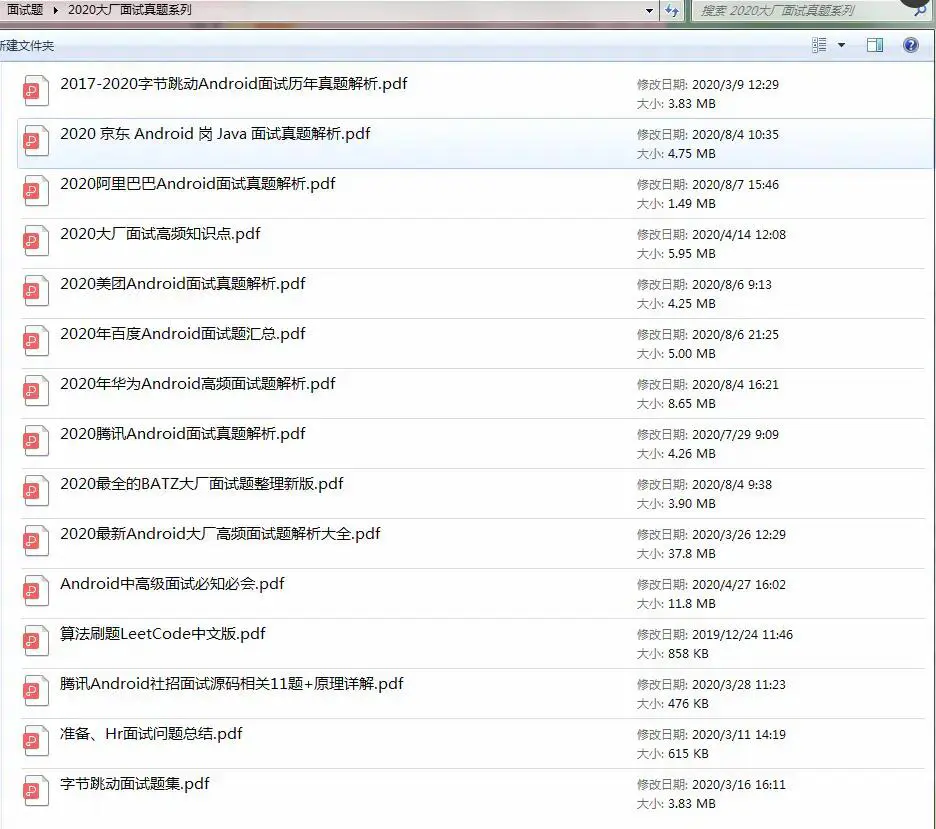
网上学习资料一大堆,但如果学到的知识不成体系,遇到问题时只是浅尝辄止,不再深入研究,那么很难做到真正的技术提升。
一个人可以走的很快,但一群人才能走的更远!不论你是正从事IT行业的老鸟或是对IT行业感兴趣的新人,都欢迎加入我们的的圈子(技术交流、学习资源、职场吐槽、大厂内推、面试辅导),让我们一起学习成长!
droid高级架构师进阶必备的一些学习技能。**
附上:我们之前因为秋招收集的二十套一二线互联网公司Android面试真题(含BAT、小米、华为、美团、滴滴)和我自己整理Android复习笔记(包含Android基础知识点、Android扩展知识点、Android源码解析、设计模式汇总、Gradle知识点、常见算法题汇总。)
[外链图片转存中…(img-d5rBNaYJ-1714365985510)]
网上学习资料一大堆,但如果学到的知识不成体系,遇到问题时只是浅尝辄止,不再深入研究,那么很难做到真正的技术提升。
一个人可以走的很快,但一群人才能走的更远!不论你是正从事IT行业的老鸟或是对IT行业感兴趣的新人,都欢迎加入我们的的圈子(技术交流、学习资源、职场吐槽、大厂内推、面试辅导),让我们一起学习成长!





 扫一扫
扫一扫


 1342
1342

 被折叠的 条评论
为什么被折叠?
被折叠的 条评论
为什么被折叠?
 到【灌水乐园】发言





