



使用vcpkg安装c++库时出现git连接报错的解决方案
背景
在使用vcpkg的命令vcpkg install安装库的时候,出现了如下报错
error :failed to fetch ref HEAD from repository https://github.com/microsoft/vcpkg
failed to execute: "C:\Program FileslGit\cmdlgit.exe"-git-dir=c:\UsersluserlAppDatalLocal\vcpkglregistrieslgitl.git"-work-tree=C:\UsersluserlAppDatalLocal\vcpkglregistrieslgit"-c core.autocrlf=false fetch-- https:/--update-shallowgithub.com/microsoft/vcpkg HEAD
error: git failed with exit code:(128)
fatal:unable to access 'https://github.com/microsoft/vcpkg/': Failed to connectto github.com port 443 after 21155 ms
Could not connect to server
while loading baseline version for eigen3
完整报错如下所示:我这里安装的库时boost和eigen3,安装其他库也可能出现这种网络连接问题

解决方案
解决方案是git需要设置代理(前提是此时你的电脑使用了代理,如果不适用代理的话,出现上述报错我暂时不知道如何解决),设置代理的代码如下。
在电脑开了代理后,在控制面板中找到网络和internet。

然后是internet选项——连接——局域网设置,这里能看到代理使用的地址和端口。

然后打开git bash,输入如下代码(注意需要将下买你的地址和端口替换成你的电脑代理的地址和端口)
git config --global http.proxy 127.0.0.1:7890
git config --global https.proxy 127.0.0.1:7890
然后在运行vcpkg install即可成功安装库,在安装过后,输入如下代码可查看是否设置成功:
git config --global --get http.proxy
git config --global --get https.proxy
如果设置成功,会显示:

如果在安装后不需要这个代理了,可以设置如下代码来删除代理:
git config --global --unset http.proxy
git config --global --unset https.proxy
备注:在一个电脑上,只需要在第一次下载某个库或者安装powershell-core的时候才需要设置代理,因为powershell-core安装一次就能一直使用了,而对于某个库,vcpkg会有缓存,所以第一次使用的时候需要下载,后面使用的时候会直接从缓存来安装。
2025.3.4更新
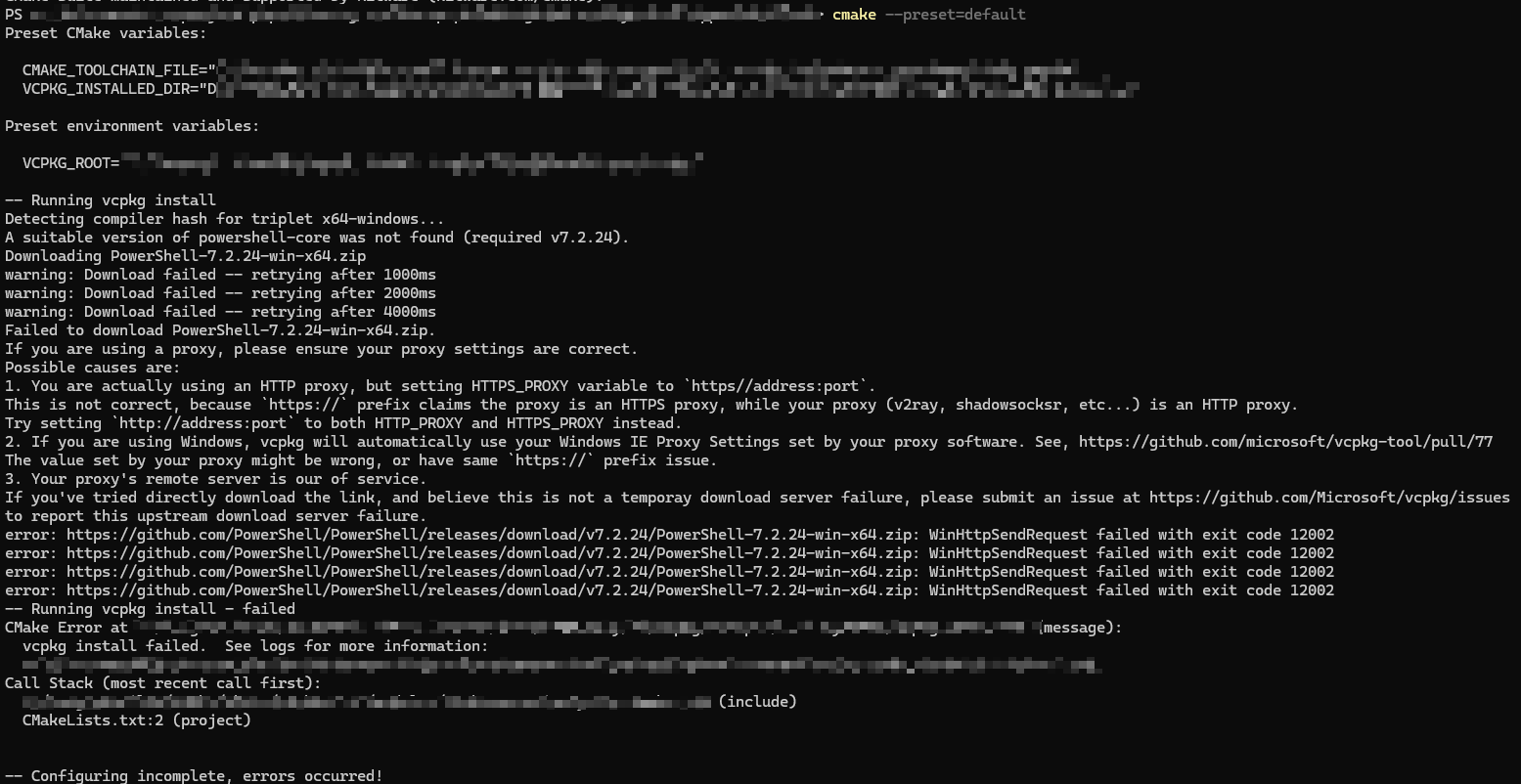
如果使用vcpkg和CMake进行构建的时候,出现如下报错时,可以使用如上同样的解决方案来解决问题
-- Running vcpkg install
Detecting compiler hash for triplet x64-windows...
A suitable version of powershell-core was not found (required v7.2.24).
Downloading PowerShell-7.2.24-win-x64.zip
warning: Download failed -- retrying after 1000ms
warning: Download failed -- retrying after 2000ms
warning: Download failed -- retrying after 4000ms
Failed to download PowerShell-7.2.24-win-x64.zip.
提示没有找到合适的powershell-core,完整报错为:
2025.4.18更新
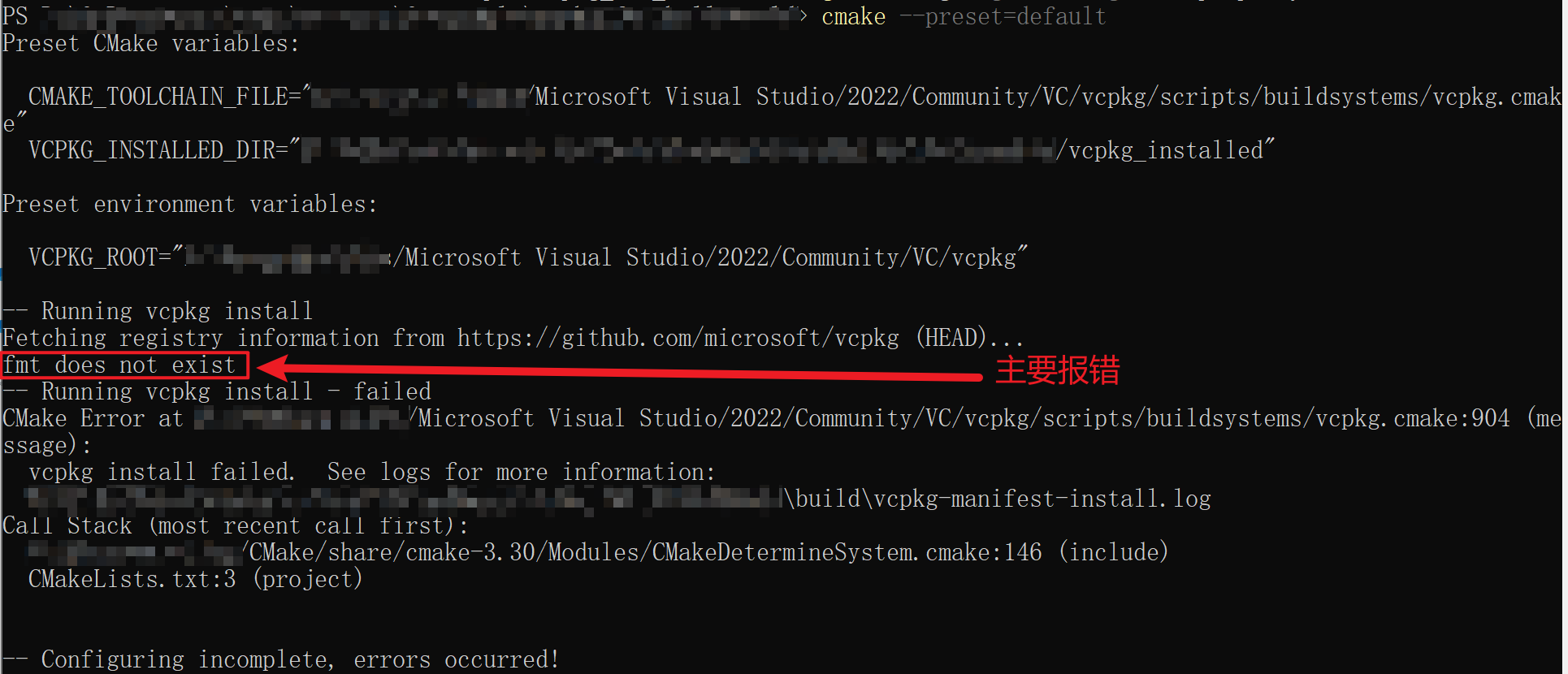
在使用cmake build的时候,当出现如下报错的时候,提示某某库不存在(图中提示我fmt库不存在),不是这个库真的不存在,而是网络连接存在问题导致找不到这个库。
此时同样可以使用如上解决方案来解决这个问题
-- Running vcpkg install
Fetching registry information from https://github.com/microsoft/vcpkg (HEAD)...
fmt does not exist
-- Running vcpkg install - failed
总结
在使用vcpkg的时候,很多问题都可以归结为网络连接问题,只要设置了代理即可解决这些问题。





 扫一扫
扫一扫


 662
662

 被折叠的 条评论
为什么被折叠?
被折叠的 条评论
为什么被折叠?
 到【灌水乐园】发言





