
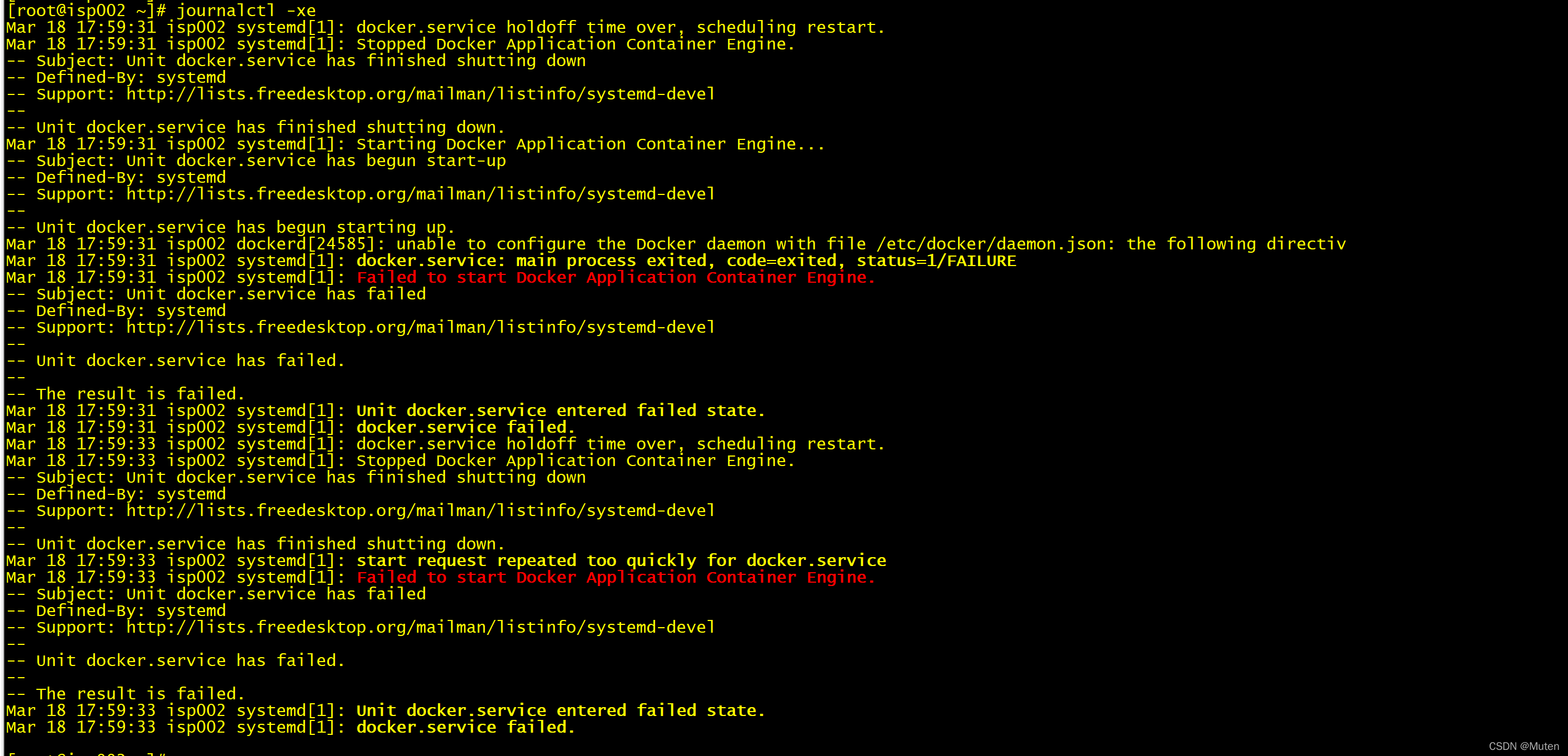
start request repeated too quickly for docker.service

这篇博客介绍了在遇到Harbor 2.0版本报错时,如何通过更换配置文件daemon.conf来解决问题。作者指出,正确配置daemon.conf可以修复错误,从而确保Harbor服务的正常运行。

出现这次报错的harbor版本是2.0的,似乎用的配置文件应该是daemon.conf,将配置文件换成 daemon.conf就好了.
[root@localhost docker]# systemctl status dockerdocker.service - Docker Application Container Engine Loaded: loaded (/usr/lib/systemd/system/docker.service; enabled; vendor preset: disabled) Active: failed (Result: start-limit) since 五 2025-09-26 23:28:18 CST; 2min 52s ago Docs: https://docs.docker.com Process: 16120 ExecStart=/usr/bin/dockerd -H fd:// --containerd=/run/containerd/containerd.sock (code=exited, status=1/FAILURE) Main PID: 16120 (code=exited, status=1/FAILURE) 9月 26 23:28:16 localhost.localdomain systemd[1]: docker.service failed. 9月 26 23:28:18 localhost.localdomain systemd[1]: docker.service holdoff time over, scheduling restart. 9月 26 23:28:18 localhost.localdomain systemd[1]: Stopped Docker Application Container Engine. 9月 26 23:28:18 localhost.localdomain systemd[1]: start request repeated too quickly for docker.service 9月 26 23:28:18 localhost.localdomain systemd[1]: Failed to start Docker Application Container Engine. 9月 26 23:28:18 localhost.localdomain systemd[1]: Unit docker.service entered failed state. 9月 26 23:28:18 localhost.localdomain systemd[1]: docker.service failed. 9月 26 23:28:18 localhost.localdomain systemd[1]: start request repeated too quickly for docker.service 9月 26 23:28:18 localhost.localdomain systemd[1]: Failed to start Docker Application Container Engine. 9月 26 23:28:18 localhost.localdomain systemd[1]: docker.service failed. [root@localhost docker]# systemctl start docker Job for docker.service failed because the control process exited with error code. See "systemctl status docker.service" and "journalctl -xe" for details. [root@localhost docker]# docker network ls Cannot connect to the Docker daemon at unix:///var/run/docker.sock. Is the docker daemon running? 死循环了,怎么解决
09-28
评论
添加红包

请填写红包祝福语或标题

红包个数最小为10个

红包金额最低5元

当前余额3.43前往充值 >
需支付:10.00
成就一亿技术人!
领取后你会自动成为博主和红包主的粉丝 规则
hope_wisdom
发出的红包
实付
使用余额支付
点击重新获取
扫码支付
钱包余额 0

抵扣说明:

1.余额是钱包充值的虚拟货币,按照1:1的比例进行支付金额的抵扣。
2.余额无法直接购买下载,可以购买VIP、付费专栏及课程。

余额充值




