


目录
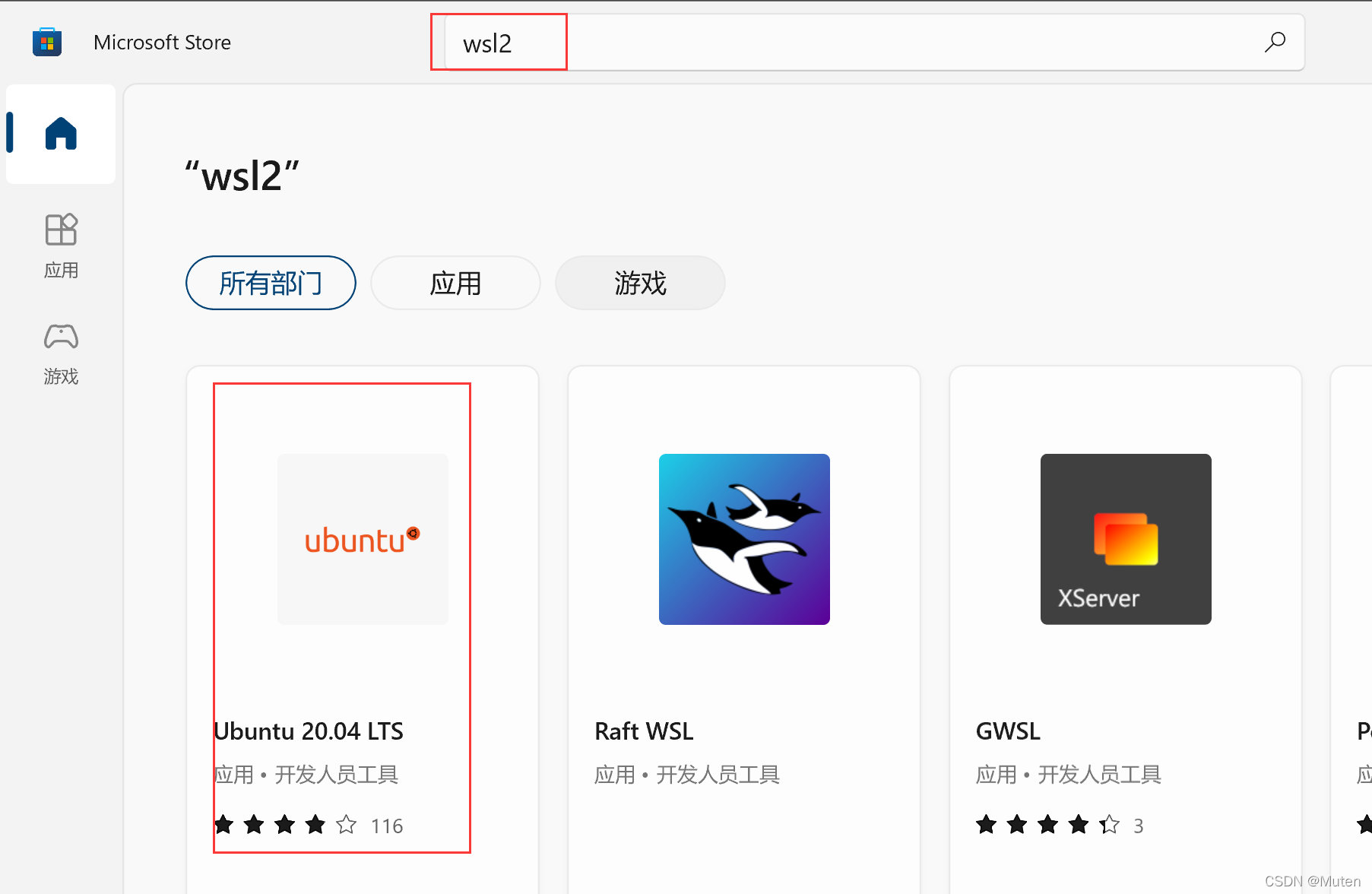
1.下载-【Microsoft Store】中找【WSL2】
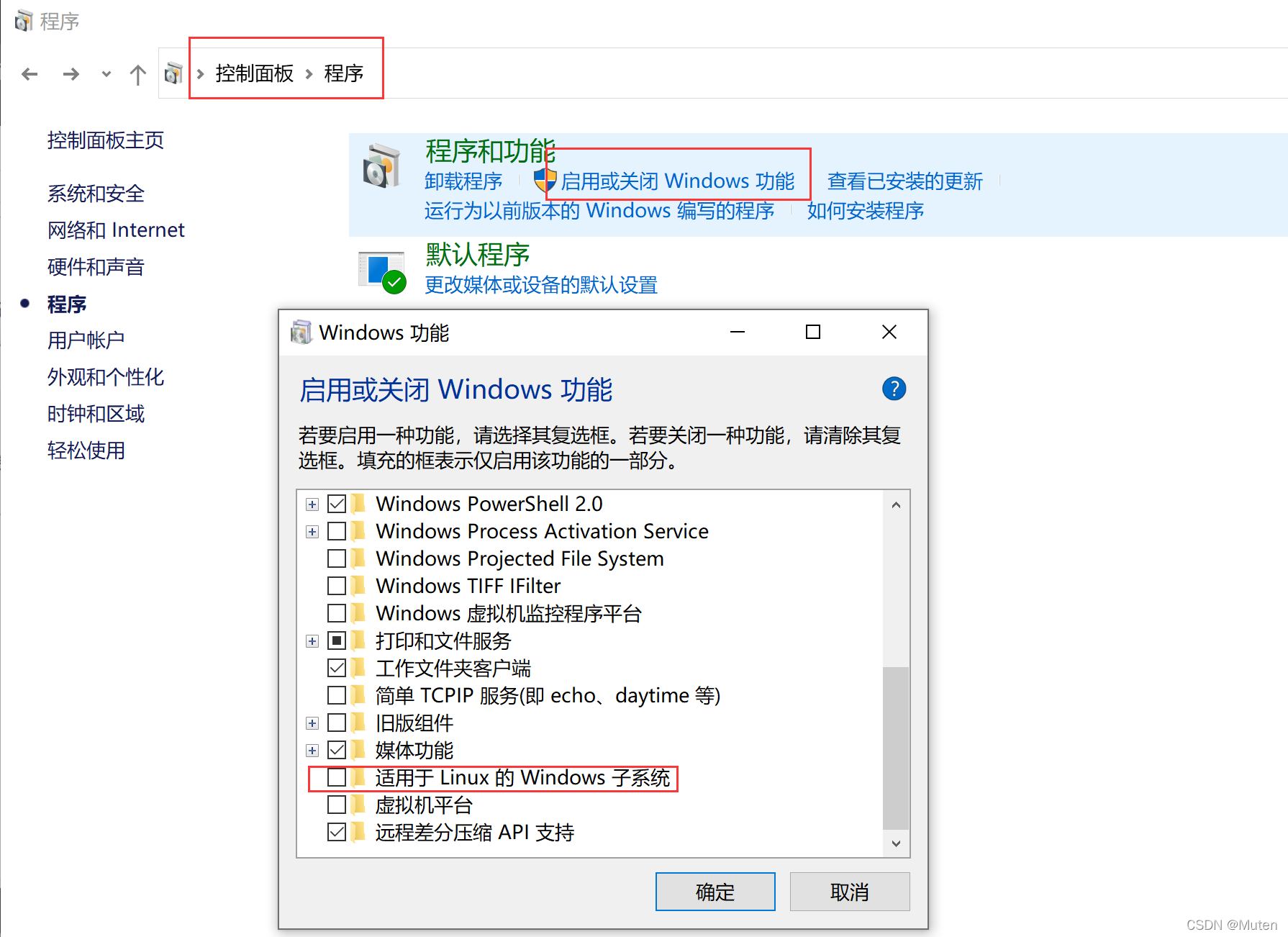
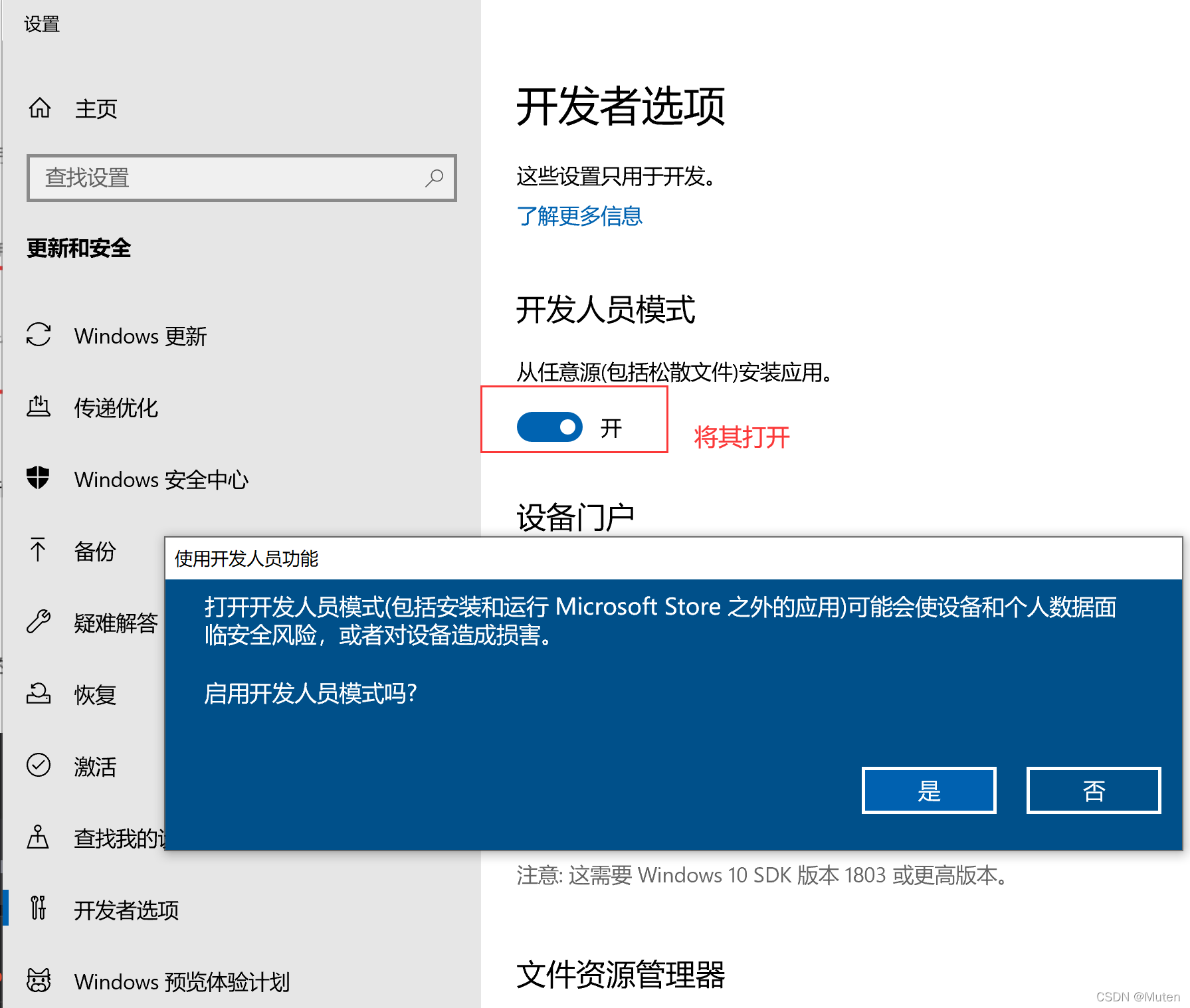
2.报错-需要设置【开发者选项】和【适用于Linux的Windows子系统】
1.下载-【Microsoft Store】中找【WSL2】
2.报错-需要设置【开发者选项】和【适用于Linux的Windows子系统】
The Windows Subsystem for Linux optional component is not enabled. Please enable it and try again.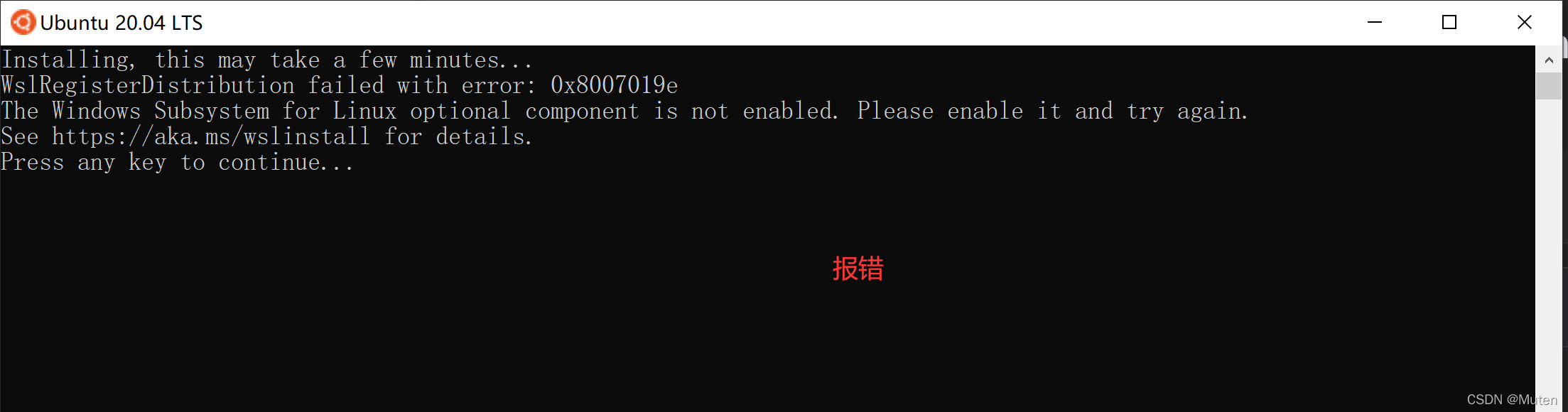
3.基本操作
请输入用户名:muten/muten
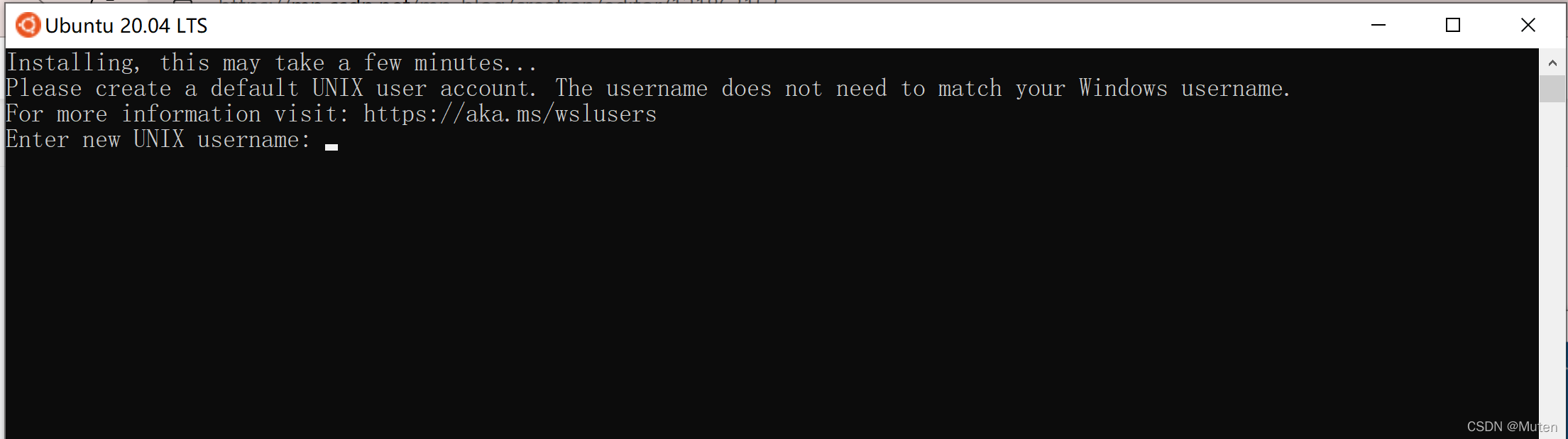
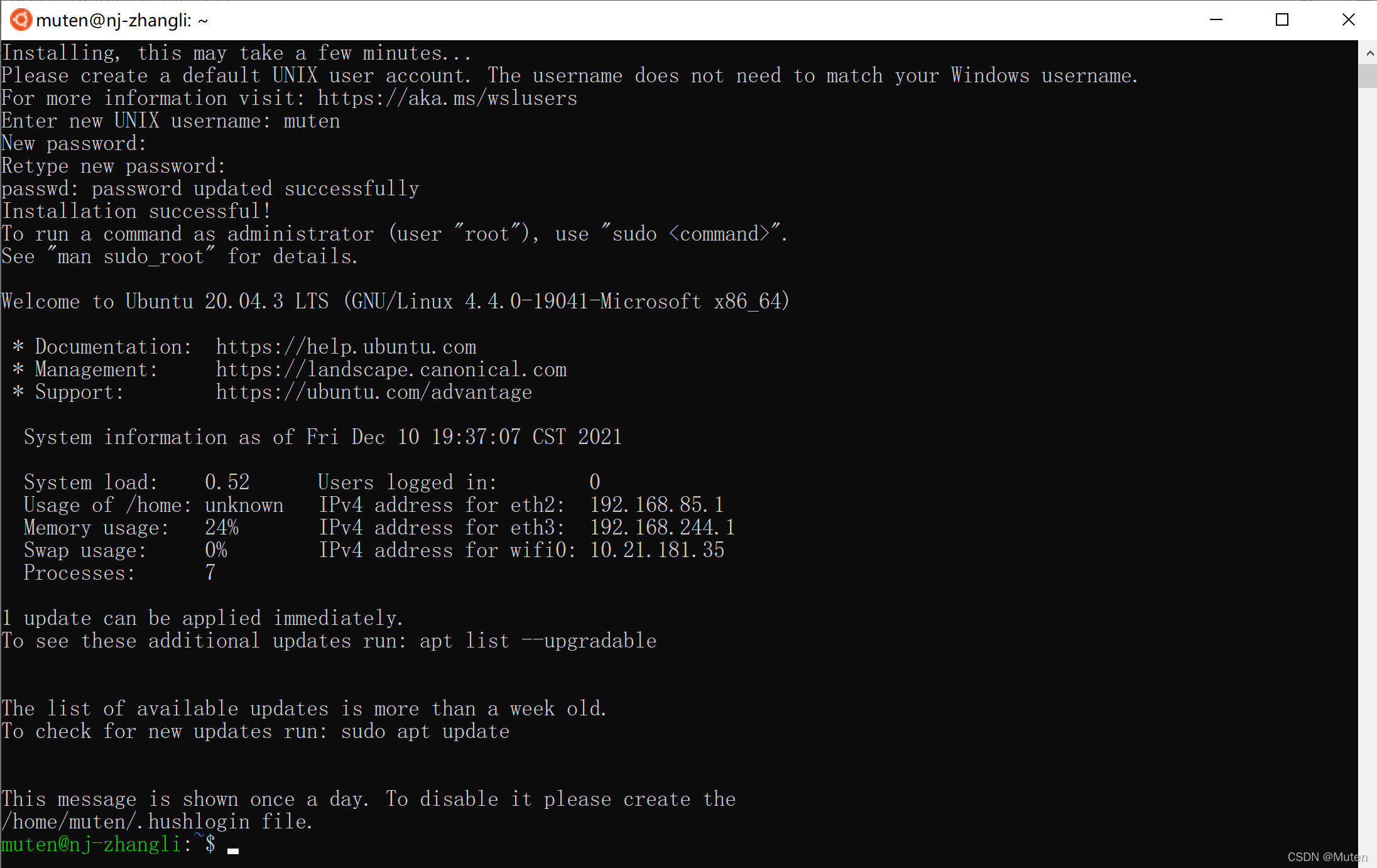
清华源好像不太行,反正安装了阿里源就可以了
sudo sed -i 's/archive.ubuntu.com/mirrors.tuna.tsinghua.edu.cn/g' /etc/apt/sources.list
sudo sed -i 's/mirrors.tuna.tsinghua.edu.cn/mirrors.aliyun.com/g' /etc/apt/sources.list
sudo apt-get update
sudo apt-get install build-essential
sudo sed -i 's/archive.ubuntu.com/mirrors.aliyun.com/g' /etc/apt/sources.list
4.修改WLS2的路径
5.挂载的共享目录
cd /mnt/





 扫一扫
扫一扫


 1万+
1万+

 被折叠的 条评论
为什么被折叠?
被折叠的 条评论
为什么被折叠?
 到【灌水乐园】发言





