



 本文介绍了一个函数,旨在处理移动端常见的交互事件,包括单击、双击、长按及滑动操作,提供了一种统一的事件处理方式。
 function touch(elem,type,handler){
            var types=['click','dbclick','press','slider'];
            var index=-1;//用于判断type是否合法
            for(var i=0;i<types.length;i++){
                if(types[i]==type){
                    index=i;
                    break;
                }
            }
            //不合法不执行函数
            if(type==-1){return;}
            if(!handler instanceof Function){return;}
            var point={//保存当前触摸点的状态
            timer:-1//保存定时器id
        };
        elem.addEventListener('touchstart',function(e){
            var p=e.changedTouches[0]
            //当前touchstart事件中使用的touch对象(获取触摸点)
            point.startX=p.clientX;//获取该触摸点在网页中的x坐标;
            point.startY=p.clientY;//获取该触摸点在网页中的y坐标;
            point.ismove=false;//该属性值用于保存触摸点的状态/滑动or未滑动
            point.starttime=new Date().getTime()//获取事件触发时间
        })
        elem.addEventListener('touchmove',function(e){
           var p=e.changedTouches[0];
           //获取差值,用以确定是否属于滑动
           point.changeX=p.clientX-point.startX;
           point.changeY=p.clientY-point.startY;
           //误差值为10
           if(Math.abs(point.changeX)>10||Math.abs(point.changeY)>10){
               point.ismove=true;
           }
        })
        elem.addEventListener('touchend',function(e){
            if(point.ismove){
                var x=point.changeX;
                var y=point.changeY;
                if(y<0&&Math.abs(y)>Math.abs(x)){//整体来看上滑
                    if (type == "slideUp") {
                        handler(e);
                    }
                }
                if(y>0&&Math.abs(y)>Math.abs(x)){//整体来看下滑
                    if (type == "slideDown") {
                        handler(e);
                    }
                }
                if(x<0&&Math.abs(x)>Math.abs(y)){//整体来看左滑
                    if (type == "slideLeft") {
                        handler(e);
                    }
                }
                if(x>0&&Math.abs(x)>Math.abs(y)){//整体来看右滑
                    if (type == "slideRight") {
                        handler(e);
                    }
                }
            }else{
                var endtime=new Date().getTime();
                //如果触摸点在屏幕停留的时间超过了700ms,视为长按
                if(endtime-point.starttime>700){
                    if(type=="press"){
                    handler(e);
                }
                }else{
                    if(point.timer==-1){
                        point.timer=setTimeout(function(){
                            if (type == "click") {
                                handler(e);
                            }
                            point.timer = -1; //重置定时器
                        },300)
                    }else{
                        if (type == "click") {
                            handler(e);
                        }
                        clearTimeout(point.timer);
                        point.timer=-1;
                    }
                }
            }
        })
        }
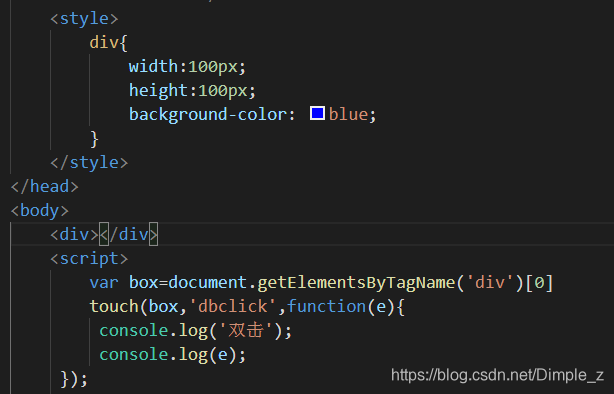
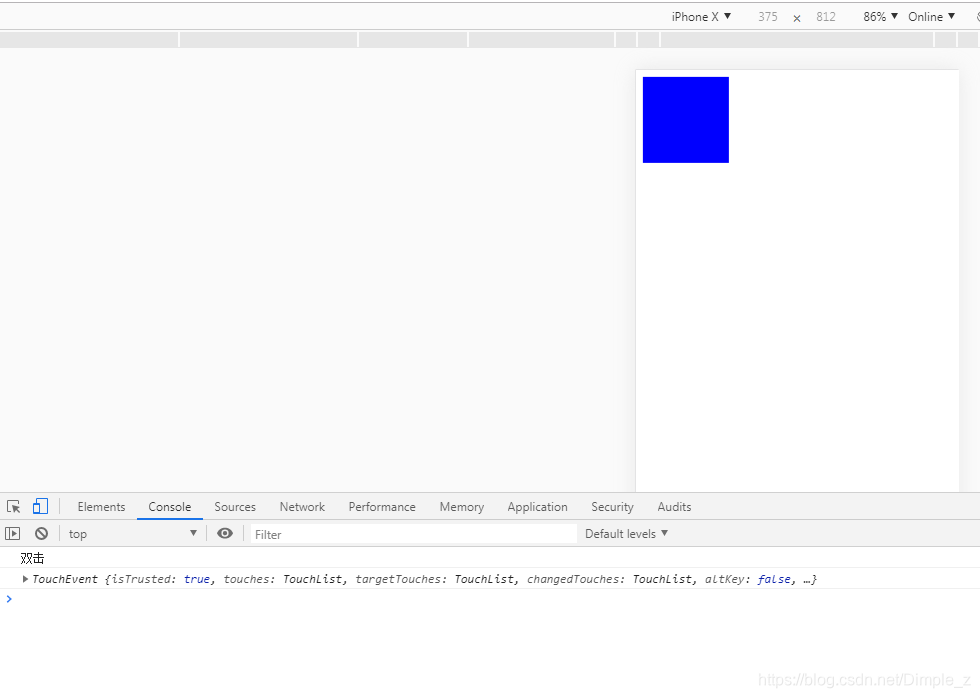
示例:





 扫一扫
扫一扫


 4578
4578

 被折叠的 条评论
为什么被折叠?
被折叠的 条评论
为什么被折叠?
 到【灌水乐园】发言





