


1. 效果
org.springframework.beans.factory.BeanCreationException: Error creating bean with name 'applicationManager' defined in file [E:\**]: Instantiation of bean failed; nested exception is org.springframework.beans.BeanInstantiationException: Could not instantiate bean class [*]: Constructor threw exception; nested exception is java.lang.Error: Unresolved compilation problems:
Syntax error, annotations are only available if source level is 1.5 or greater
Syntax error, annotations are only available if source level is 1.5 or greater
Syntax error, annotations are only available if source level is 1.5 or greater
Syntax error, annotations are only available if source level is 1.5 or greater
Syntax error, annotations are only available if source level is 1.5 or greater
Syntax error, annotations are only available if source level is 1.5 or greater
Syntax error, annotations are only available if source level is 1.5 or greater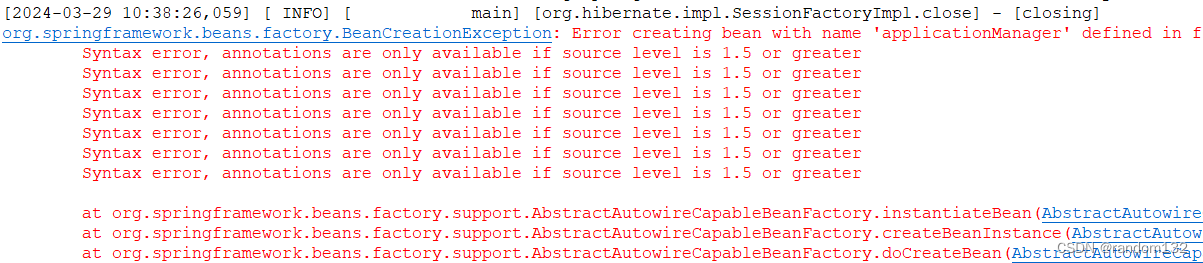
2. 原因:内置版本不匹配
我当前JDK1.8,eclipse版本比较低
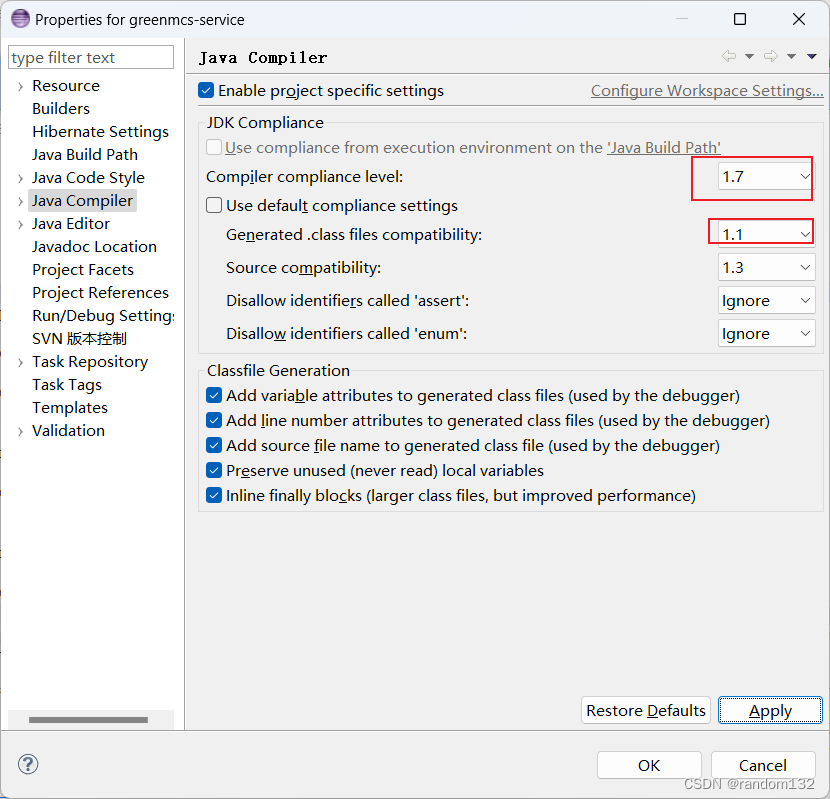
3.解决方法
1.点击项目右键----》properties----》Java compiler-----》点击compiler compliance level切换其他版本再切换回来-----》use default compliance setting-----》apply
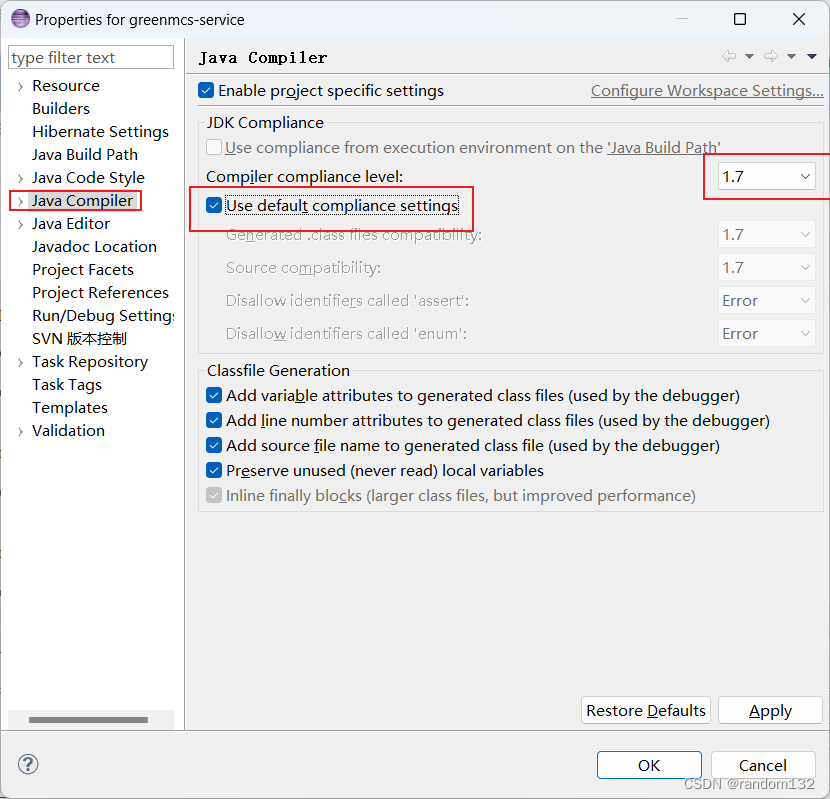
4.最终效果
project 红*消失





 扫一扫
扫一扫


 1189
1189

 被折叠的 条评论
为什么被折叠?
被折叠的 条评论
为什么被折叠?
 到【灌水乐园】发言





