



 在Mac环境下使用Android Studio从SVN下载代码时遇到错误:xcrun: error: active developer path "" does not exist。解决方法包括参照指定博客进行操作,但在执行命令时可能需要管理员权限,通过`su`或`sudo`来执行。
mac 上的AndroidStudio环境,从SVN down代码的时候,出现了这个错
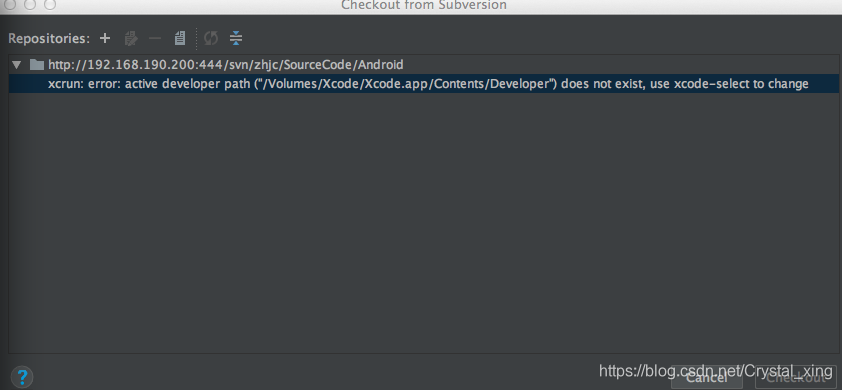
解决方案是: https://www.cnblogs.com/songxing10000/p/4805881.html 。但是照着打完命令后报如下错误,意思是必须得获取管理员权限,这时候就要用su命令root,和sudo执行单条命令:
xingjunchaodeMacBook-Air:~ xingjunchao$ xcode-select -switch /Applications/Xcode.app/Contents/Developer
xcode-select: error: --switch must be run as root (e.g. sudo xcode-select --switch <xcode_folder_path>).
完整命令记录:
xingjunchaodeMacBook-Air:~ xingjunchao$ su
Password:
su: Sorry
xingjunchaodeMacBook-Air:~ xingjunchao$ xcode-select -switch /Applications/Xcode.app/Contents/Developer
xcode-select: error: --switch must be run as root (e.g. sudo xcode-select --switch <xcode_folder_path>).
xingjunchaodeMacBook-Air:~ xingjunchao$ sudo xcode-select -switch /Applications/Xcode.app/Contents/Developer
Password:
xingjunchaodeMacBook-Air:~ xingjunchao$
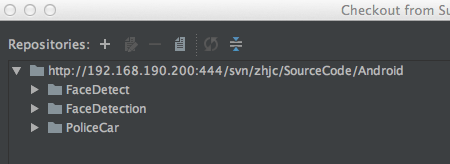
成功解决:





 扫一扫
扫一扫


 1万+
1万+

 被折叠的 条评论
为什么被折叠?
被折叠的 条评论
为什么被折叠?
 到【灌水乐园】发言





