


首先请确保接四根线接线正确,
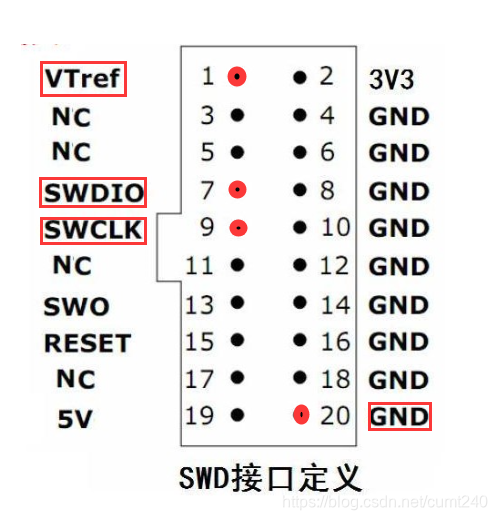
接线正确后若出现如下报错,以下是解决办法
图中是 STM32 ST-LINK Utility 软件弹出的错误提示,内容是 “Can not connect to target! Please select 'Connect Under Reset' mode from Target->Settings menu and try again. If the problem still exists, because of low frequency application, please select a lower SWD Frequency mode from Target->Settings menu”,意思是无法连接到目标,给出了相应的解决建议。
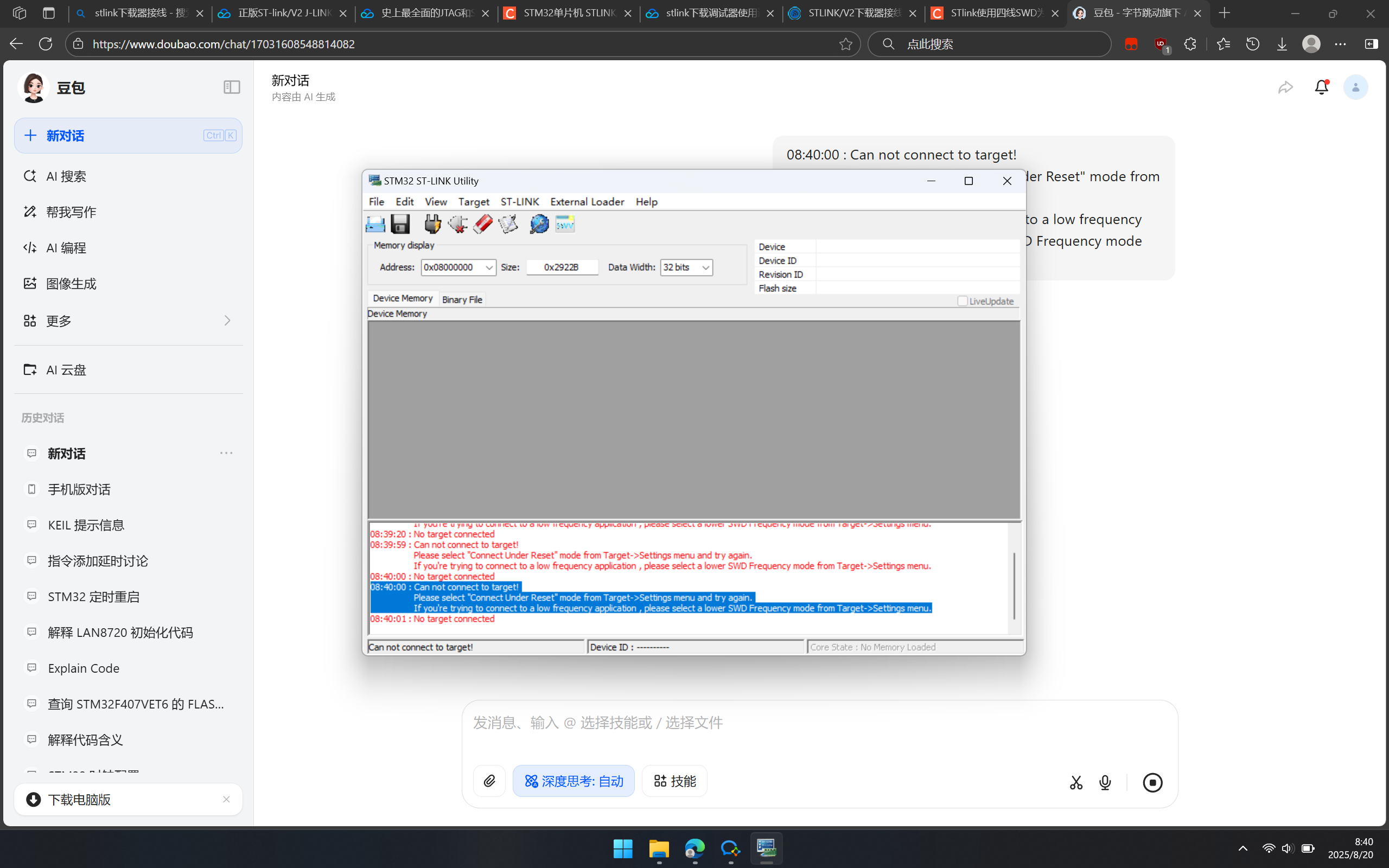
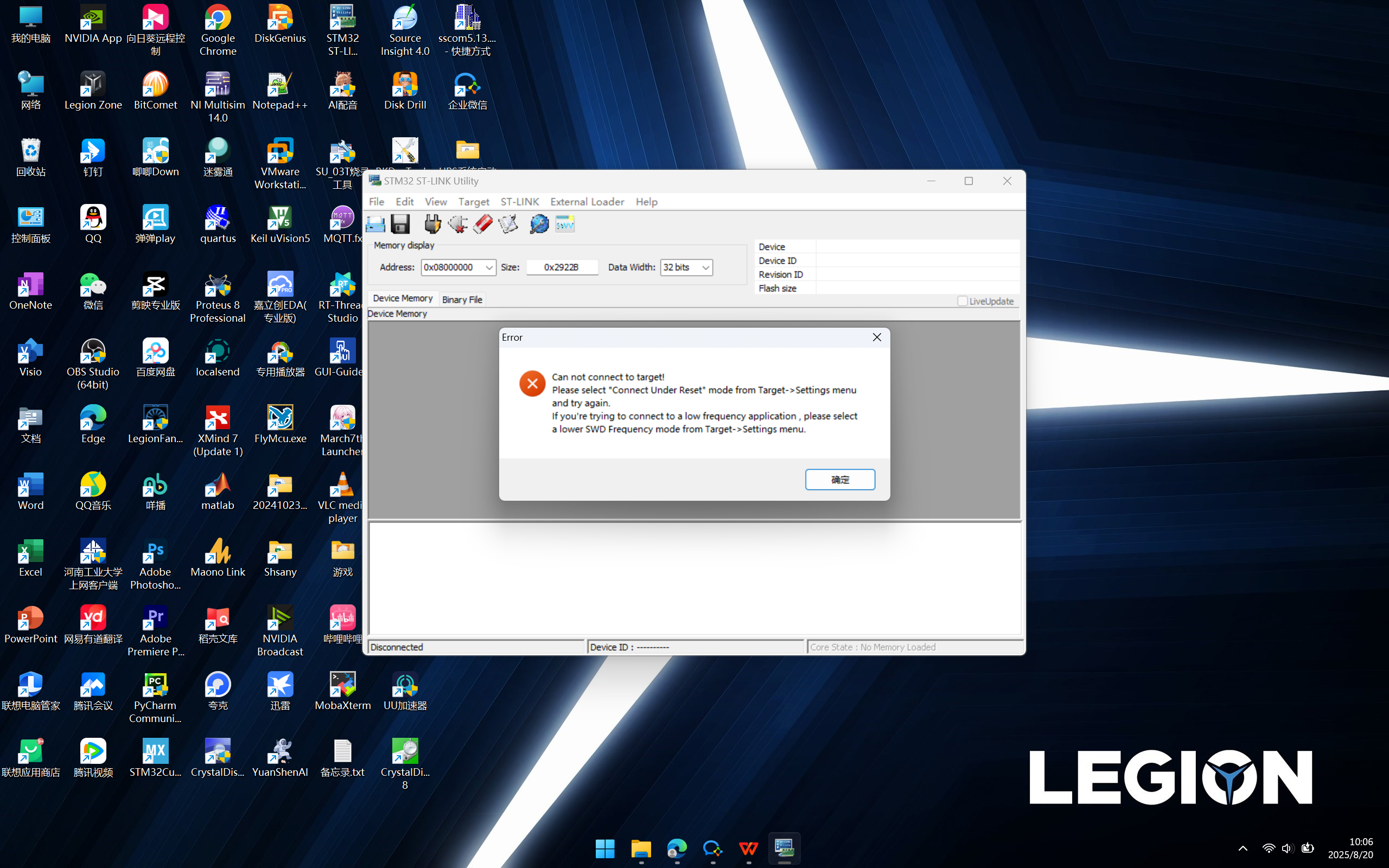
以下是其他常见解决方法的步骤:
进入Target--Settings
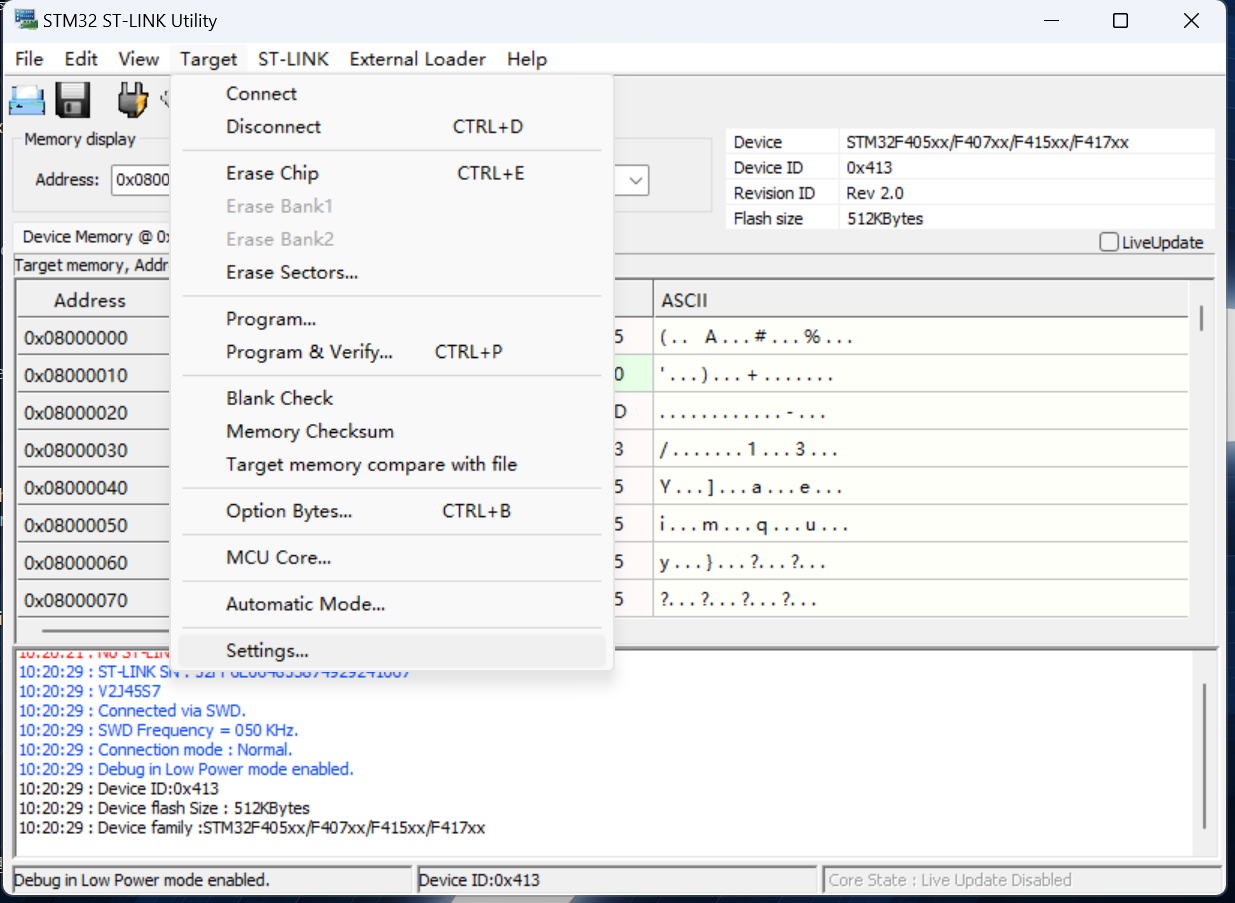
Reset Mode改为Software System Reset
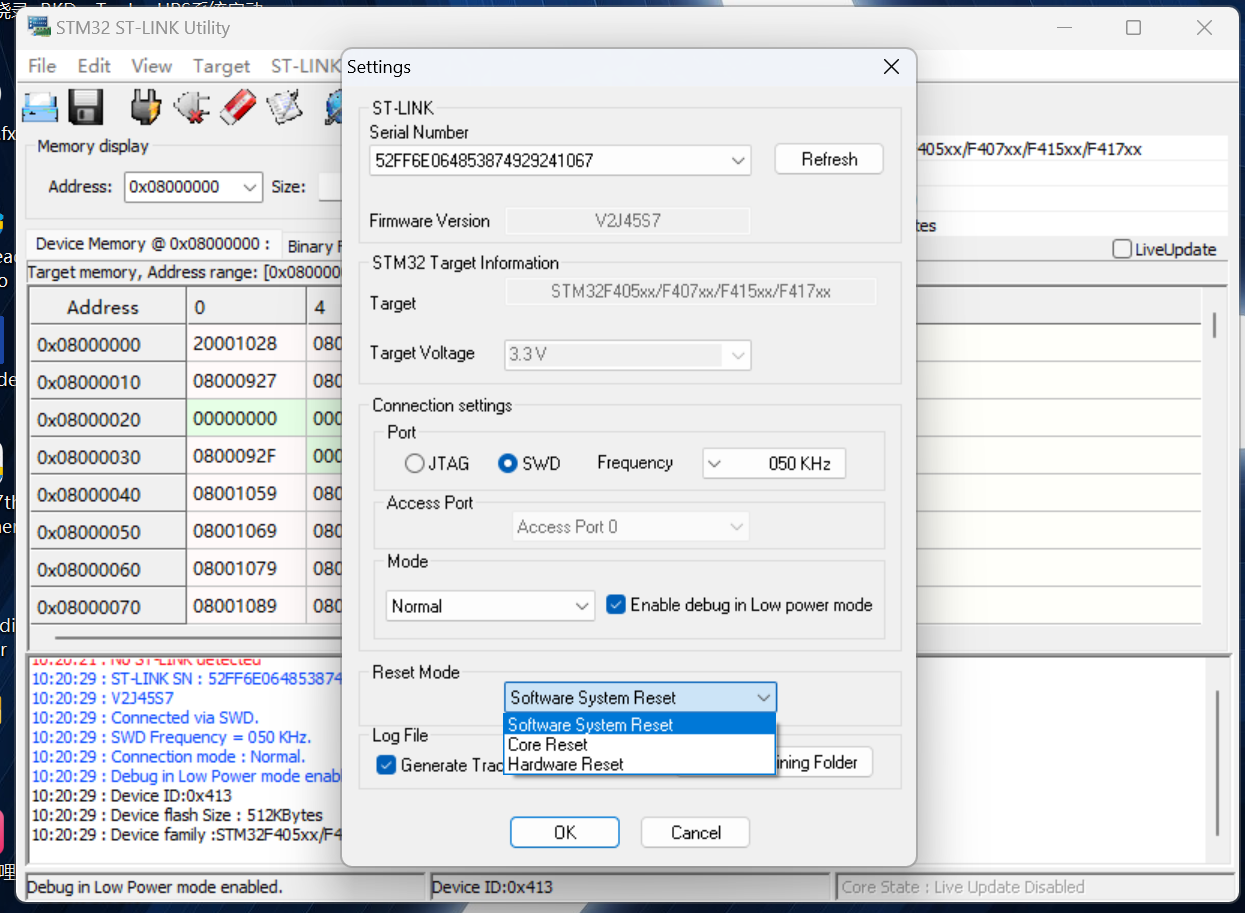
最后使用此方法便连接成功了





 扫一扫
扫一扫


 4152
4152

 被折叠的 条评论
为什么被折叠?
被折叠的 条评论
为什么被折叠?
 到【灌水乐园】发言





