



 本文介绍了一个使用jQuery实现的合成事件案例,通过hover事件使图片在鼠标悬停时改变大小,并展示了如何使用toggle方法来切换元素的显示与隐藏状态。
jQuery合成事件
案例演示:
<!DOCTYPE html>
<html>
	<head>
		<meta charset="utf-8">
		<title>合成事件</title>
		<style type="text/css">
			.big {
				width:250px;
				height:250px;
			}
		</style>
		<script type="text/javascript" src="../js/jquery-1.11.1.js"></script>
		<script type="text/javascript">
			$(function(){
				//hover == onmouseover + onmouseout
				$("img").hover(
					function(){
						$(this).width("250").height("250");
						//$(this).addClass("big");
					},//over
					function(){
						$(this).width("218").height("218");
						//$(this).removeClass("big");

					}//out
				);

				//触发按钮单击事件
				$(":button").trigger("click");
			});

			function qiehuan(){
				$("img").toggle();//切换 元素的显示与隐藏状态:
			}

		</script>
	</head>
	<body>
		<input type="button" value="切换"
		 onclick="qiehuan();">

		<p>
			<img alt="" src="../images/01.jpg">
			<img alt="" src="../images/02.jpg">
			<img alt="" src="../images/03.jpg">
		</p>

	</body>


</html>
最终页面显示效果:
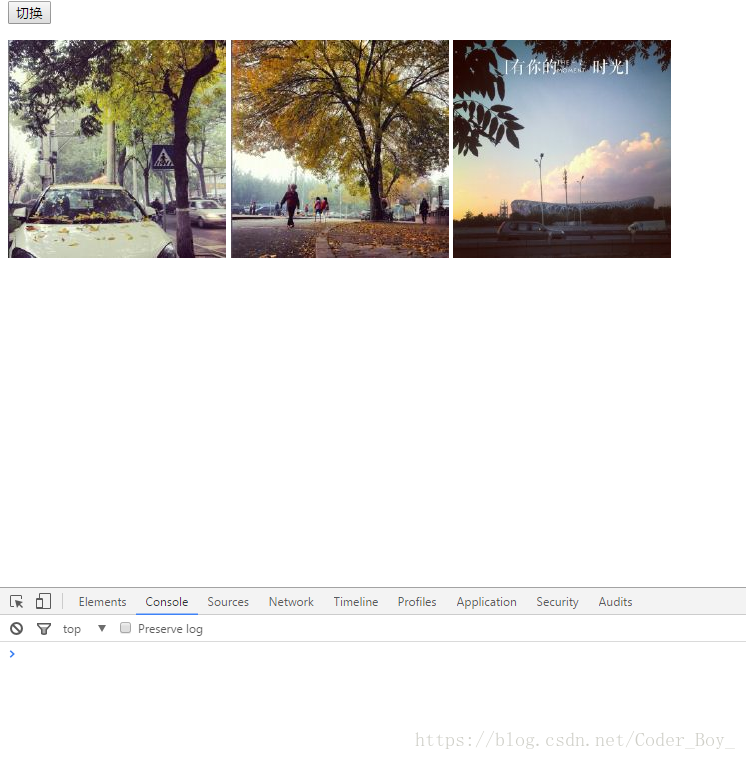
备注:
使用样式类与指定样式值不能交叉使用:
即:addClass与removeClass组合
$(this).width("250").height("250")与$(this).width("218").height("218");组合
否则 样式会失效





 扫一扫
扫一扫


 477
477

 被折叠的 条评论
为什么被折叠?
被折叠的 条评论
为什么被折叠?
 到【灌水乐园】发言





