



 本文探讨了SpringBoot 2.4.0以上版本中遇到的HTTP 500错误,焦点在于修正跨域配置,通过降低版本或使用allowedOriginPatterns替代,解决了访问网站页面的错误,并分享了解决步骤。
错误场景:使用springboot访问网站页面时出现HTTP Status 500 – Internal Server Error

同时idea报错:
错误原因:跨域配置报错
在springboot版本高于2.4.0时不能使用*来设置allowedOrigins,而要使用allowedOriginPatterns作为替换
修改方法:
一、降低springboot的版本
二、使用allowedOriginPatterns替换allowedOrigins
找到原来的跨域配置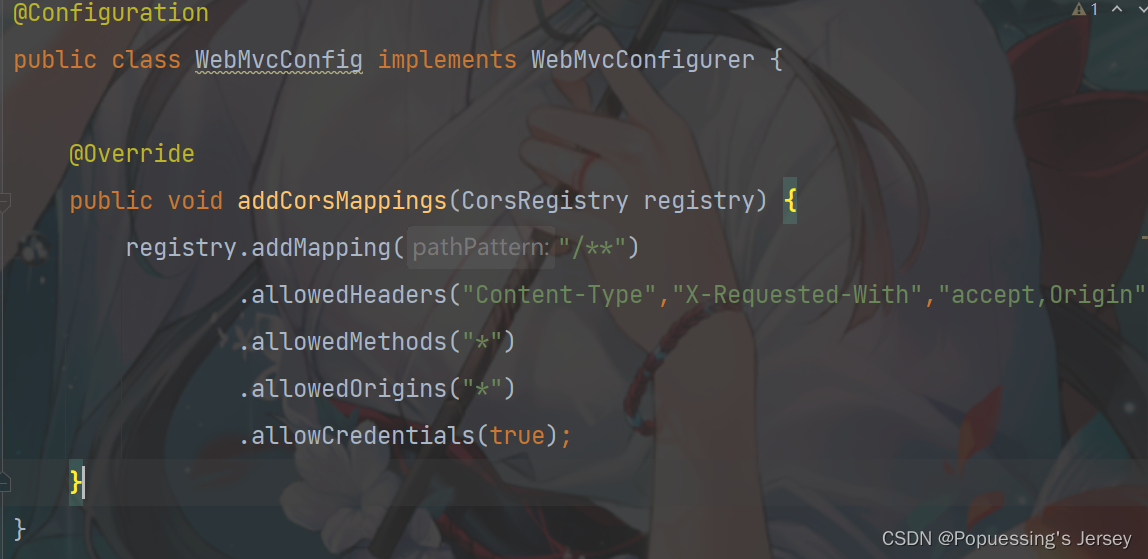
修改后的跨域配置: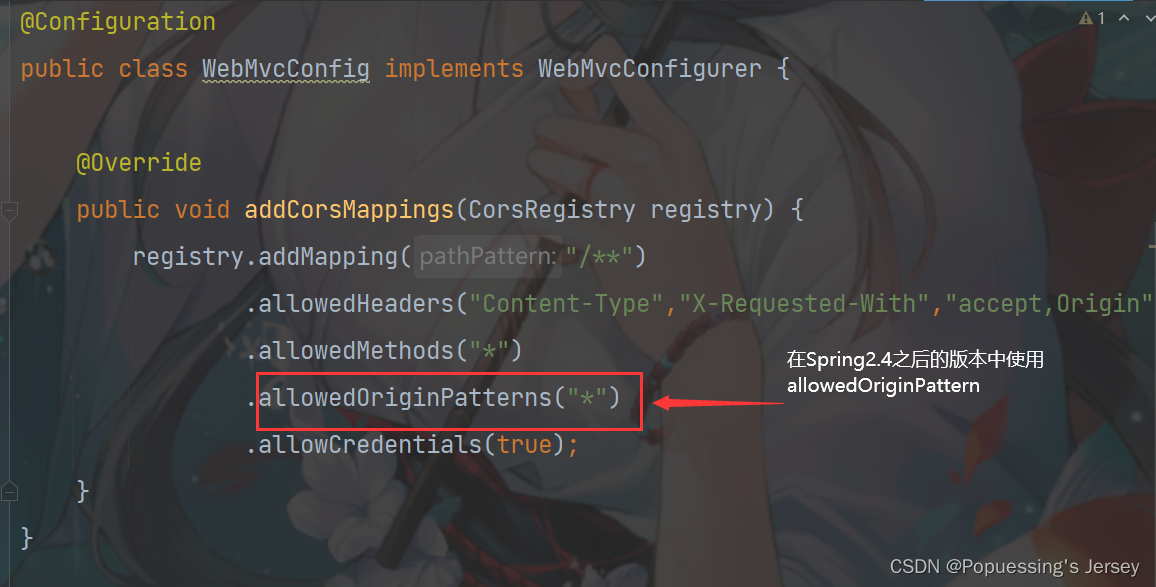
重新启动springboot,问题解决!
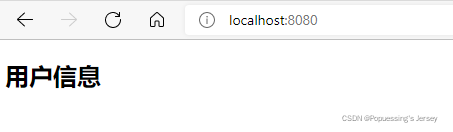
成功访问
坚定目标,日日精进,必有所成,共勉!






 扫一扫
扫一扫


 3553
3553

 被折叠的 条评论
为什么被折叠?
被折叠的 条评论
为什么被折叠?
 到【灌水乐园】发言





