


文章目录
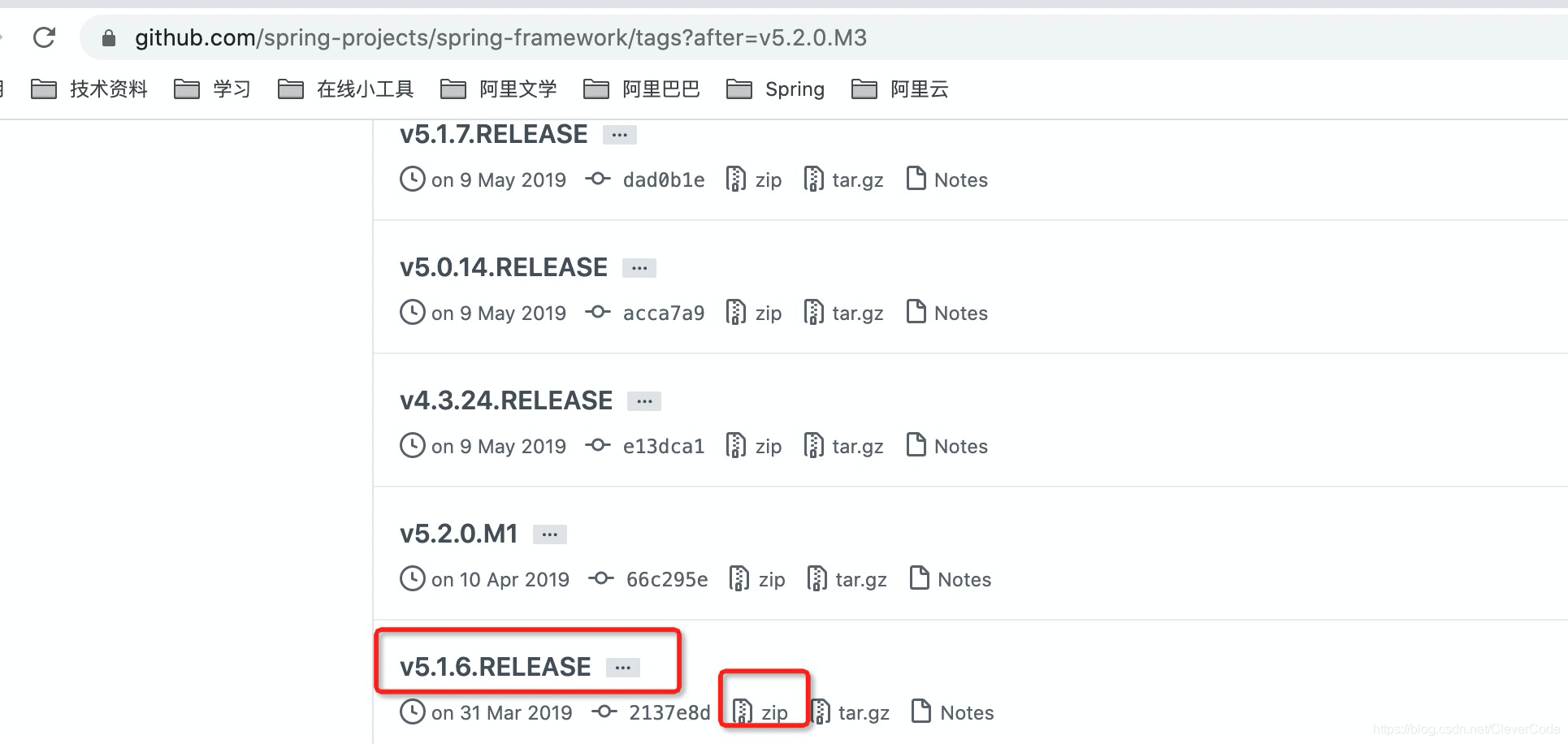
1 下载spring-framework源码(v5.1.6)
https://github.com/spring-projects/spring-framework/tags
2 确定要下载的gradle版本
需要要根据spring源码决定要下载的gradle版本。
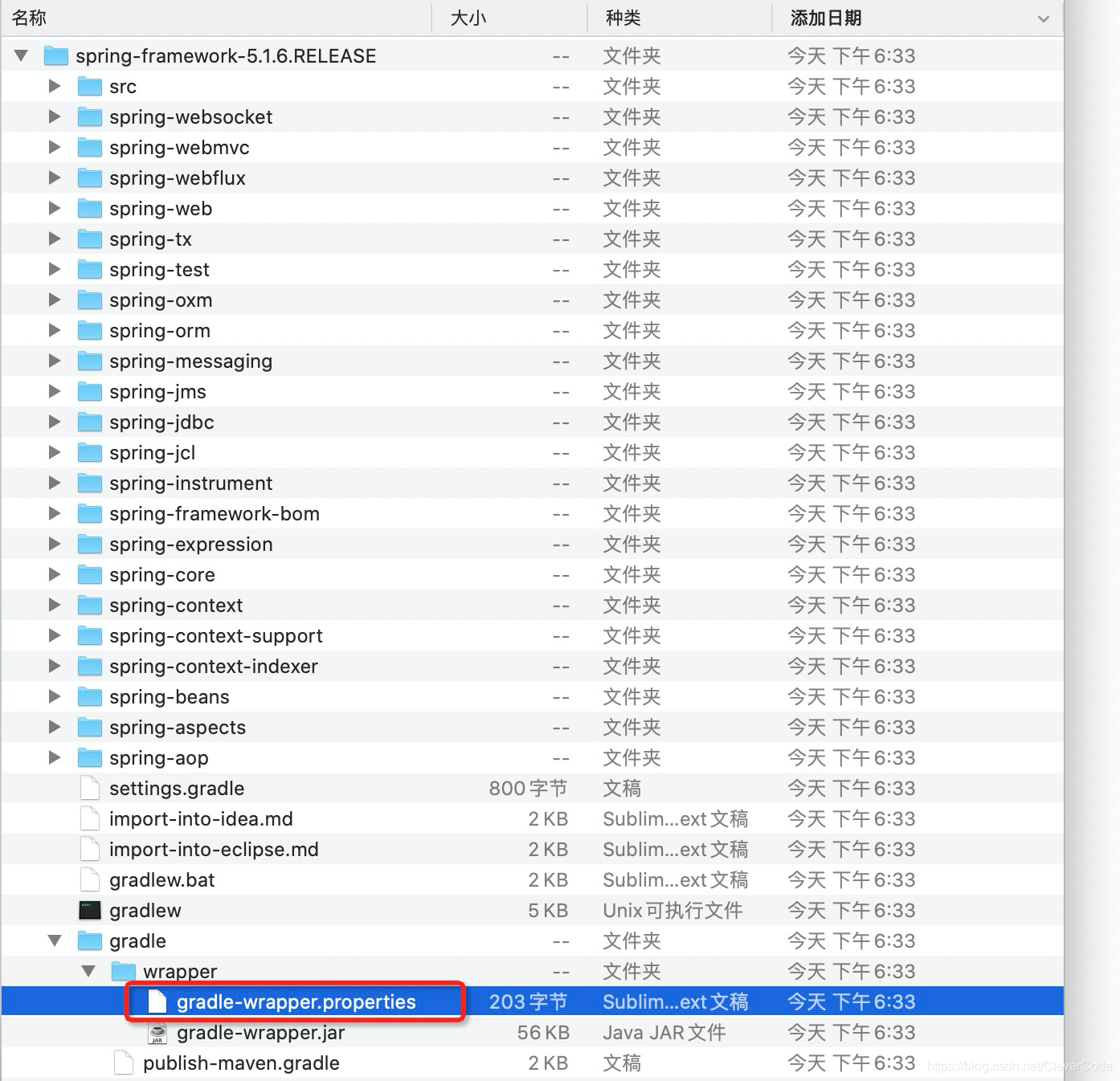
# cat spring-framework-5.1.6.RELEASE/gradle/wrapper/gradle-wrapper.properties
distributionBase=GRADLE_USER_HOME
distributionPath=wrapper/dists
distributionUrl=https\://services.gradle.org/distributions/gradle-4.10.3-bin.zip
zipStoreBase=GRADLE_USER_HOME
zipStorePath=wrapper/dists
distributionUrl=https://services.gradle.org/distributions/gradle-4.10.3-bin.zip。可看到v5.1.6需要的gradle的版本为gradle-4.10.3-bin.zip。
说明:spring-framework-5.1.6.RELEASE(下载5.1.6版本而不是最新的5.2.3的原因是,最新版5.2.3需要的gradle为gradle5.x版本,而idea为2018版本,而2018版本的idea不支持gradle5以上版本;如果您的idea版本为2019及以上版本,可下载最新的spring-framework版本
3 下载并且配置gradle(gradle-4.10.3-bin.zip)
3.1 下载gradle
点击下载 : https://services.gradle.org/distributions/gradle-4.10.3-bin.zip
3.2 解压
解压到/Users/abc/apps/gradle-4.10.3
3.3 环境变量
vi ~/.bash_profile
export GRADLE_HOME=/Users/abc/apps/gradle-4.10.3
export PATH=$PATH:$GRADLE_HOME/bin
3.4 使环境变量生效
# source ~/.bash_profile
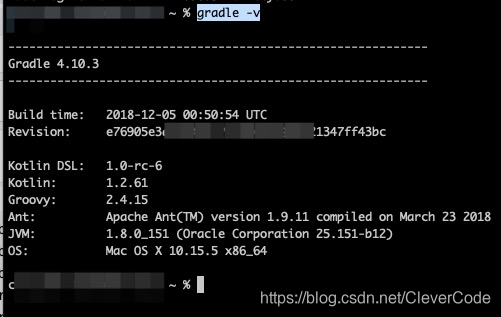
3.5 验证
# gradle -v
3.6 给gradle配置阿里云镜像
在gradle下的init.d文件夹内创建init.gradle文件
# cd /Users/abc/apps/gradle-4.10.3
# cd init.d
# vi init.gradle
allprojects{
   repositories {
       def REPOSITORY_URL = 'http://maven.aliyun.com/nexus/content/groups/public/'
       all { ArtifactRepository repo ->
           if(repo instanceof MavenArtifactRepository){
               def url = repo.url.toString()
               if (url.startsWith('https://repo1.maven.org/maven2') || url.startsWith('https://jcenter.bintray.com/')) {
                   project.logger.lifecycle "Repository ${repo.url} replaced by $REPOSITORY_URL."
                   remove repo
               }
           }
       }
       maven {
           url REPOSITORY_URL
       }
   }
}
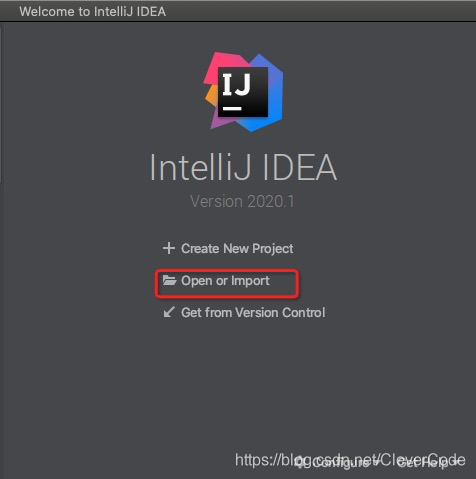
4 导入spring源码
1 导入
2 选择spring-framework-5.1.6.RELEASE

3 修改配置
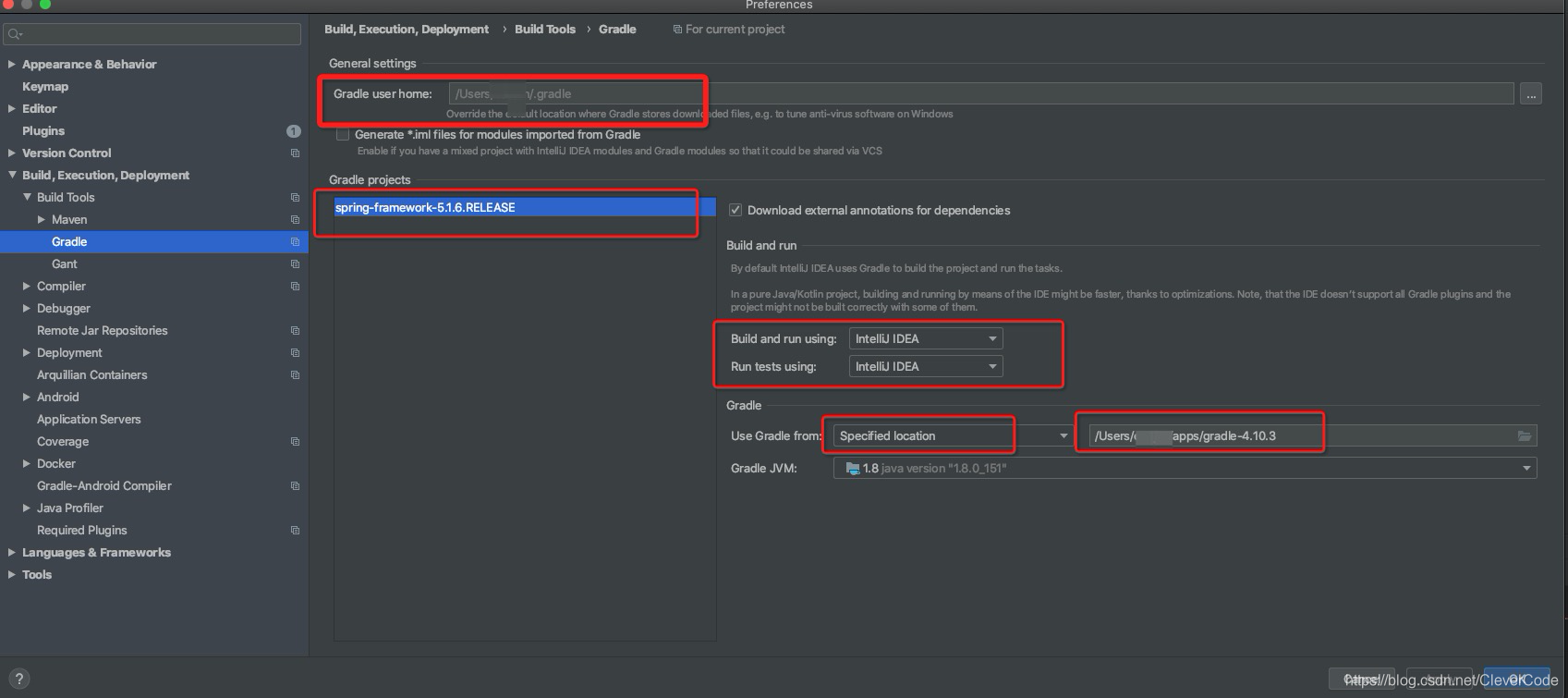
4 遇到的问题
Spring-core模
 最低0.47元/天 解锁文章






 扫一扫
扫一扫


 1486
1486

 被折叠的 条评论
为什么被折叠?
被折叠的 条评论
为什么被折叠?
 到【灌水乐园】发言





