


 本文介绍如何使用Maven工具将本地的jar包安装到项目中。具体步骤包括下载jar包并使用特定命令进行安装,同时更新pom.xml文件以引用已安装的jar包。
步骤
- 将需要的jar包下载至本地。
- 使用IDEA的maven工具进行打包。
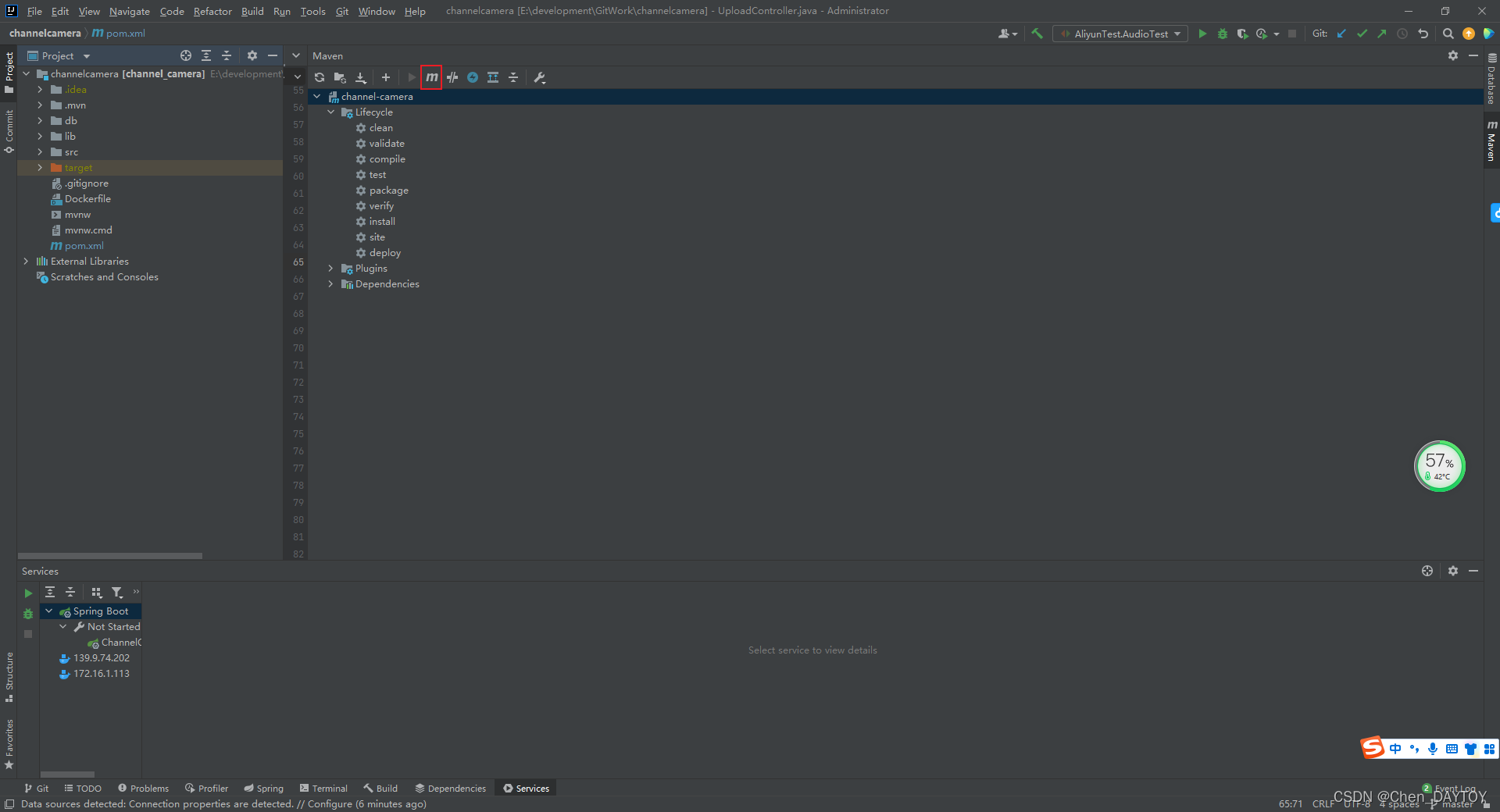
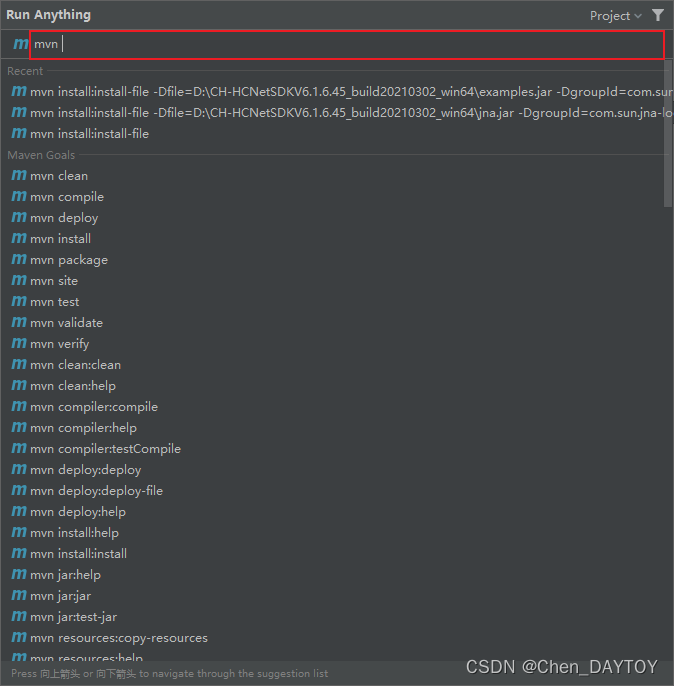
- 输入命令:
mvn install:install-file -Dfile=jar包的本地真实地址 -DgroupId=pom.xml中groupId -DartifactId=pom.xml中artifactId -Dversion=pom.xml中版本号 -Dpackaging=jar或war,包的后缀名 - 例如:
mvn install:install-file -Dfile=D:\CH-HCNetSDKV6.1.6.45_build20210302_win64\examples.jar -DgroupId=com.sun.examples-local -DartifactId=examples-local -Dversion=3.0.9 -Dpackaging=jar
- 在pom.xml中导入maven 即可。





 扫一扫
扫一扫


 1万+
1万+

 被折叠的 条评论
为什么被折叠?
被折叠的 条评论
为什么被折叠?
 到【灌水乐园】发言





